
1. Pengenalan
Terima kasih kerana membeliasing the MEIYA Digital Kitchen Scale. This high-precision scale is designed for accurate measurement in various applications such as baking, cooking, food weighing, coffee preparation, and more. Featuring a large LCD backlit display, USB charging, and a durable stainless steel pan, it offers convenience and reliability for your daily needs.
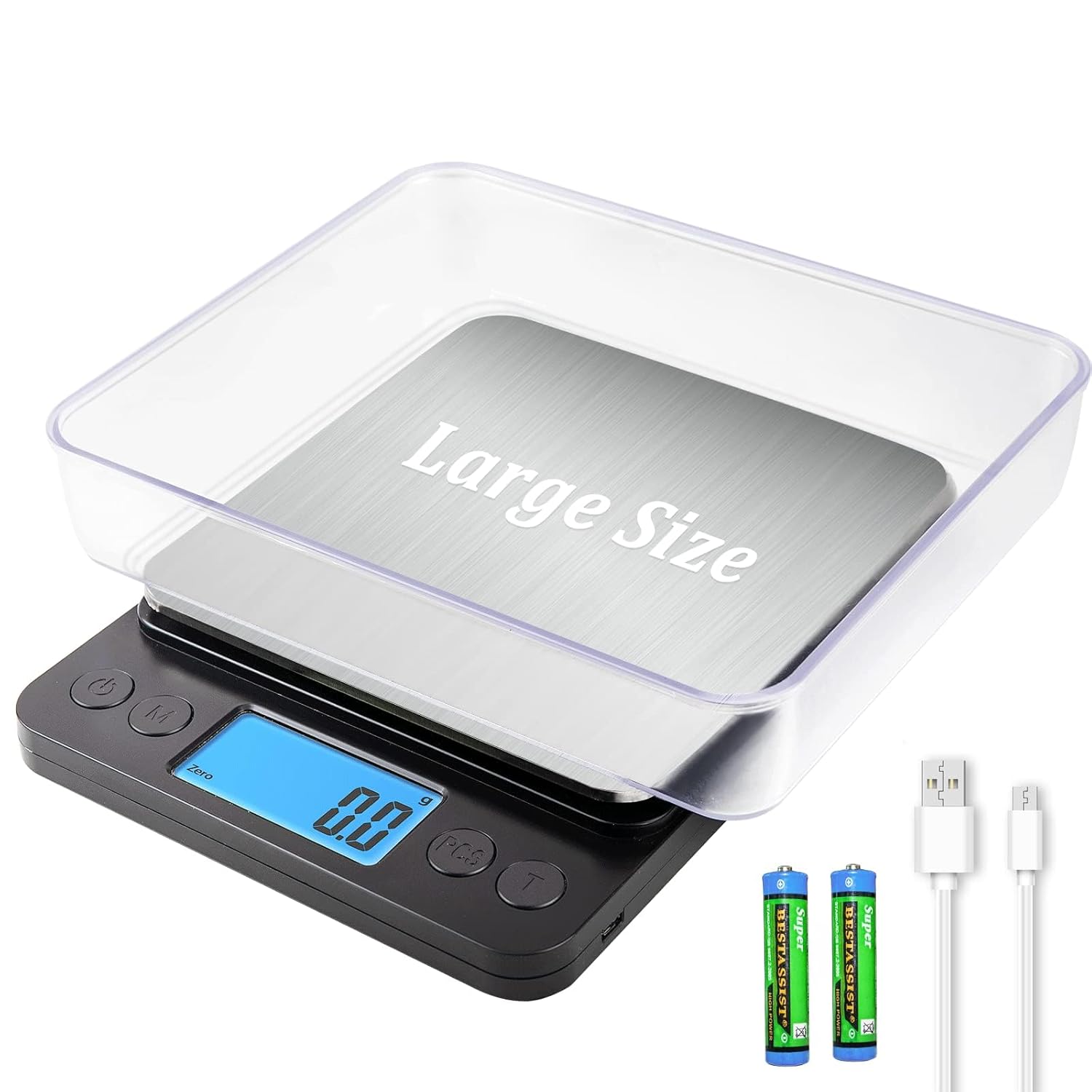
Image: The MEIYA Digital Kitchen Scale, showcasing its main unit, clear weighing tray, USB charging cable, and AAA batteries.
2. Maklumat Keselamatan Penting
- Do not overload the scale beyond its maximum capacity of 5kg (11 lbs).
- Elakkan mendedahkan penimbang kepada suhu atau kelembapan yang melampau.
- Jauhkan penimbang daripada medan elektromagnet yang kuat.
- Bersihkan penimbang dengan lembut, damp kain. Jangan rendam dalam air.
- Peranti ini adalah untuk kegunaan rumah sahaja.
- Handle with care to prevent damage to the precision sensors.
3. Kandungan Pakej
Sila semak pakej untuk item berikut:
- 1 x MEIYA Digital Kitchen Scale
- 1 x Kabel Pengecas USB
- 2 x AAA Batteries (for optional use)
- 2 x BPA-free Weighing Trays
- 1 x Product Description (User Manual)
4. Persediaan
4.1 Pilihan Bekalan Kuasa
The MEIYA Digital Kitchen Scale offers three power supply options:
- USB-Lithium Battery Charging: Connect the provided USB cable to the scale and a USB power source (e.g., power bank, wall adapter, computer USB port) to charge the internal lithium battery. A full charge can provide up to 90 days of use.
- Direct USB Power: The scale can be used continuously while plugged in via the USB cable.
- Bateri AAA: Insert the 2 included AAA batteries into the battery compartment at the bottom of the scale. Ensure correct polarity. This option allows for standalone use without USB connection.

Image: The scale connected via USB-C for charging, illustrating compatibility with power banks, power strips, and computer USB ports.
4.2 Penempatan Awal
Letakkan penimbang pada permukaan yang keras, rata dan stabil untuk memastikan bacaan yang tepat. Elakkan permukaan yang lembut atau tidak rata.
4.3 Using the Trays
The two BPA-free trays can be used as containers for weighing ingredients and also serve to protect the weighing platform when not in use. Place a tray on the stainless steel pan before powering on or after using the Tare function.
5. Arahan Operasi
5.1 Hidupkan/Mati Kuasa
- Tekan ke "HIDUP/MATI" butang untuk menghidupkan skala.
- Tekan dan tahan butang "HIDUP/MATI" button for a few seconds to turn the scale off.
- The scale features an auto shut-off function to save energy after a period of inactivity (typically 180 days standby time).
5.2 Penukaran Unit
The scale supports 9 different units of measurement. Press the "UNIT" or "M" button to cycle through the available units:
- Gram (g)
- Auns (oz)
- Paun (lb)
- mililiter (ml)
- Karat (ct)
- Wajaran sen (dwt)
- Troy Ounces (ozt)
- Bijirin (gn)
- Kilogram (kg)

Image: The scale showing various unit options (g, oz, lb, ml, ct, dwt, ozt, gn, kg) with baked goods on the platform.
5.3 Fungsi Tara
The Tare function allows you to subtract the weight of a container, ensuring only the weight of the ingredients is measured.
- Letakkan bekas kosong di atas platform penimbang.
- Tunggu paparan stabil dan tunjukkan berat bekas.
- Tekan ke "TARE" or "T" button. The display will reset to zero.
- Masukkan bahan-bahan anda ke dalam bekas. Paparan kini hanya akan menunjukkan berat bahan-bahan tersebut.
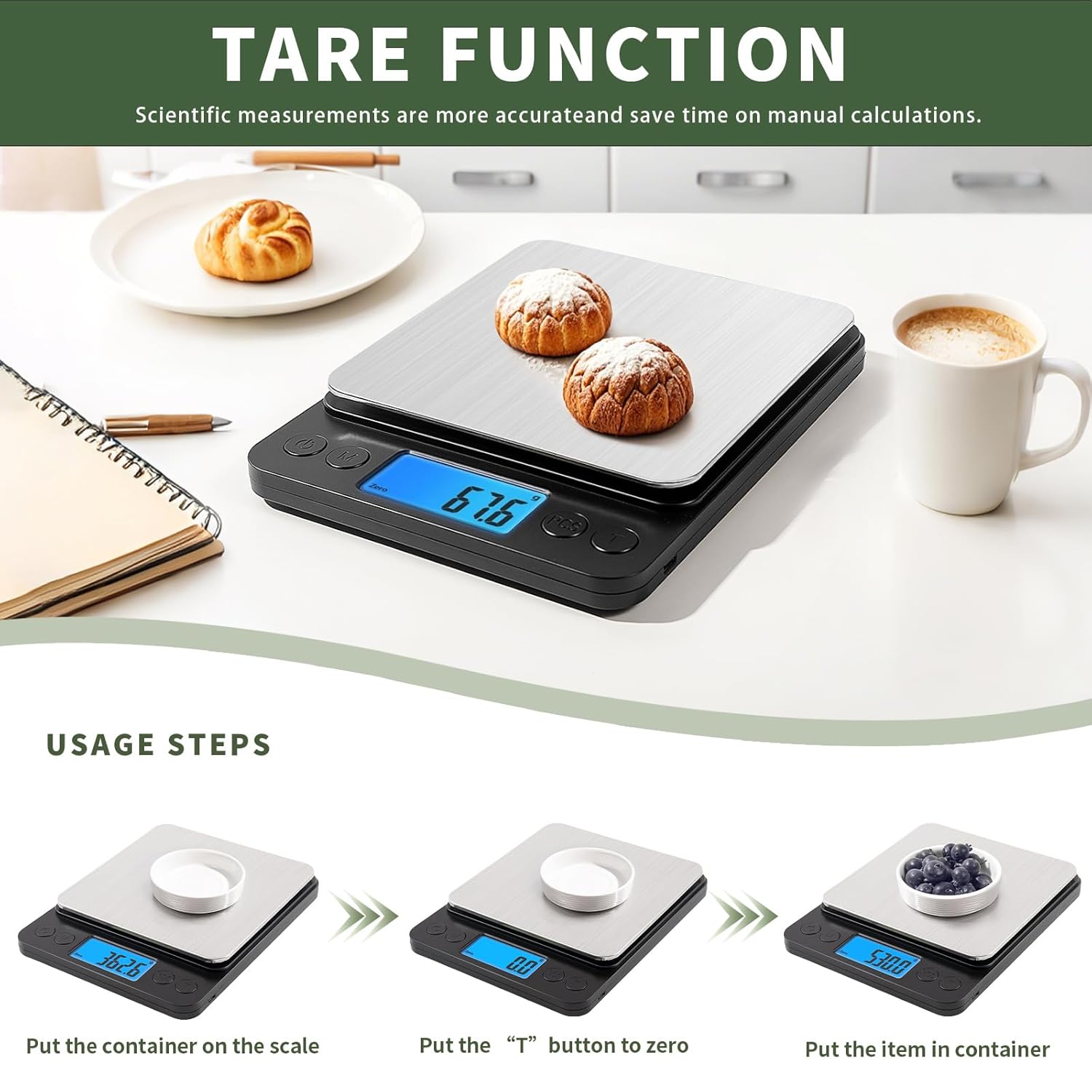
Image: A visual guide demonstrating the tare function: placing a container, pressing the 'T' button to zero, and then adding items to weigh.
5.4 PCS Function (Counting)
The PCS function allows you to count small items such as beads, screws, or other small components.
- Hidupkan penimbang.
- Letakkan sebagaiample quantity of items (e.g., 25, 50, 75, or 100 pieces) on the platform.
- Tekan dan tahan butang "PCS" button until "PCS" appears on the display.
- Tekan ke "UNIT" or "M" butang untuk memilih sample quantity you placed (e.g., "25", "50").
- Tekan "PCS" again to confirm. The scale is now calibrated for counting.
- Add the items you wish to count. The display will show the total number of items.
5.5 Prosedur Penimbangan
- Ensure the scale is on a flat, stable surface and powered on.
- If using a container, place it on the platform and use the Tare function.
- Select your desired unit of measurement using the "UNIT" butang.
- Gently place the item(s) to be weighed onto the center of the platform or into the tared container.
- Baca berat stabil yang dipaparkan pada skrin LCD.

Image: A person weighing flour on the scale, demonstrating its 0.1g high accuracy and 5kg/11lb large range.
6. Penyelenggaraan
6.1 Pembersihan
The stainless steel pan is designed for easy cleaning. Wipe the scale surface with a soft, slightly damp cloth. For stubborn stains, a mild detergent can be used. Ensure no liquid enters the internal components. Do not use abrasive cleaners or immerse the scale in water.
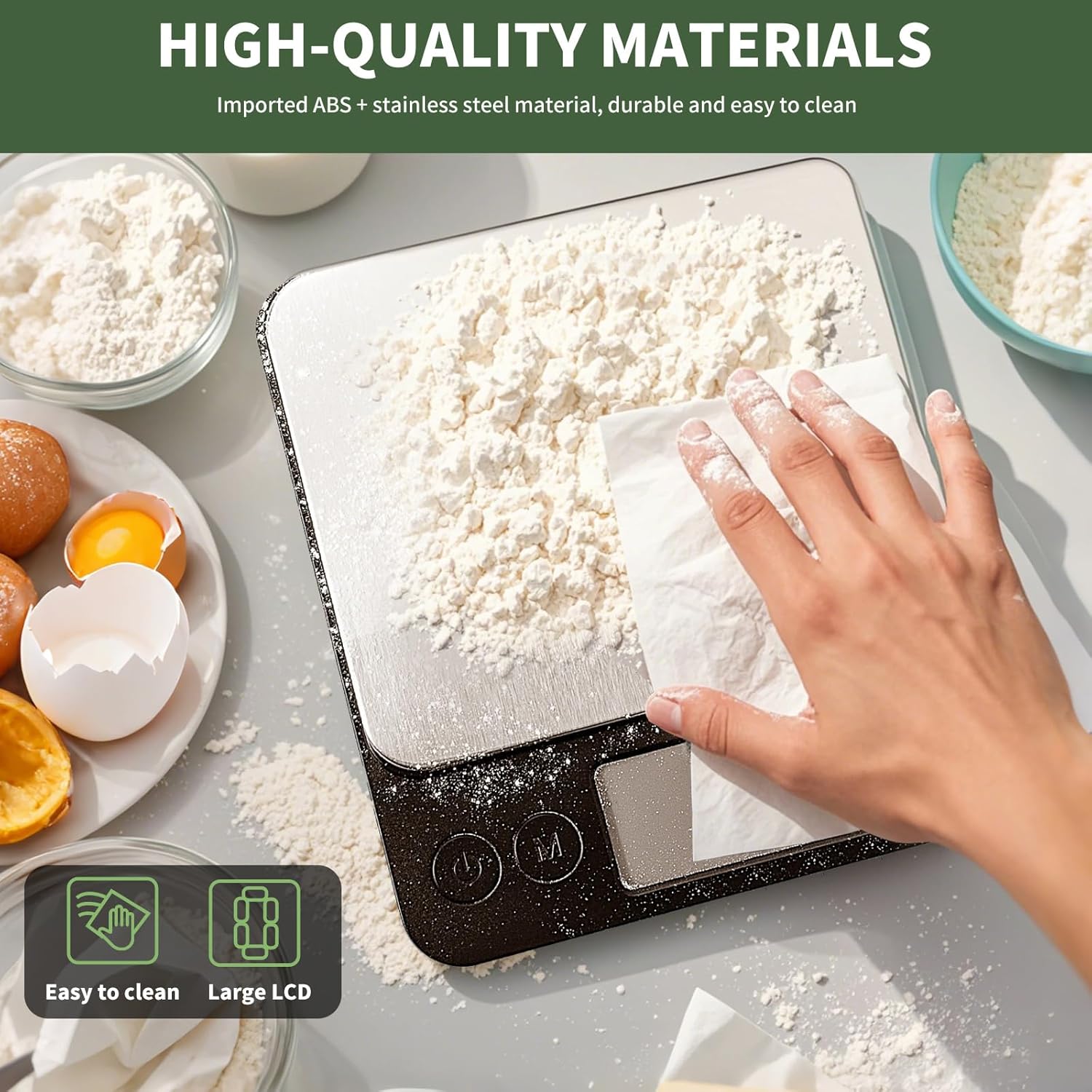
Image: A hand wiping flour off the stainless steel platform of the scale, illustrating its easy-to-clean surface.
6.2 Penyimpanan
Store the scale in a cool, dry place away from direct sunlight and extreme temperatures. If not in use for an extended period, it is recommended to remove the AAA batteries (if used) to prevent leakage.
7. Penyelesaian masalah
| Masalah | Kemungkinan Punca | Penyelesaian |
|---|---|---|
| Skala tidak dihidupkan. | Bateri lemah atau tiada kuasa. | Charge the internal lithium battery via USB or replace/install AAA batteries. |
| Bacaan yang tidak tepat. | Uneven surface, overloaded, or interference. | Place on a flat, stable surface. Do not exceed 5kg capacity. Avoid strong electromagnetic fields. Recalibrate if necessary (refer to advanced settings if available, or power cycle). |
| "EEEE" or "O_Ld" error message. | Petunjuk lebihan beban. | Remove items immediately to prevent damage. Ensure weight is within 5kg limit. |
| Paparan menunjukkan "Lo". | Bateri lemah. | Charge the internal lithium battery or replace AAA batteries. |
8. Spesifikasi Produk
| Ciri | Perincian |
|---|---|
| Jenama | MEIYA |
| Model | Digital Kitchen Scale 5kg/0.1g |
| Julat Pengukuran | 0.5g - 5kg (11 lbs) |
| Ketepatan | 0.1g |
| Unit | g, kg, oz, lb, ct, dwt, ozt, gn, ml |
| Paparan | Paparan Lampu Belakang LCD |
| Bekalan Kuasa | USB-C Rechargeable Lithium Battery, 2x AAA Batteries (included) |
| bahan | Imported ABS, Stainless Steel Pan |
| Dimensi Produk | 8.3 x 6.5 x 1.1 inci |
| Dimensi Platform | 6.5 x 6.3 inci |
| Ciri Khas | Tare Function, PCS Counting Function, Auto Shut-off, Low Battery Indicator, Overload Indicator |

Image: The MEIYA Digital Kitchen Scale with its dimensions (8.3in x 6.5in x 1.2in) clearly marked, demonstrating its large size and platform suitable for bigger containers.
9. Waranti dan Sokongan
MEIYA is committed to providing high-quality and reliable products. For any questions, concerns, or technical support regarding your MEIYA Digital Kitchen Scale, please refer to the contact information provided with your purchase or visit the official MEIYA webtapak. Sila simpan bukti pembelian anda untuk tuntutan waranti.
The product typically comes with a standard manufacturer's warranty covering defects in materials and workmanship. Specific warranty terms and conditions may vary and are usually detailed in the product packaging or on the manufacturer's webtapak.