Dcolor TV Remote Control User Manual
Model: EU014AB
pengenalan
This manual provides comprehensive instructions for the Dcolor Universal TV Remote Control, Model EU014AB. This remote is designed to offer seamless control over various entertainment devices, including TVs and compatible Dcolor ATSC TV Tuners. Its ergonomic design and intuitive layout ensure ease of use for navigating menus, adjusting volume, changing channels, and controlling playback functions.

Image: The Dcolor Universal TV Remote Control, showcasing reka bentuk hitam anggun dan susun atur butangnya.
Persediaan
1. Pemasangan Bateri
- Cari petak bateri di belakang alat kawalan jauh.
- Luncurkan buka penutup bateri.
- Insert 1 AAA battery, ensuring the correct polarity (+ and -) as indicated inside the compartment.
- Tutup penutup bateri dengan selamat.
2. Compatibility and Initial Use
This remote is designed for universal compatibility with most major TV brands and specifically with Dcolor ATSC TV Tuners. No complex programming is typically required for basic functions with compatible Dcolor devices. For other TV brands, the remote may automatically detect and control the device, or refer to the "Remote Control Code" section for advanced setup if needed.
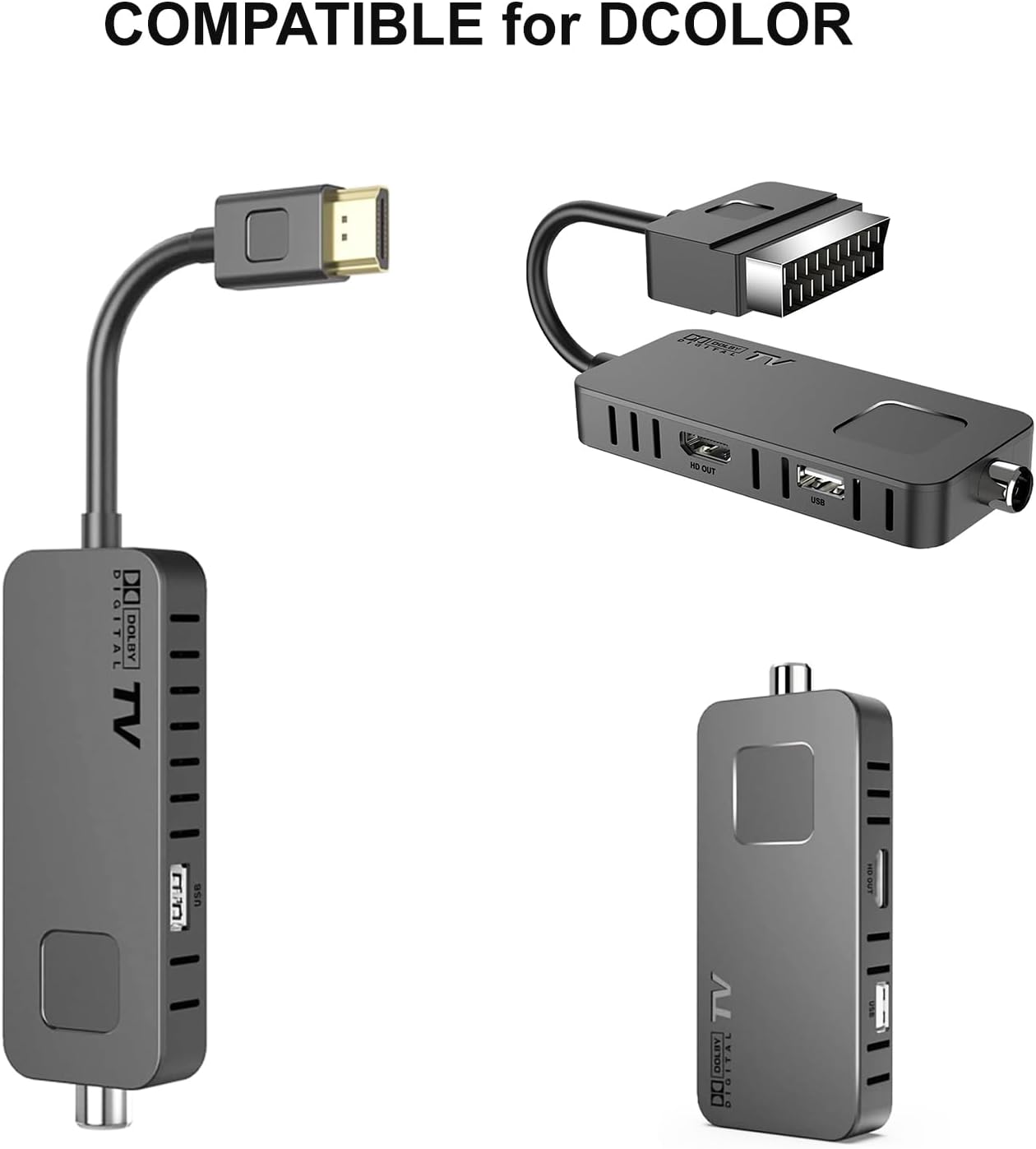
Image: The Dcolor remote control shown alongside compatible Dcolor TV tuner devices, illustrating its intended use.
Arahan Operasi
The Dcolor remote control features a comprehensive layout for intuitive operation. Below is a guide to its primary functions:

Imej: A terperinci view of the Dcolor remote control, highlighting key buttons and their corresponding functions for TV and decoder control.
- Butang kuasa (●): Turns the connected device on or off.
- SET: Used for advanced settings or programming.
- TV/AV: Switches between TV and AV input modes.
- VOL +/-: Melaraskan tahap kelantangan.
- CH +/-: Menukar saluran ke atas atau ke bawah.
- Pad Navigasi (Atas, Bawah, Kiri, Kanan, OK): Menavigasi melalui menu dan mengesahkan pilihan.
- MENU: Opens the main menu of the device.
- EXIT: Exits the current menu or screen.
- PVR: Accesses Personal Video Recorder functions.
- V-FORMAT: Changes video format settings.
- ASPEK: Adjusts screen aspect ratio.
- PEMASA: Sets sleep timers or recording timers.
- Playback Controls (Play/Pause, Stop, Rewind, Fast Forward, Previous, Next): Mengawal main balik media.
- EPG: Displays the Electronic Program Guide.
- SUB-T: Toggles subtitles on/off.
- INGAT SEMULA: Recalls the previously viewsaluran ed.
- INFO: Memaparkan maklumat tentang program semasa.
- AUDIO: Memilih trek atau mod audio.
- FAV: Accesses favorite channels list.
- TTX: Activates Teletext.
- REC: Initiates recording.
- PAGE+/-: Navigates through pages in menus or guides.
- Butang Nombor (0-9): Memasukkan terus nombor saluran.
- TV / RADIO: Bertukar antara mod TV dan Radio.
Remote Control Code (Advanced Setup)
For specific programming or if the remote does not automatically control your device, refer to the remote control code diagram. This diagram illustrates the internal codes corresponding to various buttons, which may be used for manual programming with certain devices or universal remote setup guides.

Image: A diagram showing the internal code mapping for various buttons on the Dcolor remote control, useful for advanced programming.
Penyelenggaraan
- Pembersihan: Use a soft, dry cloth to clean the remote control. Do not use liquid cleaners or abrasive materials.
- Penggantian Bateri: Replace batteries when the remote's responsiveness decreases. Always use new AAA batteries and dispose of old batteries responsibly.
- Penyimpanan: Simpan alat kawalan jauh di tempat yang sejuk dan kering jauh dari cahaya matahari langsung dan suhu yang melampau.
- Ketahanan: While designed for durability, avoid dropping the remote or exposing it to excessive force or moisture.
Menyelesaikan masalah
| Masalah | Kemungkinan Punca | Penyelesaian |
|---|---|---|
| Jauh tidak bertindak balas. | Dead or incorrectly inserted batteries. Obstruction between remote and device. Remote out of range. | Check battery polarity and replace if necessary. Ensure clear line of sight to the device's IR receiver. Move closer to the device. |
| Certain buttons not working. | Button stuck or damaged. Device not compatible with specific function. | Gently press the button to ensure it's not stuck. Verify if the function is supported by your device. |
| Remote controls wrong device. | Interference from other remotes. Incorrect device selected (if applicable). | Ensure only one remote is being used at a time. If your device has multiple input modes, ensure the correct one is selected. |
Spesifikasi
- Nombor Model: EU014AB
- Dimensi Produk: 7.09 x 1.78 x 0.78 inci
- Berat Barang: 2.12 auns
- Bateri Diperlukan: 1 bateri AAA
- Peranti Serasi: Television (specifically Dcolor ATSC TV Tuners and most major TV brands)
- Ciri Khas: Infrared Technology, Multi-device Control, Universal Programming
- warna: Hitam