
pengenalan
This manual provides detailed instructions for the safe and effective use of your Bewinner 5K 72MP HD Digital Camera. Please read this manual thoroughly before operating the camera and retain it for future reference. This camera is designed for capturing high-resolution photos and videos with features like dual cameras, a 2.8-inch screen, timelapse photography, and 18X digital zoom.
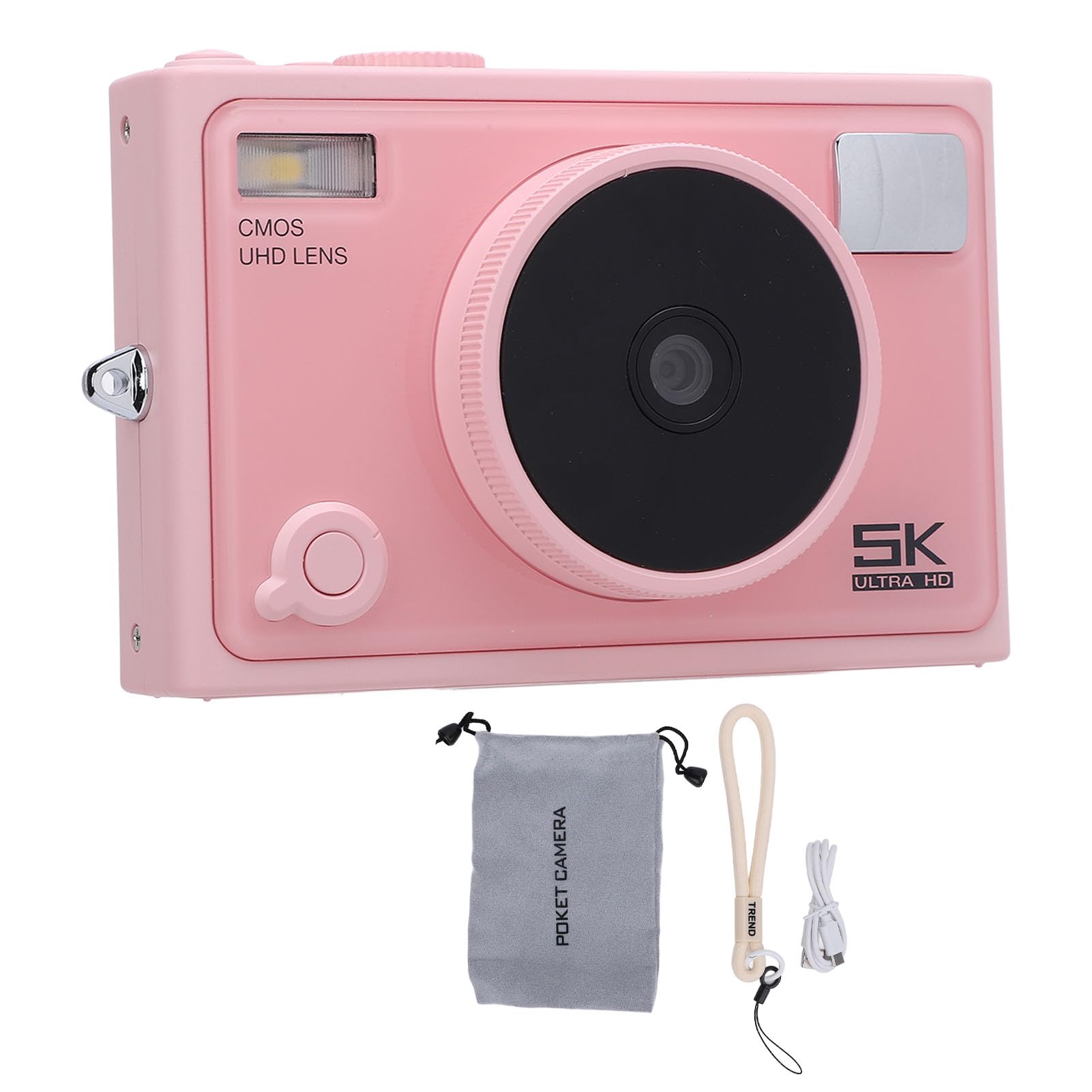
Imej: Depan view of the Bewinner 5K 72MP HD Digital Camera.
Maklumat Keselamatan
- Jangan dedahkan kamera kepada air atau lembapan.
- Elakkan daripada menjatuhkan kamera atau mendedahkannya kepada hentaman yang kuat.
- Jauhkan kamera daripada cahaya matahari langsung dan suhu tinggi.
- Use only the specified battery type (NP-40) and charger.
- Jangan cuba membuka atau mengubah suai kamera.
- Jauhkan daripada kanak-kanak kecil.
Kandungan Pakej
Sahkan bahawa semua item terdapat dalam pakej:
- 1 x 5K Digital Camera
- 1 x Camera Strap
- 1 x Kabel USB
- 1 x Manual Pengguna
- 1 x Beg Kamera
Note: A standard memory card is not included and must be purchased separately. The camera supports up to 128GB.
Produk Selesaiview
The Bewinner 5K 72MP HD Digital Camera offers a range of features for capturing high-quality images and videos:
- Resolusi 5K 72MP: Capture crisp details with 5K 72MP resolution for photos and professional 5K videos.
- Zum Digital 18X: Magnify your subjects with 18 times digital zoom.
- Skrin HD 2.8 inci: View your shots clearly on the 2.8-inch HD screen with enhanced light transmission and color reproduction.
- Kesambungan Tanpa Wayar: Connect to smartphones or tablets for remote control and instant sharing of photos and videos.
- Special Effects Filters: Apply various photography filters for creative styles.
- Timelapse and Slow Motion: Explore creative possibilities with built-in timelapse and slow motion photography modes.
- 1300mAh High Capacity Battery: Enjoy extended usage with the included 1300mAh lithium-ion battery.
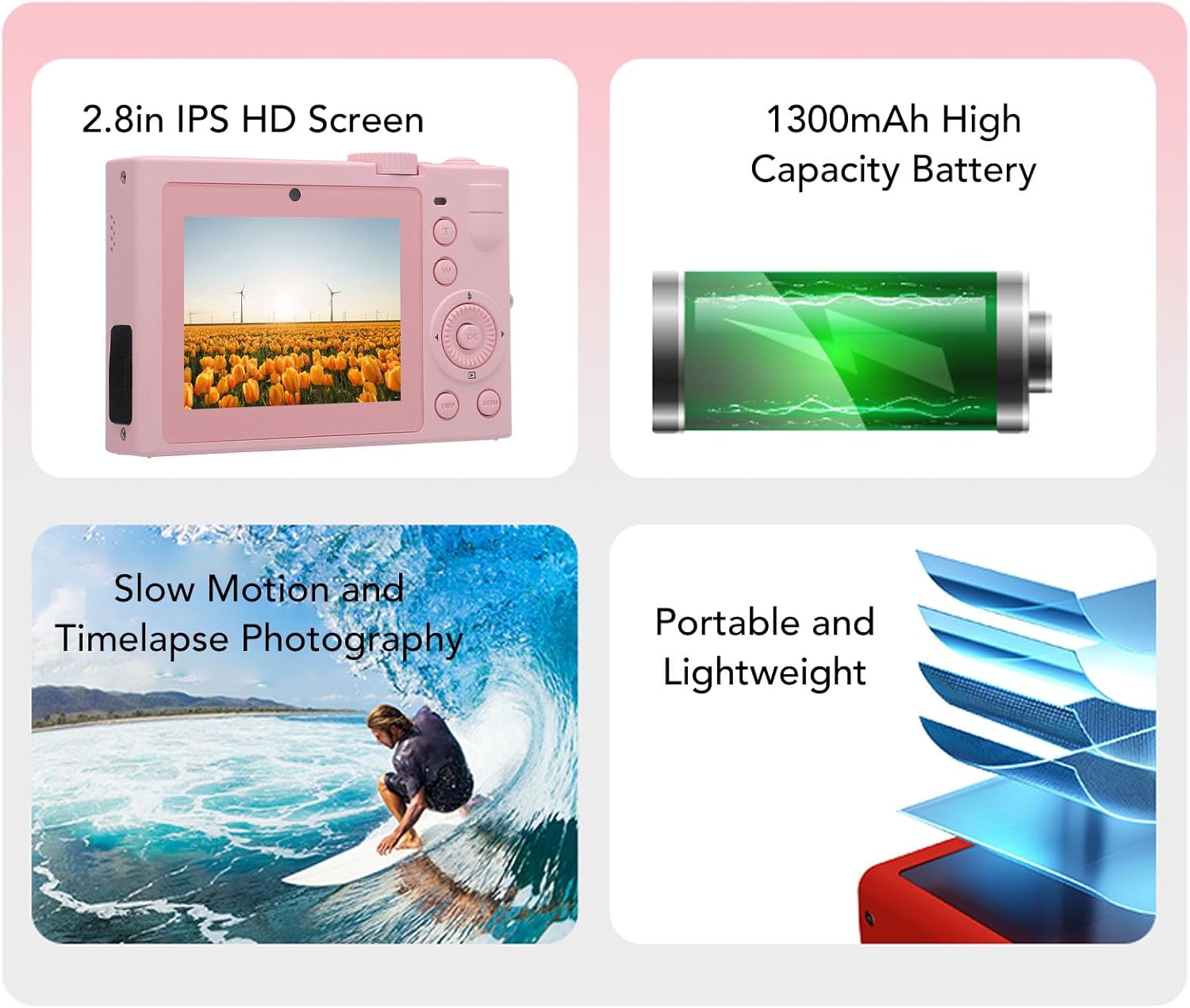
Imej: Selesaiview of key camera features including screen, battery, and photography modes.
Persediaan
1. Pemasangan Bateri
- Cari penutup petak bateri di bahagian bawah kamera.
- Luncurkan selak untuk membuka penutup.
- Insert the NP-40 lithium-ion battery (1300mAh) into the compartment, ensuring the correct polarity.
- Tutup penutup petak bateri sehingga ia berbunyi dengan selamat.
2. Memasukkan Kad Memori
- Locate the memory card slot, typically near the battery compartment or on the side.
- Insert a standard memory card (up to 128GB, not included) into the slot with the contacts facing the correct direction. Push until it clicks into place.
- Untuk mengalih keluar, tolak kad masuk semula dengan perlahan sehingga ia keluar.
3. Mengecas Bateri
- Sambungkan kamera ke sumber kuasa menggunakan kabel USB yang disediakan.
- Lampu penunjuk pengecasan akan menyala. Ia akan padam atau bertukar warna apabila pengecasan selesai.

Imej: Sisi view of the camera, highlighting the USB port for charging and data transfer.
Arahan Operasi
1. Menghidupkan/Mematikan
Press and hold the power button (usually located on the top or side) to turn the camera on or off. The camera is ready to use upon power on.

Imej: Belakang view of the camera, showing the 2.8-inch HD screen and control buttons.
2. Fotografi Asas
- Pemilihan Mod: Use the mode dial or menu to select between photo and video modes.
- Zum: Use the zoom buttons (often marked 'W' for wide and 'T' for telephoto) to adjust the 18X digital zoom.
- Fokus: The camera typically features automatic focus.
- Butang Pengatup: Press the shutter button halfway to focus, then fully to capture a photo.
3. Rakaman Video
- Tukar kepada mod video.
- Press the record button (often marked with a red dot) to start and stop recording 5K video.

Image: Illustrates the 5K video recording capability, showing playback on a large screen.
4. Special Effects and Modes
- Penapis: Access the menu to apply various special effects filters to your photos.
- Timelapse Photography: Set the interval and duration for timelapse sequences through the camera settings.
- Pergerakan Perlahan: Select slow motion mode for capturing dynamic scenes in slow motion.

Imej: Cthamples of special effects filters that can be applied to photos.
5. Kesambungan Wayarles
- Activate the wireless fidelity function in the camera settings.
- On your smartphone or tablet, search for the camera's wireless network and connect.
- Use the dedicated camera application (if available) for remote control, photo transfer, and viewing.

Image: Illustration of the camera's wireless connectivity features, including remote photography and wireless transmission to a smartphone.
Penyelenggaraan
- Pembersihan: Gunakan kain lembut dan kering untuk membersihkan badan kamera. Untuk kanta, gunakan kain dan larutan pembersih kanta khusus.
- Storan: When not in use, store the camera in a cool, dry place, preferably in the provided camera pouch, away from dust and extreme temperatures.
- Penjagaan Bateri: Remove the battery if the camera will not be used for an extended period. Charge the battery periodically to maintain its lifespan.
Menyelesaikan masalah
| Masalah | Kemungkinan Punca | Penyelesaian |
|---|---|---|
| Kamera tidak dihidupkan. | Bateri habis atau salah dimasukkan. | Cas bateri. Pastikan bateri dimasukkan dengan kekutuban yang betul. |
| Tidak boleh mengambil gambar/video. | Kad memori penuh, dikunci atau tidak dimasukkan. | Insert a memory card. Check if the card is locked. Delete unnecessary files atau formatkan kad itu. |
| Kualiti gambar yang buruk. | Kanta kotor, pencahayaan tidak mencukupi atau tetapan yang salah. | Clean the lens. Ensure adequate lighting. Adjust camera settings as needed. |
| Sambungan wayarles gagal. | Wireless function is off, or incorrect pairing. | Ensure wireless function is enabled on the camera. Re-attempt pairing with your device. |
Spesifikasi
| Jenama | Bewinner |
| Nama Model | Bewinnerc1dy9uoiqb-12 |
| Resolusi Imej Maksimum | 72 MP |
| Resolusi Video Maksimum | 5K |
| Zum Optik | 18 x |
| Saiz Skrin | 2.8 Inci |
| Jenis Bateri | Lithium Ion Battery (NP-40) |
| Kapasiti Bateri | 1300mAh |
| Sokongan Storan | Up to 128GB Standard Memory Card (Not Included) |
| Teknologi Ketersambungan | Wireless Fidelity (Wi-Fi) |
| warna | Merah jambu |
Waranti dan Sokongan
For warranty information and technical support, please refer to the documentation included with your purchase or visit the official Bewinner webtapak. Simpan bukti pembelian anda untuk tuntutan waranti.