
Produk Selesaiview
The SIIG 16-Port Industrial USB-C PD Charging Station is designed for efficient, simultaneous charging of multiple USB-C devices. With a total power output of 1000W, it can deliver up to 100W to 10 USB-C ports for devices like MacBooks, or up to 60W to 16 USB-C ports for Chromebooks, Tablets, or Smartphones.
This industrial-grade charging station supports Power Delivery 2.0 and 3.0 specifications, ensuring broad compatibility and optimal charging speeds. It features an intelligent power allocation system for 95% power conversion efficiency and includes multiple safety protections to safeguard your devices.
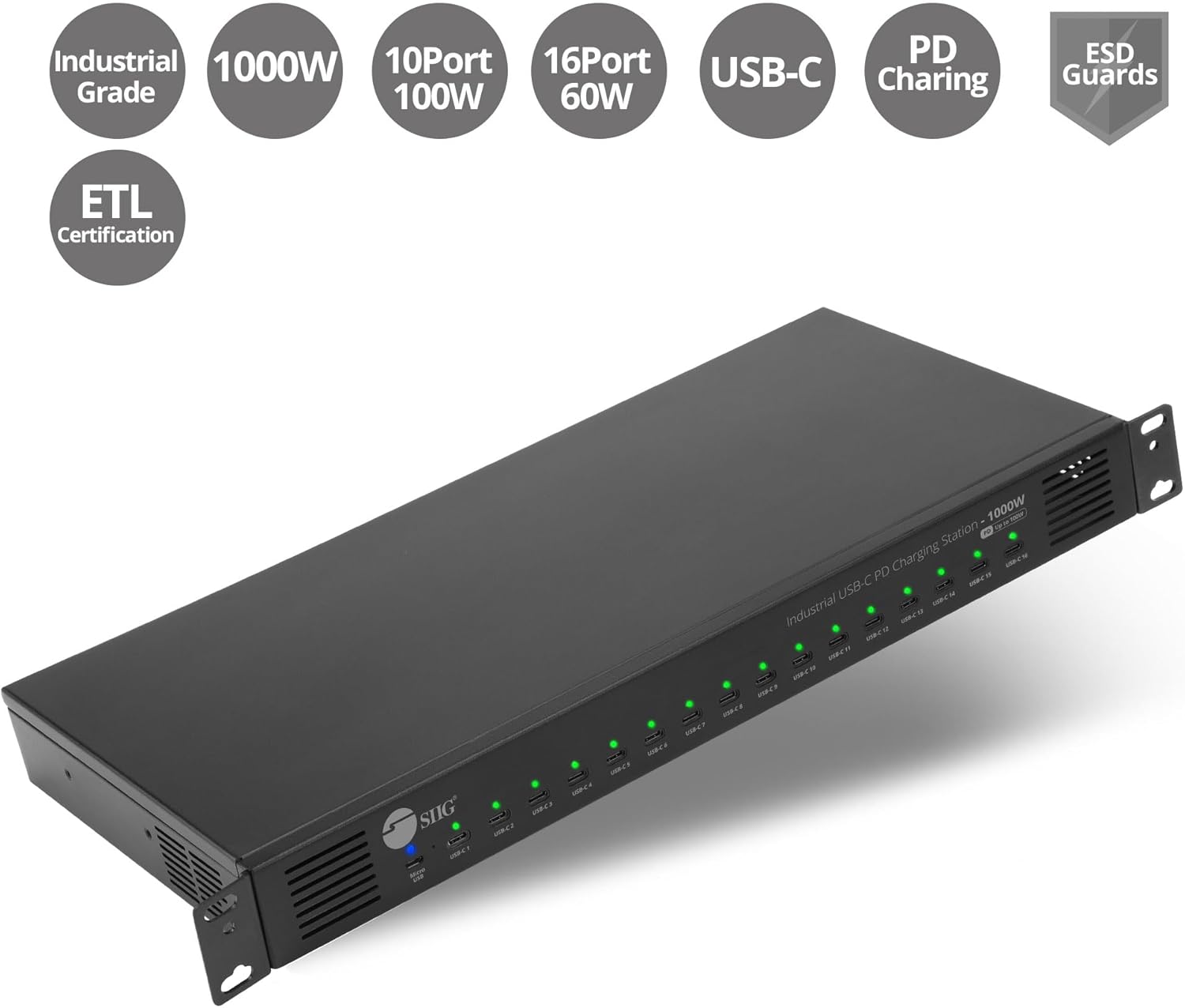
Figure 1: SIIG 16-Port Industrial USB-C PD Charging Station highlighting Industrial Grade, 1000W, 10x 100W USB-C, 16x 60W USB-C, PD Charging, ESD Guards, and ETL Certification.
Kandungan Pakej
Sahkan bahawa semua item terdapat dalam pakej anda:
- SIIG 16-Port Industrial USB-C PD Charging Station (ID-US0C11-S1)
- Kord Kuasa AC
- 19-inch Rack Mount Brackets (2 pieces)
- Skru Pemasangan
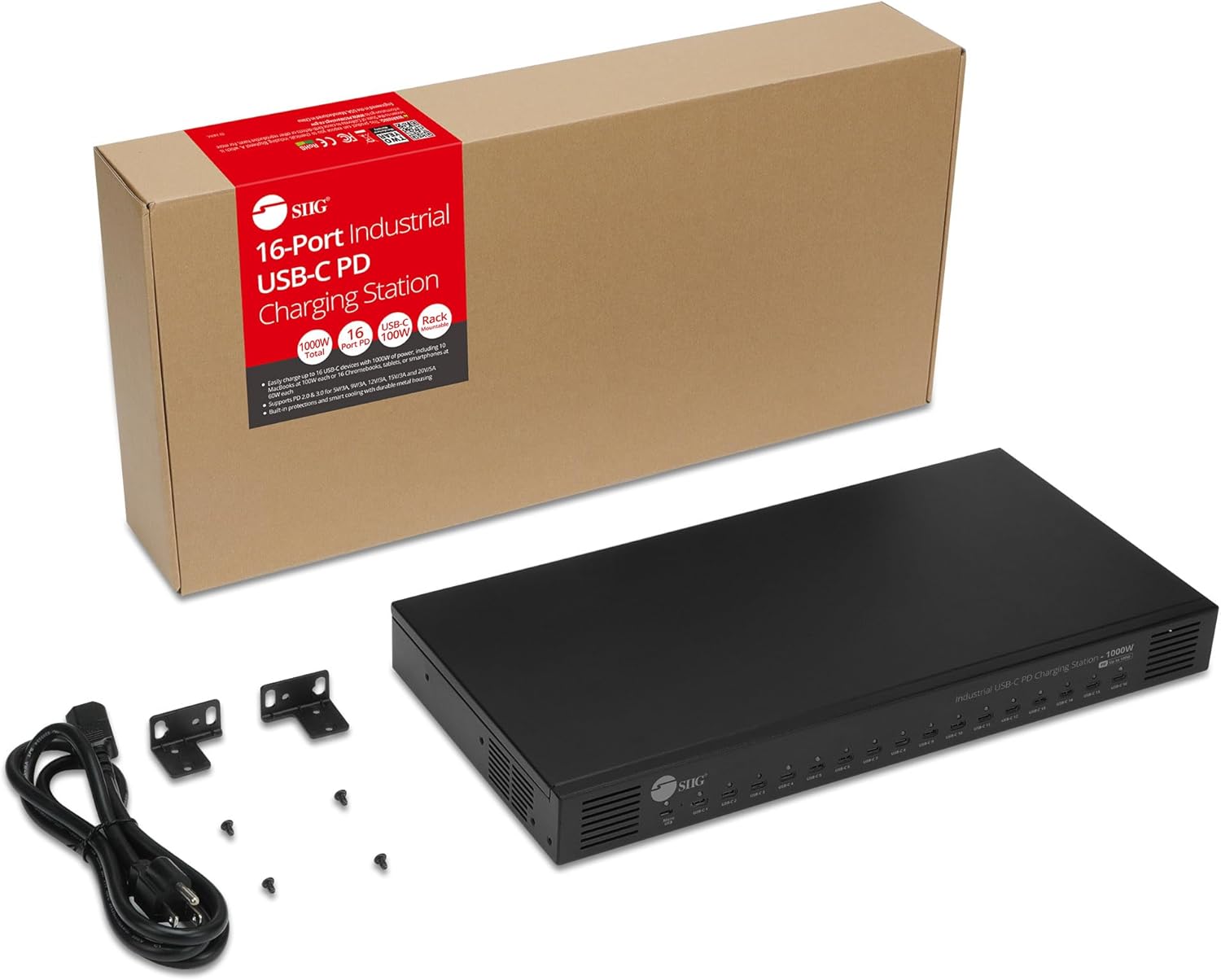
Figure 2: The charging station, AC power cord, rack mount brackets, and screws are included in the package.
Ciri-ciri Produk
- 16 USB-C Charging Ports: Mampu mengecas sehingga 16 peranti secara serentak.
- 1000W Total Power: Menyediakan ample power for high-demand devices.
- Peruntukan Kuasa Pintar: Dynamically distributes power to connected devices for optimal charging efficiency (95% conversion rate).
- Power Delivery 2.0 & 3.0 Support: Compatible with various charging profiles (5V/3A, 9V/3A, 12V/3A, 15V/3A, 20V/5A).
- Kawalan Kipas Automatik: Fans activate and deactivate based on internal temperature to maintain optimal operating conditions.
- Suis kuasa: Allows for easy power management, conserving energy when not in use.
- Penunjuk LED: Built-in LEDs provide visual feedback on charging status for each port.

Figure 3: Front panel with 16 USB-C charging ports and a Micro USB port for an optional LED panel. Rear panel with AC100-240V input and power switch.
Arahan Persediaan
- Bongkar: Keluarkan semua komponen dari pembungkusan dengan berhati-hati.
- penempatan: Place the charging station on a stable, flat surface or install it into a 19-inch rack using the provided brackets and screws. Ensure adequate ventilation around the unit.
- Sambungkan Kuasa: Plug the AC power cord into the AC input port on the rear of the charging station. Then, plug the other end of the power cord into a compatible power outlet (AC100-240V).
- Hidupkan kuasa: Flip the power switch on the rear of the unit to the 'ON' position. The built-in LED indicators on the front panel will illuminate to show power status.

Figure 4: The charging station is designed to be 19-inch rack mountable for secure installation.
Arahan Operasi
- Sambungkan Peranti: Plug your USB-C devices into any of the 16 available USB-C charging ports on the front panel.
- Status Pengecasan Pantau: The LED indicator above each port will show the charging status:
- Green: Power On / Fully Charged
- Merah: Mengecas
- Pengurusan tenaga: Use the power switch on the rear to turn the unit off when not in use to conserve energy.
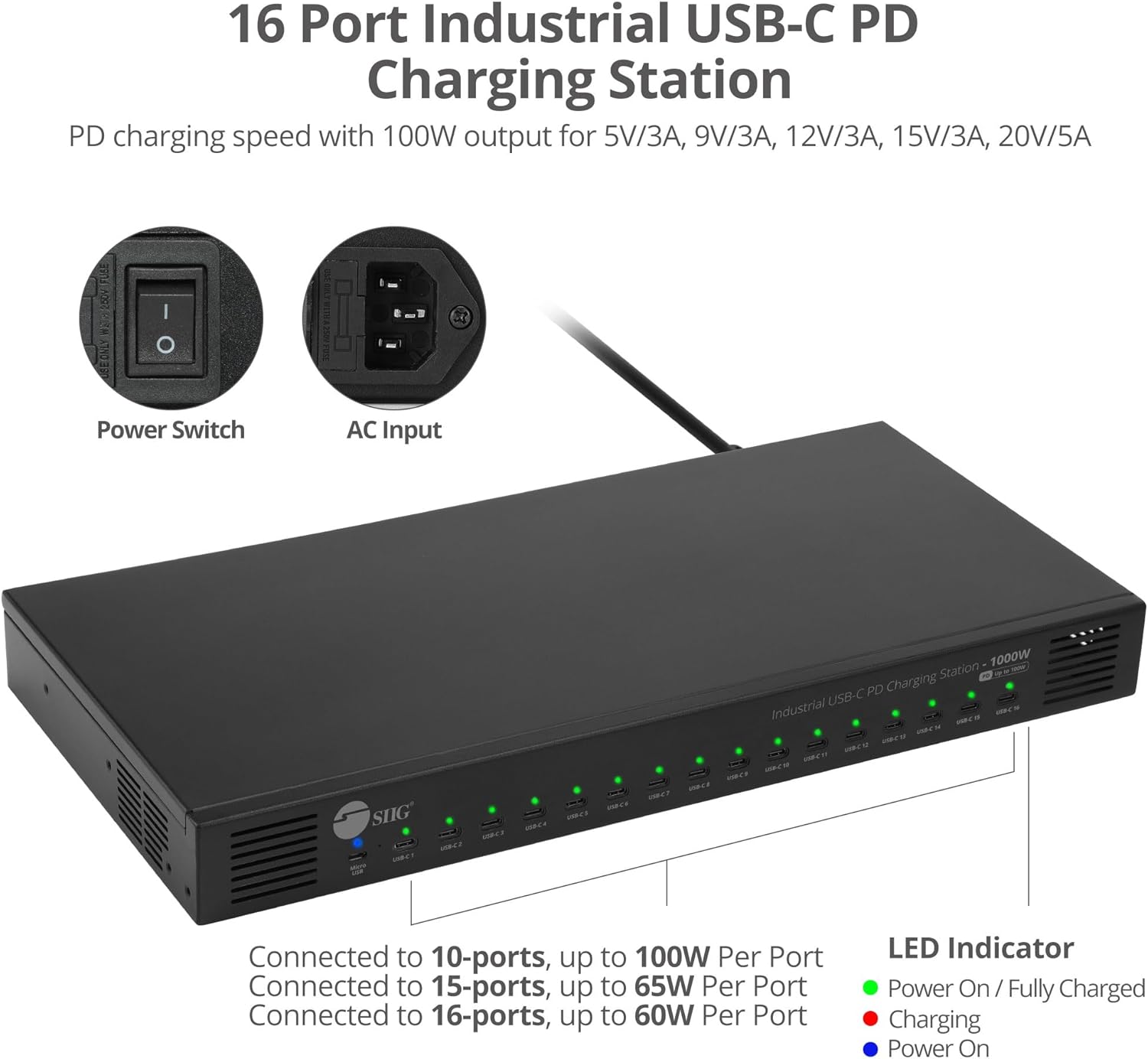
Figure 5: LED indicators show charging status (Green for Power On/Fully Charged, Red for Charging). The power switch and AC input are located on the rear.
Keupayaan Mengecas
The charging station intelligently allocates its 1000W total power based on the number and power requirements of connected devices:
- Up to 100W per port: When charging up to 10 USB-C devices, each port can deliver up to 100W, ideal for MacBooks and other high-power laptops.
- Up to 60W per port: When charging up to 16 USB-C devices, each port can deliver up to 60W, suitable for Chromebooks, Tablets, and Smartphones.
Ensure your USB-C cables and devices support the required Power Delivery (PD) wattage for optimal charging performance.

Figure 6: Charging scenario for 10 laptops, each receiving up to 100W. Note: 100W charging requires E-mark IC cables and device support.

Figure 7: Charging scenario for 16 Chromebooks or Tablets, each receiving up to 60W. Note: 60W charging requires device support.
Ciri Keselamatan
The SIIG 16-Port Industrial USB-C PD Charging Station is equipped with multiple industrial-grade safety protections:
- Perlindungan Suhu Lebih: Automatically manages internal temperature to prevent overheating.
- Lebih Voltage Perlindungan: Safeguards devices from excessive voltage input.
- Perlindungan Semasa: Mencegah kerosakan akibat tarikan arus yang berlebihan.
- Perlindungan Litar pintas: Melindungi daripada pintasan elektrik.
- ESD Guards: Electrostatic Discharge protection for enhanced reliability.

Figure 8: Visual representation of the charging station's comprehensive safety features.
Pelesapan Haba
The charging station incorporates an intelligent heat dissipation design. Fans automatically turn on when the internal temperature exceeds 70°C and turn off when it drops below 70°C, ensuring stable performance and longevity.

Figure 9: Fans automatically start when temperature is above 70°C and cut off when below 70°C.
Aplikasi
This industrial-grade charging station is versatile and suitable for various environments requiring robust multi-device charging:
- Industrial Workstations: Ideal for charging multiple devices in demanding industrial settings.
- Institusi Pendidikan: Perfect for classrooms, labs, or libraries to keep student devices charged.
- Retail Environments: Useful for charging display units, staff devices, or customer devices.

Figure 10: The charging station is suitable for industrial workstations.

Figure 11: The charging station is suitable for educational institutions.

Figure 12: The charging station is suitable for retail environments.
Spesifikasi
| Ciri | Spesifikasi |
|---|---|
| Nombor Model | ID-US0C11-S1 |
| Jenama | SIIG |
| Jumlah Wattage | 1000 watt |
| Number of USB-C Ports | 16 |
| Sokongan Penghantaran Kuasa | PD 2.0 & 3.0 (5V/3A, 9V/3A, 12V/3A, 15V/3A, 20V/5A) |
| Input Voltage | AC100-240V |
| Dimensi Produk | 17.4 x 8.42 x 1.83 inci |
| Berat Barang | 10.12 paun |
| warna | Hitam |
| Antara Muka Perkakasan | USB Jenis C |
| Peranti Serasi | Cellular Phones, Laptops, Tablets |
Penyelenggaraan
- Keep the charging station clean and free from dust. Use a soft, dry cloth for cleaning.
- Ensure proper ventilation around the unit to prevent overheating. Do not block the fan vents.
- Elakkan daripada mendedahkan peranti kepada suhu yang melampau, kelembapan atau cahaya matahari langsung.
- Jangan cuba membuka atau membaiki unit sendiri. Rujuk kepada kakitangan perkhidmatan yang berkelayakan.
Menyelesaikan masalah
- Tiada Kuasa: Ensure the AC power cord is securely connected to both the charging station and a working power outlet. Check the power switch on the rear of the unit.
- Peranti Tidak Mengecas: Verify that your USB-C cable is functioning correctly and is compatible with Power Delivery. Ensure your device supports USB-C PD charging. Try a different port.
- Pengecasan perlahan: Check if your cable and device support the desired wattage (e.g., 100W). If multiple devices are connected, the power allocation may reduce individual port output.
- Terlalu panas: Ensure the charging station has adequate ventilation. Do not place it in an enclosed space. The automatic fans should manage temperature; if overheating persists, disconnect devices and contact support.
Waranti dan Sokongan
SIIG products typically come with a manufacturer's warranty. For specific warranty details, product support, or technical assistance, please visit the official SIIG webtapak atau hubungi perkhidmatan pelanggan mereka secara langsung.
You can also refer to the contact information provided in your product's packaging or on the SIIG brand store on Amazon: SIIG Store