1. Pengenalan dan Lebihview
The ANTELA Mini 10A Type F WiFi Smart Plug allows you to control your electronic devices remotely, set schedules, monitor energy consumption, and integrate with voice assistants like Amazon Alexa and Google Home. Its compact design ensures it does not obstruct adjacent outlets on power strips.
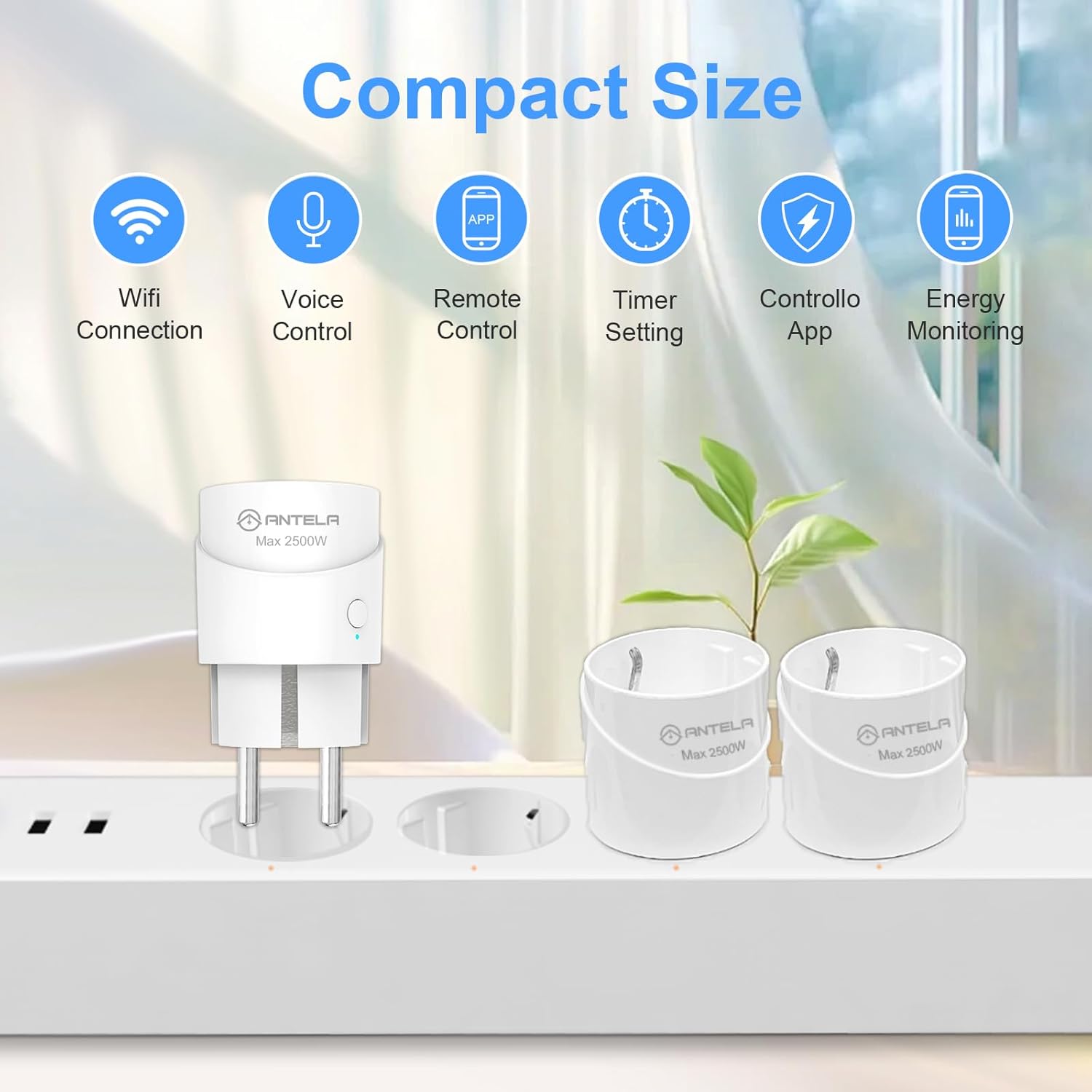
Image 1.1: The ANTELA Mini Smart Plug demonstrating its compact size and key features.
2. Maklumat Keselamatan
Sila baca dan fahami semua arahan keselamatan sebelum menggunakan produk ini. Kegagalan mematuhi arahan ini boleh mengakibatkan renjatan elektrik, kebakaran atau bahaya lain.
- Peranti ini direka untuk kegunaan dalaman sahaja.
- Do not exceed the maximum load of 10A / 2500W.
- Pastikan palam dimasukkan sepenuhnya ke dalam salur keluar kuasa.
- Jangan buka atau ubah suai peranti.
- Jauhkan daripada air dan persekitaran yang mempunyai kelembapan tinggi.
- Equipped with a flame-retardant PC shell and child safety shrapnel.
- Features built-in protection against short circuits, overcurrent (12A overload protection), overvoltage (280V AC), undervoltage (90V AC), and surge (L-N 1KV).

Imej 2.1: Selesaiview of the smart plug's safety protection mechanisms.
3. Spesifikasi
| Ciri | Spesifikasi |
|---|---|
| Pengeluar | ANTELA |
| Nombor Model | F1s206-EU-new |
| Dimensi (L x W x H) | 4.3 x 7.6 x 4.3 cm |
| Berat badan | 90 gram |
| warna | putih |
| bahan | plastik |
| Kuasa Maks | 2500 Watt |
| Maksimum Semasa | 10 Amperes |
| Vol Operasitage | 250 Volt |
| Jenis Suis | Butang tekan |
| Jenis Palam Elektrik | Type F (Surface Mount) |
| Pensijilan | CE |
| Komponen Termasuk | Palam Pintar WiFi |
| Bateri Diperlukan | Tidak |
| Mod Pengendalian | HIDUP-HIDUP-MATI |
| Ketersambungan | WiFi 2.4 GHz sahaja |

Image 3.1: Physical dimensions of the ANTELA Mini Smart Plug.
4. Arahan Persediaan
4.1. Muat Turun dan Pemasangan Apl
- Muat turun Kehidupan Pintar or Tuya Smart aplikasi daripada gedung aplikasi telefon pintar anda (Google Play Store untuk Android atau Apple App Store untuk iOS).
- Daftar atau log masuk ke akaun anda.
4.2. Berpasangan Peranti
- Plug the ANTELA Smart Plug into a power outlet.
- Pastikan telefon pintar anda disambungkan ke a Rangkaian WiFi 2.4 GHz. The smart plug is not compatible with 5 GHz WiFi networks.
- Open the Smart Life/Tuya Smart app. The app may automatically detect the new device via Bluetooth for initial pairing.
- Follow the on-screen instructions in the app to add the device. You will be prompted to enter your 2.4 GHz WiFi network name and password.
- If automatic detection fails, manually add the device by selecting "Electrical Outlet" or "Smart Plug" from the device list in the app and follow the pairing mode instructions (e.g., pressing and holding the power button on the plug until the indicator light blinks).
5. Arahan Operasi
5.1. Kawalan Manual
- Press the physical button on the smart plug to manually turn the connected appliance ON or OFF.
5.2. Kawalan Apl
Control your smart plug from anywhere using the Smart Life or Tuya Smart app.
- Buka aplikasi Smart Life/Tuya Smart pada telefon pintar anda.
- Select the desired smart plug from your device list.
- Tap the ON/OFF button within the app to toggle the power state of the connected appliance.

Image 5.1: Remote control of the smart plug via the Smart Life app.
6. Penyepaduan Kawalan Suara
The ANTELA Smart Plug is compatible with Amazon Alexa and Google Home for convenient voice control.
6.1. Connecting to Alexa/Google Home
- Ensure your smart plug is successfully paired with the Smart Life/Tuya Smart app.
- Open the Amazon Alexa app or Google Home app.
- Navigate to the "Skills & Games" section (Alexa) or "Works with Google" section (Google Home).
- Cari untuk and enable the "Smart Life" or "Tuya Smart" skill/service.
- Link your Smart Life/Tuya Smart account when prompted.
- Discover devices. Your smart plug should now appear in your Alexa or Google Home device list.
6.2. Perintah Suara
Once connected, you can use voice commands such as:
- "Alexa, hidupkan [nama peranti]."
- "Hei Google, matikan [nama peranti]."
- "Alexa, set [device name] to 50% (if applicable)."
Nota: This smart plug is not compatible with Apple HomeKit.
7. Penjadualan dan Fungsi Pemasa
Automate your appliances by setting schedules, timers, or countdowns through the Smart Life/Tuya Smart app.
7.1. Setting a Schedule
- Dalam aplikasi, pilih palam pintar anda.
- Ketik pada pilihan "Jadual" atau "Pemasa".
- Set specific times for the plug to turn ON or OFF, and choose the days of the week for repetition.
- Simpan tetapan anda.
7.2. Setting a Countdown Timer
- Dalam aplikasi, pilih palam pintar anda.
- Tap on the "Countdown" option.
- Set a duration after which the plug will change its current state (e.g., turn off after 1 hour).
- Simpan tetapan anda.

Imej 7.1: Cthample of setting schedules and timers in the app.
8. Pemantauan Tenaga
The ANTELA Smart Plug allows you to monitor the energy consumption of connected devices directly through the Smart Life/Tuya Smart app.
- Dalam aplikasi, pilih palam pintar anda.
- Look for the "Energy Monitoring" or "Electricity Statistics" section.
- View real-time power usage, current, voltage, and historical energy consumption data (daily, monthly, yearly).
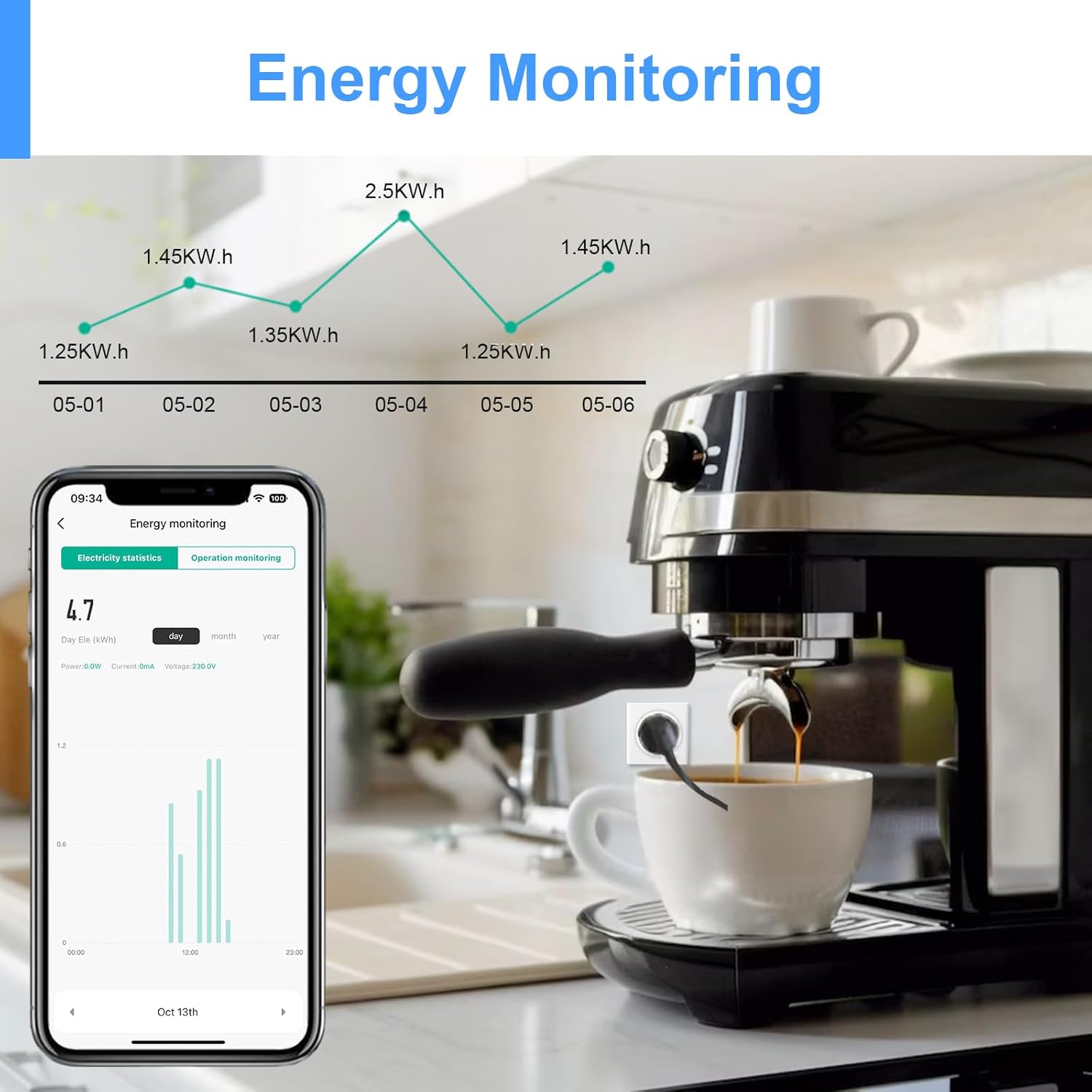
Image 8.1: Monitoring energy consumption of an appliance via the app.
9. Perkongsian Keluarga
You can share control of your smart plug with family members or other users through the Smart Life/Tuya Smart app.
- Dalam aplikasi, pilih palam pintar anda.
- Go to the device settings (usually represented by a pencil icon or three dots).
- Look for the "Share Device" or "Family Management" option.
- Add family members by entering their Smart Life/Tuya Smart account details. They will then have access to control the device.

Image 9.1: Sharing device control with family members.
10. Penyelesaian masalah
- Peranti tidak bersambung ke WiFi: Ensure your router is broadcasting a 2.4 GHz WiFi signal. The smart plug does not support 5 GHz WiFi. Move the plug closer to your router during setup.
- Isu gandingan: If initial pairing fails, try resetting the smart plug (refer to app instructions for specific reset methods, usually pressing and holding the power button). Ensure Bluetooth is enabled on your phone during the initial pairing phase.
- Kawalan suara tidak berfungsi: Verify that the Smart Life/Tuya Smart skill is enabled in your Alexa or Google Home app and that your accounts are correctly linked. Ensure the device name in the voice assistant app matches the name you are using in your commands.
- Aplikasi tidak bertindak balas: Check your internet connection. Close and reopen the app. If the issue persists, try reinstalling the app.
- Energy monitoring data not updating: Data updates may have a slight delay (e.g., every 30 seconds). Ensure the device is actively connected and operating.
11. Waranti dan Sokongan
For warranty information, please refer to the documentation provided at the time of purchase or contact ANTELA customer support directly. Spare parts availability information is currently unavailable.
If you encounter any issues not covered in this manual, please contact ANTELA customer service for assistance.