
pengenalan
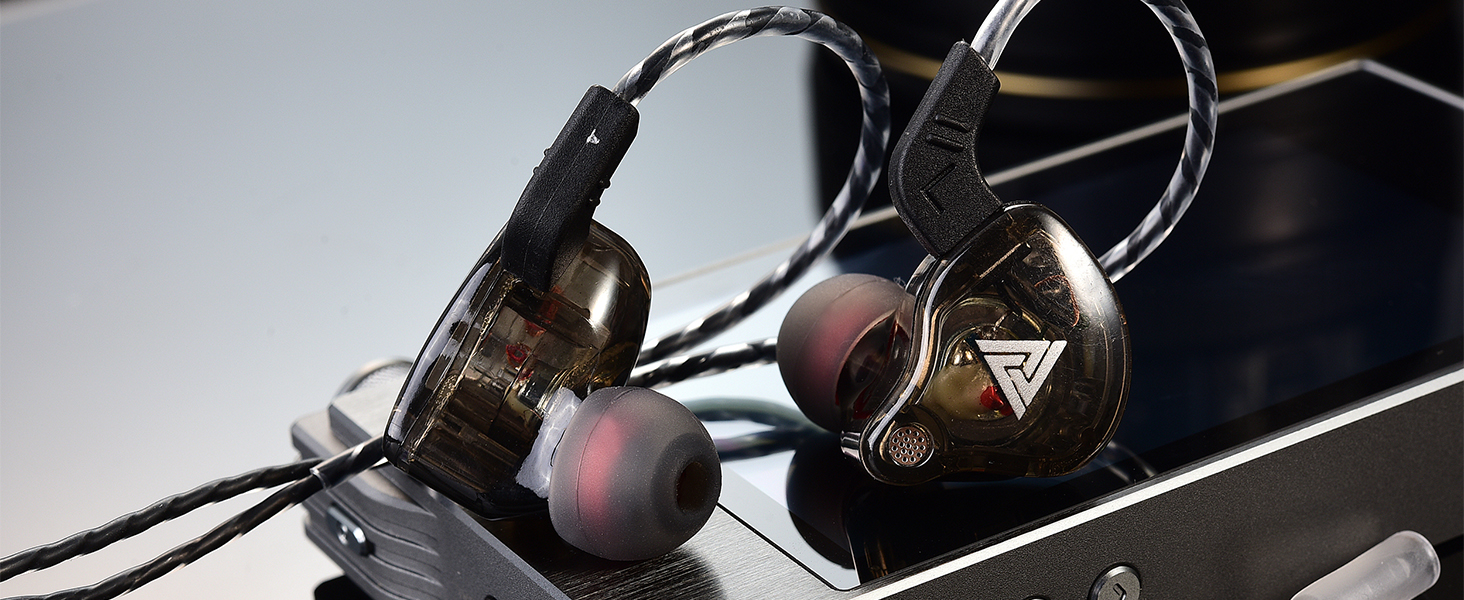
The Yeabomy QKZ-AK6 Wired Gaming Earbuds are designed to provide a high-fidelity audio experience with comfort and versatility. These in-ear headphones feature a 3.5mm jack, an integrated microphone, and noise-canceling capabilities, making them suitable for gaming, music, sports, and communication.
Ciri-ciri Utama
- Reka Bentuk Ergonomik yang Selesa: Lightweight cavity, soft fit, and PU memory ear hook for stable wear and reduced external noise.
- Kualiti Bunyi Cemerlang: Features a 10mm dynamic driver for rich, vigorous performance across bass, midrange, and treble frequencies. Independent sound channels prevent distortion.
- Effective Noise Canceling: Blocks approximately 90% of ambient noise, allowing for immersive listening during various activities.
- Penggunaan Serbaguna: Ideal for gaming, music, phone calls, podcasting, video conferencing, and sports.
Apa yang ada dalam Kotak
Your Yeabomy QKZ-AK6 package includes:
- 1 pair of QKZ AK6 headphones headset
- 1 kabel fon telinga
- 3 pairs of ear tips (S, M, L)
- Manual Pengguna 1

This image displays the contents of the QKZ AK6 earbud package. It shows the two earbud units, the detachable audio cable, and three pairs of silicone ear tips in different sizes (Small, Medium, Large) to ensure a comfortable fit.
Persediaan
Menyambungkan Kabel
The QKZ-AK6 earbuds feature a detachable cable for easy replacement or storage.
- Identify the left (L) and right (R) earbud units and the corresponding connectors on the cable.
- Align the cable connector with the earbud's port and gently push until it clicks into place. Ensure a secure connection.

This close-up image demonstrates how to attach the audio cable to the earbud unit. The cable connector is being inserted into the earbud's port, highlighting the secure connection mechanism.
Memakai Earbud
For optimal sound and comfort, wear the earbuds correctly.
- Kenal pasti fon telinga kiri (L) dan kanan (R).
- Masukkan earbud ke saluran telinga anda.
- Guide the ear hook portion of the cable over the top of your ear, ensuring it sits comfortably and securely behind your ear.
- Adjust the earbud and cable for a snug fit that minimizes external noise.

This image shows a person wearing the QKZ AK6 earbuds. The earbud is inserted into the ear canal, and the cable is looped over the ear, providing a secure and comfortable fit.
This video demonstrates the process of wearing the QKZ AK6 earbuds, showing how to insert them into the ear and secure the cable over the ear for a comfortable and stable fit.
Arahan Operasi
Alat Kawalan Jauh Dalam Talian
The QKZ-AK6 earbuds feature an in-line remote with a condenser microphone for easy control of audio playback and calls.
This diagram details the functions of the in-line remote. It shows that a short press answers calls or pauses/plays music, a press again hangs up calls, a long press rejects calls, a double click skips to the next song, and a triple click goes to the previous song.
- Akhbar Ringkas: Answer incoming calls / Play or Pause music.
- Press Again (during call): Hang up call.
- Tekan lama: Tolak panggilan masuk.
- Klik dua kali: Langkau ke lagu seterusnya.
- Klik Tiga Kali: Go to the previous song.
Kawalan Kelantangan
Adjust the volume directly from your connected device. The in-line remote does not include dedicated volume buttons.
Penyelenggaraan
- Petua Membersih Telinga: Regularly remove and clean the silicone ear tips with a soft, damp kain. Pastikan ia benar-benar kering sebelum dipasang semula.
- Penjagaan Kabel: Elakkan selekoh tajam atau tarikan berlebihan pada kabel untuk mengelakkan kerosakan.
- Storan: When not in use, store the earbuds in a clean, dry place, preferably in a protective case, to prevent tangling and damage.
- Tahan Air: The earbuds are rated as waterproof. However, avoid prolonged submersion or exposure to high-pressure water.
Menyelesaikan masalah
| Isu | Kemungkinan Punca | Penyelesaian |
|---|---|---|
| Tiada Bunyi | Sambungan yang tidak betul | Ensure the 3.5mm jack is fully inserted into the device and the cable is securely connected to the earbuds. |
| Tiada Bunyi | Device volume too low | Tingkatkan kelantangan pada peranti anda yang disambungkan. |
| Kualiti Bunyi Lemah | Loose ear tips or improper fit | Ensure ear tips are securely attached and the earbuds fit snugly in your ear. Try different sized ear tips. |
| Kualiti Bunyi Lemah | Kabel rosak | Inspect the cable for any visible damage. If damaged, consider replacing the cable. |
| Mikrofon Tidak Berfungsi | Microphone muted on device | Semak tetapan peranti anda untuk memastikan mikrofon tidak disenyapkan. |
| Mikrofon Tidak Berfungsi | Sambungan yang tidak betul | Pastikan bicu 3.5mm dimasukkan sepenuhnya ke dalam peranti. |
Spesifikasi
| Ciri | Perincian |
|---|---|
| Jenama | Yeabomy |
| Nama Model | QKZ-AK6 |
| Teknologi Ketersambungan | berwayar |
| Jack Fon Kepala | Jack 3.5 mm |
| Kawalan Bunyi | Pembatalan Bunyi Aktif |
| Jenis Pemacu Audio | Pemandu Dinamik |
| Bentuk alat dengar | Dalam telinga |
| bahan | Logam, Plastik |
| Berat Barang | 1.58 auns (0.05 Kilogram) |
| Tahap Ketahanan Air | Kalis air |
| Komponen yang Disertakan | Cable, Eartip, User Manual |
| Peranti Serasi | Laptops, Desktops, Gaming Consoles, Tablets, Telephones, Cellphones |
| Kegunaan Khusus Untuk Produk | Gaming, Sport, Music, Phone Calling, Podcasting, Video Conferencing |
Waranti dan Sokongan
For warranty information or technical support, please refer to the documentation included in your product packaging or contact Yeabomy customer service directly.