
NBD PZJ-D100-US-2411
NBD 4K 48MP Vlogging Camcorder D100 Pro Instruction Manual
Model: PZJ-D100-US-2411
1. Pengenalan
This manual provides detailed instructions for the NBD 4K 48MP Vlogging Camcorder D100 Pro. Please read this manual thoroughly before using the camera to ensure proper operation and to maximize its features. Keep this manual for future reference.
2. Maklumat Keselamatan
- Jangan dedahkan kamera kepada air atau lembapan.
- Elakkan daripada menjatuhkan kamera atau mendedahkannya kepada hentaman yang kuat.
- Jauhkan kamera daripada medan magnet yang kuat.
- Gunakan hanya bateri dan aksesori yang ditentukan.
- Jangan cuba membuka atau mengubah suai kamera.
- Bersihkan kanta dengan kain lembut dan kering.
3. Kandungan Pakej
Sahkan bahawa semua item yang disenaraikan di bawah disertakan dalam pakej anda:
- NBD 4K Video Camera Camcorder (D100 Pro)
- Mikrofon
- Lampu Isi LED
- 43mm Lens Hood
- Pembaca Kad
- Kad SD 32GB
- Kabel USB
- Bateri (x2)
- Camera Cleaning Kit (Blower, Brush)
- Kain Pembersih Lensa
- Manual Pengguna

Image: The NBD 4K Camcorder D100 Pro shown with all its included accessories, such as the microphone, LED fill light, batteries, SD card, and cleaning tools.
4. Produk Lebihview
4.1 Komponen Kamera
Familiarize yourself with the various parts of your NBD D100 Pro camcorder.

Imej: A view of the NBD 4K Camcorder D100 Pro, highlighting its 270-degree flip IPS screen and the attached external microphone.
- Kanta: Merakam video dan foto.
- Lampu Isi LED: Memberikan pencahayaan tambahan dalam keadaan cahaya malap.
- Input Mikrofon: For connecting the external microphone.
- 3.0" IPS 270° Flip Screen: Untuk viewing and navigating menus.
- Zoom Lever (T/W): Controls digital zoom.
- Mod Dail: Selects shooting modes (Photo, Video, Slow Motion, Time-lapse).
- Butang Rakam/Pengatup: Memulakan/menghentikan rakaman atau mengambil foto.
- Petak Bateri: Holds the rechargeable battery.
- Slot Kad SD: Untuk memasukkan kad memori.
- Port USB: Untuk pengecasan dan pemindahan data.
- Port HDMI: Untuk menyambung ke paparan luaran.
5. Persediaan
5.1 Charging and Installing Batteries
- Buka penutup petak bateri.
- Insert a fully charged battery, ensuring correct polarity.
- Tutup penutup petak bateri.
- To charge, connect the camera to a power source using the provided USB cable. The charging indicator will illuminate.
5.2 Memasukkan Kad SD
- Cari slot kad SD.
- Masukkan kad SD 32GB dengan sesentuh logam menghadap ke hadapan kamera sehingga ia berbunyi pada tempatnya.
- Untuk mengeluarkannya, tekan kad dengan lembut sehingga ia terkeluar.
5.3 Attaching the Microphone and Fill Light
- Slide the external microphone into the hot shoe mount on top of the camera.
- Connect the microphone cable to the microphone input port on the camera.
- Attach the LED fill light to an available mount or accessory shoe if desired.
5.4 Memasang Tudung Lensa
- Align the 43mm lens hood with the front of the camera lens.
- Gently twist the lens hood clockwise until it is securely attached.
6. Arahan Operasi
6.1 Hidupkan/Mati Kuasa
- Hidupkan kuasa: Open the 270° flip IPS screen. The camera will automatically power on.
- Matikan: Close the 270° flip IPS screen. The camera will automatically power off.
6.2 Rakaman Video Asas
- Turn the mode dial to the video camera icon.
- Frame your shot using the flip screen.
- Press the Record/Shutter button to start recording. A red indicator will typically appear on the screen.
- Press the Record/Shutter button again to stop recording.
6.3 Mengambil Foto
- Turn the mode dial to the camera icon.
- Bingkai pukulan anda.
- Press the Record/Shutter button halfway to focus (if applicable), then press fully to take the photo.
6.4 Using the Digital Zoom
The camera features 16X digital zoom.

Image: The NBD 4K Camcorder D100 Pro demonstrating its 16X digital zoom feature, with an inset showing the T/W zoom lever for adjustment.
- Push the zoom lever towards T (Telefoto) untuk mengezum masuk.
- Push the zoom lever towards W (Lebar) untuk zum keluar.
6.5 WiFi Connection and App Control
Connect your camcorder to a smartphone via Wi-Fi for remote control and file pemindahan.

Image: The NBD 4K Camcorder D100 Pro displaying a live view on its screen, while a smartphone shows the camera's app interface for remote control and social sharing options.
- Download the dedicated app (refer to the camera's on-screen instructions or included documentation for app name).
- On the camera, navigate to the Wi-Fi settings and enable Wi-Fi.
- On your smartphone, connect to the camera's Wi-Fi network (SSID and password will be displayed on the camera screen).
- Open the app to control the camera, preview footage, dan pemindahan files.
6.6 Special Recording Modes
The D100 Pro offers various modes for creative shooting.
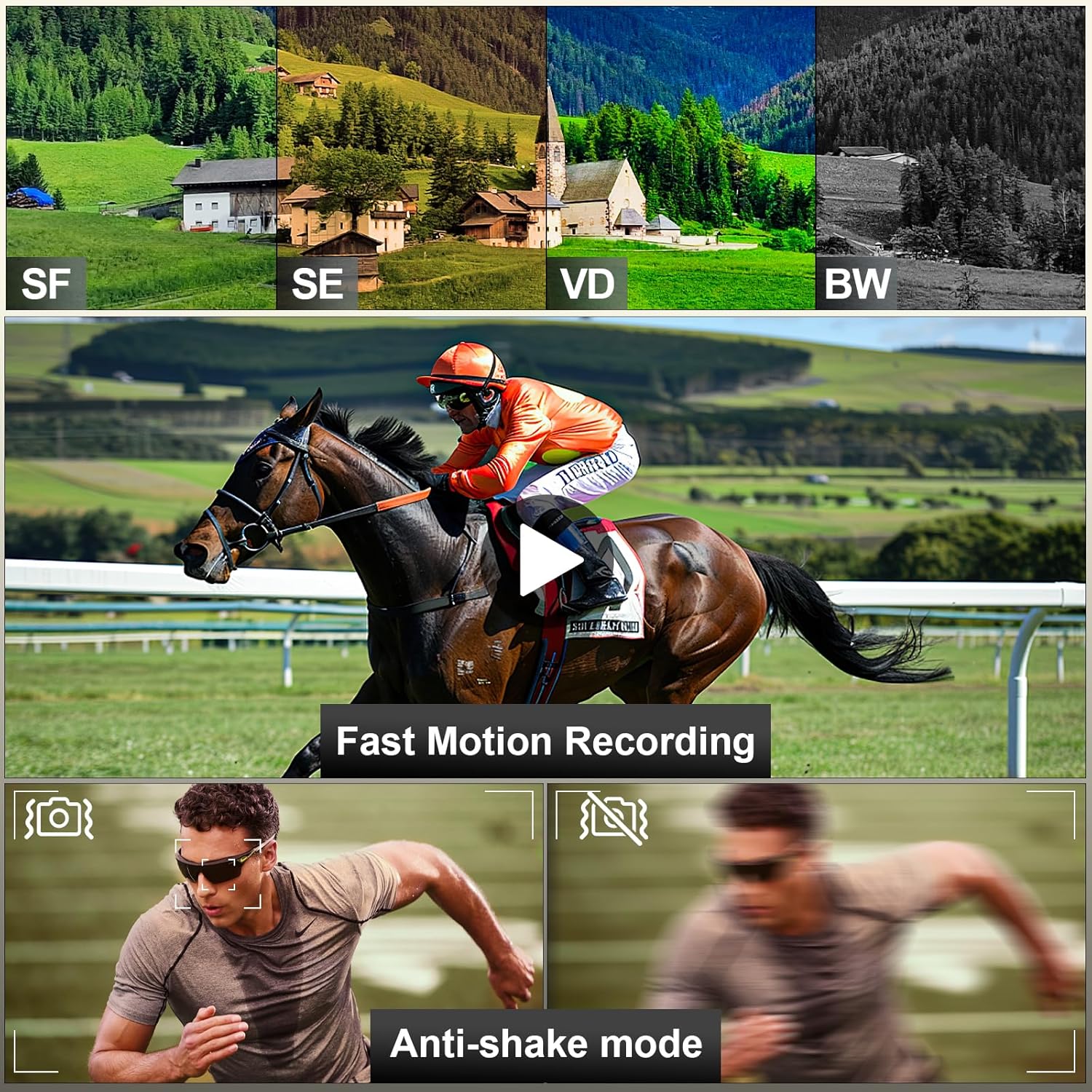
Image: A visual representation of the NBD 4K Camcorder D100 Pro's capabilities, including different color filters (SF, SE, VD, BW), fast motion recording, and anti-shake mode for stable footage.
- Pergerakan Perlahan: Captures video at a higher frame rate for slow-motion playback. Select this mode via the mode dial.
- Masa berlalu: Records images at set intervals to create a time-lapse video. Select this mode via the mode dial and configure settings in the menu.
- Anti-shake Mode: Enhances video stability. Enable this feature in the camera's settings menu.
7. Penyelenggaraan
7.1 Membersihkan Kamera
- Use the provided lens cleaning cloth to gently wipe the lens and screen.
- For dust on the lens, use the air blower to remove particles before wiping.
- Lap badan kamera dengan kain lembut dan kering. Elakkan menggunakan bahan kimia yang keras.
7.2 Penyimpanan
- Simpan kamera di tempat yang sejuk dan kering, jauh daripada cahaya matahari langsung.
- Keluarkan bateri jika kamera tidak akan digunakan untuk tempoh yang lama.
8. Penyelesaian masalah
| Masalah | Kemungkinan Punca | Penyelesaian |
|---|---|---|
| Kamera tidak dihidupkan. | Bateri mati atau salah dimasukkan. | Cas bateri atau masukkan semula dengan betul. |
| Tidak boleh merakam video/mengambil gambar. | Kad SD penuh, dikunci atau tidak dimasukkan. | Insert an SD card, unlock it, or delete files to free space. |
| Kualiti imej/video yang lemah. | Lens is dirty; insufficient lighting; incorrect settings. | Clean the lens; use the fill light; adjust exposure settings. |
| Isu sambungan Wi-Fi. | Incorrect password; camera Wi-Fi not enabled; app issues. | Verify password; ensure camera Wi-Fi is on; restart app/camera. |
9. Spesifikasi
- model: PZJ-D100-US-2411
- Resolusi Video: 4K (3840x2160) at 30fps, 1080p
- Resolusi Foto: 48 Megapiksel
- Zum Digital: 16X
- Skrin: 3.0" IPS 270° Flip Screen
- Ketersambungan: Wi-Fi, USB, HDMI
- Storan: Kad Mikro SD (sehingga 128GB, 32GB disertakan)
- Bateri: 12V (x2 included)
- Berat: Approximately 2.33 pounds (with accessories)
- Dimensi: 8.5 x 6.46 x 4.41 inci (pakej)
- Teknologi Penderia Foto: CMOS
- Panjang Fokus Maksimum: 85 Milimeter
10. Waranti dan Sokongan
NBD products are designed for reliability and performance. For warranty information, technical support, or service inquiries, please refer to the warranty card included in your package or visit the official NBD webtapak. Sila simpan bukti pembelian anda untuk tuntutan waranti.
Maklumat Hubungan: Please refer to the contact details provided on the NBD official website or your product packaging for customer support.
Ask a question about this manual
Ask about setup, troubleshooting, compatibility, parts, safety, or missing instructions. Manuals+ will review the question and use this page’s manual context to help answer it.