
1. Pengenalan
Terima kasih kerana membeliasing the AGPTEK A16 MP3 Player. This device is designed to provide a high-quality audio experience with its Bluetooth 5.3 connectivity and HIFI sound capabilities. It features a compact design, a built-in speaker, FM radio, voice recording, and expandable storage. This manual will guide you through the setup, operation, and maintenance of your new MP3 player.

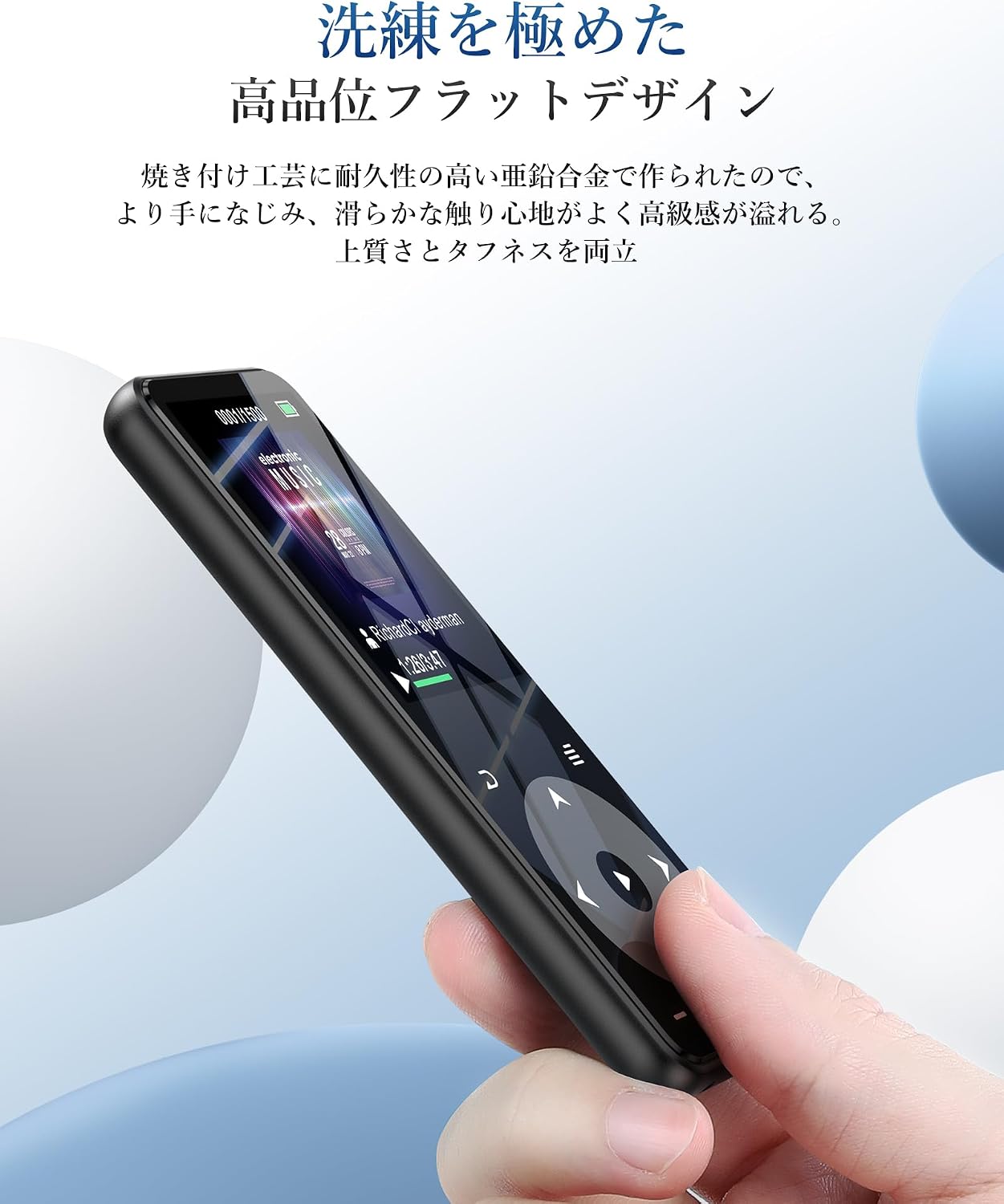
Figure 1.1: AGPTEK A16 MP3 Player
2. Produk Lebihview
2.1 Kandungan Pakej
- AGPTEK A16 MP3 Player
- Kabel Pengecas USB-C
- Fon telinga
- lilitan lengan
- Manual Pengguna
2.2 Susun atur Peranti
Familiarize yourself with the buttons and ports on your AGPTEK A16 MP3 Player.

Rajah 2.1: Depan view of the player showing the screen and touch controls.

Rajah 2.2: Sisi view of the player, indicating physical buttons and ports.
- Butang Kuasa: Press and hold to turn on/off. Short press to lock/unlock screen.
- Butang Kelantangan (+/-): Laraskan kelantangan.
- Kawalan Sentuh: Navigate menus, play/pause, skip tracks. These buttons illuminate for easy use.
- Port USB-C: Untuk pengecasan dan pemindahan data.
- Bicu Audio 3.5mm: For wired earphones or external speakers.
- Slot Kad MicroSD: Untuk storan yang boleh dikembangkan.
- Pembesar Suara Terbina dalam: For audio playback without external devices.
3. Persediaan
3.1 Mengecas Peranti
Before first use, fully charge the MP3 player. Connect the provided USB-C cable to the player's USB-C port and the other end to a USB power adapter (not included) or a computer's USB port. The battery indicator on the screen will show charging status. A full charge typically takes approximately 2 hours.
Rajah 3.1: Prestasi bateri melebihiview. Up to 10 hours via Bluetooth, up to 40 hours with wired earphones, and approximately 2 hours for a full charge.
3.2 Memindahkan Muzik dan Files
Untuk memindahkan files, connect the MP3 player to your computer using the USB-C cable. The player will appear as a removable disk. You can then drag and drop music files (MP3, WMA, APE, FLAC, WAV, DRM, ACELP, OGG, AAC-LC), videos (AMV), images (JPG, JPEG, BMP), and text files (TXT) into the appropriate folders on the device.
3.3 Memasukkan Kad MicroSD
The device has 16GB of internal storage and supports MicroSD cards up to 128GB. To expand storage, gently insert a MicroSD card into the card slot until it clicks into place. Ensure the card is inserted in the correct orientation.
3.4 Menyambung Peranti Bluetooth
The A16 MP3 player features Bluetooth 5.3 for stable and fast wireless connections. To pair with Bluetooth headphones or speakers:
- Turn on the MP3 player and navigate to the Bluetooth menu.
- Enable Bluetooth on the player.
- Letakkan fon kepala atau pembesar suara Bluetooth anda ke mod berpasangan.
- On the MP3 player, select 'Cari untuk devices' and choose your device from the list.
- Once paired, the device will connect automatically in the future.

Figure 3.2: The player supports Bluetooth 5.3 for connecting to wireless earphones, headphones, and speakers.
4. Arahan Operasi
4.1 Main balik Muzik
From the main menu, select 'Music'. You can browse your music by artist, album, genre, or all songs. Use the touch controls to play, pause, skip tracks, and adjust volume. The player supports HIFI lossless sound quality for an immersive audio experience.

Figure 4.1: The player features HIFI ultra-high sound quality with a DSP chip for effective noise reduction.
4.2 Radio FM
To use the FM radio function, connect wired earphones to the 3.5mm audio jack; they act as the antenna. Navigate to the 'FM Radio' option from the main menu. You can perform an automatic search for stations or manually tune to frequencies between 76.0-108MHz.

Figure 4.2: The player's FM radio function, requiring wired earphones as an antenna.
4.3 Rakaman Suara
The A16 MP3 player includes a voice recording function. Select 'Recorder' from the main menu to start, pause, and save recordings. You can also connect external audio sources like a smartphone or CD player via a line-in cable (sold separately) for direct recording.

Figure 4.3: The player's voice recording feature, including direct recording from external devices.
4.4 Butang Kunci
To prevent accidental operations during use, especially when carrying the player, short press the power button to lock the screen and controls. Repeat the action to unlock.
4.5 Fungsi Lain
The AGPTEK A16 also offers additional features:
- Pedometer: Track your steps during exercise.
- E-buku: Baca teks files pada peranti.
- Main Balik Video: View AMV format videos.
- Pembesar Suara Terbina dalam: Enjoy music without earphones.

Figure 4.4: The player's built-in speaker allows for cable-free audio playback.
5. Penyelenggaraan
5.1 Pembersihan
Lap peranti dengan kain lembut dan kering. Jangan gunakan pembersih cecair atau bahan kasar, kerana ia boleh merosakkan skrin atauasing.
5.2 Penjagaan Bateri
To prolong battery life, avoid fully discharging the battery frequently. Charge the device regularly, even if not in use for extended periods. Store the device in a cool, dry place.
6. Penyelesaian masalah
- Peranti tidak dihidupkan: Ensure the battery is charged. Connect to a power source and try again. If unresponsive, try holding the power button for 10-15 seconds for a hard reset.
- Tidak dapat menyambung melalui Bluetooth: Ensure both the MP3 player and the Bluetooth device are in pairing mode and within range. Check if other Bluetooth devices are interfering. Try unpairing and re-pairing the devices.
- Tiada bunyi: Check the volume level. Ensure earphones are properly connected or Bluetooth device is paired and connected. If using FM radio, ensure wired earphones are plugged in as an antenna.
- Filetidak muncul: pastikan files are in supported formats (MP3, WMA, etc.) and transferred to the correct folders. Disconnect and reconnect the player to your computer.
- Skrin tidak bertindak balas: If the screen is locked, short press the power button to unlock. If still unresponsive, perform a hard reset by holding the power button.
7. Spesifikasi
| Ciri | Spesifikasi |
|---|---|
| Jenama | AGPTEK |
| Nombor Model | A16 |
| Kapasiti Penyimpanan Memori | 16 GB (expandable up to 128 GB via microSD card) |
| Teknologi Ketersambungan | Bluetooth 5.3 |
| Saiz Skrin | 1.8 Inches (TFT Display) |
| Jenis Media yang Disokong | kad microSD |
| Format Audio yang Disokong | MP3, WMA, APE, FLAC, WAV, DRM, ACELP, OGG, AAC-LC |
| Format Video yang Disokong | AMV |
| Format Gambar yang Disokong | JPG, JPEG, BMP |
| Format Teks yang Disokong | TXT |
| Hayat Bateri (Main Semula Muzik) | Up to 40 hours (wired earphones), Up to 10 hours (Bluetooth) |
| Masa Mengecas | lebih kurang 2 jam |
| warna | Hitam |
| Ciri Khas | Bluetooth, HIFI Sound, Voice Recorder, FM Radio, Built-in Speaker, Pedometer, E-book, Lock Button |
8. Waranti dan Sokongan
8.1 Maklumat Waranti
This AGPTEK A16 MP3 Player comes with a 180-day warranty from the date of purchase. This warranty covers manufacturing defects. Please retain your proof of purchase for warranty claims. The warranty does not cover damage caused by misuse, accidents, unauthorized repairs, or normal wear and tear.
8.2 Sokongan Pelanggan
For technical assistance, troubleshooting, or warranty inquiries, please contact AGPTEK customer support through the retailer where you purchased the product or visit the official AGPTEK webtapak untuk maklumat hubungan.