
MELONARE MWU-20-2H
MELONARE MWU-20-2H Dual Channel Wireless Microphone System User Manual
Professional Cordless Dynamic Mic Set
1. Lebihview
The MELONARE MWU-20-2H is a dual-channel wireless microphone system designed for clear and reliable audio transmission. It features an auto-scan function for optimal frequency selection, a long operating range, and user-friendly controls including one-tap mute and a lock function. The system is suitable for various applications such as singing, karaoke, church events, weddings, and DJ performances.

Figure 1: The MELONARE MWU-20-2H Dual Channel Wireless Microphone System, showing the receiver unit with two antennas and two handheld microphones.
2. Apa yang ada di dalam Kotak
The MELONARE MWU-20-2H system includes the following components:
- 1 x Penerima Wayarles
- 2 x Handheld Transmitters (Microphones)
- 4 x AA Batteries (for microphones)
- 1 x Power Adapter (for receiver)
- 1 x Kabel Audio 1/4"
- 1 x Manual Pengguna
- 1 x 6.35mm to 3.5mm Cable Adapter
- 2 x Antena
- 2 x Cincin Anti-gulung
- 4 x Kaki Getah

Figure 2: All items included in the MELONARE MWU-20-2H package.
3. Persediaan
- Sambungkan Kuasa: Plug the power adapter into the wireless receiver's DC IN port and then into a power outlet. The receiver's display should illuminate.
- Pasang Antena: Screw the two included antennas firmly into the antenna ports on the back of the receiver. Ensure they are positioned vertically for optimal signal reception.
- Pasang Bateri dalam Mikrofon: Unscrew the bottom part of each handheld transmitter (microphone). Insert two AA batteries into each microphone, observing the correct polarity (+/-). Screw the bottom part back on securely.
- Sambung ke Sistem Audio:
- For mixers or audio interfaces with XLR inputs, connect the receiver's XLR audio outputs to your device using XLR cables (not included).
- Untuk amplifiers, karaoke machines, or portable speakers, use the included 1/4" audio cable to connect the receiver's 1/4" Mixed Output to your device's input. If your device has a 3.5mm input, use the provided 6.35mm to 3.5mm cable adapter.
- Hidupkan kuasa: Press the power button on the receiver to turn it on. Press the power button on each handheld microphone to turn them on.
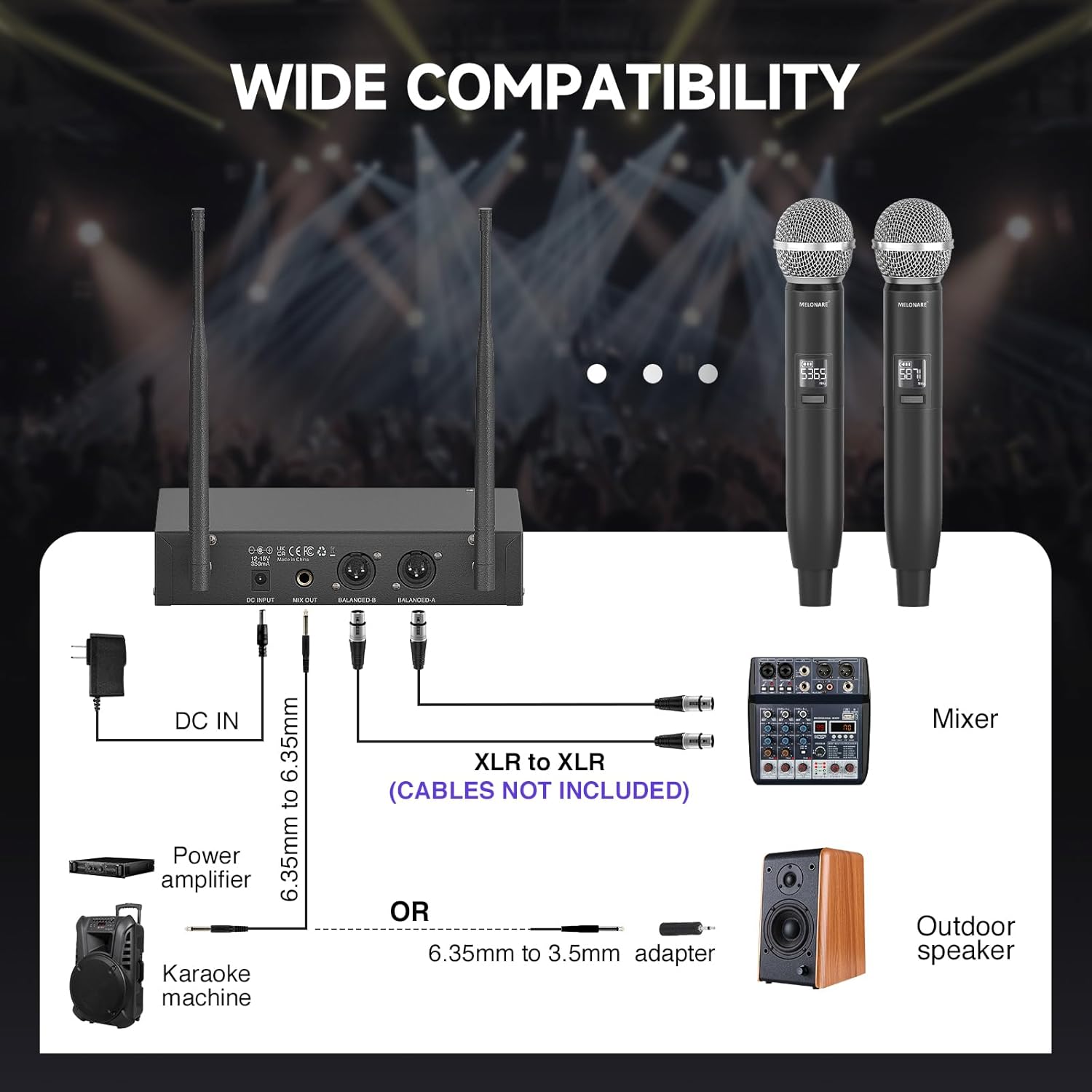
Figure 3: Connection options for the wireless microphone system with different audio equipment.
4. Arahan Operasi
4.1. Menghidupkan/Mematikan
- Penerima: Tekan ke KUASA butang pada panel hadapan untuk menghidupkan atau mematikan penerima.
- Pemancar Pegang Tangan: Tekan dan tahan butang KUASA button on each microphone for a few seconds to turn it on or off. A short tap will mute/unmute the microphone.
4.2. Frequency Pairing (Auto-Scan & IR Sync)
The system features an Auto-Scan function to find the most stable frequency and IR Sync for quick pairing.
- Initiate Auto-Scan: On the receiver, long press the SET button to initiate the Auto-Scan function. The receiver will automatically scan for the clearest available frequency.
- Sahkan Kekerapan: Wait until the selected frequency appears on the receiver's LCD display.
- IR Sync Microphones:
- Ensure the handheld microphone is powered on.
- Align the IR window on the microphone (usually near the power button) vertically with the IR window on the receiver.
- Tekan ke SET button on the receiver to initiate IR sync. The microphone's frequency will automatically match the receiver's.
- Repeat for the second microphone.

Figure 4: The receiver's display showing the auto-scan feature for quick frequency matching.
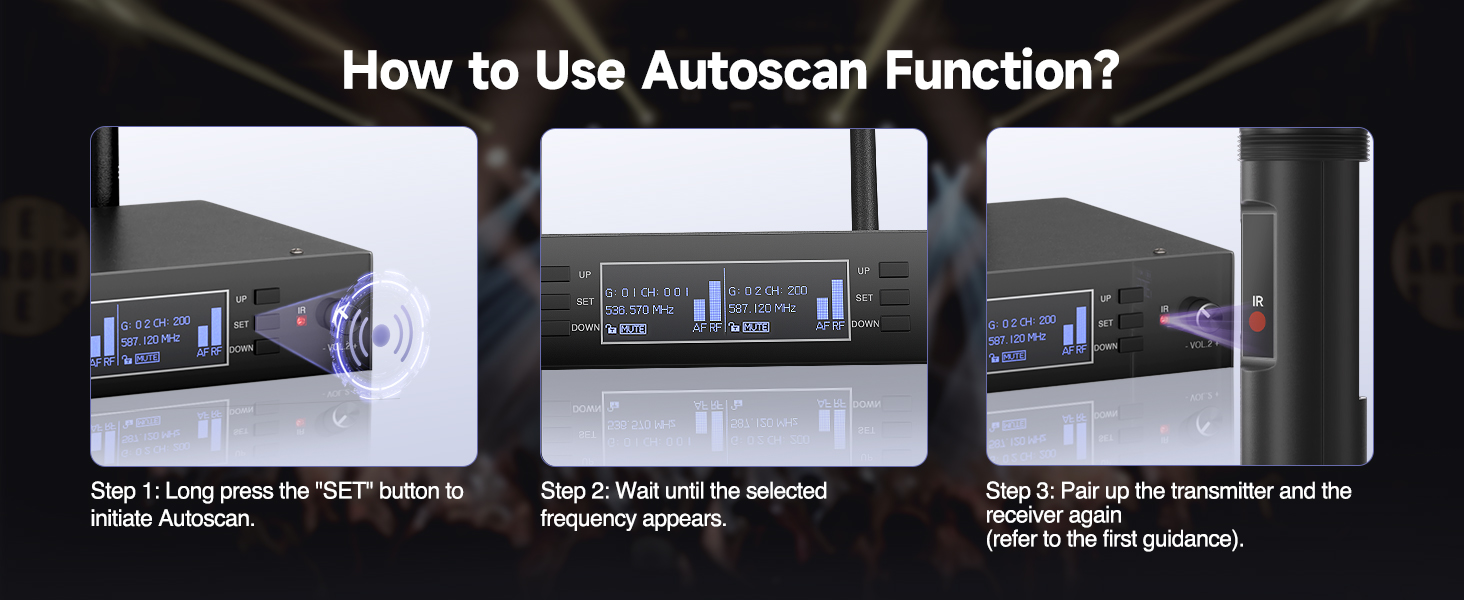
Figure 5: Step-by-step guide for IR synchronization between the microphone and receiver.
4.3. Mute and Lock Functions
- One-Tap Mute (Microphone): Ketik secara ringkas KUASA button on the handheld microphone to mute or unmute the audio output. The microphone's display will indicate "MUTE" when active.
- Lock Function (Receiver): Untuk mengelakkan perubahan tetapan yang tidak disengajakan, tekan lama butang UP button on the receiver. This will activate the lock function, indicated on the display. Long press again to unlock.

Figure 6: Details of the handheld microphone, including the mute function and color-coded base for easy identification.
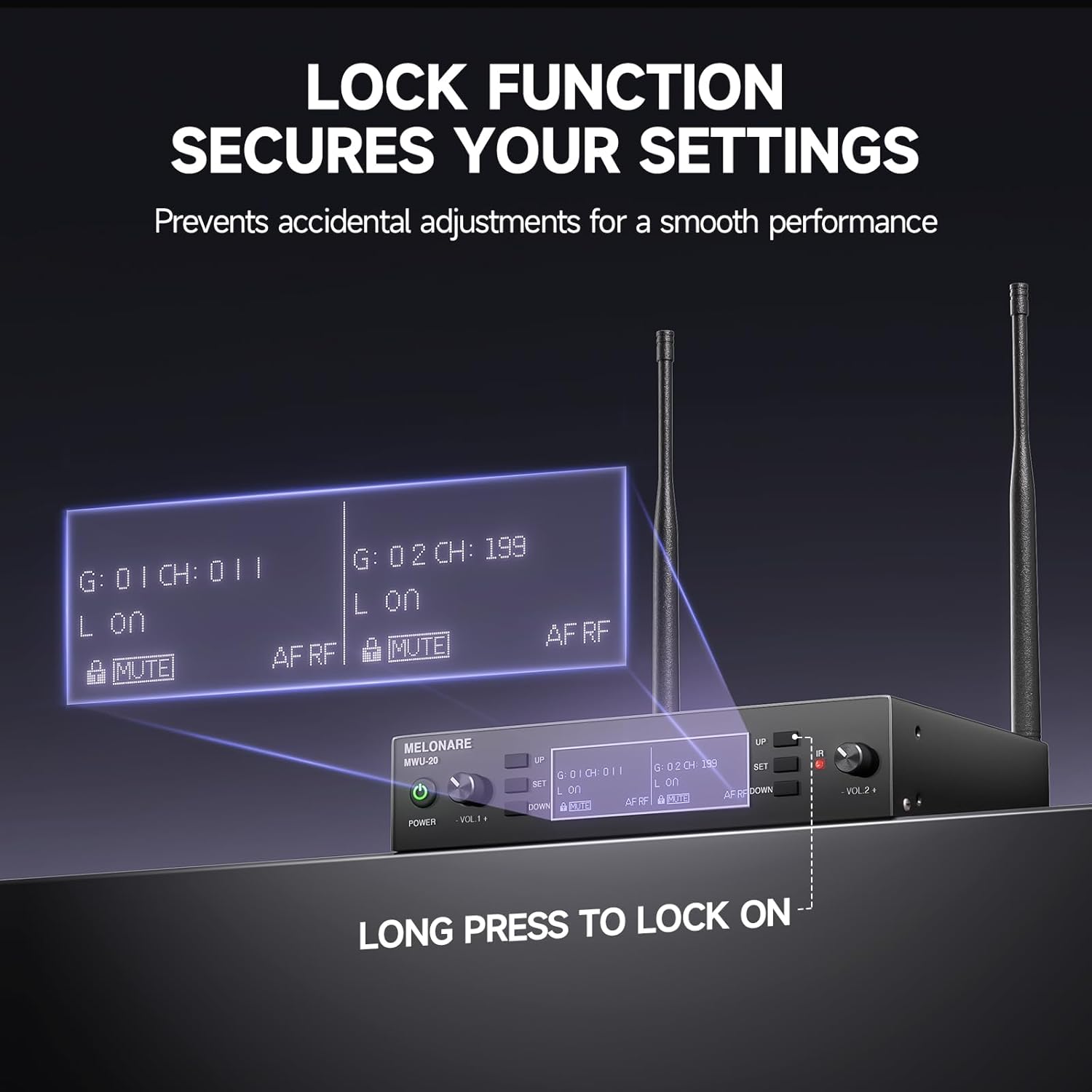
Figure 7: The receiver's display indicating the active lock function to secure settings.
4.4. Kawalan Kelantangan
The receiver has individual volume control knobs for each microphone channel (VOL 1 and VOL 2). Rotate the respective knob clockwise to increase volume and counter-clockwise to decrease volume.
5. Penyelenggaraan
- Penggantian Bateri: The handheld microphones are powered by AA batteries. Replace them when the battery indicator on the microphone's display shows low power. Always use fresh AA batteries for optimal performance.
- Pembersihan: Use a soft, dry cloth to clean the receiver and microphones. Do not use liquid cleaners or abrasive materials, as they may damage the finish or internal components.
- Storan: When not in use for extended periods, store the system in a cool, dry place away from direct sunlight and extreme temperatures. Remove batteries from the microphones before long-term storage to prevent leakage.
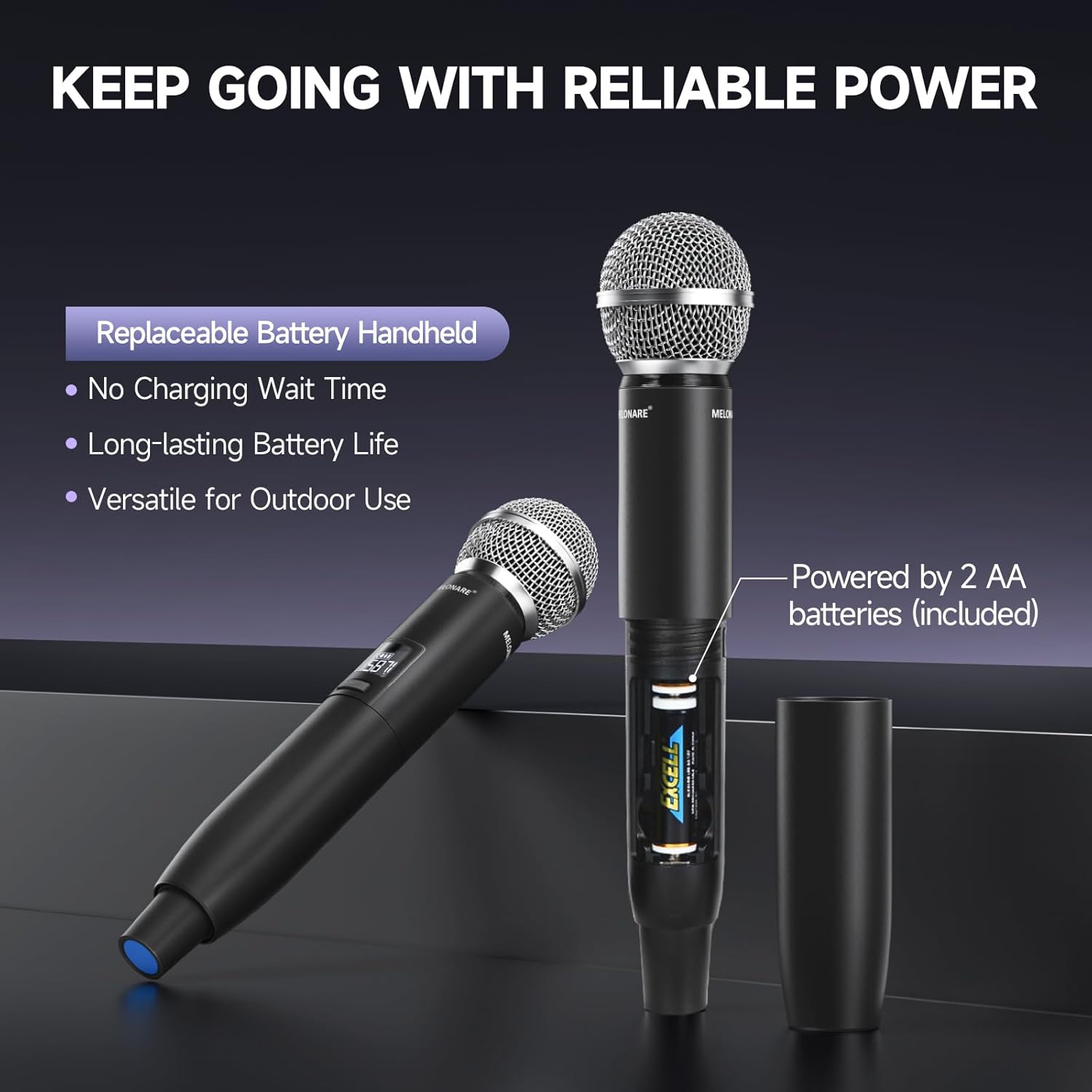
Figure 8: The handheld microphone's battery compartment, illustrating the use of replaceable AA batteries.
6. Penyelesaian masalah
| Masalah | Kemungkinan Punca | Penyelesaian |
|---|---|---|
| Tiada bunyi dari mikrofon | Microphone or receiver not powered on; Low microphone battery; Incorrect frequency pairing; Microphone muted; Audio cable disconnected. | Ensure both units are powered on. Replace AA batteries. Perform IR Sync to pair frequencies. Tap power button to unmute. Check all audio cable connections. |
| Interference or poor sound quality | Nearby electronic devices causing interference; Frequency conflict; Obstacles blocking signal. | Move receiver away from other electronic devices. Use the Auto-Scan function to find a clear frequency. Ensure clear line-of-sight between microphone and receiver. |
| Julat operasi pendek | Antennas not properly positioned; Environmental obstacles (walls, metal structures); Low microphone battery. | Ensure antennas are fully extended and positioned vertically. Minimize obstacles between microphone and receiver. Replace AA batteries. |
| Receiver display not working | Receiver not powered on; Power adapter issue. | Check power connection and ensure receiver is turned on. Try a different power outlet or adapter if available. |
7. Spesifikasi
| Ciri | Perincian |
|---|---|
| Nombor Model | MWU-20-2H |
| Julat Kekerapan | 2x100 UHF Frequencies (530-580 MHz) |
| Julat Operasi | Sehingga 260 kaki (100m) |
| Jenis Mikrofon | Dynamic, Cardioid Polar Pattern |
| Bekalan Kuasa Mikrofon | 2 x AA Batteries (per microphone) |
| Sumber Kuasa Penerima | Penyesuai Kuasa (termasuk) |
| Output Penerima | XLR Audio Outputs, 1/4" Mixed Output |
| Berat Barang | 4.29 paun |
| Dimensi Pakej | 17.56 x 12.2 x 3.43 inci |
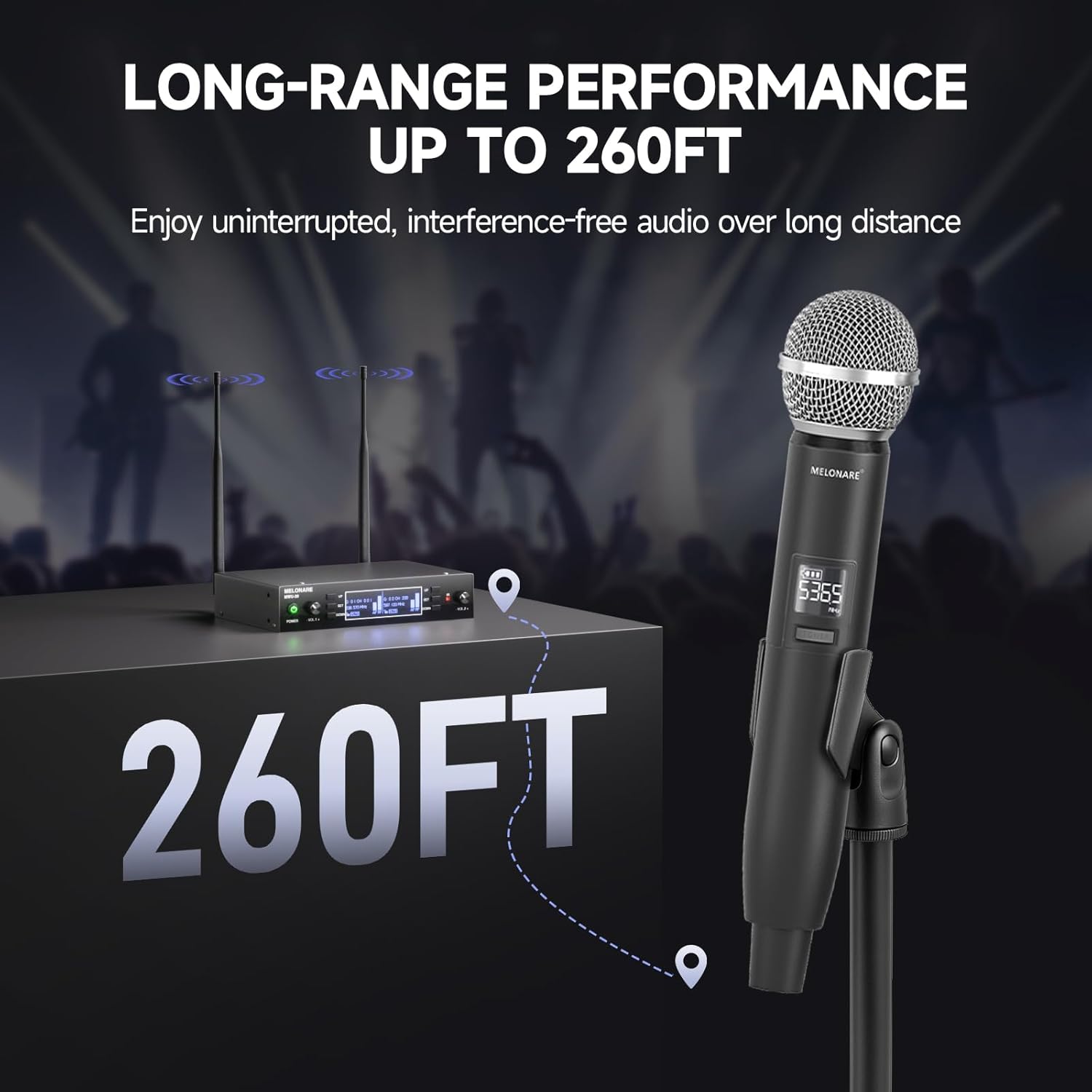
Figure 9: The system's long-range performance, capable of up to 260 feet of uninterrupted audio.
8. Waranti dan Sokongan
For warranty information, technical support, or any inquiries regarding your MELONARE MWU-20-2H Dual Channel Wireless Microphone System, please refer to the contact details provided in the included user manual or visit the official MELONARE webtapak.
MELONARE is committed to providing affordable, user-friendly audio products and aims to bring joy and convenience through sound.
Ask a question about this manual
Ask about setup, troubleshooting, compatibility, parts, safety, or missing instructions. Manuals+ will review the question and use this page’s manual context to help answer it.