
pengenalan
Thank you for choosing the AWEI T28 Wireless Earbuds. This manual provides detailed instructions for setting up, operating, and maintaining your earbuds to ensure optimal performance and longevity. Please read this manual thoroughly before using the product.
Kandungan Pakej
Sahkan bahawa semua item terdapat dalam pakej anda:
- Wireless Bluetooth Headset (Left and Right Earbuds)
- Wireless Bluetooth Headset Charging Case
- Kabel Pengecas USB-C
- Arahan Pengguna (Manual Ini)
Produk Selesaiview
The AWEI T28 Wireless Earbuds are designed for a comfortable in-ear fit, offering high-fidelity audio and clear call performance. They feature Bluetooth 5.3 technology for stable connectivity and touch controls for easy operation.

Rajah 1: AWEI T28 Wireless Earbuds and Charging Case. This image displays the white earbuds resting inside their open charging case, highlighting their compact and sleek design.

Rajah 2: Earbuds and Charging Case. The image shows the earbuds removed from the charging case, which is open, illustrating the product's design and indicating its readiness for use or charging.
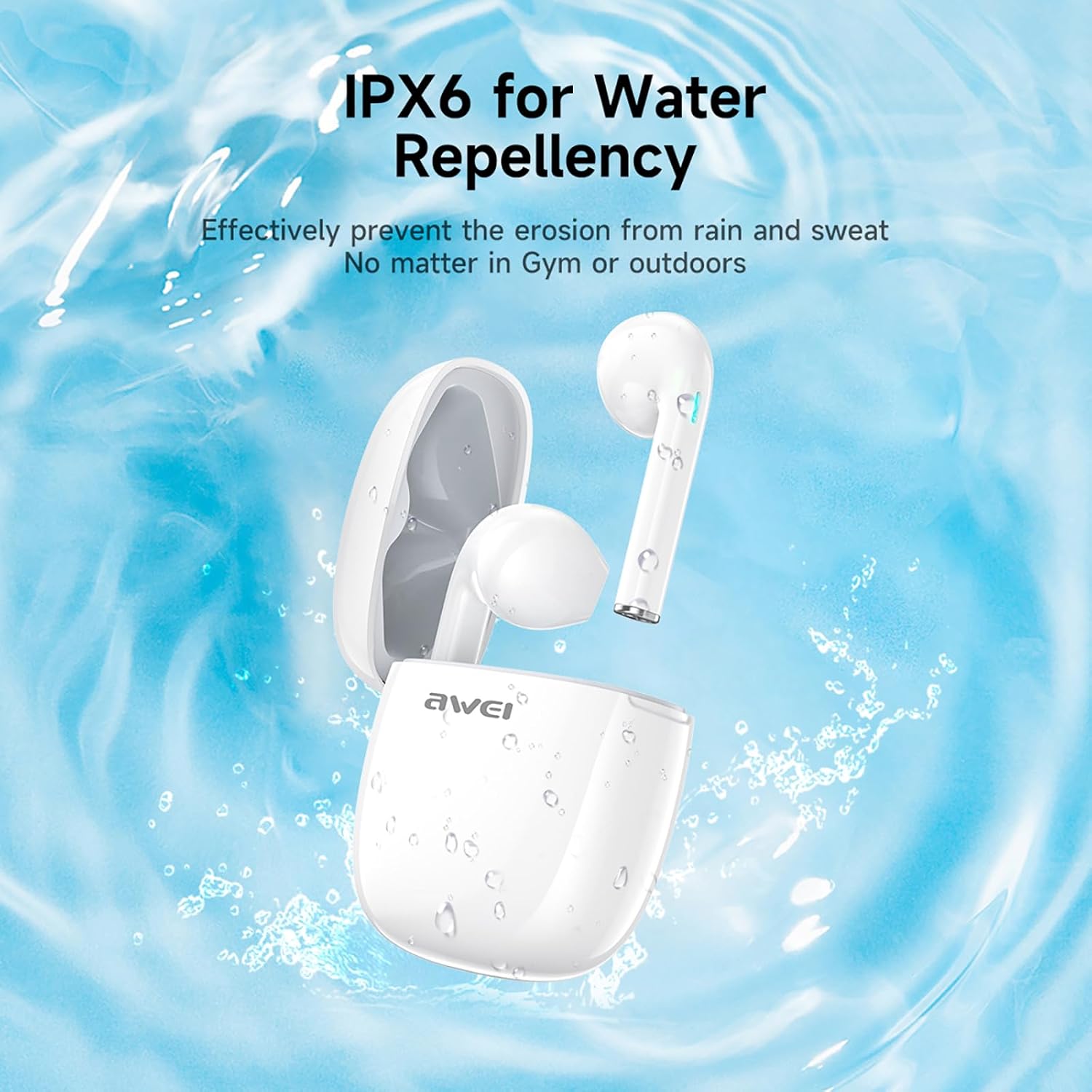
Rajah 3: IPX6 Water Repellency. This image depicts the earbuds and charging case with water splashes, visually representing their IPX6 waterproof rating, suitable for use during exercise or in light rain.
Persediaan
1. Mengecas Fon Telinga dan Sarung
- Caj Permulaan: Sebelum penggunaan pertama, cas sepenuhnya fon telinga dan bekas pengecas.
- Mengecas Kes: Connect the provided USB-C charging cable to the charging port on the case and to a USB power source. The charging time for the case is approximately 1.5 hours.
- Mengecas fon telinga: Place the earbuds into the charging case. They will automatically begin charging. The earbuds provide approximately 7 hours of continuous use per charge. The charging case extends total playback time to 35 hours in dual-ear mode, or up to 70 hours in single-ear mode by alternating earbuds.
- Penunjuk Bateri: Refer to the LED indicators on the case and earbuds for charging status.
2. Berpasangan dengan Peranti
- Hidupkan kuasa: Buka bekas pengecas. Fon telinga akan dihidupkan secara automatik dan memasuki mod berpasangan.
- Aktifkan Bluetooth: Pada telefon pintar, tablet atau peranti lain yang didayakan Bluetooth anda, pergi ke tetapan Bluetooth dan hidupkan Bluetooth.
- Pilih Peranti: Cari "AWEI T28" dalam senarai peranti yang tersedia dan pilihnya untuk disambungkan.
- Pengesahan: Once connected, you will hear an audio prompt from the earbuds, and the device's Bluetooth settings will show "AWEI T28" as connected.
- Penyambungan Semula Automatik: Selepas pemasangan awal, fon telinga akan bersambung secara automatik ke peranti yang terakhir dipasangkan apabila ditanggalkan daripada bekas pengecas, dengan syarat Bluetooth didayakan pada peranti.
Arahan Operasi
Kawalan Sentuh
The AWEI T28 earbuds feature smart touch controls on each earbud for convenient management of audio playback and calls.
- Main/Jeda: Ketik sekali pada salah satu fon telinga.
- Lagu Seterusnya: Ketik dua kali pada fon telinga kanan.
- Lagu Sebelumnya: Ketik dua kali pada fon telinga kiri.
- Kelantangan: Ketik tiga kali pada fon telinga kanan.
- Perlahankan suara: Ketik tiga kali pada fon telinga kiri.
- Jawab/Tamatkan Panggilan: Ketik sekali pada salah satu fon telinga semasa panggilan masuk.
- Tolak Panggilan: Tekan dan tahan salah satu fon telinga selama 2 saat semasa panggilan masuk.
- Aktifkan Pembantu Suara: Press and hold either earbud for 3 seconds (functionality may vary by device).
Monaural and Binaural Mode
The earbuds support both monaural (single earbud) and binaural (both earbuds) modes. You can seamlessly switch between modes:
- Mod Binaural: Remove both earbuds from the charging case. They will automatically connect to each other and then to your device.
- Mod Monaural: Remove only one earbud from the charging case. It will connect to your device independently. You can place the other earbud back in the case or keep it off.
- Beralih: If using one earbud, simply remove the other from the case to automatically switch to binaural mode. If using both, place one back in the case to switch to monaural mode.
Penyelenggaraan
Proper maintenance ensures the longevity and performance of your AWEI T28 Wireless Earbuds.
- Pembersihan: Bersihkan fon telinga dan bekas pengecas dengan kerap menggunakan kain yang lembut, kering dan tidak berbulu. Jangan gunakan pembersih atau pelarut yang melelas.
- Petua Telinga: If applicable, gently remove ear tips and clean them with mild soap and water, then dry thoroughly before reattaching.
- Mengecas Kenalan: Pastikan sentuhan pengecasan pada kedua-dua fon telinga dan bahagian dalam bekas bersih dan bebas daripada serpihan untuk mengekalkan pengecasan yang betul.
- Tahan Air: The earbuds are IPX6 waterproof, meaning they are resistant to strong jets of water. However, they are not designed for swimming or submersion. Ensure they are dry before placing them back in the charging case.
- Storan: Apabila tidak digunakan, simpan fon telinga dalam bekas pengecasnya untuk melindunginya daripada habuk dan kerosakan. Simpan di tempat yang sejuk dan kering jauh dari suhu yang melampau.
Menyelesaikan masalah
If you encounter issues with your AWEI T28 Wireless Earbuds, refer to the following common solutions:
- Fon telinga tidak berpasangan dengan peranti:
- Pastikan kedua-dua fon telinga dicas sepenuhnya.
- Matikan Bluetooth pada peranti anda, kemudian hidupkan semula.
- Forget "AWEI T28" from your device's Bluetooth list and attempt to pair again.
- Ensure the earbuds are in pairing mode (usually indicated by flashing LED lights).
- Cuba gandingkan dengan peranti lain untuk menolak isu khusus peranti.
- Hanya satu fon telinga berfungsi:
- Place both earbuds back into the charging case, close the lid, wait a few seconds, then open the lid and remove both earbuds simultaneously.
- Pastikan kedua-dua fon telinga dicas.
- Check if the earbuds are connected in monaural mode. If so, try re-pairing both earbuds.
- Fon telinga tidak dicas:
- Pastikan kes pengecasan dicas.
- Check that the charging contacts on the earbuds and inside the case are clean and free of obstructions.
- Pastikan fon telinga diletakkan dengan betul dalam bekas pengecasan.
- Cuba gunakan kabel USB-C atau penyesuai kuasa yang berbeza.
- Kelantangan rendah atau kualiti bunyi yang lemah:
- Laraskan kelantangan pada kedua-dua peranti anda dan fon telinga.
- Pastikan fon telinga diletakkan dengan betul di telinga anda untuk pengedap yang baik.
- Bersihkan sebarang tahi telinga atau serpihan daripada muncung fon telinga.
- Cuba mainkan sumber audio yang berbeza untuk menentukan sama ada masalahnya adalah dengan fon telinga atau audio file.
- Sambungan sering terputus:
- Ensure there are no significant obstacles (walls, large electronic devices) between the earbuds and your connected device.
- Keep the earbuds within the 10-meter Bluetooth range of your device.
- Avoid environments with high Wi-Fi or other wireless interference.
Spesifikasi
| Model | T28 |
| Jenama | Awei |
| Teknologi Ketersambungan | Wayarles (Bluetooth 5.3) |
| Penempatan Telinga | Di Telinga |
| Jenis Kawalan | Kawalan Sentuh |
| Tahap Ketahanan Air | IPX6 Kalis Air |
| Battery Average Life (Earbuds) | 7 Jam |
| Jumlah Masa Main dengan Sarung Pengecasan | Up to 35 Hours (Dual-ear), 70 Hours (Single-ear) |
| Masa Pengecasan (Kes) | 1.5 Jam |
| bahan | silikon |
| Berat Barang | 150 g |
| Peranti Serasi | Smartphones, Computers, TVs |
Waranti dan Sokongan
For warranty information and customer support, please refer to the documentation provided with your purchase or contact the retailer where you purchased the AWEI T28 Wireless Earbuds. Keep your proof of purchase for any warranty claims.
For further assistance, you may also visit the official Awei webtapak atau hubungi perkhidmatan pelanggan mereka secara langsung.