
pengenalan
This manual provides detailed instructions for the proper use and maintenance of your ACEFAST H2 Wireless Headset. Designed with advanced Active Noise Cancelling (ANC) technology and Bluetooth 5.3 connectivity, these headphones offer a high-quality audio experience. Please read this manual thoroughly before using the product to ensure optimal performance and longevity.
Kandungan Pakej
- ACEFAST H2 Wireless Headset
- Kabel Pengecas USB-C
- Kabel Aux 3.5mm
- Manual Pengguna (dokumen ini)
Produk Selesaiview
Familiarize yourself with the components and controls of your ACEFAST H2 headset.
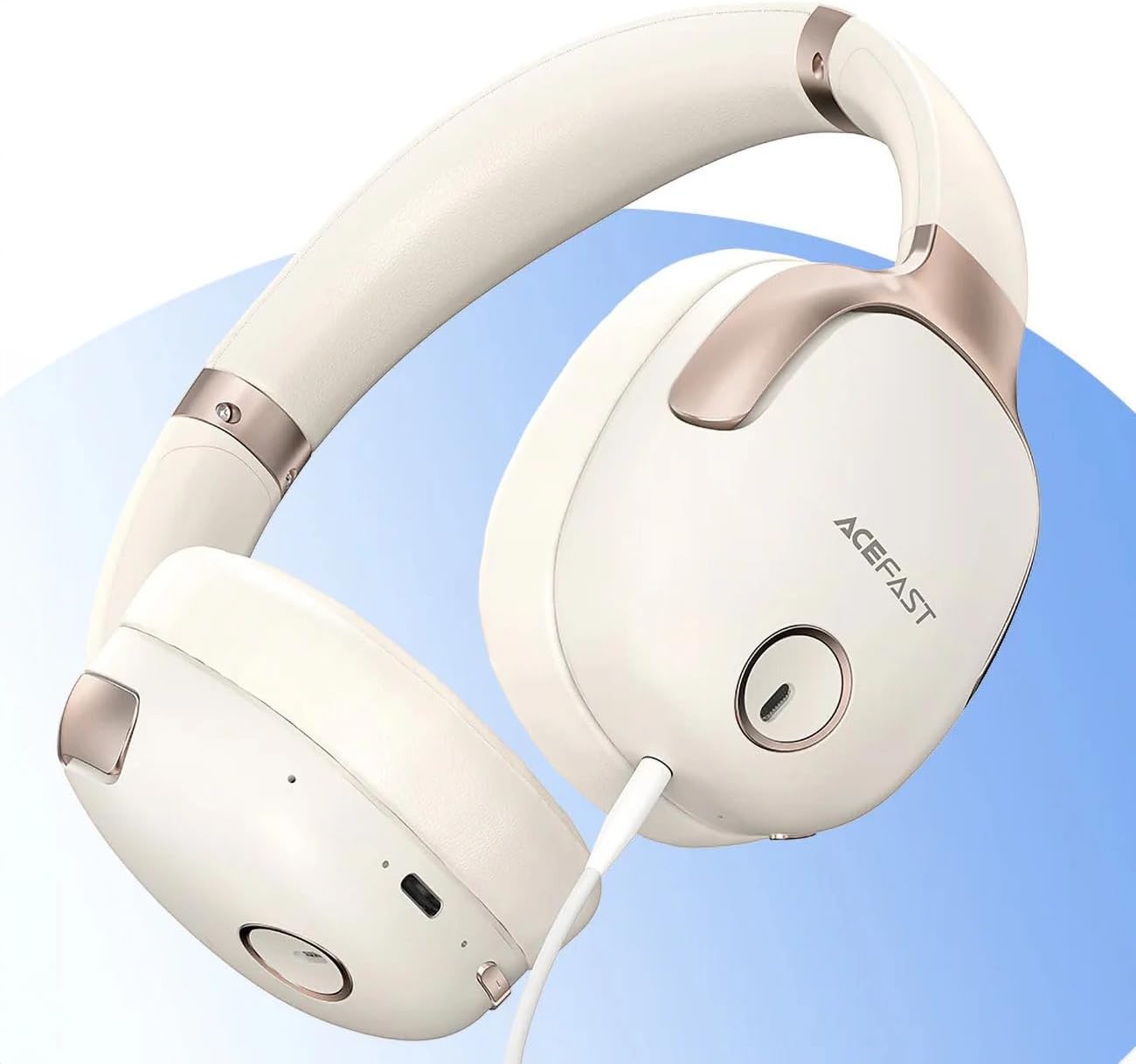
Rajah 1: ACEFAST H2 Headset showing USB-C charging port, 3.5mm audio jack, and control buttons.
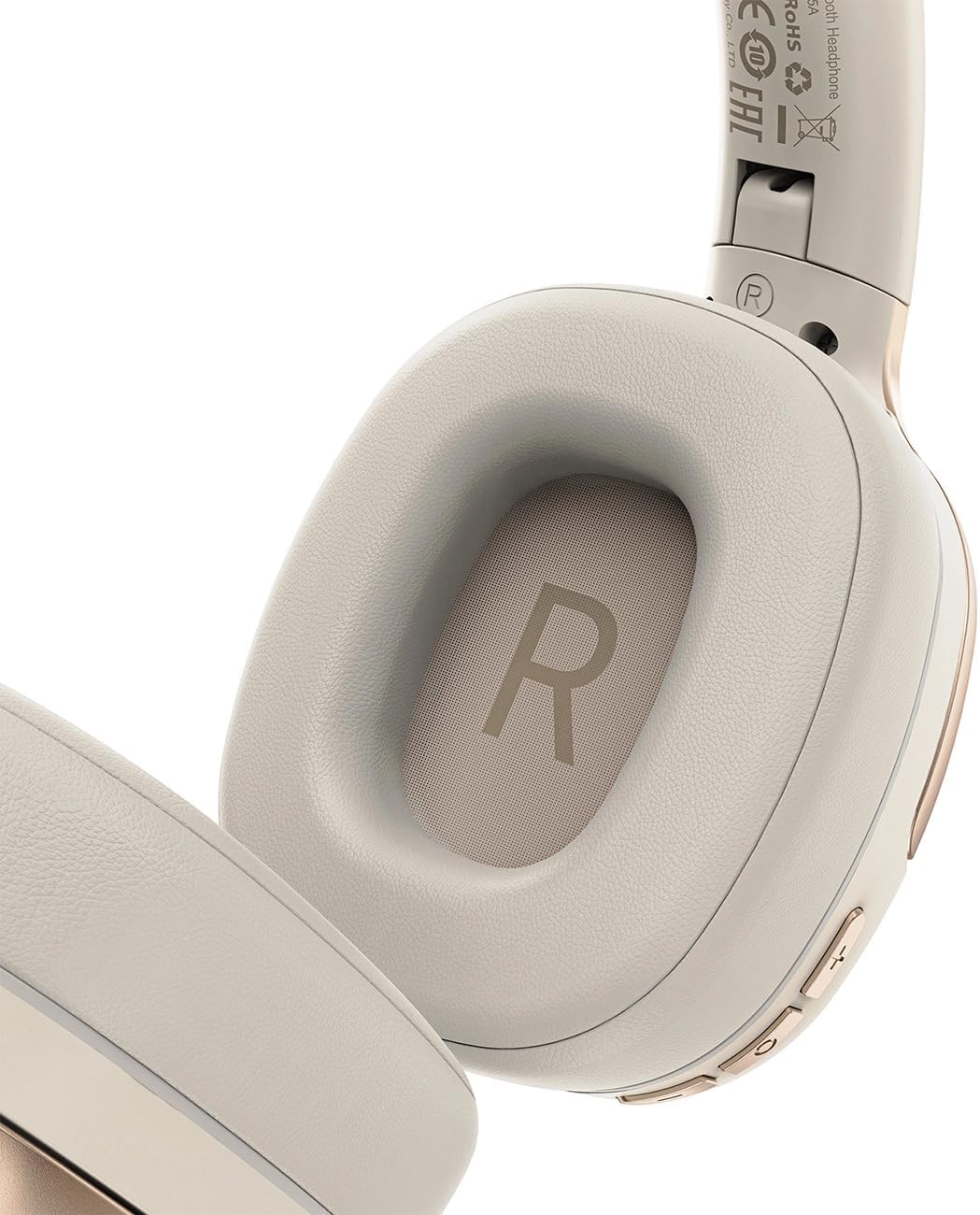
Rajah 2: Interior of the right earcup, indicating proper orientation for wearing.

Rajah 3: Headband adjustment mechanism and ear cup swivel for comfortable fit.

Rajah 4: The foldable design of the headset for easy storage and transport.
Komponen Utama:
- Butang Kuasa/Pelbagai Fungsi: Used for power on/off, play/pause, answer/end calls.
- Butang Naik Kelantangan/Trek Seterusnya: Tekan untuk menaikkan kelantangan, tahan untuk trek seterusnya.
- Kelantangan Turun/Butang Trek Sebelumnya: Tekan untuk kelantangan turun, tahan untuk trek sebelumnya.
- Butang ANC: Activates or deactivates Active Noise Cancellation.
- Port Pengecasan USB-C: Untuk mengecas set kepala.
- Bicu Audio 3.5mm: For wired connection using the Aux cable.
- mikrofon: Built-in for calls.
- Penunjuk LED: Menunjukkan kuasa, pengecasan dan status berpasangan.
Persediaan
1. Mengecas Alat Dengar
- Connect the provided USB-C charging cable to the headset's USB-C port.
- Sambungkan hujung kabel yang satu lagi ke penyesuai kuasa USB (tidak disertakan) atau port USB komputer.
- The LED indicator will show charging status (e.g., red while charging, blue when fully charged).
- A full charge takes approximately 2 hours and provides up to 80 hours of music playback.
2. Menghidupkan/Mematikan
- Untuk Menghidupkan: Press and hold the Power/Multi-function button for approximately 3 seconds until the LED indicator flashes.
- Untuk Mematikan: Press and hold the Power/Multi-function button for approximately 5 seconds until the LED indicator turns off.
3. Berpasangan Bluetooth
- Pastikan alat dengar dimatikan.
- Press and hold the Power/Multi-function button for about 5-7 seconds until the LED indicator flashes red and blue alternately, indicating pairing mode.
- Pada peranti anda (telefon pintar, tablet, komputer), dayakan Bluetooth dan cari peranti yang tersedia.
- Select "ACEFAST H2" from the list of found devices.
- Setelah dipasangkan, penunjuk LED akan berkelip biru perlahan-lahan.
- The headset will automatically connect to the last paired device when powered on, if within range.
4. Sambungan Berwayar (Mod Aux)
- Connect one end of the 3.5mm Aux cable to the headset's 3.5mm audio jack.
- Sambungkan hujung yang satu lagi ke output audio 3.5mm sumber audio anda.
- In wired mode, the headset functions passively, and Bluetooth features are disabled. ANC may still be active if powered on.
Arahan Operasi
Main balik Muzik
- Main/Jeda: Tekan sebentar butang Kuasa/Berbilang fungsi.
- Kelantangan: Tekan pendek butang Kelantangan Naik.
- Perlahankan suara: Tekan pendek butang Kurangkan Kelantangan.
- Lagu Seterusnya: Tekan lama butang Kelantangan Naik.
- Trek Sebelumnya: Tekan lama butang Kurangkan Kelantangan.
Panggilan Telefon
- Jawab/Tamatkan Panggilan: Tekan sebentar butang Kuasa/Berbilang fungsi.
- Tolak Panggilan: Tekan lama butang Kuasa/Berbilang fungsi.
- Pembantu Suara: Tekan dua kali butang Kuasa/Berbilang fungsi (jika disokong oleh peranti anda).
Pembatalan Bising Aktif (ANC)
- Aktifkan/Nyahaktifkan ANC: Press the dedicated ANC button. The LED indicator will change to confirm status.
- ANC reduces ambient noise up to -40dB, providing a quieter listening environment.
Penyelenggaraan
- Pembersihan: Gunakan kain lembut dan kering untuk membersihkan set kepala. Jangan gunakan pembersih atau pelarut yang melelas.
- Storan: Store the headset in a cool, dry place away from direct sunlight and extreme temperatures. When not in use, it is recommended to fold the headset for compact storage.
- Tahan Air: The headset is IPX4 water-resistant, meaning it is protected against splashing water from any direction. It is not designed for submersion or exposure to heavy rain. Avoid exposing the charging port and audio jack to moisture.
- Penjagaan Bateri: To preserve battery life, charge the headset fully before long periods of storage and recharge it at least once every three months.
Menyelesaikan masalah
| Masalah | Kemungkinan Punca | Penyelesaian |
|---|---|---|
| Alat dengar tidak dihidupkan. | Bateri lemah. | Caskan set kepala sepenuhnya. |
| Tidak boleh berpasangan dengan peranti. | Alat dengar tidak dalam mod berpasangan; peranti Bluetooth dimatikan; terlalu jauh dari peranti. | Ensure headset is in pairing mode (flashing red/blue). Turn on device Bluetooth. Move headset closer to device (within 10 meters). |
| Tiada bunyi atau kualiti audio yang teruk. | Volume too low; headset not connected; interference; incorrect audio output selected. | Adjust volume on headset and device. Re-pair headset. Move away from sources of interference. Check device's audio output settings. |
| ANC tidak berfungsi dengan berkesan. | ANC tidak diaktifkan; padanan tidak betul. | Press the ANC button to activate. Adjust headset for a snug fit over your ears. |
Spesifikasi
| Nama Model | H2 |
| Teknologi Ketersambungan | Wireless (Bluetooth 5.3) / Wired (3.5mm Aux) |
| Julat Bluetooth | Sehingga 10 meter |
| Kawalan Bunyi | Active Noise Cancellation (ANC) up to -40dB, Environmental Noise Cancelling (ENC) for microphone |
| Hayat Bateri | Sehingga 80 jam (main semula muzik) |
| Masa Mengecas | Kira-kira 2 jam (melalui USB-C) |
| Tahan Air | IPX4 (tahan percikan) |
| Penempatan Telinga | Di Telinga |
| bahan | Akrilonitril Butadiena Stirena (ABS) |
| warna | Beige |

Rajah 5: Illustration of the dynamic HiFi audio driver components.
Maklumat Waranti
The ACEFAST H2 Wireless Headset comes with a Waranti pengilang 6 bulan dari tarikh pembelian. Waranti ini meliputi kecacatan pembuatan dan mutu kerja di bawah penggunaan biasa. Ia tidak melindungi kerosakan yang disebabkan oleh penyalahgunaan, kemalangan, pengubahsuaian yang tidak dibenarkan atau haus dan lusuh biasa. Sila simpan bukti pembelian anda untuk tuntutan waranti.
Sokongan
For further assistance, technical support, or warranty inquiries, please refer to the contact information provided by your retailer or visit the official ACEFAST website. Ensure you have your product model number (H2) and proof of purchase ready when contacting support.