
Dragon Touch L01
Wireless Mini Projector User Manual
Model: L01 | Brand: Dragon Touch
pengenalan
Thank you for choosing the Dragon Touch L01 Wireless Mini Projector. This portable projector is designed to provide a vivid and immersive viewing experience, supporting 4K video projection with native 1080P resolution and 350 ANSI brightness. Equipped with high-speed WiFi 6 and Bluetooth 5.2, it offers versatile connectivity for various devices, making it ideal for home cinema, outdoor entertainment, business presentations, and educational purposes. This manual provides essential information on setup, operation, maintenance, and troubleshooting to ensure optimal performance and longevity of your projector.

The Dragon Touch L01 projector, designed for cinematic brilliance in both home and outdoor environments.
Apa yang ada dalam Kotak
Sila semak kandungan pakej semasa membuka kotak untuk memastikan semua item ada:
- Dragon Touch L01 Wireless Mini Projector
- Kabel HDMI
- Kabel Kuasa
- Alat Kawalan Jauh (bateri AAA tidak termasuk)
- Manual Pengguna (dokumen ini)

Illustration of the projector and its included accessories: HDMI cable, power cable, and remote control.
Ciri-ciri Produk
The Dragon Touch L01 projector is equipped with advanced features for a superior viewpengalaman:
- Resolusi 1080P Asli & Sokongan 4K: Delivers crisp, clear images with a native 1920x1080 resolution and supports 4K video input for enhanced detail.
- 350 ANSI Brightness: Provides a bright and vivid projection, suitable for various lighting conditions.
- High-Speed WiFi 6 (5G & 2.4G Dual-Band): Ensures faster and more stable wireless phone projection and streaming.
- Fokus Elektrik: Allows for convenient focus adjustments via remote control, eliminating the need for manual lens rotation.
- Pembetulan Keystone: Features automatic vertical keystone correction for quick image alignment.
- Bluetooth 5.2: Enables seamless connection to external audio devices like Bluetooth speakers or headphones for enhanced sound.
- Built-in 2*5W Speakers: Provides clear and robust audio directly from the projector.
- Kesambungan Multimedia: Equipped with HDMI, USB 2.0, and Audio Out ports for connecting a wide range of devices including TV sticks, game consoles, PCs, smartphones, and USB drives.
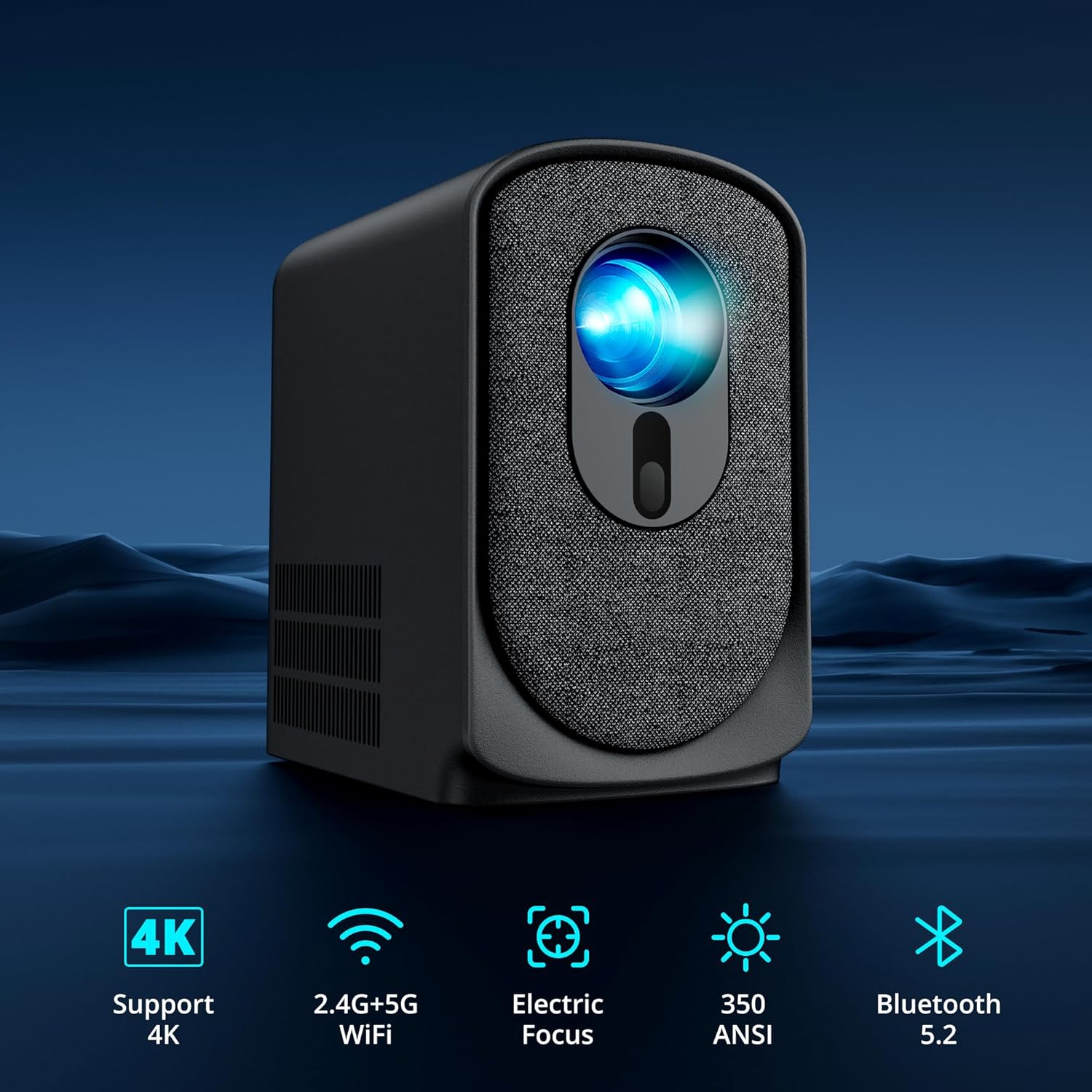
Key features of the L01 projector, including 4K support, dual-band WiFi, electric focus, 350 ANSI lumens, and Bluetooth 5.2.
Panduan Persediaan
- penempatan: Letakkan projektor di atas permukaan yang stabil dan rata. Pastikan terdapat pengudaraan yang mencukupi di sekeliling peranti. Untuk optimum viewing, project onto a smooth, light-colored wall or a dedicated projector screen. Refer to the projection distance table in the specifications for recommended distances.
- Sambungan Kuasa: Connect the power cable to the projector's power input port and then plug the other end into a power outlet. The power indicator light will illuminate.
- Kuasa Awal Hidup: Tekan butang kuasa pada projektor atau alat kawalan jauh untuk menghidupkan peranti.
- Pelarasan Fokus: Once powered on, the projector will perform an electric focus adjustment. If needed, use the F+ or F- buttons on the remote control to fine-tune the focus until the image is clear.
- Pemilihan Sumber: Use the input source button on the remote or projector to select your desired input (HDMI, USB, Screen Mirroring).
Arahan Operasi
Hidupkan/Mati Kuasa
- Hidupkan kuasa: Tekan butang kuasa pada projektor atau alat kawalan jauh.
- Matikan: Press the power button again. A confirmation message may appear; select 'Power Off'.
Fokus dan Pembetulan Keystone
The L01 projector features electric focus and automatic keystone correction for easy image adjustment.
- Fokus Elektrik: Gunakan F+ dan F- buttons on the remote control to adjust the image sharpness. This eliminates the need to manually turn a focus ring on the lens.
- Pembetulan Keystone: The projector automatically corrects vertical distortion. For manual adjustments or horizontal correction, navigate to the settings menu.

Electric focus and keystone correction allow for precise image adjustment using the remote control.
Menyambung Peranti
Projektor ini menawarkan pelbagai pilihan sambungan:
- HDMI: Connect your TV Stick/Box, game console, PC, or laptop using the included HDMI cable. Select 'HDMI' as the input source.
- USB: Insert a USB flash drive into the USB 2.0 port to play media files directly. Select 'USB' as the input source.
- Tanpa Wayar (WiFi 6): For screen mirroring from smartphones or tablets, select the 'Screen Mirroring' option. Follow the on-screen instructions to connect your device via 5G or 2.4G WiFi. Note: Due to HDCP copyright restrictions, direct screen mirroring of Netflix, Amazon Prime, and Hulu is not supported. Use an Amazon Fire Stick or TV Stick for these services.
- Bluetooth 5.2: To connect external Bluetooth speakers or headphones, go to the Bluetooth settings in the projector's menu, enable Bluetooth, and pair with your desired audio device.

The projector is compatible with a wide array of devices for diverse entertainment and productivity needs.
Pilihan Audio
The projector offers flexible audio solutions:
- Pembesar Suara Terbina dalam: The 2*5W internal speakers provide clear and sufficient sound for most environments.
- External Audio via Bluetooth: For enhanced sound quality, connect to external Bluetooth speakers or soundbars.
- Keluar Audio: Use the 3.5mm audio out port to connect wired headphones or external wired speakers.

Connect external Bluetooth speakers for a more immersive audio experience.
Penyelenggaraan
Penyelenggaraan yang betul memastikan jangka hayat dan prestasi optimum projektor anda:
- Pembersihan Kanta: Use a soft, lint-free cloth specifically designed for optical lenses to gently wipe the projector lens. Avoid using abrasive cleaners or excessive force.
- Penyingkiran habuk: Regularly clean the projector's vents and exterior with a soft, dry cloth or a small brush to prevent dust buildup, which can affect cooling and performance.
- Storan: Apabila tidak digunakan untuk tempoh yang lama, simpan projektor di tempat yang sejuk dan kering, jauh daripada cahaya matahari langsung dan suhu yang melampau. Gunakan pembungkusan asal atau bekas pelindung untuk mengelakkan habuk dan kerosakan.
- Elakkan halangan: Ensure that the ventilation openings are not blocked during operation to prevent overheating.
Menyelesaikan masalah
Jika anda menghadapi masalah dengan projektor anda, rujuk kepada masalah dan penyelesaian biasa berikut:
| Masalah | Kemungkinan Punca | Penyelesaian |
|---|---|---|
| Tiada gambar di skrin | Power not connected; Incorrect input source; Loose HDMI/USB cable; Projector in standby mode. | Check power connection; Select correct input source; Reconnect cables securely; Press power button to wake. |
| Imej kabur | Fokus tidak dilaraskan; Projektor terlalu dekat/jauh dari skrin. | Use F+ / F- buttons on remote to adjust electric focus; Adjust projection distance. |
| Tiada bunyi | Volume too low/muted; External audio device not connected/paired; Incorrect audio output selected. | Increase volume; Check Bluetooth connection or 3.5mm cable; Ensure internal speakers are enabled if no external device is used. |
| Cannot screen mirror Netflix/Hulu/Prime Video | HDCP copyright restrictions. | Use an Amazon Fire Stick or other TV Stick connected via HDMI for these services. |
| Alat kawalan jauh tidak berfungsi | Batteries low/dead; Obstruction between remote and projector; Remote sensor blocked. | Replace batteries (AAA); Ensure clear line of sight to projector's IR sensor. |
| Projector overheating / Fan noise | Blocked ventilation; Prolonged use. | Ensure vents are clear; Allow projector to cool down after extended use. |
Spesifikasi
Detailed technical specifications for the Dragon Touch L01 Projector:
- model: L01
- Resolusi Paparan: Native 1920 x 1080P (Supports 4K video input)
- Kecerahan: 350 ANSI Lumen
- Teknologi Ketersambungan: Bluetooth 5.2, HDMI, USB 2.0, Wi-Fi 6 (5G & 2.4G)
- Ciri Khas: Built-In Speaker, Built-In Wi-Fi, Portable, Electric Focus
- Penggunaan yang Disyorkan: Perniagaan, Pendidikan, Pawagam Rumah
- Audio: 2 x Pembesar Suara Terbina Dalam 5W
- Berat Barang: 2.9 paun (lebih kurang 1.32 kg)
- Dimensi Pakej: 9.02 x 7.91 x 4.88 inci (lebih kurang 22.9 x 20.1 x 12.4 cm)
- Pengeluar: Sentuhan Naga
- ASIN: B0DMD85YDF
Jarak Tayangan dan Saiz Skrin
| Saiz Skrin (inci) | Projection Distance (feet) |
|---|---|
| 70 | 6.4 |
| 100 | 9.08 |
| 120 | 10.9 |
| 200 | 17.06 |

Recommended projection distances for optimal screen sizes.
Waranti dan Sokongan
Dragon Touch products are designed for reliability and performance. For warranty information and customer support, please refer to the official Dragon Touch webtapak atau hubungi perkhidmatan pelanggan mereka secara langsung. Simpan resit pembelian anda sebagai bukti pembelian untuk tuntutan waranti.
Pelan perlindungan pilihan tersedia untuk perlindungan lanjutan:
- Pelan Perlindungan 2 Tahun
- Pelan Perlindungan 3 Tahun
- Complete Protect (bil bulanan, meliputi pembelian lepas dan akan datang yang layak)
Untuk bantuan lanjut, sila layari Dragon Touch Store on Amazon.
Ask a question about this manual
Ask about setup, troubleshooting, compatibility, parts, safety, or missing instructions. Manuals+ will review the question and use this page’s manual context to help answer it.