
Ergear EGESD7W-CA
Manual Pengguna Meja Berdiri Elektrik ErGear
Model: EGESD7W-CA | Brand: ErGear
pengenalan
Thank you for choosing the ErGear Electric Standing Desk. This manual provides detailed instructions for assembly, operation, maintenance, and troubleshooting to ensure optimal performance and longevity of your desk. Please read this manual thoroughly before installation and use, and retain it for future reference.
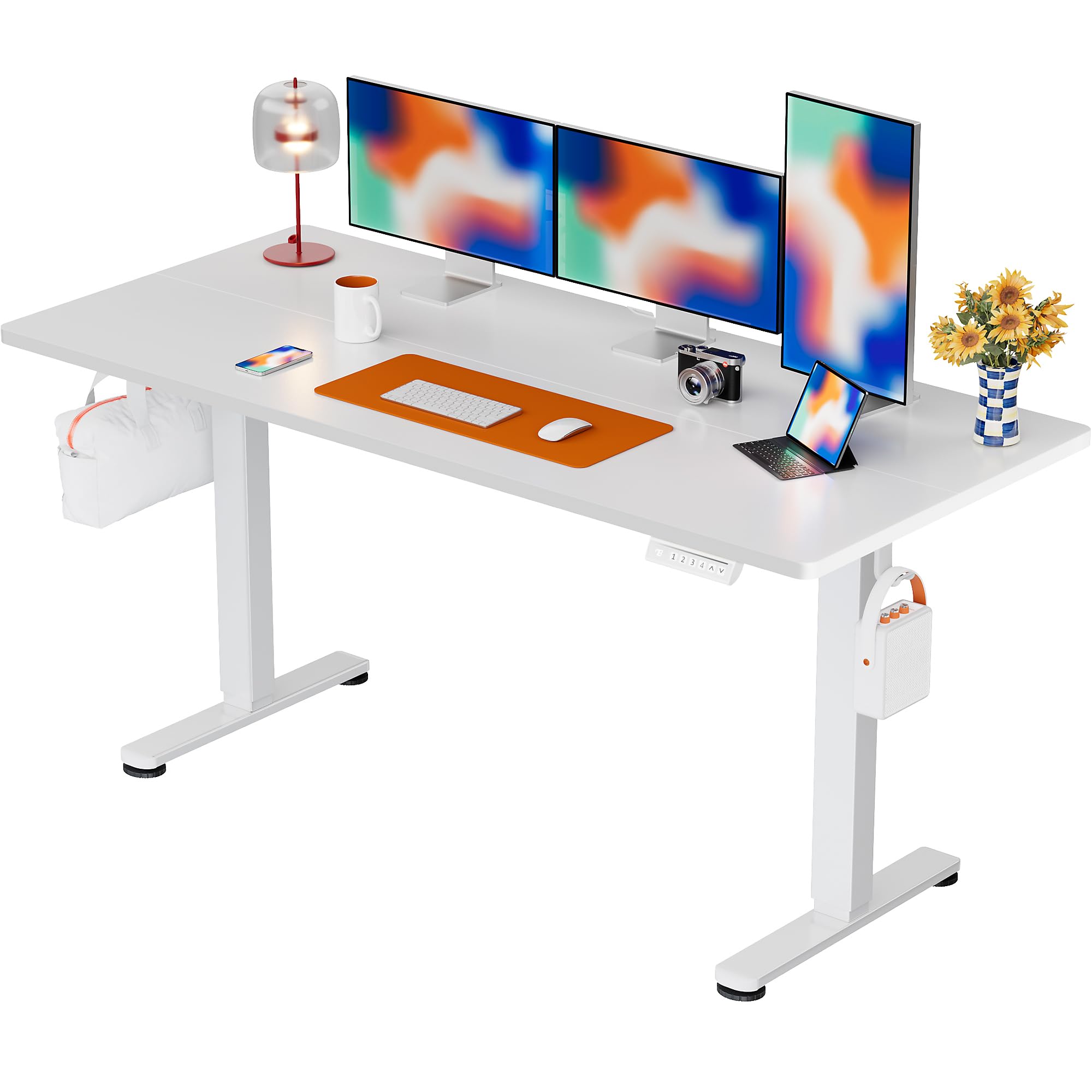
The ErGear Electric Standing Desk, 63x28 inch, in a white finish, featuring a spacious desktop and electric height adjustment capabilities.
Maklumat Keselamatan
- Pastikan semua komponen ada dan tidak rosak sebelum pemasangan. Jangan gunakan jika mana-mana bahagian hilang atau rosak.
- Jauhkan kanak-kanak dan haiwan peliharaan dari meja semasa operasi untuk mengelakkan kecederaan.
- Do not overload the desk. The maximum weight recommendation is 176 pounds (80 kg).
- Ensure the power cord is not pinched or damaged. Connect to a grounded outlet.
- Elakkan meletakkan cecair terus pada panel kawalan atau berhampiran komponen elektrik.
- Regularly check all screws and connections to ensure they are tight and secure.
- Meja ini direka untuk kegunaan dalaman sahaja.
Kandungan Pakej
Sebelum memulakan pemasangan, sila sahkan bahawa semua komponen berikut disertakan dalam pakej anda:
- Desktop Boards ×2
- Leg with Motor ×1
- Kaki ×1
- Leg Bases ×2
- Crossbar & Transmission Rod
- Controller & Power Cable
- Semua peralatan dan perkakasan pemasangan yang diperlukan
Arahan Perhimpunan
Follow these steps carefully to assemble your ErGear Electric Standing Desk. An assembly video is also provided for visual guidance.
Official ErGear Electric Standing Desk Assembly Video. This video demonstrates the step-by-step process for setting up your desk.
Step 1: Assemble the Desk Legs
Attach the leg bases to the desk legs using the provided screws. Ensure they are securely fastened.

The stable T-shaped desk legs provide a sturdy foundation for the electric standing desk.
Step 2: Attach Side Plates and Transmission Rod
Connect the side plates to the desk legs. Insert the transmission rod fully into the left leg and secure it. If the two desk legs are not at the same height, insert the rod into the left leg and turn to adjust.
Step 3: Assemble and Attach the Desktop
Place the two desktop boards together, aligning the dowels. Secure the desktop to the assembled frame using the provided screws and brackets. Ensure all connections are tight.
Langkah 4: Sambungkan Kabel
Connect the motor and control panel cables to the main control box. Ensure all connections are firm and correctly oriented.
Step 5: Install Cable Hole Covers
Place the cable hole covers into the designated openings on the desktop to manage wires neatly.

Ergonomic guidelines for using the standing desk, showing optimal monitor and arm positions for both sitting and standing.
Arahan Operasi
Panel Kawalan Terlaluview
The desk features an intuitive control panel with height adjustment buttons and memory presets.
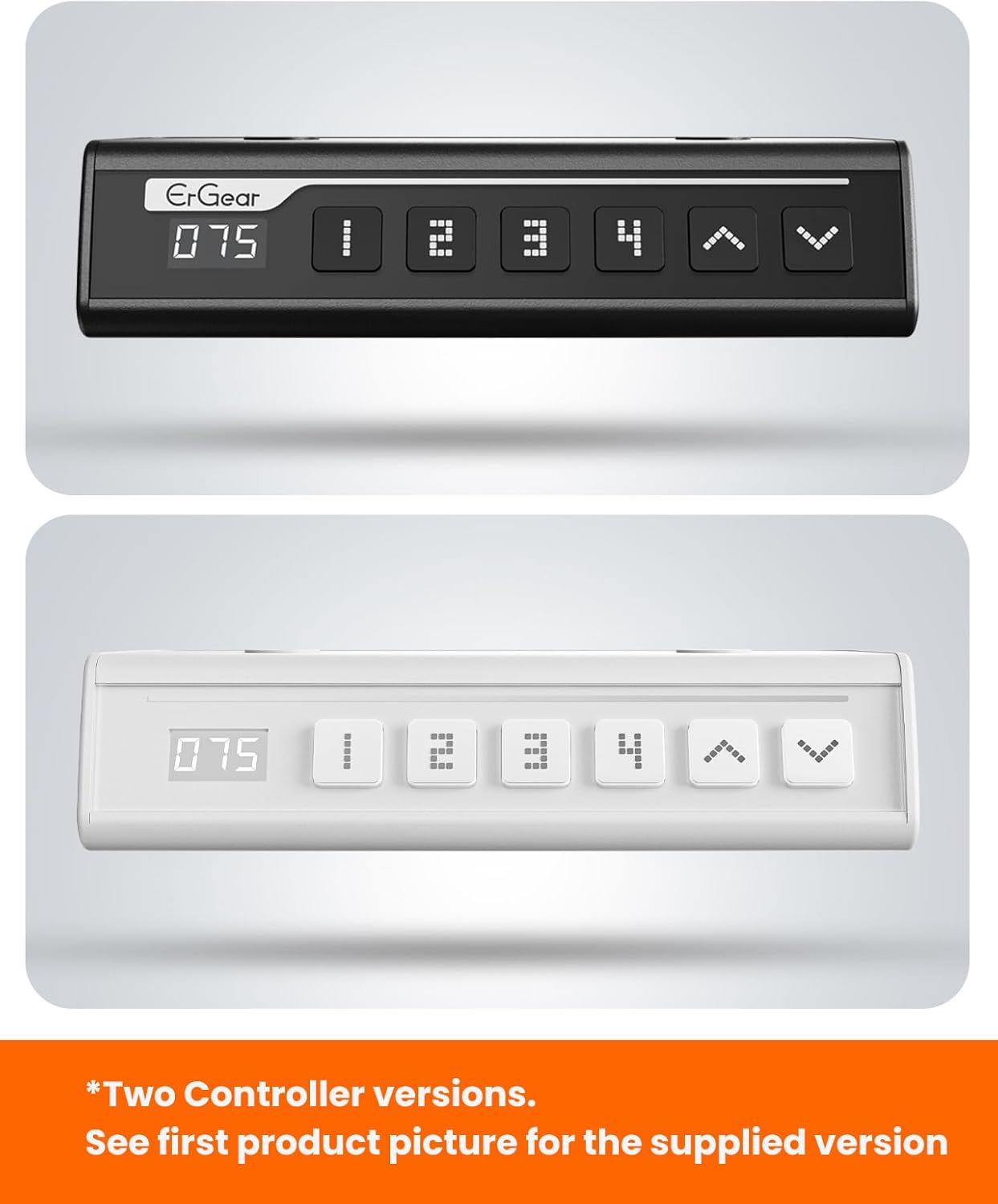
The ErGear control panel, available in two versions, features a digital height display and four programmable memory settings.
Pelarasan Ketinggian
- Gunakan Naik (^) dan Bawah (v) arrows to smoothly adjust the desk height between 28.35 inches and 46.46 inches.
- Lepaskan butang pada ketinggian yang anda inginkan.
Pratetap Memori
The desk allows you to save up to 4 preferred height settings.
- Laraskan meja pada ketinggian yang anda inginkan menggunakan anak panah Atas/Bawah.
- Tekan ke M button (or equivalent memory set button). The display will flash.
- Tekan salah satu butang pratetap bernombor (1, 2, 3, atau 4) dalam masa 3 saat untuk menyimpan ketinggian semasa pada pratetap tersebut.
- Untuk mengingat semula ketinggian yang disimpan, hanya tekan butang pratetap bernombor yang sepadan. Meja akan bergerak secara automatik ke kedudukan yang disimpan.
This video demonstrates the smooth and quiet operation of the ErGear Electric Standing Desk, showcasing its height adjustment and memory preset features.
Penyelenggaraan
- Pembersihan: Lap desktop dan bingkai dengan lembut, damp kain. Elakkan bahan kimia yang keras atau pembersih yang kasar.
- Pemeriksaan: Periodically check all screws and connections for tightness. Re-tighten if necessary.
- Pengurusan Kabel: Ensure cables are neatly organized and not tangled or pinched to prevent damage.
Menyelesaikan masalah
If you encounter any issues with your ErGear Electric Standing Desk, please refer to the following common problems and solutions:
| Masalah | Kemungkinan Punca | Penyelesaian |
|---|---|---|
| Meja tidak bergerak | Power cable disconnected, motor error, overloaded desk. | Check power connections. Unplug for 30 seconds and plug back in. Reduce weight on the desk. |
| Ketinggian tidak sekata | Transmission rod not fully inserted or adjusted. | Refer to Step 2 of assembly to ensure the transmission rod is correctly installed and adjusted. |
| Bunyi bising semasa operasi | Normal operation sound, loose screws. | A slight motor sound is normal. Check and tighten any loose screws on the frame. |
| Pratetap memori tidak berfungsi | Prosedur menyimpan yang salah. | Follow the memory preset instructions carefully (press M, then the number within 3 seconds). |
Spesifikasi
| Ciri | Perincian |
|---|---|
| Jenama | ErGear |
| Nombor Model | EGESD7W-CA |
| Reka Bentuk Meja | Meja Berdiri |
| bentuk | segi empat tepat |
| Dimensi Produk (D x W x H) | 71.1D x 160W x 118H Sentimeter |
| Saiz | 63*28 Inci |
| warna | putih |
| Ketinggian Minimum | 28.35 Inci |
| Ketinggian Maksimum | 46.46 Inci |
| Ketebalan Atas Meja | 1.5 Sentimeter |
| Bahan Asas | Keluli Aloi |
| Jenis Bahan Atas | Engineered Wood (Walnut Wood finish) |
| Ciri Khas | Adjustable Height, Electric, Ergonomic |
| Cadangan Berat Maksimum | 176 paun (80 kg) |
| Perhimpunan Diperlukan | Ya (Termasuk semua alat pemasangan) |
Waranti dan Sokongan
ErGear is committed to providing high-quality products and customer satisfaction. This product comes with:
- Perlindungan 5 tahun on the desktop and desk frame.
- Perlindungan 2 tahun on motors and electrical components.
For any questions, concerns, or warranty claims, please contact ErGear customer support. You can typically find contact information on the product packaging or the official ErGear website. Please have your model number (EGESD7W-CA) and purchase details ready when contacting support.

The ErGear Electric Standing Desk seamlessly integrates into various home office environments.
Ask a question about this manual
Ask about setup, troubleshooting, compatibility, parts, safety, or missing instructions. Manuals+ will review the question and use this page’s manual context to help answer it.