
1. Pengenalan
Welcome to the user manual for your new FOREVER Kids Look Me! 3 KW-520 Smartwatch. This guide provides essential information for setting up, operating, and maintaining your device. Please read it carefully to ensure proper use and to maximize the benefits of all its features.
The FOREVER Kids Look Me! 3 KW-520 is designed to provide communication and safety features for children, offering GPS tracking, two-way calling, video calls, and an SOS function, all within a durable and child-friendly design.
2. Maklumat Keselamatan
- Keselamatan Bateri: Do not attempt to replace the battery yourself. Use only the provided charging cable. Do not expose the watch to extreme temperatures or direct sunlight for prolonged periods.
- Tahan Air: The watch is IP65 rated, meaning it is splash-proof and resistant to dust. It is not suitable for swimming, showering, or submersion in water. Avoid exposing it to high-pressure water.
- Bahaya tercekik: Keep small parts, such as the SIM card, away from young children to prevent accidental ingestion.
- Pelupusan: Dispose of the device and its battery responsibly according to local regulations. Do not dispose of it with household waste.
- Penyeliaan: Parental supervision is recommended during initial setup and to ensure safe usage of all features.
3. Kandungan Pakej
Sila tandai kotak untuk item berikut:
- FOREVER Kids Look Me! 3 KW-520 Smartwatch
- Kabel Pengecas USB
- Manual Pengguna (dokumen ini)
Jika terdapat sebarang barang yang hilang atau rosak, sila hubungi peruncit anda.
4. Peranti Lebihview
Familiarize yourself with the physical components of your smartwatch:

Figure 1: The FOREVER Kids Look Me! 3 KW-520 Smartwatch in pink, featuring a large display and a SIM card slot. A child is shown wearing the watch.

Figure 2: The smartwatch display showing the main interface with time, date, and feature icons.
- paparan: Skrin sentuh 1.85 inci untuk interaksi.
- Power/SOS Button: Used to power on/off the device and activate the SOS function.
- Slot Kad SIM: For inserting a Nano-SIM card.
- kamera: Integrated camera for photos and video calls.
- Mikrofon & Pembesar Suara: For calls and voice messages.
5. Persediaan
5.1 Pemasangan Kad SIM
- Pastikan jam tangan pintar dimatikan.
- Locate the SIM card slot on the side of the watch (refer to Figure 1).
- Buka penutup slot kad SIM dengan berhati-hati.
- Insert a Nano-SIM card with an active 4G data plan into the slot, ensuring the correct orientation.
- Close the SIM card slot cover securely to maintain water resistance.
- Power on the smartwatch. The network signal indicator should appear on the screen.
5.2 Pemasangan Apl dan Berpasangan
To manage the smartwatch and access its full features, you need to install the companion application on a parent's smartphone.
- Download the 'FOREVER Kids' application from your smartphone's app store (Google Play Store for Android or Apple App Store for iOS).
- Buka apl dan buat akaun baharu atau log masuk jika anda sudah memilikinya.
- Dalam apl, pilih pilihan untuk menambah peranti baharu.
- The app will prompt you to scan a QR code. On the smartwatch, navigate to the pairing menu to display its unique QR code.
- Imbas kod QR dengan telefon pintar anda.
- Follow the on-screen instructions in the app to complete the pairing process and set up parental controls, contacts, and other settings.

Gambar 3: Lebihview of the companion mobile application interface for managing the smartwatch.
6. Mengendalikan Jam Pintar
6.1 Navigasi Asas
- Skrin sentuh: Swipe left/right to navigate between main screens (e.g., clock, apps). Swipe up/down to access notifications or quick settings.
- Ketik: Ketik ikon untuk membuka aplikasi atau pilih satu pilihan.
- Butang Kuasa: A short press usually returns to the home screen. A long press powers the device on/off or activates the SOS function (if configured).
6.2 Membuat Panggilan
The smartwatch supports two-way voice calls with pre-approved contacts. Parents can manage the contact list through the companion app.
- From the main screen, tap the 'Phone' or 'Contacts' icon.
- Pilih kenalan yang dikehendaki daripada senarai.
- Ketik ikon panggilan untuk memulakan panggilan.
- To answer an incoming call, tap the green answer icon. To reject, tap the red reject icon.
6.3 Panggilan Video
The smartwatch allows for video calls with approved contacts, providing a visual connection.
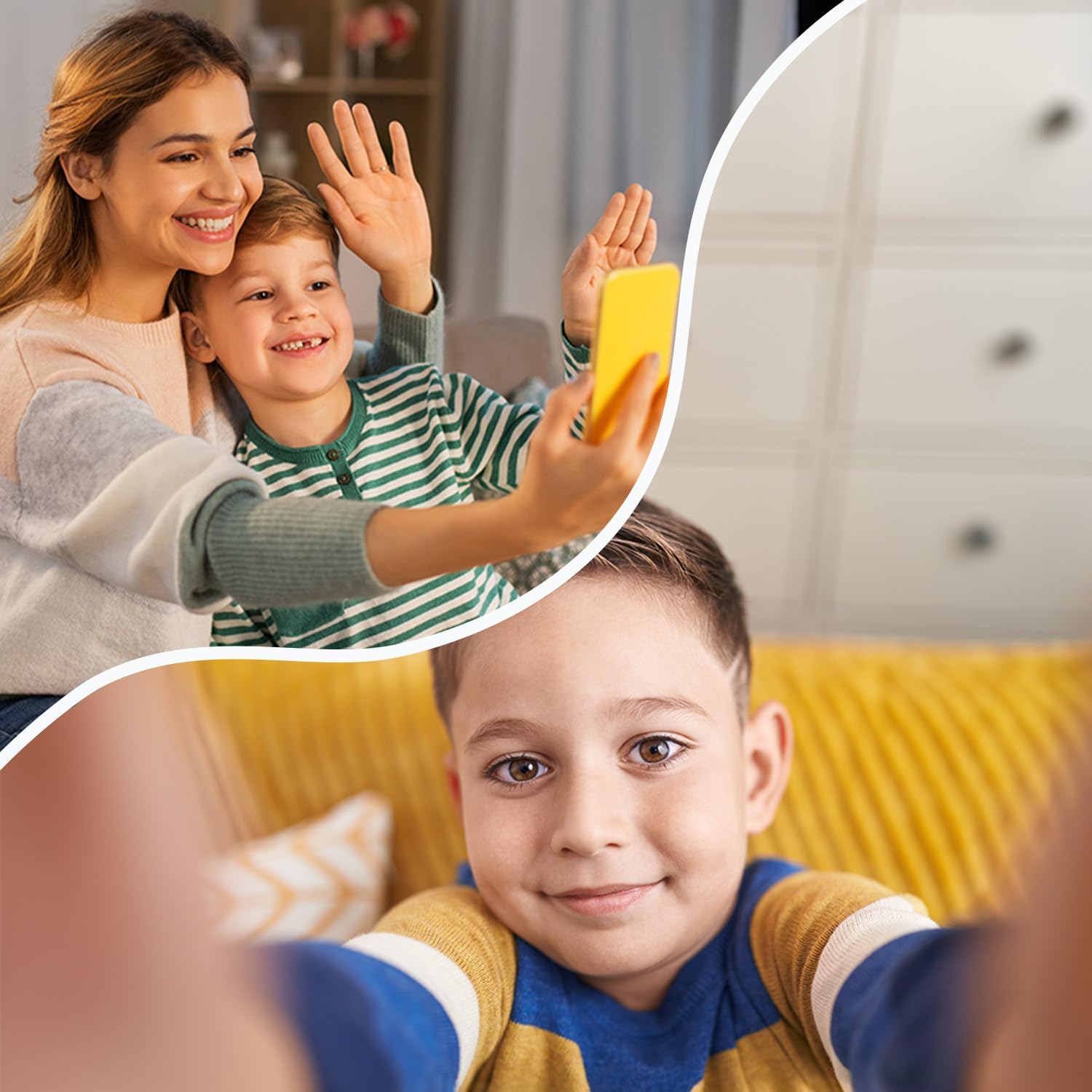
Figure 4: The video call feature allows children to connect visually with family members.
- Tap the 'Video Call' icon on the smartwatch.
- Select the contact you wish to video call.
- The call will connect, allowing for real-time video communication.
6.4 Pemesejan
Children can send and receive voice messages and text messages from approved contacts.
- Voice Messages: Tap the 'Chat' or 'Messages' icon, select a contact, and hold the microphone icon to record and send a voice message.
- Mesej teks: The watch supports receiving text messages. Sending text messages may be limited to pre-defined quick replies or require a virtual keyboard, depending on the software version.
6.5 Location Tracking (GPS/LBS/Wi-Fi)
The smartwatch uses a combination of GPS, LBS (Location Based Service), and Wi-Fi positioning to provide accurate location tracking, visible through the companion app.
- GPS: Provides precise outdoor location data.
- LBS: Uses cellular network towers for location when GPS signal is weak or unavailable (e.g., indoors).
- Wi-Fi: Utilizes known Wi-Fi networks for improved indoor positioning accuracy.
6.6 Fungsi SOS
Dalam kecemasan, kanak-kanak boleh mengaktifkan fungsi SOS untuk memaklumkan kenalan kecemasan yang telah ditetapkan.
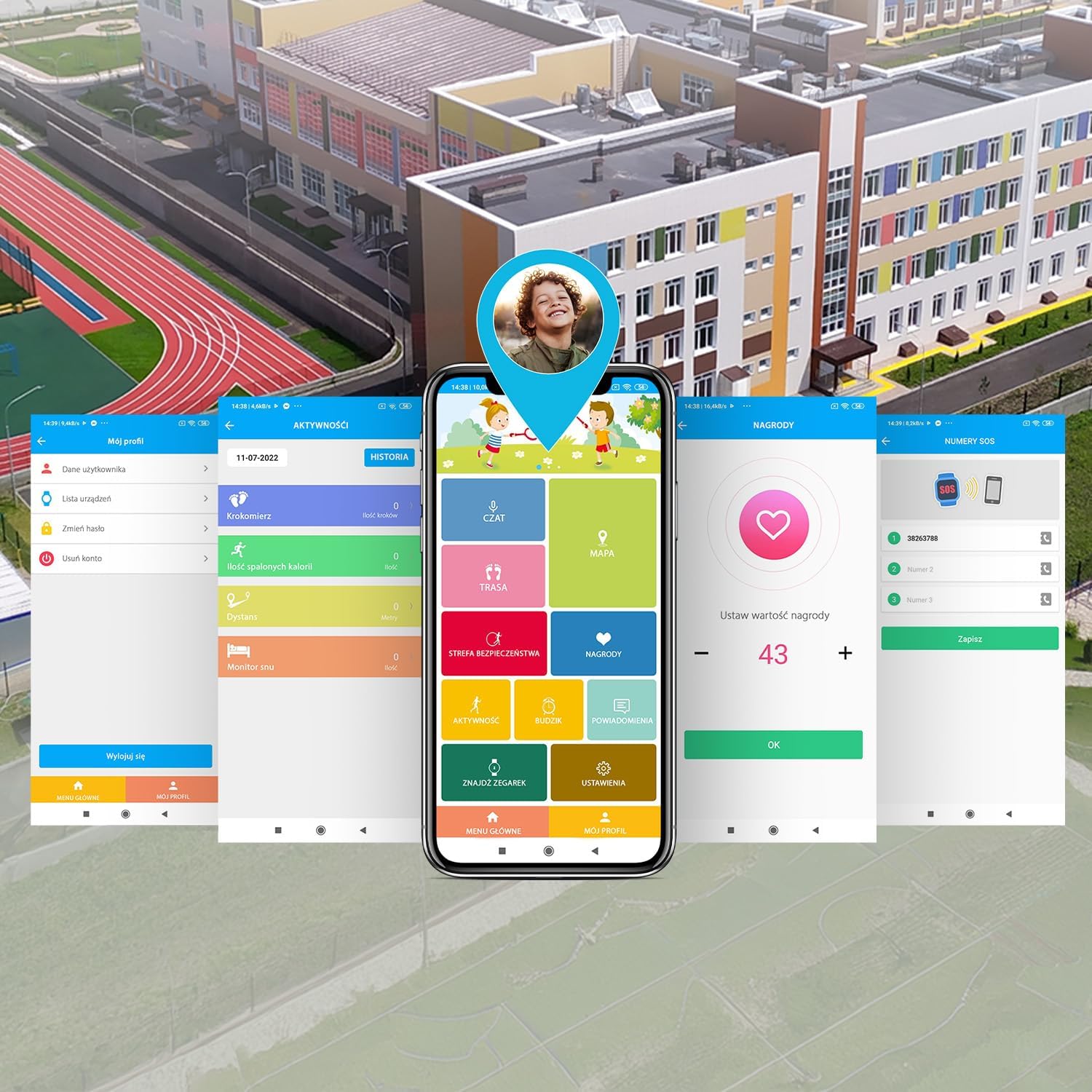
Figure 5: The SOS button provides a quick way for children to alert emergency contacts.
- To activate, press and hold the SOS button (usually the power button) for a few seconds.
- The watch will automatically call the emergency contacts in a pre-defined sequence until one answers.
- An alert message with the child's location will also be sent to the emergency contacts via the app.
6.7 Geofencing (Safety Zones)
Parents can set up virtual boundaries (geofences) in the companion app. You will receive notifications when the child enters or leaves these designated safe zones (e.g., home, school).
6.8 Games & Learning Apps
The smartwatch includes pre-installed games and learning applications to keep children engaged.

Figure 6: The smartwatch features educational and entertaining games.
- Tap the 'Games' icon on the watch screen.
- Pilih permainan daripada senarai untuk mula bermain.
6.9 Pedometer
The built-in pedometer tracks the child's steps throughout the day, promoting physical activity.
- Tap the 'Pedometer' or 'Activity' icon to view the daily step count.
- Activity data can also be viewed in the companion app.
Kamera 6.10
The integrated camera allows children to take photos.
- Tap the 'Camera' icon.
- Ketik skrin untuk mengambil foto.
- Foto boleh viewed in the 'Gallery' and may be accessible via the companion app.
6.11 Buka Kunci Muka
The smartwatch supports face unlock for convenient and secure access.

Figure 7: The face unlock feature provides secure and easy access to the smartwatch.
- Navigate to 'Settings' on the smartwatch and find the 'Face Unlock' option.
- Follow the on-screen prompts to register the child's face.
- Once set up, the watch will unlock automatically when it recognizes the registered face.
7. Penyelenggaraan
7.1 Mengecas
Untuk mengecas jam pintar:
- Connect the provided USB charging cable to the charging port on the watch.
- Sambungkan hujung kabel USB yang satu lagi ke penyesuai kuasa USB standard (tidak disertakan) atau port USB komputer.
- The watch screen will indicate that it is charging. A full charge typically takes approximately 2-3 hours.
- Disconnect the charger once the battery is full to prolong battery life.
7.2 Rintangan Air (IP65)
The FOREVER Kids Look Me! 3 KW-520 Smartwatch has an IP65 rating, which means it is protected against dust ingress and low-pressure water jets from any direction. This makes it suitable for everyday use, such as splashes from handwashing or light rain.
- JANGAN immerse the watch in water.
- JANGAN wear the watch while swimming, showering, or bathing.
- Avoid exposing the watch to high-pressure water, such as from a faucet or hose.
- Pastikan penutup slot kad SIM ditutup dengan selamat untuk mengekalkan rintangan air.
7.3 Pembersihan
To clean your smartwatch:
- Wipe the screen and body with a soft, dry, lint-free cloth.
- Untuk tanda degil, sedikit dampen kain dengan air. Jangan gunakan bahan kimia yang keras atau bahan yang melelas.
- Ensure the watch is completely dry before charging or using it again.
8. Penyelesaian masalah
Jika anda menghadapi masalah dengan jam tangan pintar anda, rujuk masalah dan penyelesaian biasa berikut:
| Masalah | Penyelesaian yang Mungkin |
|---|---|
| Jam tangan tidak dihidupkan | Pastikan jam tangan dicas sepenuhnya. Tekan dan tahan butang kuasa selama sekurang-kurangnya 10 saat. |
| Tiada isyarat rangkaian | Check if the SIM card is correctly inserted and activated. Ensure the SIM card has an active 4G data plan. Move to an area with better network coverage. |
| Tidak boleh membuat/menerima panggilan | Verify network signal. Check if the contact numbers are correctly saved in the companion app and synced to the watch. Ensure parental controls are not restricting calls. |
| Penjejakan lokasi yang tidak tepat | Pastikan jam tangan mempunyai jernih view of the sky for GPS. Check if Wi-Fi is enabled on the watch for better indoor positioning. Update the location in the companion app. |
| Companion app cannot connect to watch | Ensure the watch has an active internet connection (via SIM card). Restart both the watch and the smartphone app. Re-pair the watch if necessary. |
| Bateri cepat habis | Reduce screen brightness. Close unused applications. Limit frequent location updates in the app settings. |
Jika masalah berterusan, sila hubungi sokongan pelanggan.
9. Spesifikasi
Key technical specifications for the FOREVER Kids Look Me! 3 KW-520 Smartwatch:
| Ciri | Spesifikasi |
|---|---|
| Jenama | SELAMANYA |
| Nombor Model | KW-520 |
| warna | Mawar |
| Sistem Operasi | Pakai OS 3.0 |
| Saiz Skrin | 1.85 Inci |
| Ketersambungan | Wi-Fi, Bluetooth, 4G (via SIM) |
| Ciri Khas | Advanced GPS/LBS/Wi-Fi location functions, SOS button, Video calls, Geofencing |
| Peranti Serasi | Telefon pintar |
| Komposisi Bateri | Litium-ion |
| Kapasiti Bateri | 850 mAh (estimated from '850 Modificateur inconnu') |
| Kapasiti Penyimpanan Memori | 16 MB |
| Tahan Air | IP65 |
10. Waranti dan Sokongan
Your FOREVER Kids Look Me! 3 KW-520 Smartwatch is covered by a manufacturer's warranty. Please refer to the warranty card included in your package or visit the official FOREVER webtapak untuk terma dan syarat jaminan terperinci.
For technical support, troubleshooting assistance, or inquiries about your product, please contact the retailer where you purchased the device or visit the FOREVER customer support portal online.
Pengeluar: TelForceOne


