
1. Pengenalan
Terima kasih kerana membeliasing the TecTake Kade Retro Mushroom Table Lamp. Manual ini menyediakan maklumat penting untuk penggunaan l baharu anda yang selamat dan cekapampSila baca arahan ini dengan teliti sebelum digunakan dan simpannya untuk rujukan pada masa hadapan.
2. Arahan Keselamatan
- Pastikan lamp diletakkan di atas permukaan yang stabil dan rata untuk mengelakkannya daripada terbalik.
- Jangan dedahkan lamp kepada air atau kelembapan berlebihan. Produk ini hanya untuk kegunaan dalaman sahaja.
- Simpan lamp away from heat sources, direct sunlight, and flammable materials.
- Jangan cuba membuka atau mengubah suai lamp. This may void the warranty and pose a safety risk.
- Gunakan hanya kabel pengecas yang disediakan atau kabel USB-C yang diperakui untuk pengecasan.
- Jangan kendalikan lamp if the cable or any part of the lamp rosak.
- The integrated battery is not user-replaceable.
- Dispose of the product responsibly according to local regulations at the end of its lifespan.
3. Kandungan Pakej
Sila pastikan semua item ada dalam pakej:
- 1 x TecTake Kade Retro Mushroom Table Lamp
- 1 x Kabel Pengecasan USB-C
- 1 x Manual Pengguna (dokumen ini)
4. Produk Lebihview
The TecTake Kade Retro Mushroom Table Lamp features a classic 70s-inspired design with modern functionality. It offers indirect, glare-free illumination with three adjustable brightness levels, controlled by a touch switch on the lampteduh. lamp is cordless and rechargeable, providing flexibility for placement.
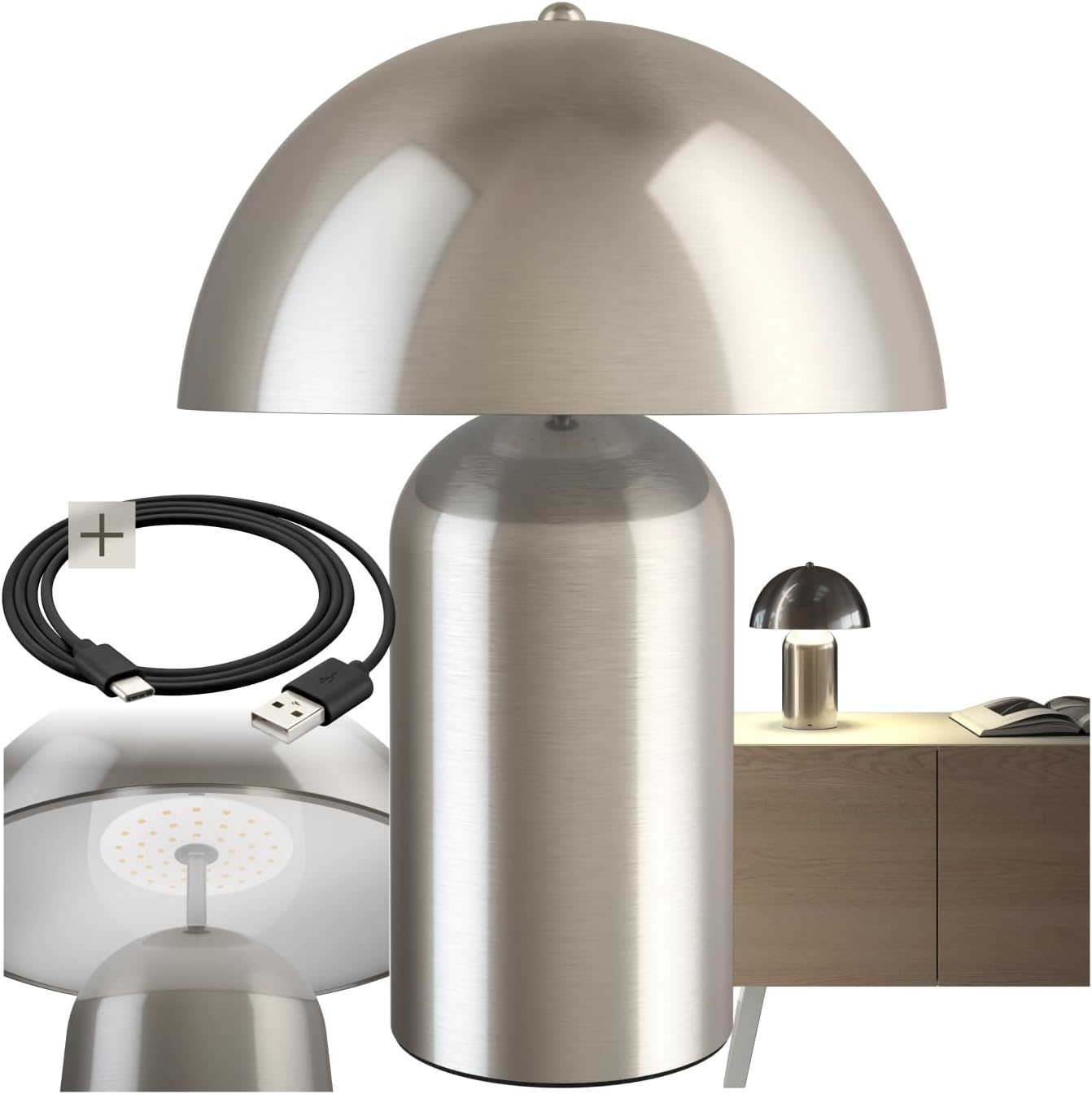
Image 1: The TecTake Kade Retro Mushroom Table Lamp, tunjukkancasing its full design and included USB-C charging cable.
5. Persediaan
- Membongkar: Keluarkan semua komponen dari pembungkusan dengan berhati-hati. Simpan pembungkusan untuk penyimpanan atau pengangkutan masa hadapan.
- Caj Permulaan: Sebelum penggunaan pertama, cas sepenuhnyaamp. Connect the USB-C end of the charging cable to the lamp's charging port (located on the base) and the USB-A end to a suitable USB power adapter (not included) or a computer USB port. The charging indicator (if present, usually a small LED) will show charging status. A full charge typically takes 4-6 hours.
Imej 2: Jarak dekat view daripada lamp's base, showing the USB-C charging port and the included charging cable.
6. Arahan Operasi
Lamp features a touch-sensitive switch located on the top of the lampshade for easy control.
- Menghidupkan/Mematikan: Lightly touch the top of the lampteduh untuk menghidupkan lamp on. Touch it again to cycle through brightness levels and eventually turn it off.
- Melaraskan Kecerahan: Lamp has three brightness levels. Each subsequent touch of the lampshade will cycle to the next brightness level (Low > Medium > High > Off).
- mengecas: When the battery is low, the light output may diminish. Connect the lamp to a power source using the USB-C cable as described in the Setup section. The lamp can be used while charging. A full charge provides approximately 8-10 hours of operation, depending on the brightness level used.

Imej 3: Bahagian bawah view daripada lampshade, highlighting the integrated LED light source and the area for touch control.
7. Penyelenggaraan
- Pembersihan: Putuskan sambungan lamp from any power source before cleaning. Wipe the lamp dengan lembut, kering, atau sedikit keringamp kain. Jangan gunakan pembersih yang kasar, pelarut atau bahan kimia yang keras.
- Storan: Jika menyimpan lamp for an extended period, ensure it is fully charged and store it in a cool, dry place. Recharge the lamp every 3-6 months to maintain battery health.
8. Penyelesaian masalah
- Lamp tidak dihidupkan:
- Ensure the battery is charged. Connect the lamp to a power source and try again.
- Verify that the touch switch area is clean and unobstructed.
- Lamp does not charge:
- Check if the USB-C cable is securely connected to both the lamp dan penyesuai kuasa.
- Cuba gunakan kabel USB-C atau penyesuai kuasa yang berbeza untuk menolak masalah kabel/penyesuai.
- Pastikan salur keluar kuasa berfungsi.
- Brightness levels are not changing:
- Ensure you are touching the correct area on the lampteduh.
- If the battery is very low, the lamp may not be able to sustain higher brightness levels. Charge the lamp.
If you encounter issues not covered here, please contact TecTake customer support.
9. Spesifikasi

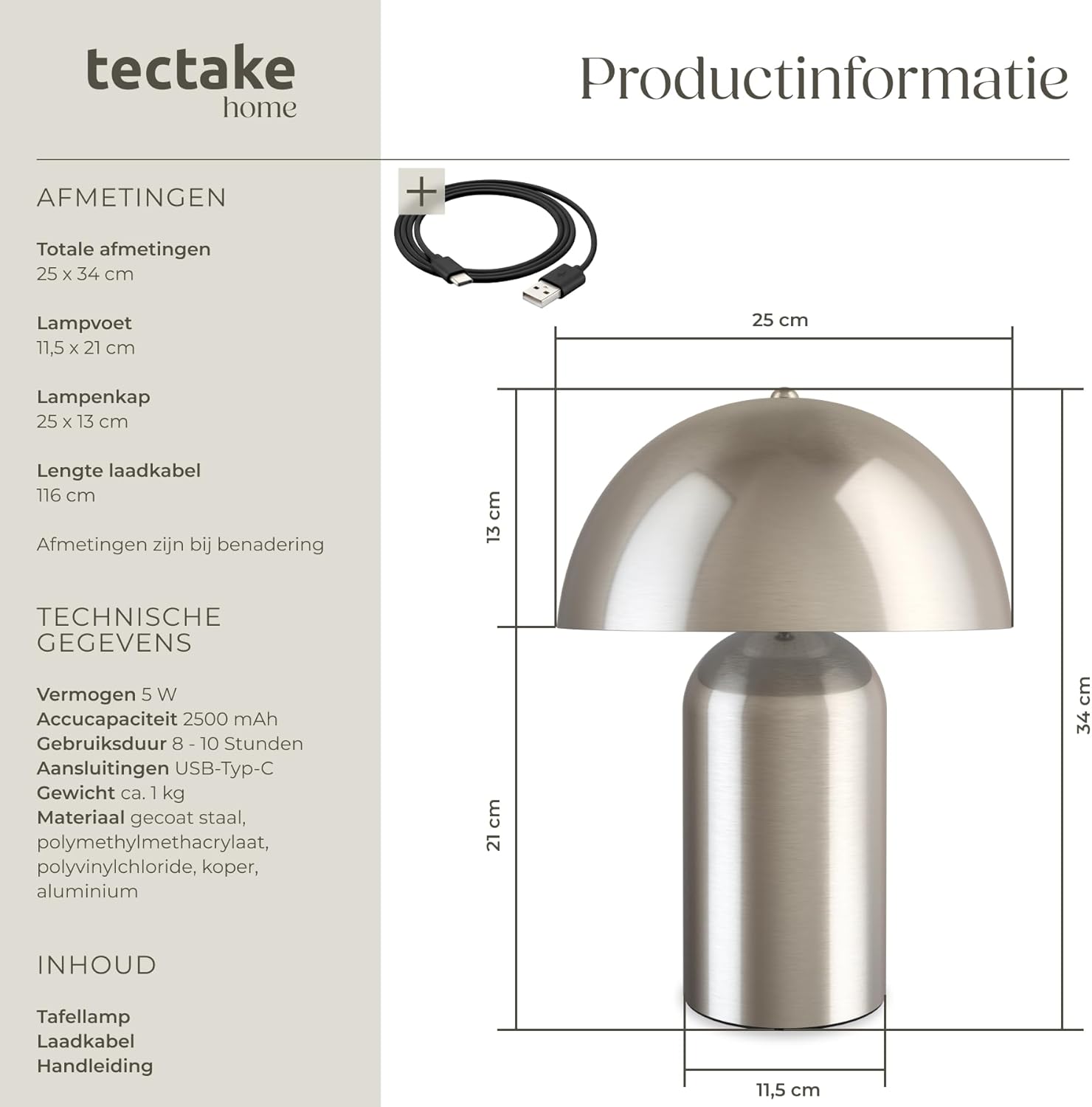
Image 4: Technical diagram illustrating the dimensions of the lamp, including total height, base diameter, and lampshade dimensions.
| Ciri | Spesifikasi |
|---|---|
| Nombor Model | 405246 |
| Jenama | TecTake |
| Total Dimensions (Diameter x Height) | lebih kurang 25 x 34 cm (9.8 x 13.4 inci) |
| Lamp Base (Diameter x Height) | lebih kurang 11.5 x 21 cm (4.5 x 8.3 inci) |
| Lampshade (Diameter x Height) | lebih kurang 25 x 13 cm (9.8 x 5.1 inci) |
| Panjang Kabel Pengecasan | lebih kurang 116 cm (45.7 inci) |
| kuasa | 5 W |
| Suhu Warna | 3000 K |
| Kapasiti Bateri | 2500 mAh |
| Masa Mengecas | lebih kurang 4-6 jam |
| Masa Operasi | Approx. 8-10 hours (depending on brightness) |
| Jenis Sambungan | USB-C |
| Berat badan | lebih kurang 1.2 kg (2.6 paun) |
| bahan | Coated steel, polymethyl methacrylate, polyvinyl chloride, copper, aluminum |
10. Waranti dan Sokongan
TecTake products are designed for quality and reliability. For information regarding warranty terms and conditions, please refer to the warranty card included with your purchase or visit the official TecTake website. For technical support, spare parts, or service inquiries, please contact TecTake customer service directly.
Contact information can typically be found on the product packaging or the TecTake official webtapak.