
pengenalan
This manual provides detailed instructions for the GOBOULT Mirage Smart Watch. Please read this guide thoroughly to ensure proper setup, operation, and maintenance of your device. This smartwatch features a 1.39-inch HD display, Bluetooth calling, comprehensive health monitoring, and various sports modes.
Apa yang ada dalam Kotak
- GOBOULT Mirage Smart Watch
- Kabel Pengecasan
- Manual Pengguna
- Kad Waranti
Persediaan
1. Mengecas Peranti
Before initial use, fully charge your GOBOULT Mirage Smart Watch. Connect the provided charging cable to the charging port on the back of the watch and to a standard USB power adapter (not included). The watch typically charges within 120 minutes.

Image: GOBOULT Mirage Smart Watch displaying its features, including charging capability.
2. Berpasangan dengan Telefon Pintar Anda
- Download the official GOBOULT companion app from your smartphone's app store (available for iOS and Android).
- Pastikan Bluetooth didayakan pada telefon pintar anda.
- Open the app and follow the on-screen instructions to search for and connect to your GOBOULT Mirage Smart Watch.
- Sahkan permintaan berpasangan pada kedua-dua jam tangan dan telefon pintar anda.
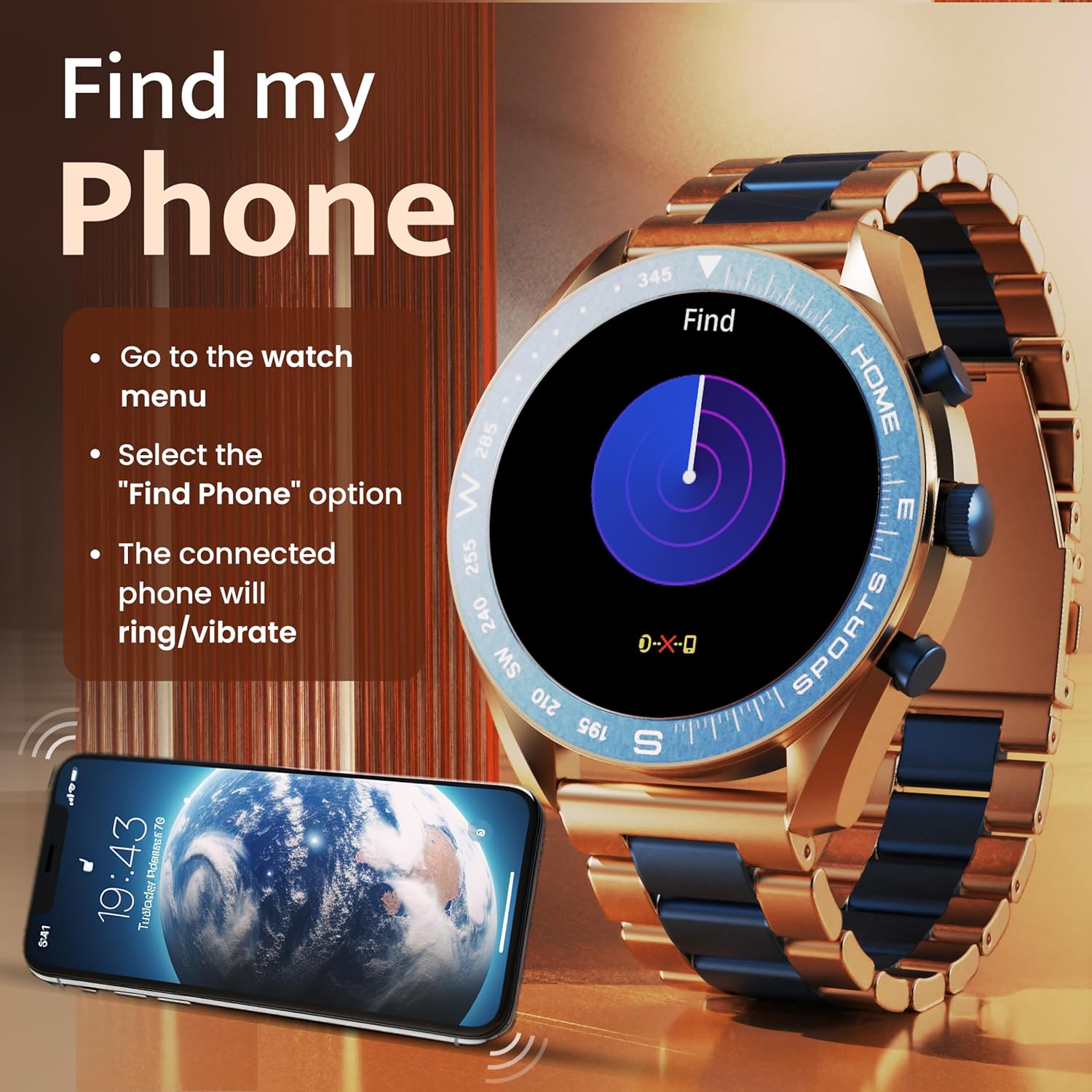
Image: The GOBOULT Mirage Smart Watch connected to a smartphone, illustrating connectivity.
Arahan Operasi
1. Paparan dan Navigasi
The GOBOULT Mirage features a 1.39-inch HD display with 360x360 pixels resolution and 500 nits peak brightness for clear visibility. Navigate the watch interface using touch gestures and the digital crown.
- Mahkota Digital: Press to power on/off, switch UIs, and navigate menus. Rotate to scroll through options.
- Butang Sisi: Use for quick access to specific functions, such as launching sports modes.

Image: GOBOULT Mirage Smart Watch highlighting the digital crown and its various functions.
2. Panggilan Bluetooth
With the built-in speaker and microphone, you can make and receive calls directly from your wrist once paired with your smartphone via Bluetooth 5.3.
- To answer a call, tap the green icon on the watch screen.
- To reject a call, tap the red icon.
- To make a call, access the dial pad or contacts through the watch menu.
Image: GOBOULT Mirage Smart Watch showing an incoming call notification.
3. Pemantauan Kesihatan
The GOBOULT Mirage provides comprehensive health tracking features:
- SpO2 Blood Oxygen Monitor: Mengukur tahap oksigen dalam darah.
- Pemantau Kadar Jantung: Penjejakan kadar denyutan jantung 24/7.
- Monitor Tidur: Mengesan corak dan kualiti tidur.
- Breath Training Mode: Membimbing anda melalui latihan pernafasan.
- Peringatan Air Minum: Prompts you to stay hydrated.
- Peringatan Sedentari: Alerts you after periods of inactivity.
- Penjejakan Aktiviti: Merekod langkah, jarak dan kalori yang dibakar.
- Penjejakan Kitaran Haid: Helps monitor menstrual cycles.

Image: GOBOULT Mirage Smart Watch showcasing its complete health suite on the display.
4. Mod Sukan
Track your performance across over 120 sports modes. Access these modes quickly using the shortcut buttons.
- Examples include Running, Cycling, Yoga, Cricket, Badminton, and Basketball.

Image: GOBOULT Mirage Smart Watch showing the selection of over 120 sports modes.
5. Muka Jam
Personalize your watch with over 300 cloud-based watch faces. You can also customize the dial to match your style.

Image: GOBOULT Mirage Smart Watch illustrating the variety of 300+ cloud watch faces.
6. Pemberitahuan Pintar
Receive SMS and other smart notifications directly on your watch. Ensure your watch is connected to your phone via Bluetooth for this feature to function.

Image: GOBOULT Mirage Smart Watch showing a push notification from a messaging app.
7. Pembantu Suara AI
Access an intelligent AI voice assistant for hands-free control. Long press the designated button or use the voice assistant icon on the screen to activate.
8. Cari Telefon Saya
If you misplace your connected smartphone, use the 'Find My Phone' feature on your watch:
- Go to the watch menu.
- Select the "Find Phone" option.
- The connected phone will ring or vibrate, helping you locate it.
Image: GOBOULT Mirage Smart Watch showing the 'Find My Phone' interface.
9. Tahan Air
The GOBOULT Mirage Smart Watch is IP67 water-resistant, offering protection against dust and temporary immersion in water. It is suitable for daily wear and activities like hand washing or light rain.

Image: GOBOULT Mirage Smart Watch demonstrating its IP67 water resistance.
10. Mini Games
The watch includes several mini-games for entertainment during leisure time.
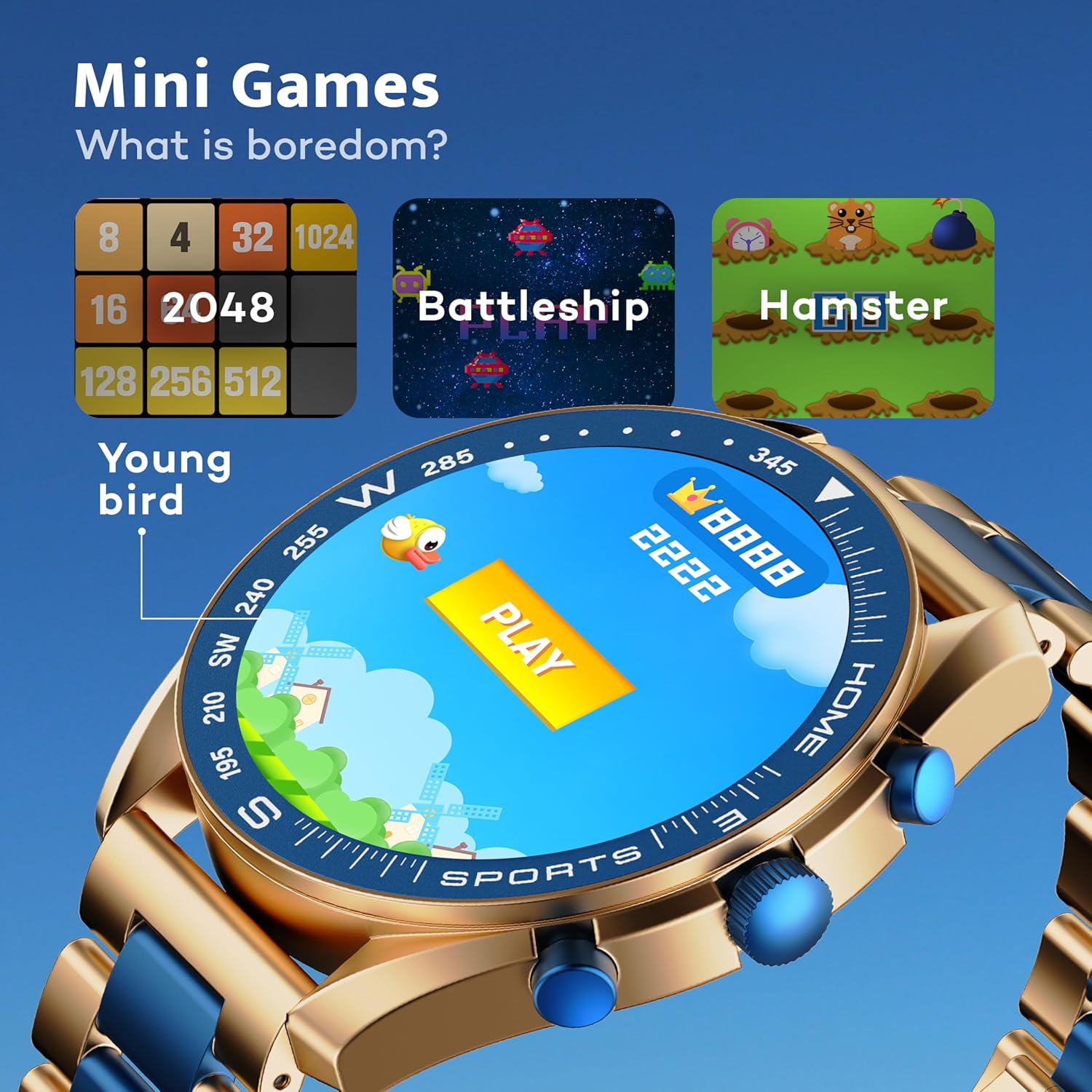
Image: GOBOULT Mirage Smart Watch showing the selection of mini-games.
Penyelenggaraan
1. Pembersihan
- Lap skrin jam tangan dan badan dengan kain lembut dan kering.
- Untuk kotoran degil, gunakan sedikit damp cloth and immediately dry the watch.
- Elakkan menggunakan bahan kimia yang keras atau bahan yang melelas, kerana ini boleh merosakkan kemasan.
2. Garis Panduan Rintangan Air
- The IP67 rating means the watch is protected from dust and can withstand immersion in water up to 1 meter for 30 minutes.
- Do not use the watch for swimming, showering with hot water, or diving.
- Elakkan daripada mendedahkan jam tangan kepada air atau wap bertekanan tinggi.
- If the watch gets wet, dry it thoroughly before charging or using any buttons.
Menyelesaikan masalah
- Tonton tidak dihidupkan: Pastikan jam tangan dicas sepenuhnya. Sambungkannya ke pengecas selama sekurang-kurangnya 30 minit.
- Tidak boleh berpasangan dengan telefon: Pastikan Bluetooth didayakan pada telefon anda dan jam tangan berada dalam julat. Mulakan semula kedua-dua peranti dan cuba pasangkan semula.
- Data kesihatan tidak tepat: Pastikan jam tangan dipakai dengan kemas di pergelangan tangan anda, tidak terlalu ketat atau terlalu longgar. Bersihkan sensor dengan kerap.
- Hayat bateri pendek: Kurangkan kecerahan skrin, lumpuhkan pemberitahuan yang tidak perlu dan hadkan pemantauan kadar denyutan jantung berterusan jika tidak diperlukan.
- Isu paparan: Restart the watch. If the problem persists, contact customer support.
Spesifikasi
| Ciri | Perincian |
|---|---|
| Jenama | GOBOULT |
| Nombor Model | 8906133853464 |
| Saiz Paparan | 1.39 Inci |
| Kecerahan | 500 Nit |
| Bahan Bingkai | Aloi Zink |
| Jenis Wayarles | Bluetooth 5.3 |
| Sistem Operasi | iOS, Android |
| Tahan Air | IP67 |
| Masa Pengecasan Bateri | 120 Minit |
| Jenis Bateri | Polimer Litium |
| Berat Barang | 106 g |
Waranti dan Sokongan
Your GOBOULT Mirage Smart Watch comes with a warranty card included in the box. Please refer to this card for details regarding warranty coverage and terms.
For technical support, troubleshooting assistance, or warranty claims, please contact GOBOULT customer service through their official webtapak atau maklumat hubungan yang diberikan pada kad jaminan anda.