
1. Pengenalan
The Rettru XDWIFI-Battery camera is a compact and versatile surveillance device designed for various monitoring needs. Its miniature size allows for discreet placement, making it suitable for home security, baby monitoring, pet observation, or office surveillance. This manual provides comprehensive instructions for setting up, operating, and maintaining your camera to ensure optimal performance.

The Rettru XDWIFI-Battery camera's compact size, shown held between fingers, allows for discreet placement. The accompanying mobile app provides a live feed, as illustrated on the smartphone screen.
2. Apa yang ada di dalam Kotak
Upon unboxing your Rettru XDWIFI-Battery camera, please verify that all the following components are included:
- 1 x Rettru XDWIFI-Battery Camera
- 1 x Pangkalan Magnetik
- Pembaca Kad SD 1 x
- 1 x Manual Pengguna
- 1 x Kabel Pengecas USB
- Aksesori Pemasangan (skru, pad pelekat)

Contents of the Rettru XDWIFI-Battery camera package, including the camera unit, power cable, user guide, rotating bracket, and card reader.
3. Ciri-ciri Produk
- Reka Bentuk Ultra-Kompak: Measuring approximately 1.57 x 1.18 x 0.5 inches, this camera is designed for discreet placement.
- HD 1080P Video Resolution: Menangkap video foo yang jelas dan terperincitage.
- Upgraded Night Vision: Equipped with two 940nm infrared lights, providing clear visibility up to 26ft in low light or total darkness without visible glow.
- Pengesanan Gerakan Dipertingkatkan: Intelligent motion detection with customizable monitoring areas and times. Sends alarm notifications with images to your phone upon detection.
- Kesambungan Tanpa Wayar: Supports 2.4G Wi-Fi for remote viewing via the V380 Pro app. (Note: 5G Wi-Fi is not supported).
- Rakaman Gelung: Secara automatik menulis ganti yang tertua fileapabila kad memori penuh, memastikan rakaman berterusan.
- Mod Kuasa Dwi: Features a built-in battery for portable use and supports continuous operation via plug-in power (USB-C).
- Pemasangan Serbaguna: Includes a magnetic base and mounting accessories for flexible installation on various surfaces.

Detailed dimensions of the Rettru XDWIFI-Battery camera, measuring 1.5 x 1.3 x 0.4 inches, highlighting its miniature form factor.
4. Panduan Persediaan
Follow these steps to set up your Rettru XDWIFI-Battery camera:
- Cas Kamera: Before initial use, fully charge the camera using the provided USB charging cable.
- Muat turun Apl: Scan the QR code found in the user manual or on the camera itself to download the V380 Pro application on your iOS or Android device.
- Hidupkan kuasa: Locate the power switch on the camera and turn it on.
- Tambahkan Peranti dalam Apl: Open the V380 Pro app, create an account if you haven't already, and select 'Add Device'.
- Sambung ke Wi-Fi: Follow the in-app instructions to connect the camera to your 2.4G Wi-Fi network. This typically involves scanning a QR code displayed on your phone with the camera's lens.
- Persediaan Lengkap: Once connected, the app will guide you through any remaining setup steps.
This video demonstrates the setup process for the Rettru XDWIFI-Battery camera, including app installation, Wi-Fi connection, and accessing the live feed.
5. Arahan Operasi
Once your camera is set up, you can utilize its features through the V380 Pro app:
- Langsung View: Access the app to view real-time video from your camera from anywhere.
- Pengesanan Pergerakan: Configure motion detection settings within the app. You can define specific areas for monitoring and set schedules. When motion is detected, the camera will send an alarm notification to your phone.
- Penglihatan Malam: The camera automatically switches to night vision mode in low-light conditions, providing clear black and white footage.
- Mod Rakaman: Choose between continuous recording or motion-activated recording. Footage is saved to the Micro SD card or cloud storage.
- Main balik: Review recorded videos directly from the app. You can access footage stored on the Micro SD card or in the cloud.

The V380 Pro mobile application allows multiple users to view the live feed from a single camera, enabling shared monitoring of different areas.
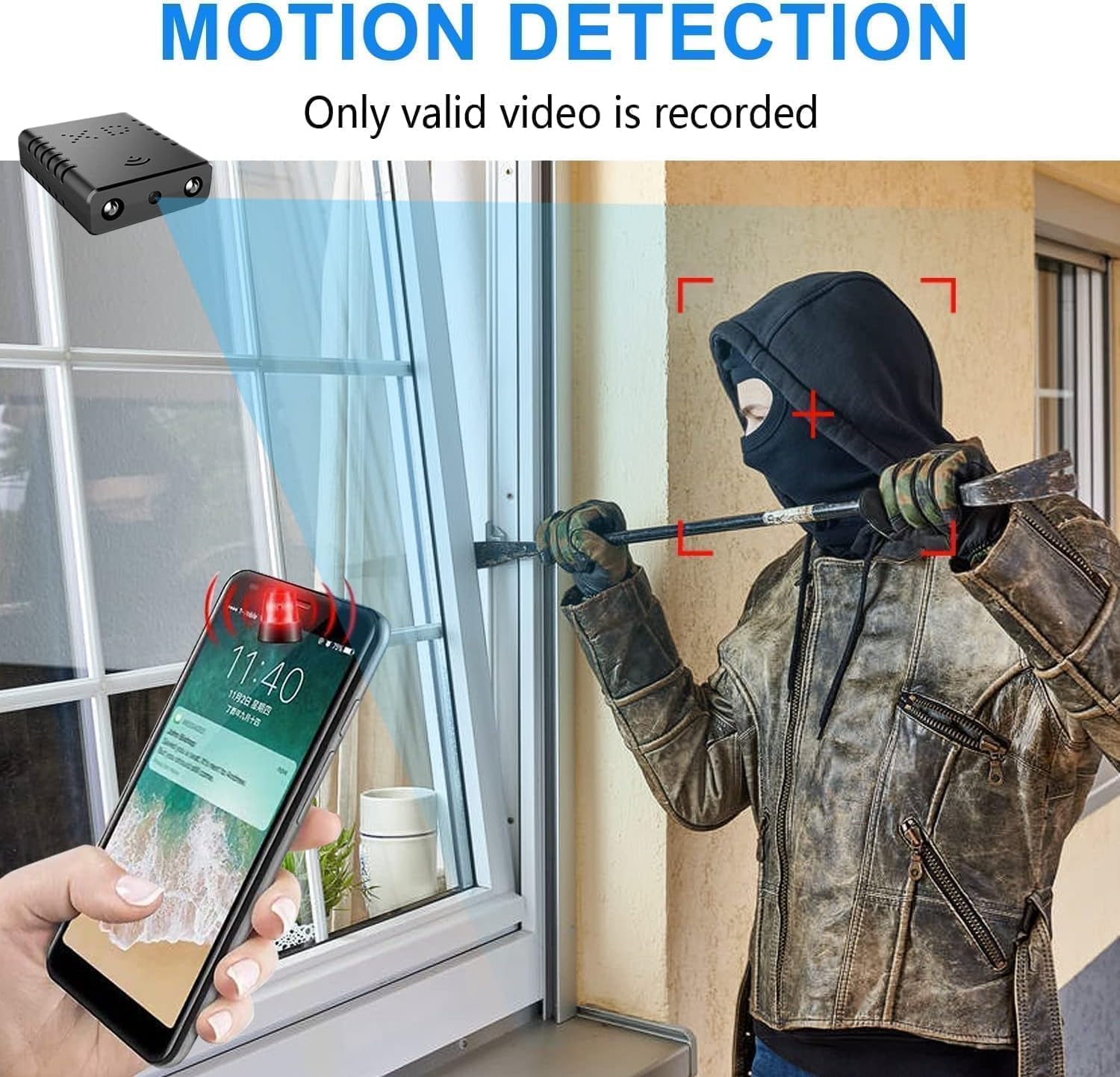
Illustration of the camera's motion detection feature, showing an alert notification on a smartphone when activity is detected, ensuring timely security awareness.

Comparison of day and night vision capabilities, demonstrating the camera's ability to capture clear images in both well-lit and low-light conditions using infrared technology.
6. Pemasangan dan Penempatan
The Rettru XDWIFI-Battery camera offers flexible mounting options:
- Pangkalan Magnetik: Use the included magnetic base for easy attachment to metal surfaces.
- Adhesive/Screw Mounting: For non-metal surfaces or more permanent installation, utilize the provided adhesive pads or screws with the magnetic base.
- Sudut boleh laras: The camera can be adjusted to various angles, including a 180-degree rotating lens, to capture the desired field of view.
- penempatan: Suitable for both indoor and outdoor use, allowing you to monitor different areas of your property.
A brief demonstration of the Rettru XDWIFI-Battery camera's live display, showcasing its compact size and real-time monitoring capabilities.
This video highlights the discreet placement options for the Rettru XDWIFI-Battery camera, demonstrating how it can blend into various environments for security monitoring.
7. Pilihan Storan
The camera offers two primary storage methods for your video footage:
- Kad SD mikro: Insert a Micro SD card (up to 128GB, purchased separately) into the designated slot for local storage. The camera supports loop recording, ensuring continuous footage.
- Storan Awan: For enhanced security and accessibility, the camera supports cloud storage. Refer to the V380 Pro app for details on cloud service plans.

Visual representation of the camera's storage options, including a Micro SD card slot for local recording and an icon indicating support for cloud storage.
8. Spesifikasi
| Ciri | Perincian |
|---|---|
| Nama Model | XDWIFI-Battery |
| Nombor Model Item | USA-WIFI-PRO-JIAN07598-134 |
| Resolusi Tangkapan Video | 1080p |
| Resolusi Video Berkesan | 1080 |
| Teknologi Ketersambungan | Wayarles (Wi-Fi) |
| Protokol Ketersambungan | Wi-Fi |
| Peranti Serasi | iOS/Android Phone/Window/Mac PC |
| Jenis Pengawal | Apl V380 Pro |
| Sumber Kuasa | Dikuasakan Bateri (termasuk 1 bateri Lithium Ion) |
| Penggunaan Dalaman/Luar | Dalaman, Luaran |
| Jenis Pemasangan | Wall-Mounted & Surface-Mounted |
| Viewsudut | 160 Darjah |
| Kadar Bingkai | 30 bingkai_sesaat |
| Dimensi Item L x W x H | 1.5 x 1.4 x 0.3 inci |
| Berat Barang | 0.64 auns |
| Teknologi Cahaya Rendah | Warna Malam |
| Video Encoding/Format | MPEG-4 |
9. Penyelenggaraan
- mengecas: Recharge the camera using the provided USB-C cable when the battery is low. For continuous operation, keep it plugged into a power source.
- Pembersihan: Gently wipe the camera lens with a soft, dry cloth to ensure clear image quality. Avoid using harsh chemicals.
- Penjagaan Bateri: To prolong battery life, avoid extreme temperatures and fully charge the camera before long periods of inactivity.
- Kemas kini Firmware: Check the V380 Pro app regularly for any available firmware updates to ensure optimal performance and security.
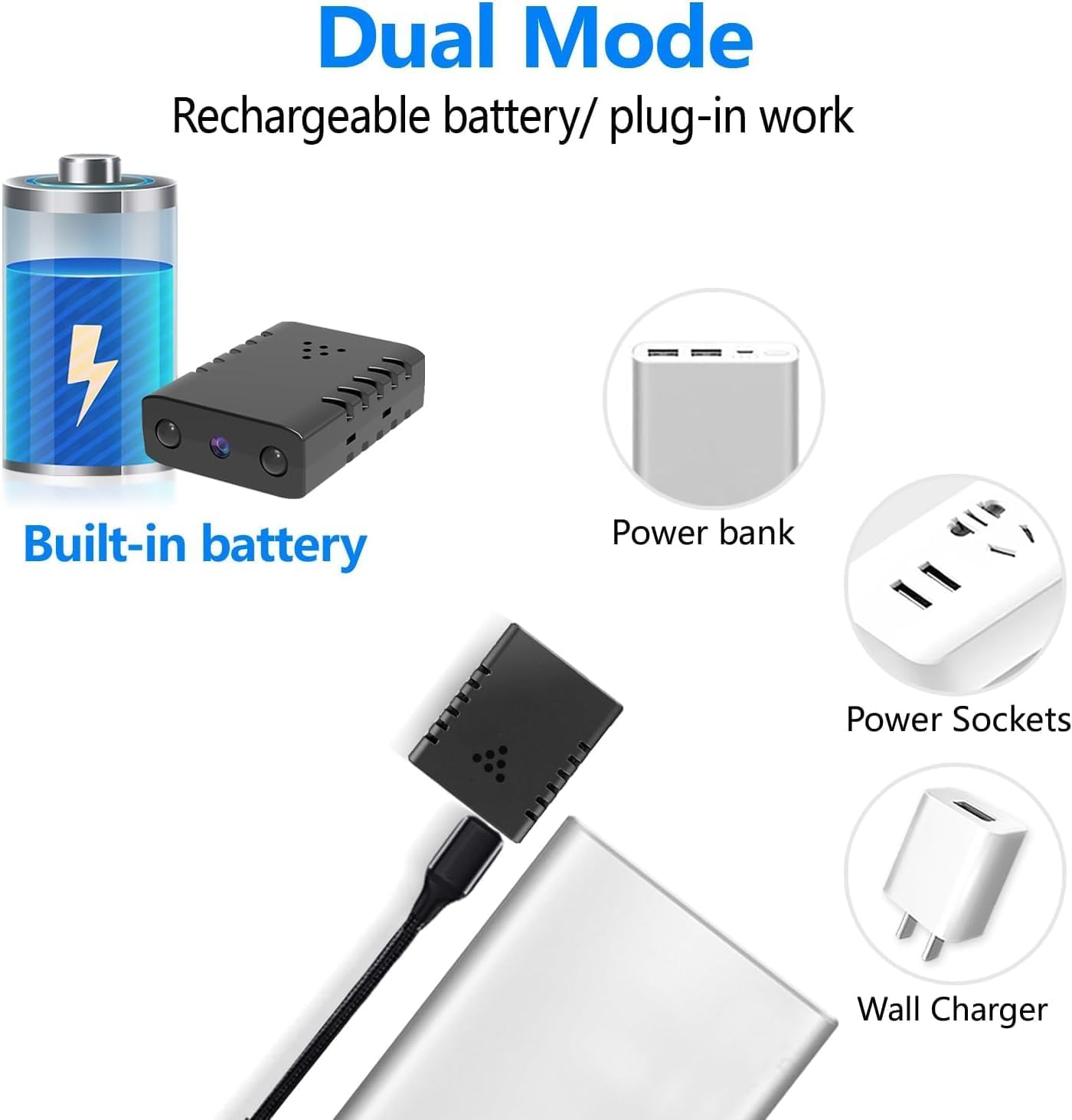
Display of the camera's versatile power options, featuring its built-in battery, and compatibility with external power sources like power banks and wall chargers via USB.
10. Penyelesaian masalah
If you encounter issues with your Rettru XDWIFI-Battery camera, consider the following:
- Isu Sambungan: Ensure your Wi-Fi network is 2.4G. Verify the camera is within range of your router. Restart both the camera and your router.
- Apl Tidak Bersambung: Check if the V380 Pro app is updated to the latest version. Ensure your phone's internet connection is stable.
- Tiada Rakaman: Confirm that a Micro SD card is properly inserted and formatted, or that your cloud storage subscription is active. Check recording settings in the app.
- Kualiti Imej Lemah: Clean the camera lens. Ensure adequate lighting, especially if night vision is not activating correctly.
- Hayat Bateri: If battery life is shorter than expected, ensure the camera is fully charged. Consider keeping it plugged in for continuous use.
- Bantuan lanjut: Refer to the FAQ section within the V380 Pro app for more detailed troubleshooting steps or contact Rettru customer support.
11. Waranti dan Sokongan
For warranty information and customer support, please refer to the documentation included with your product or visit the official Rettru website. The V380 Pro app also provides a comprehensive FAQ section that can assist with common inquiries.