
1. Pengenalan
Thank you for choosing the Nikai 85-inch 4K QLED Smart TV, model NIK85MEU4QLED. This manual provides essential information for the safe and efficient use of your new television. Please read it thoroughly before operating the device and retain it for future reference.
This television features a frameless design, 4K QLED display for stunning visuals, and runs on Web OS with built-in Wi-Fi, offering access to various streaming services and smart functionalities.

Image: The Nikai 85-inch 4K QLED Smart TV showcasing a crystal clear 4K image with vibrant colors.
2. Maklumat Keselamatan
- Bekalan Kuasa: Ensure the TV is connected to a power source matching the voltage specified on the product label (220V AC, 50Hz).
- Pengudaraan: Jangan sekat bukaan pengudaraan. Benarkan ruang yang mencukupi di sekeliling TV untuk aliran udara yang betul untuk mengelakkan terlalu panas.
- Air dan Kelembapan: Jangan dedahkan TV kepada hujan, kelembapan atau letakkan objek berisi cecair di atas atau berhampiran TV.
- Pembersihan: Cabut plag TV sebelum membersihkan. Gunakan kain lembut dan kering. Jangan gunakan pembersih cecair atau pembersih aerosol.
- penempatan: Letakkan TV pada permukaan yang stabil dan rata atau pasangkannya dengan selamat pada dinding. Jauhkan ia daripada cahaya matahari langsung, sumber haba dan medan magnet yang kuat.
- Kanak-kanak: Supervise children to prevent them from climbing on the TV or playing with the remote control.
- Servis: Jangan cuba servis produk ini sendiri. Rujuk semua perkhidmatan kepada pegawai perkhidmatan yang berkelayakan.
3. Kandungan Pakej
Sahkan bahawa semua item terdapat dalam pakej:
- Nikai 85-inch 4K QLED Smart TV Unit
- Kawalan Jauh Standard
- Alat Kawalan Jauh Ajaib
- Kabel Kuasa
- Manual Pengguna (dokumen ini)
- Komponen Kaki TV (jika berkenaan)
- Skru untuk Kaki TV (jika berkenaan)
4. Persediaan
4.1 Membongkar
Keluarkan TV dari pembungkusannya dengan berhati-hati. Adalah disyorkan untuk mempunyai dua orang untuk proses ini disebabkan oleh saiz dan berat televisyen.
4.2 Pemasangan Stand (Pilihan)
If you plan to place the TV on a tabletop, attach the stand according to the instructions provided with the stand components. Ensure all screws are tightened securely.
4.3 Pemasangan Dinding (Pilihan)
If you plan to wall-mount the TV, use a VESA-compatible wall mount (VESA standard: 75 x 100 mm). Consult a professional for wall mounting to ensure safety and proper installation. Note: The VESA standard provided (75x100mm) is unusually small for an 85-inch TV. Please verify the correct VESA pattern with your wall mount manufacturer or the TV's physical specifications before installation.
4.4 Kuasa Penyambung
Plug the power cable into the TV's power input, then into a wall outlet. Do not power on the TV yet.
4.5 Menyambung Peranti Luaran
Connect your external devices (e.g., cable box, Blu-ray player, gaming console) to the TV's input ports:
- HDMI Ports (3 total): Untuk peranti audio dan video definisi tinggi.
- USB Ports (3 total, 2 are USB 3.0): For USB storage devices or other compatible peripherals.
- Pelabuhan Ethernet: Untuk sambungan internet berwayar.
- Output Audio Digital Optik: Untuk menyambung ke sistem audio luaran.
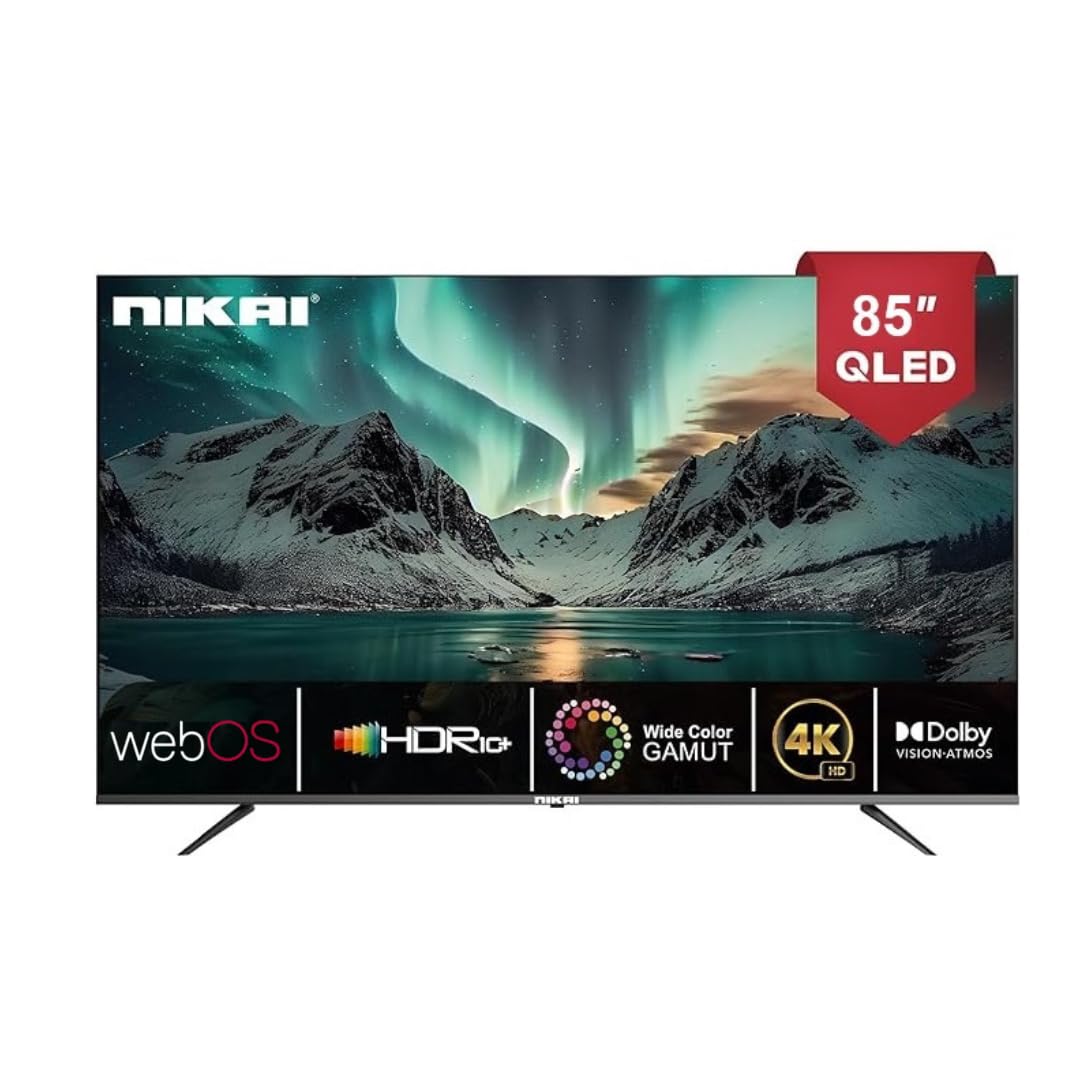
Image: The back of the Nikai 85-inch 4K QLED Smart TV, illustrating connection points for various devices.
4.6 Initial Power-On and First-Time Setup
After connecting all necessary cables, plug the TV into the power outlet and press the power button on the TV or remote control. Follow the on-screen instructions for initial setup, which typically includes language selection, network connection, and channel scanning.
5. Arahan Operasi
5.1 Fungsi Kawalan Jauh
Your TV comes with two remote controls. The Magic Remote offers advanced features:

Image: A detailed diagram of the Magic Remote, highlighting its key functions such as Air Mouse, Voice Control, and Quick Access buttons.
- Butang Kuasa: Menghidupkan atau mematikan TV.
- Butang Nombor: Untuk pemilihan saluran langsung.
- Kelantangan Naik/Turun: Melaraskan tahap bunyi.
- Saluran Atas/Bawah: Menukar saluran TV.
- Input/Sumber: Selects the input source (HDMI, USB, etc.).
- Navigation Buttons (Arrow Keys, OK/Enter): Untuk navigasi menu.
- Magic Remote Specifics:
- Tetikus Udara: Use air gestures for convenient control.
- Kawalan Universal: Control your set-top box, speakers, and satellite TV.
- Kawalan Suara: Command your remote to find desired content.
- Roda Tatal: Use to scroll vertically and horizontally, and adjust zoom level.
- Butang Akses Pantas: Butang khusus untuk perkhidmatan penstriman popular seperti Netflix dan Prime Video.
5.2 Fungsi Asas TV
- Hidupkan/Mati Kuasa: Tekan butang kuasa pada alat kawalan jauh atau TV.
- Memilih Sumber Input: Press the 'Input' or 'Source' button on the remote and select the desired input (e.g., HDMI 1, USB).
- Melaraskan Tetapan Gambar: Navigate to the TV's settings menu to adjust brightness, contrast, color, and picture modes.
- Melaraskan Tetapan Bunyi: Access the sound settings to modify bass, treble, balance, and select sound modes. This TV supports Dolby Atmos for immersive audio.

Image: A family enjoying content on the Nikai 85-inch 4K QLED Smart TV, highlighting the Dolby Audio feature for rich sound.
6. Ciri Pintar dan Ketersambungan
6.1 Web Antara Muka Sistem Operasi
Your TV operates on Web OS, providing an intuitive and user-friendly interface for accessing apps, settings, and content.
6.2 Sambungan Rangkaian
- Wi-Fi: Navigate to Network Settings to connect to your home Wi-Fi network.
- Ethernet: Connect an Ethernet cable from your router to the TV's Ethernet port for a stable wired connection.
6.3 Streaming Services and Apps
Access a variety of pre-installed and officially licensed streaming applications directly from your TV, including:
- Netflix
- Youtube
- Video Perdana
- Apple TV
- Disney+
- StarzPlay Arabia
- OSN Stream
- MBC Shahid
- Viu
- Sony Liv
- HBO Maks
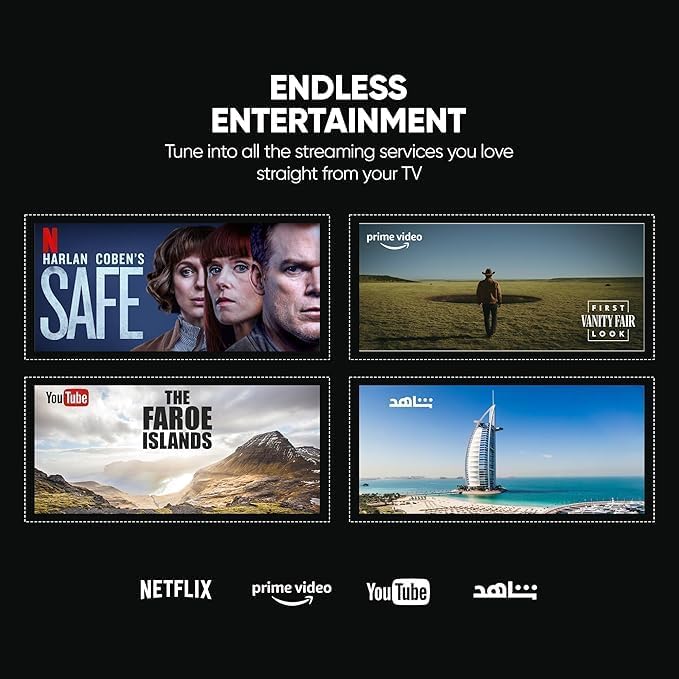
Image: The Nikai Smart TV displaying various streaming service interfaces, demonstrating its entertainment capabilities.
6.4 Pencerminan Skrin
Share content from your mobile devices to the TV using:
- AirPlay: Untuk peranti Apple.
- Miracast: For compatible Android devices.
6.5 Voice Control and AI Features
Utilize voice commands for easy control and content search through integrated AI features. The TV supports Google Assistant, Amazon Alexa, and Apple AirPlay for smart home integration.

Image: The Nikai Smart TV demonstrating ThinQ AI and voice control capabilities, compatible with various smart home ecosystems.
7. Penyelenggaraan
- Pembersihan Skrin: Lap skrin perlahan-lahan dengan kain lembut yang tidak berbulu. Untuk tanda degil, sedikit dampen kain dengan air atau pembersih skrin khusus (jangan sembur terus ke skrin).
- Pembersihan Badan TV: Use a soft, dry cloth to clean the TV's frame and back panel.
- Kemas Kini Perisian: Periodically check for and install software updates via the TV's settings menu to ensure optimal performance and access to new features.
- Pengurusan Storan: The TV has 16GB of internal storage (ROM). Manage installed apps and media to ensure sufficient space for smooth operation.
8. Penyelesaian masalah
Jika anda menghadapi masalah dengan TV anda, rujuk masalah dan penyelesaian biasa berikut:
| Masalah | Kemungkinan Punca | Penyelesaian |
|---|---|---|
| Tiada Kuasa | Kabel kuasa terputus, masalah soket kuasa. | Periksa sambungan kabel kuasa. Cuba soket lain. |
| Tiada Gambar, tetapi Bunyi Hadir | Incorrect input source selected, faulty HDMI cable. | Verify input source. Check/replace HDMI cable. |
| Tiada Bunyi, tetapi Gambar Hadir | Kelantangan diredam atau terlalu rendah, isu sistem audio luaran. | Unmute volume, increase volume. Check external audio connections. |
| Alat Kawalan Jauh Tidak Berfungsi | Batteries depleted, obstruction, remote not paired. | Replace batteries. Remove obstructions. Re-pair Magic Remote if necessary. |
| Isu Sambungan Rangkaian | Isyarat Wi-Fi lemah, kata laluan salah, masalah penghala. | Check Wi-Fi signal strength. Re-enter password. Restart router. Try wired Ethernet connection. |
| Apps Not Loading/Crashing | Insufficient memory, app error, outdated software. | Close other apps. Clear app cache. Update TV software. Reinstall app. |
If the problem persists after trying these solutions, contact customer support.
9. Spesifikasi
| Ciri | Spesifikasi |
|---|---|
| Nama Model | NIK85MEU4QLED |
| Saiz Skrin | 85 inci |
| Teknologi Paparan | QLED |
| Resolusi | 4K (3840 x 2160) |
| Kadar Segar Semula | 60 Hz |
| Sistem Operasi | Web OS |
| RAM | 2 GB |
| Storan Dalaman (ROM) | 16 GB |
| Sokongan HDR | HDR10, HDR10+, Dolby Vision Atmos |
| Peningkatan Gerakan | MEMC (Motion Estimation, Motion Compensation) |
| Output Audio | 2.1 Channel, Dolby Atmos |
| Ketersambungan | Wi-Fi, Bluetooth, Ethernet |
| Port Input | 3 x HDMI, 3 x USB (2 x USB 3.0), Ethernet, Optical Audio |
| Pencerminan Skrin | AirPlay, Miracast |
| Kawalan Suara | Google Assistant, Amazon Alexa, Apple AirPlay |
| Dimensi Produk (W x H x D) | 189 cm x 114 cm x 15 cm (approximate, based on 15D x 189W x 114H cm) |
| Berat Barang | 35 kg |
| Bekalan Kuasa | 220V AC, 50Hz |
| Piawaian Pemasangan VESA | 75 x 100 mm (Please verify with wall mount manufacturer) |
10. Waranti dan Sokongan
10.1 Maklumat Waranti
This Nikai 85-inch 4K QLED Smart TV comes with a two-year agent warranty. Please retain your proof of purchase for warranty claims. The warranty covers manufacturing defects under normal use conditions. It does not cover damage caused by misuse, accidents, unauthorized repairs, or natural disasters.
10.2 Sokongan Pelanggan
For technical assistance, troubleshooting beyond this manual, or warranty service, please contact your local Nikai authorized service center or the retailer where you purchased the product. Refer to your warranty card or Nikai's official webtapak untuk butiran hubungan khusus.