
EIGIIS K22
EIGIIS K22 Smartwatch User Manual
Model: K22
1. Pengenalan
Welcome to the EIGIIS K22 Smartwatch user manual. This guide provides essential information for setting up, operating, and maintaining your new smartwatch. The EIGIIS K22 is a robust military-grade smartwatch designed for active lifestyles, featuring an AMOLED HD Always On Display, Bluetooth calling, comprehensive health monitoring, and over 100 sports modes.

Image: EIGIIS K22 Smartwatch, showcasing reka bentuk lasak dan paparan bertenaga.
2. Apa yang ada di dalam Kotak
Sila semak kandungan pakej semasa membuka kotak:
- EIGIIS K22 Smartwatch (with 1 Watch Band)
- Kabel Pengecasan
- Manual Pengguna (dokumen ini)
3. Persediaan Awal
3.1 Mengecas Jam Pintar
Before first use, fully charge your EIGIIS K22 Smartwatch. The device features a 400mAh battery that typically charges in approximately 2 hours.
- Connect the magnetic charging cable to the charging contacts on the back of the smartwatch.
- Palamkan hujung kabel USB ke dalam penyesuai kuasa USB standard (disyorkan 5V/1A) atau port USB komputer.
- Paparan jam tangan akan menunjukkan status pengecasan.

Image: The smartwatch displaying its charging status, indicating a 400mAh battery capacity and charging time.
3.2 Pemasangan Aplikasi
To unlock the full functionality of your smartwatch, download and install the FitCloudPro aplikasi pada telefon pintar anda.
- Scan the QR code provided in the quick start guide or search for "FitCloudPro" in your smartphone's app store (Google Play Store for Android, Apple App Store for iOS).
- Install the app and grant necessary permissions for optimal performance.
3.3 Berpasangan dengan Telefon Pintar Anda
After installing the app, pair your smartwatch with your phone via Bluetooth.
- Pastikan Bluetooth didayakan pada telefon pintar anda.
- Open the FitCloudPro app and follow the on-screen instructions to add a new device.
- Select the EIGIIS K22 from the list of available devices.
- Sahkan permintaan pasangan pada telefon dan jam tangan pintar anda.
4. Mengendalikan Jam Pintar
4.1 Paparan dan Navigasi
The EIGIIS K22 features a 1.43-inch AMOLED HD Always On Display. You can navigate the watch interface using touch gestures and the physical buttons.
- Leret ke atas/bawah: Akses tetapan atau pemberitahuan pantas.
- Leret Kiri/Kanan: Cycle through widgets like activity data, heart rate, weather, etc.
- Tekan Butang Sisi: Kembali ke skrin utama atau akses menu aplikasi.

Image: Close-up of the 1.43-inch AMOLED display, showing a detailed watch face with time and activity data.
4.2 Panggilan Bluetooth dan Pemberitahuan Pintar
The smartwatch allows you to make and receive calls directly from your wrist and receive notifications from your paired smartphone.
- Membuat Panggilan: Use the built-in dialer or access your contacts through the watch interface.
- Menerima Panggilan: Answer or reject incoming calls directly on the watch.
- Pemberitahuan: Receive alerts for messages, social media, and other app notifications. Ensure notification permissions are enabled in the FitCloudPro app.

Image: The smartwatch displaying an incoming call and various app notification icons, illustrating its Bluetooth call and smart notification capabilities.
4.3 Mod Sukan
The EIGIIS K22 supports over 100 sports modes to track your physical activities. Data such as calories burned, steps taken, and distance covered are recorded and synced to the FitCloudPro app.
- Access the Sports menu on your watch.
- Select your desired activity (e.g., Running, Cycling, Basketball).
- The watch will begin tracking your workout data.

Image: A user hiking while the smartwatch displays workout metrics like calories, distance, and steps, alongside icons for various sports modes.
4.4 Pemantauan Kesihatan
The smartwatch continuously monitors key health metrics.
- Kadar Jantung: Penjejakan kadar denyutan jantung masa nyata.
- Tekanan darah: Estimates blood pressure levels.
- Oksigen Darah (SpO2): Mengukur ketepuan oksigen darah.
- Pemantauan Tidur: Analyzes sleep patterns (Awake, Light Sleep, Deep Sleep) to provide insights into sleep quality.
All health data is synced to the FitCloudPro app for detailed analysis and historical trends.
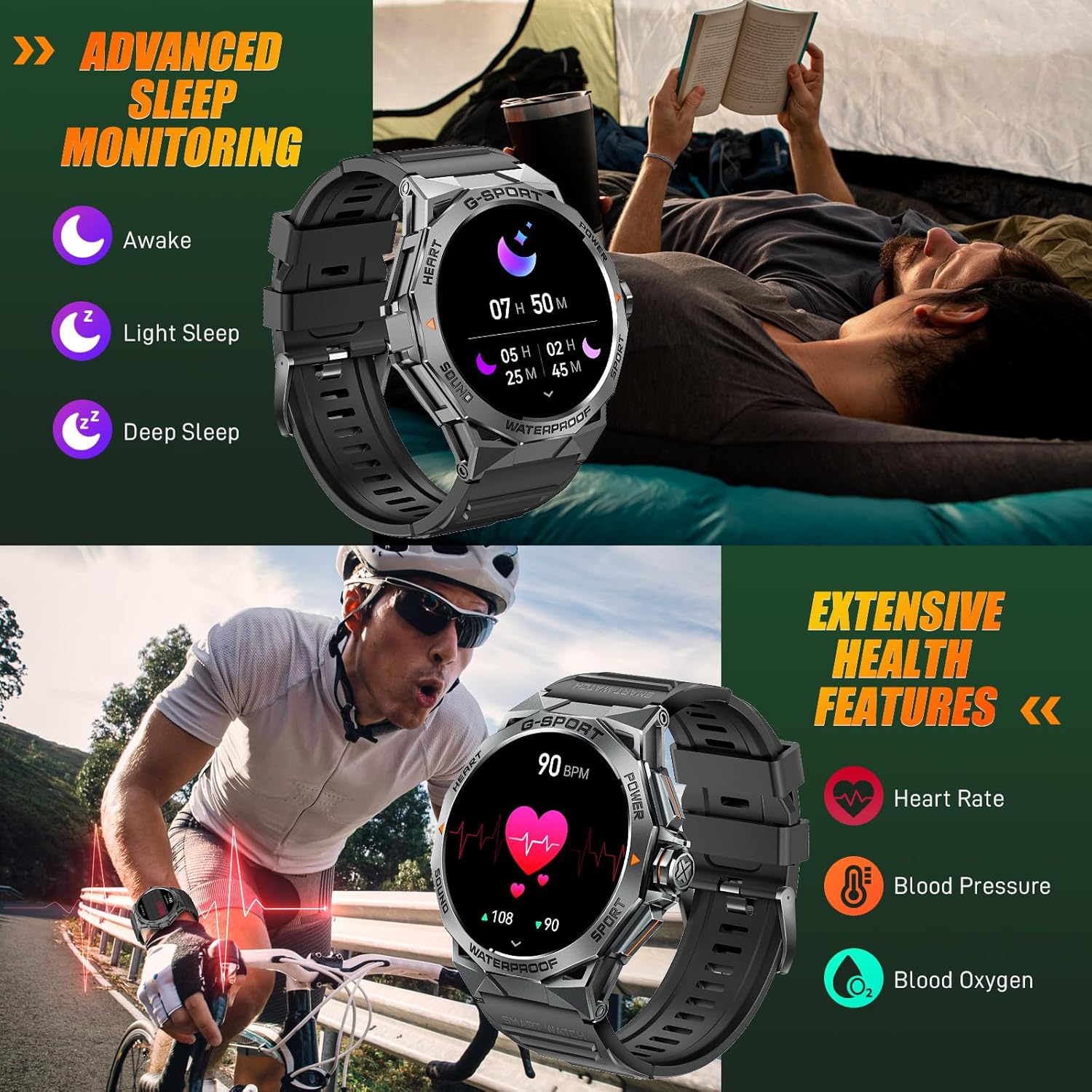
Image: The smartwatch displaying sleep data and heart rate monitoring, with icons for heart rate, blood pressure, and blood oxygen.
4.5 Ciri Pintar Lain
The EIGIIS K22 offers several additional features to enhance daily convenience:
- Kawalan Muzik: Kawal main balik muzik pada telefon pintar anda.
- Kawalan Kamera Jauh: Gunakan jam tangan anda sebagai pengatup jauh untuk kamera telefon anda.
- Kemas Kini Cuaca: Dapatkan ramalan cuaca masa nyata.
- Jam loceng: Tetapkan penggera terus dari pergelangan tangan anda.
- Cari Telefon: Cari telefon pintar anda yang salah letak.
- Peringatan Sedentari: Terima makluman untuk bergerak selepas tempoh tidak aktif.
- Pembantu Suara: Akses pembantu suara telefon anda.

Image: A collage showing the smartwatch controlling music, acting as a camera remote, displaying weather, and featuring stopwatch, alarm, and 'find phone' functions.
5. Penyelenggaraan dan Penjagaan
5.1 Rintangan Air (IP68)
The EIGIIS K22 Smartwatch is IP68 waterproof, meaning it is resistant to dust and can withstand immersion in water up to 1.5 meters for 30 minutes. It is suitable for daily use, including washing hands and swimming.
- Avoid prolonged exposure to hot water, steam, or high-pressure water jets.
- Jangan kendalikan butang di bawah air.
- Keringkan jam tangan dengan teliti selepas terdedah kepada air.

Image: A person swimming while wearing the EIGIIS K22 Smartwatch, highlighting its IP68 waterproof rating.
5.2 Pengoptimuman Hayat Bateri
The 400mAh battery provides 4-7 days of typical usage and up to 25 days on standby. To maximize battery life:
- Laraskan kecerahan skrin kepada tetapan yang lebih rendah.
- Limit the use of the Always On Display feature if extended battery life is critical.
- Lumpuhkan pemberitahuan yang tidak perlu.
- Close background apps on the watch when not in use.
5.3 Pembersihan
Regularly clean your smartwatch and watch band to prevent skin irritation and maintain performance.
- Wipe the watch and band with a soft, damp kain.
- Elakkan menggunakan bahan kimia yang keras atau bahan yang melelas.
6. Penyelesaian masalah
If you encounter issues with your EIGIIS K22 Smartwatch, refer to the following common solutions:
| Masalah | Penyelesaian yang Mungkin |
|---|---|
| Tonton tidak dihidupkan | Pastikan jam tangan dicas sepenuhnya. Sambungkannya ke pengecas selama sekurang-kurangnya 30 minit. |
| Tidak boleh berpasangan dengan telefon pintar | Ensure Bluetooth is enabled on your phone. Restart both the watch and phone. Make sure the FitCloudPro app has Bluetooth permissions. |
| Pemberitahuan tidak diterima | Check notification settings in the FitCloudPro app and your phone's system settings. Ensure the app is running in the background. |
| Hayat bateri pendek | Disable the Always On Display feature. Reduce screen brightness. Limit frequent heart rate monitoring. See Section 5.2 for more tips. |
| Bluetooth audio defaults to watch speaker | This is a common behavior for smartwatches with built-in speakers. In your phone's Bluetooth settings, you may be able to disconnect the watch's audio profile while keeping the data connection. Alternatively, some apps allow you to select the audio output device. |
| Data kesihatan yang tidak tepat | Ensure the watch is worn snugly on your wrist, about one finger's width above the wrist bone. Avoid excessive movement during measurements. Note that smartwatches are not medical devices and readings are for reference only. |
7. Spesifikasi
| Ciri | Perincian |
|---|---|
| Nombor Model | K22 |
| Paparan | 1.43 Inches AMOLED HD Always On Display |
| Kapasiti Bateri | 400 mAh |
| Hayat Bateri | 4-7 days (typical use), up to 25 days (standby) |
| Masa Mengecas | Lebih kurang 2 jam |
| Tahan Air | IP68 |
| Ketersambungan | Bluetooth |
| Sistem Operasi | Pakai OS |
| Keserasian | Android 4.4 dan ke atas, iOS 8.0 dan ke atas |
| Berat Barang | 50 Gram (1.76 auns) |
| Dimensi Produk | 6.69 x 4.33 x 1.18 inci |
8. Waranti dan Sokongan
8.1 Waranti Produk
The EIGIIS K22 Smartwatch comes with a Jaminan kualiti 12 bulan from the date of purchase. This warranty covers manufacturing defects and issues arising from normal use. It does not cover damage caused by misuse, accidents, unauthorized modifications, or failure to follow instructions.
8.2 Sokongan Pelanggan
For any questions, technical assistance, or warranty claims, please contact EIGIIS customer support through the following channels:
- Rujuk maklumat hubungan yang diberikan bersama pembungkusan produk anda.
- Visit the official EIGIIS webtapak untuk sumber sokongan.
- Contact the seller directly through the platform where you purchased the product.
Please have your purchase receipt and product model number (K22) ready when contacting support.
Ask a question about this manual
Ask about setup, troubleshooting, compatibility, parts, safety, or missing instructions. Manuals+ will review the question and use this page’s manual context to help answer it.