
Apple iPhone 16 Pro
iPhone 16 Pro User Guide
The Complete Guide to Mastering the iPhone 16 Pro with Effortless Tips & Tricks for Secure, Seamless, and Satisfying Use.
pengenalan
This comprehensive user guide is designed to help you unlock the full potential of your iPhone 16 Pro. Whether you are a new iPhone user or a seasoned enthusiast, this manual provides essential information, tips, and tricks to ensure a secure, seamless, and satisfying experience with your device.

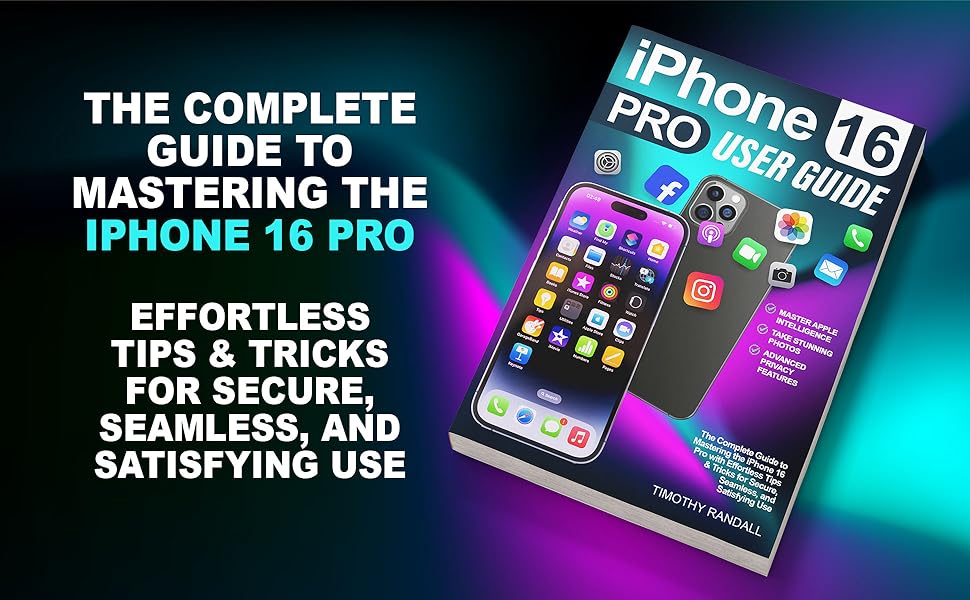
The cover of the iPhone 16 Pro User Guide, featuring an iPhone 16 Pro device and various app icons, highlighting key features like Apple Intelligence and advanced privacy.
Getting Started with Your iPhone 16 Pro
Setting up your new iPhone 16 Pro is an exciting moment. This section guides you through the initial setup process, ensuring you can confidently begin using your device without frustration.
Persediaan Peranti Awal
- Hidupkan kuasa: Tekan dan tahan butang Sisi sehingga logo Apple muncul.
- Language & Region: Pilih bahasa dan wilayah pilihan anda.
- Mula Pantas: If you have another iPhone or iPad, you can use Quick Start to transfer data and settings automatically.
- Set Up Face ID & Passcode: Follow on-screen prompts to set up Face ID for secure unlocking and Apple Pay. Create a strong passcode for additional security.
- Pemindahan Data: Choose to restore from iCloud Backup, Mac or PC, or transfer directly from another iPhone.
- ID Apple: Log masuk dengan Apple ID anda atau buat yang baharu.
- Siri & Apple Intelligence: Configure Siri and explore the new Apple Intelligence features.
An illustration showing the initial setup process on an iPhone 16 Pro, guiding users through language selection and data transfer options.
Understanding iOS 18 and Basic Functions
iOS 18 introduces a wide range of new features and improvements. This section covers the fundamental aspects of navigating your iPhone 16 Pro and utilizing its core functionalities.
Dynamic Island Enhancements
The Dynamic Island feature on iPhone 16 Pro provides an interactive area at the top of your screen for real-time updates and interactions. It allows you to stay informed without leaving the app you're currently using.
Interactive Widgets & Smart Stacks
iOS 18 widgets offer enhanced interactivity. You can now perform quick actions directly from the Home Screen. Smart Stacks allow you to group multiple widgets for efficient space usage.

A visual representation of the iPhone 16 Pro's home screen, showcasing various application icons and the intuitive user interface.
Mastering Apple Intelligence
Apple Intelligence transforms your iPhone into a personalized assistant. Learn how to leverage its capabilities for tasks like contextual understanding, Siri enhancements, and generative AI features.

An image depicting robotic hands interacting with a smartphone, illustrating the concept of mastering Apple Intelligence and AI features.
Taking Stunning Photos
The iPhone 16 Pro camera system allows you to capture professional-quality photos and videos. Explore features like Cinematic Mode, ProRAW, and advanced editing tools.

A woman smiling and taking a selfie with her iPhone, demonstrating the ease of capturing stunning photos with the device.
Advanced Privacy Features
Protect your personal data with enhanced privacy controls. Learn about App Privacy Report, Mail Privacy Protection, and secure Face ID settings.

A close-up of an iPhone screen showing a passcode entry interface, emphasizing the advanced privacy and security features.
Performing Everyday Tasks Effortlessly
Utilize hands-free Siri, optimize battery life, and master multitasking with picture-in-picture mode and interactive widgets for seamless daily use.

A person holding and looking at their iPhone, illustrating the ease of performing everyday tasks on the go.
Penyelenggaraan dan Penjagaan
Proper maintenance ensures the longevity and optimal performance of your iPhone 16 Pro.
Pengoptimuman Bateri
- Dayakan Mod Kuasa Rendah apabila bateri lemah.
- Adjust screen brightness and auto-lock settings.
- Limit background app refresh for less frequently used apps.
- Elakkan suhu yang melampau.
Membersihkan Peranti Anda
- Gunakan kain lembut dan tidak berbulu untuk mengelap skrin dan badan.
- Avoid abrasive materials or harsh cleaning agents.
- Do not submerge the device in cleaning solutions.
Menyelesaikan Masalah Isu Biasa
This section provides solutions for common problems you might encounter with your iPhone 16 Pro.
Peranti Tidak Membalas
- Lakukan mula semula paksa: Tekan dan lepaskan butang Naik Kelantangan dengan cepat, kemudian butang Turun Kelantangan, kemudian tekan dan tahan butang Sisi sehingga logo Apple muncul.
Wi-Fi or Cellular Connectivity Issues
- Toggle Wi-Fi/Cellular off and on in Control Center.
- Restart your router (for Wi-Fi issues).
- Reset Network Settings (Settings > General > Transfer or Reset iPhone > Reset > Reset Network Settings).
Apl Ranap atau Membeku
- Force quit the app and reopen it.
- Semak kemas kini apl dalam App Store.
- Pasang semula apl jika masalah berterusan.
Product Specifications (User Guide Book)
This section details the specifications of the user guide book itself.
| Ciri | Perincian |
|---|---|
| ASIN | B0DL4G5FVP |
| Penerbit | Diterbitkan secara bebas |
| Tarikh penerbitan | 23 Oktober 2024 |
| Bahasa | Inggeris |
| Panjang cetakan | 167 muka surat |
| ISBN-13 | 979-8344247380 |
| Berat Barang | 11 auns |
| Dimensi | 6 x 0.38 x 9 inci |
Waranti dan Sokongan
For any questions or support regarding the content of this user guide, please refer to the publisher's contact information or the platform where you purchased the book.
- Penerbit: Diterbitkan secara bebas
- Pengarang: Timothy Randall
- For product-related inquiries (iPhone 16 Pro), please visit the official Apple support webtapak: support.apple.com
Ask a question about this manual
Ask about setup, troubleshooting, compatibility, parts, safety, or missing instructions. Manuals+ will review the question and use this page’s manual context to help answer it.