
RadioShack 207 ID207
RadioShack Tempo Pro Smartwatch
Manual Pengguna
pengenalan
The RadioShack Tempo Pro Smartwatch is designed to seamlessly integrate into your daily life, offering a blend of style, advanced functionality, and robust technology. This manual provides essential information for setting up, operating, maintaining, and troubleshooting your device to ensure optimal performance and longevity.

Rajah 1: Depan view of the RadioShack Tempo Pro Smartwatch, showcasing its 2.4-inch AMOLED display with current time, step count, and heart rate monitoring. The watch features a sleek black design with a comfortable strap.
Persediaan
1. Unboxing dan Pemeriksaan Awal
Selepas membuka bungkusan, pastikan semua komponen ada dan tidak rosak. Pakej standard termasuk:
- RadioShack Tempo Pro Smartwatch
- Kabel Pengecasan
- Manual Pengguna (dokumen ini)

Rajah 2: The contents of the RadioShack Tempo Pro Smartwatch retail box, including the smartwatch itself and its dedicated charging cable, neatly packaged.
2. Mengecas Peranti
Before first use, fully charge your smartwatch. Connect the provided charging cable to the charging contacts on the back of the watch and plug the USB end into a compatible USB power adapter (not included) or a computer's USB port. A full charge typically takes approximately 2 hours.

Rajah 3: belakang view of the RadioShack Tempo Pro Smartwatch, highlighting the magnetic charging contacts and the optical sensors used for health monitoring, such as heart rate.
3. Menghidupkan dan Mematikan
- Untuk Menghidupkan: Press and hold the side button until the RadioShack logo appears on the screen.
- Untuk Mematikan: Navigate to the 'Settings' menu on the watch, select 'System', then 'Power Off', and confirm.
4. Berpasangan dengan Telefon Pintar Anda
To unlock the full potential of your Tempo Pro Smartwatch, pair it with your smartphone via Bluetooth. This allows for notifications, data synchronization, and advanced features.
- Download the official RadioShack Smartwatch app from your smartphone's app store (iOS App Store or Google Play Store).
- Pastikan Bluetooth didayakan pada telefon pintar anda.
- Buka apl dan ikut arahan pada skrin untuk membuat akaun atau log masuk.
- Pilih 'Tambah Peranti' atau 'Gandingkan Peranti Baharu' dalam aplikasi.
- The app will search for available devices. Select 'Tempo Pro' from the list.
- Sahkan permintaan berpasangan pada telefon pintar anda dan jam tangan pintar.
Arahan Operasi
1. Menavigasi Antara Muka
The Tempo Pro Smartwatch features a responsive 2.4-inch AMOLED touchscreen. Navigation is primarily gesture-based:
- Leret ke atas/bawah: Tatal melalui menu dan pemberitahuan.
- Leret Kiri/Kanan: Akses widget atau tetapan pantas yang berbeza.
- Ketik: Pilih item atau sahkan tindakan.
- Tekan Butang Sisi: Kembali ke skrin utama atau bangunkan peranti.

Rajah 4: Panjang penuh view of the RadioShack Tempo Pro Smartwatch, showcasing its sleek design and adjustable strap, suitable for various wrist sizes.
2. Fungsi Teras
- Masa dan Tarikh: Disegerakkan secara automatik dengan telefon pintar berpasangan anda.
- Pemberitahuan: Receive alerts for calls, messages, and app notifications directly on your wrist. Manage notification settings via the smartphone app.
- Penjejakan Aktiviti: Monitors steps, distance, calories burned, and active minutes throughout the day.
- Pemantauan Denyut Jantung: Provides continuous or on-demand heart rate readings.
- Pemantauan Tidur: Tracks sleep patterns, including deep, light, and REM sleep, and provides insights into sleep quality.
3. Multi-Sport Tracking
The Tempo Pro Smartwatch supports various sports modes to accurately track your workouts. Select your desired activity from the 'Workout' or 'Sports' menu on the watch. Supported activities may include running, walking, cycling, swimming, and more. The watch will record relevant metrics such as duration, distance, pace, and heart rate during your exercise.
4. Kawalan Main Semula Muzik
Control music playing on your paired smartphone directly from your smartwatch. Access the music control widget to play, pause, skip tracks, and adjust volume without needing to take out your phone.
5. Special Features: Snore Detection
The Tempo Pro Smartwatch includes a unique snore detection feature. When enabled, the watch can monitor for snoring sounds during your sleep, providing data that can help you understand your sleep patterns better. This feature is typically managed and viewed within the companion smartphone application.
Penyelenggaraan
1. Membersihkan Jam Pintar Anda
Regular cleaning helps maintain the appearance and functionality of your device. Use a soft, lint-free cloth to wipe the screen and body. For stubborn smudges, slightly dampen kain dengan air. Elakkan menggunakan bahan kimia yang keras atau bahan yang melelas.
2. Rintangan Air dan Debu (IP68)
The Tempo Pro Smartwatch is IP68 certified, meaning it is resistant to dust and can withstand immersion in water up to 1.5 meters for up to 30 minutes. While it is suitable for daily use, hand washing, and light rain, it is not recommended for diving, high-pressure water activities, or prolonged submersion. Always dry the watch thoroughly after exposure to water, especially the charging contacts.
3. Penjagaan Bateri
Untuk memaksimumkan hayat bateri dan jangka hayat:
- Elakkan suhu yang melampau.
- Cas peranti dengan kerap, tetapi elakkan membiarkannya dinyahcas sepenuhnya untuk tempoh yang lama.
- Gunakan hanya kabel pengecasan yang disediakan.
Menyelesaikan masalah
| Masalah | Kemungkinan Punca | Penyelesaian |
|---|---|---|
| Peranti tidak akan dihidupkan | Bateri lemah; peranti beku. | Charge the device for at least 30 minutes. If still unresponsive, perform a forced restart by holding the side button for 10-15 seconds. |
| Tidak boleh berpasangan dengan telefon pintar | Bluetooth dimatikan; isu aplikasi; peranti tidak boleh ditemui. | Ensure Bluetooth is on for both devices. Restart both the watch and phone. Clear app cache or reinstall the app. Ensure the watch is in pairing mode. |
| Pemberitahuan tidak diterima | Bluetooth disconnected; app permissions; notification settings. | Check Bluetooth connection. Verify app permissions for notifications on your phone. Ensure notification settings are enabled in the smartwatch app. |
| Penjejakan aktiviti yang tidak tepat | Improper fit; software glitch. | Ensure the watch is worn snugly on your wrist, about one finger's width above the wrist bone. Restart the device. Update firmware if available. |
Spesifikasi
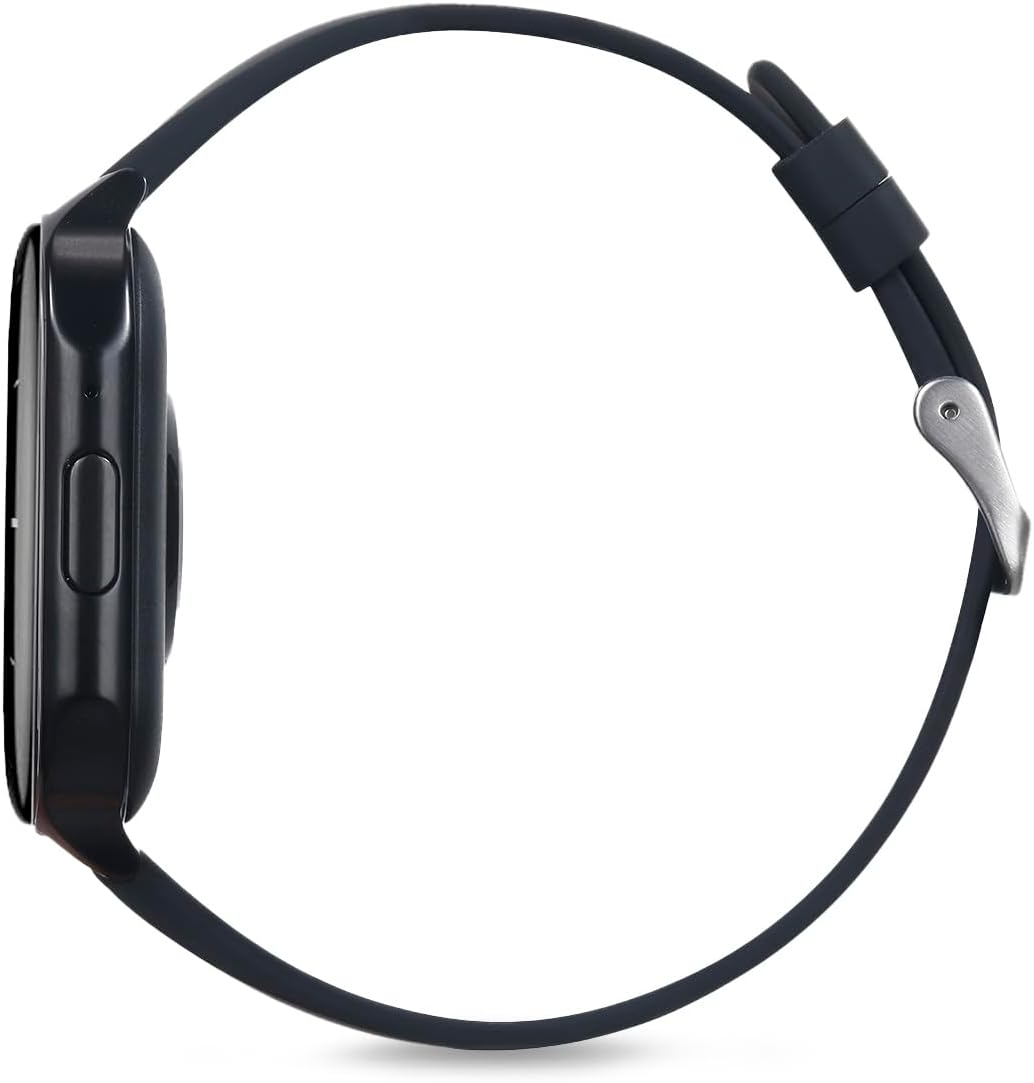
Rajah 5: Pro sampinganfile of the RadioShack Tempo Pro Smartwatch, illustrating its slim design and the single physical button for navigation and control.
| Ciri | Perincian |
|---|---|
| Jenama | RadioShack |
| Model | 207 ID207 |
| Saiz Paparan | 2.4 Inci |
| Jenis Paparan | AMOLED |
| Resolusi Paparan | 368 x 448 piksel |
| Kapasiti Bateri | 260 mAh |
| Purata Hayat Bateri | 24 Hours (typical usage) |
| Ketersambungan | Bluetooth |
| Tahan Air | IP68 (Tahan Habuk dan Air) |
| Ciri Khas | Multi-sport tracking, Music control, Snore Detection |
| Dimensi | 19.1 x 11 x 2.4 cm |
| Berat badan | 170 g |
Waranti dan Sokongan
Maklumat Waranti
RadioShack products are manufactured to high-quality standards. For specific warranty terms and conditions, please refer to the warranty card included with your product or visit the official RadioShack webtapak. Simpan resit pembelian anda sebagai bukti pembelian untuk tuntutan waranti.
Sokongan Pelanggan
If you encounter any issues not covered in this manual or require further assistance, please contact RadioShack customer support. Contact details can typically be found on the product packaging, the official RadioShack website, or through the companion smartphone application.
Ask a question about this manual
Ask about setup, troubleshooting, compatibility, parts, safety, or missing instructions. Manuals+ will review the question and use this page’s manual context to help answer it.