
pengenalan
This manual provides instructions for the AWEI H25 Smart Watch. Please read this manual carefully before using the device to ensure proper operation and maintenance.

Figure 1: AWEI H25 Smart Watch in use.
1. Persediaan
1.1 Kandungan Pakej
Pastikan item berikut disertakan dalam pakej anda:
- AWEI H25 Smart Watch
- Kabel Pengecasan
- Manual Pengguna (dokumen ini)
1.2 Mengecas Peranti
Before first use, fully charge the smart watch. Connect the charging cable to the charging port on the back of the watch and to a standard USB power adapter (not included).
- Pengecasan penuh biasanya mengambil masa 2-3 jam.
- The watch has a 230mAh battery capacity.
- Battery life is approximately 5-7 days with daily use, and up to 30 days in standby mode.

Figure 2: Battery life and performance overview.
1.3 Muat Turun Apl dan Berpasangan
To utilize all features, download the companion app to your smartphone. Scan the QR code provided in the watch's interface or search for the app name (usually mentioned in the watch's initial setup screen or packaging) in your phone's app store.
- Dayakan Bluetooth pada telefon pintar anda.
- Buka aplikasi pendamping dan ikut arahan pada skrin untuk membuat akaun atau log masuk.
- Select "Add Device" or "Pair Device" within the app.
- The app will search for available devices. Select "AWEI H25" from the list.
- Sahkan permintaan berpasangan pada kedua-dua jam tangan dan telefon pintar anda.
1.4 Penyesuaian Muka Jam Tangan
The AWEI H25 features a 1.83-inch screen. You can customize the watch face through the companion app.
- Choose from multiple cloud-based watch faces.
- Upload your own photos to create a personalized watch face.
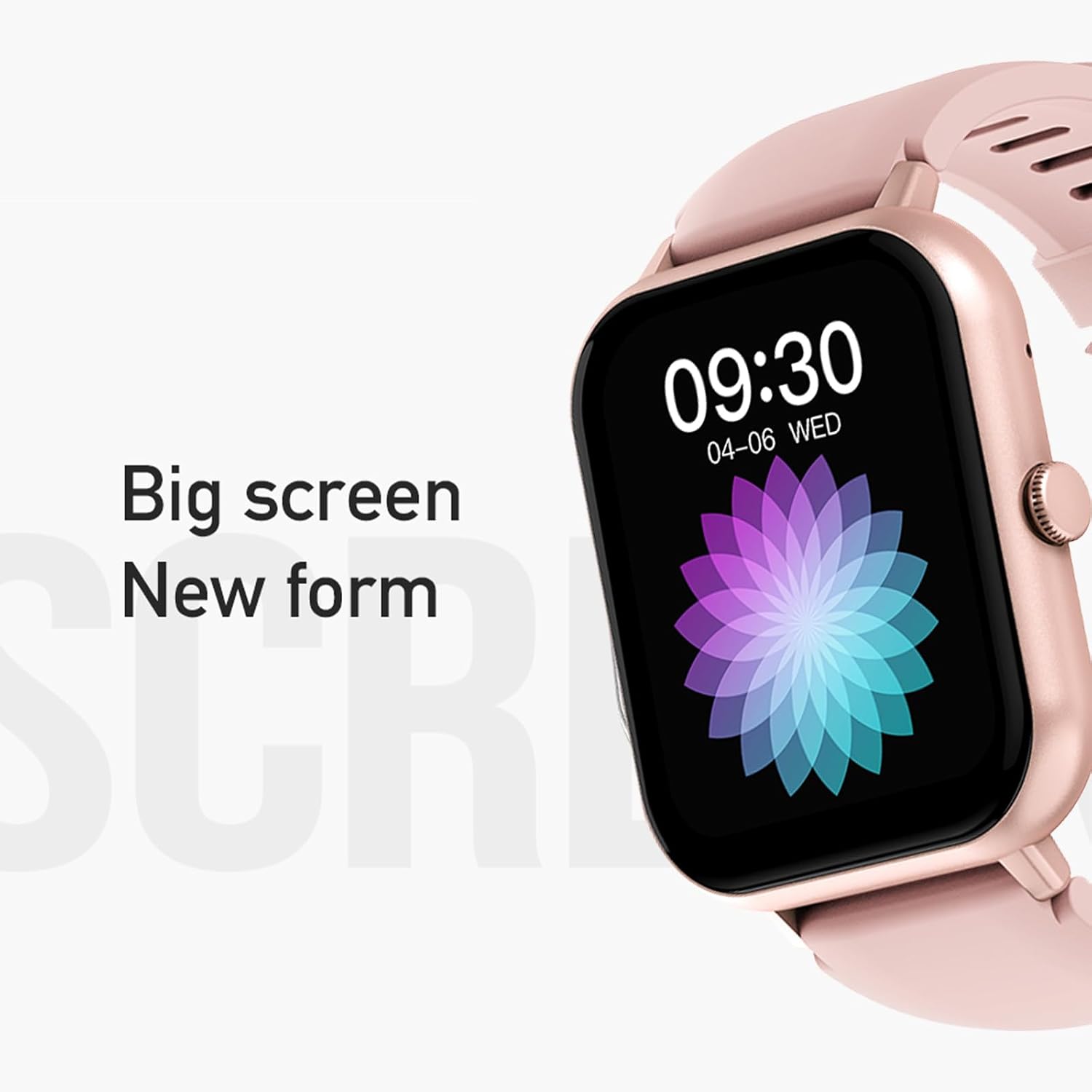
Figure 3: The 1.83-inch screen of the AWEI H25 Smart Watch.
2. Arahan Operasi
2.1 Navigasi Asas
- Leret ke atas/bawah: Navigasi melalui menu dan pemberitahuan.
- Leret Kiri/Kanan: Akses fungsi atau widget pantas.
- Tekan Butang Sisi: Return to the home screen or access the app list.
- Long Press Side Button: Power on/off or access system settings.
2.2 Fungsi Panggilan Bluetooth
After successful pairing with your smartphone, the watch supports Bluetooth calls.
- Menjawab Panggilan: When a call comes in, tap the green icon on the watch screen.
- Membuat Panggilan: Akses pad dail atau senarai kenalan pada jam tangan untuk memulakan panggilan.
2.3 Mod Sukan
The AWEI H25 offers over 100 sport modes to track your physical activity.
- Access the "Sports" menu on the watch.
- Select your desired activity (e.g., Running, Walking, Hiking, Basketball, Cycling, Yoga).
- The watch will track exercise time, calories burned, and other relevant metrics.

Gambar 4: Lebihview of available sport modes.
2.4 Pemantauan Kesihatan
The watch provides monitoring for various health metrics:
- Pemantauan Denyut Jantung: Continuous or on-demand heart rate measurement.
- Pemantauan Tekanan Darah: Memberikan anggaran bacaan tekanan darah.
- Pemantauan Oksigen Darah: Measures blood oxygen saturation (SpO2).
- Kitaran Fisiologi Perempuan: Track and predict menstrual cycles (requires setup in the app).
- Peringatan Sedentari: Memberi amaran kepada anda untuk bergerak selepas tempoh tidak aktif.
Nota: The health monitoring features are for reference only and should not be used for medical diagnosis or treatment. Consult a medical professional for health concerns.
2.5 Smart Voice Assistant
After binding the watch to the companion app, you can use the smart voice assistant function.
- Click the voice function icon on the watch's menu screen.
- Speak your command (e.g., "What's the weather today?", "Call [Contact Name]").

Figure 5: Smart Voice Assistant interface.
2.6 Ciri Tambahan
- Kawalan Muzik: Kawal main balik muzik pada telefon pintar anda.
- Fotografi Jauh: Gunakan jam tangan sebagai pengatup jauh untuk kamera telefon anda.
- Jam loceng: Set alarms directly from the watch.
- Paparan Masa: Standard time and date display.
- Wrist-Flip Display: Screen activates when you raise your wrist.
3. Penyelenggaraan
Penarafan Kalis Air 3.1 (IP67)
The AWEI H25 Smart Watch has an IP67 waterproof rating. This means it is protected against dust ingress and can withstand immersion in water up to 1 meter for up to 30 minutes.
- Suitable for daily use such as washing hands, face, or light rain.
- Tidak sesuai untuk: Swimming, diving, hot showers, saunas, or high-pressure water activities.
- Avoid contact with hot water, steam, or corrosive liquids.
3.2 Pembersihan dan Penjagaan
- Lap jam tangan dan ikat dengan kerap menggunakan kain lembut dan kering.
- Jika perlu, gunakan sedikit damp kain dengan sabun lembut, kemudian lap sehingga kering.
- Jangan gunakan bahan kimia yang keras, pembersih yang kasar atau pelarut.
- Pastikan sentuhan pengecas bersih dan kering untuk memastikan pengecasan yang betul.
3.3 Penjagaan Bateri
- Elakkan menyahcas sepenuhnya bateri dengan kerap.
- Do not expose the watch to extreme temperatures (very hot or very cold).
- If storing the watch for an extended period, charge it to about 50% and store in a cool, dry place.
4. Penyelesaian masalah
4.1 Peranti Tidak Dihidupkan
- Pastikan jam tangan dicas sepenuhnya. Sambungkannya ke pengecas selama sekurang-kurangnya 30 minit.
- Try a long press (approx. 10-15 seconds) of the side button to force a power-on.
4.2 Tidak Dapat Dipasangkan dengan Telefon Pintar
- Pastikan Bluetooth didayakan pada telefon pintar anda.
- Pastikan jam tangan berada dalam julat Bluetooth (biasanya 10 meter).
- Mulakan semula kedua-dua jam tangan dan telefon pintar anda.
- Kosongkan cache Bluetooth pada telefon anda (jika berkenaan) dan cuba pasangkan semula.
- Pastikan aplikasi pendamping dikemas kini kepada versi terkini.
4.3 Bacaan Kesihatan yang Tidak Tepat
- Pastikan jam tangan dipakai dengan kemas di pergelangan tangan anda, tidak terlalu ketat atau terlalu longgar.
- Pastikan sensor di bahagian belakang jam tangan bersih dan bebas daripada serpihan.
- Elakkan pergerakan berlebihan semasa pengukuran.
- Remember that these readings are for reference and not medical grade.
4.4 Watch Not Receiving Notifications
- Check notification permissions for the companion app on your smartphone.
- Ensure the watch is connected via Bluetooth to your phone.
- Sahkan bahawa mod "Jangan Ganggu" tidak aktif pada jam tangan atau telefon.
5. Spesifikasi
| Nombor Model | H25 |
| Jenama | AWEI |
| Saiz Skrin | 1.83 Inci |
| Kapasiti Bateri | 230 mAh |
| Ketersambungan | Bluetooth |
| Penilaian Kalis Air | IP67 |
| Ciri Khas | 100+ sport modes, Multiple customizable dials, Smart voice assistant, Heart rate, Blood pressure, Blood oxygen monitoring, Bluetooth call function. |
| GPS | Tiada GPS |
6. Waranti dan Sokongan
6.1 Waranti Produk
The AWEI H25 Smart Watch comes with a one-year warranty from the date of purchase. This warranty covers manufacturing defects under normal use. It does not cover damage caused by misuse, accidents, unauthorized modifications, or failure to follow instructions in this manual.
Sila simpan bukti pembelian anda untuk tuntutan waranti.
6.2 Sokongan Pelanggan
If you encounter any issues not covered in the troubleshooting section or require further assistance, please contact AWEI customer support. Refer to the product packaging or the official AWEI webtapak untuk maklumat hubungan terkini.