
1. Pengenalan
The Hello Kitty Sunrise Alarm Clock is designed to provide a gentle and natural waking experience with its sunrise simulation feature. This digital alarm clock includes multicolor lights, an LED display showing time, date, and temperature, a USB charging port, and a convenient snooze function. Its charming Cinnamoroll design adds a whimsical touch to any room.

Image 1: Hello Kitty Cinnamoroll Sunrise Alarm Clock with multicolor lighting.
2. Maklumat Keselamatan
- Jangan dedahkan peranti kepada suhu yang melampau, cahaya matahari langsung atau kelembapan yang tinggi.
- Use only the provided USB power cable or a certified equivalent.
- Jauhkan peranti daripada air atau cecair lain.
- Jangan cuba membuka atau membaiki peranti sendiri. Hubungi kakitangan perkhidmatan yang berkelayakan.
- Pastikan peranti diletakkan di atas permukaan yang stabil dan rata.
3. Kandungan Pakej
Sila semak pakej untuk item berikut:
- Hello Kitty Sunrise Alarm Clock (Cinnamoroll design)
- Kabel Kuasa USB
- Manual Pengguna (dokumen ini)
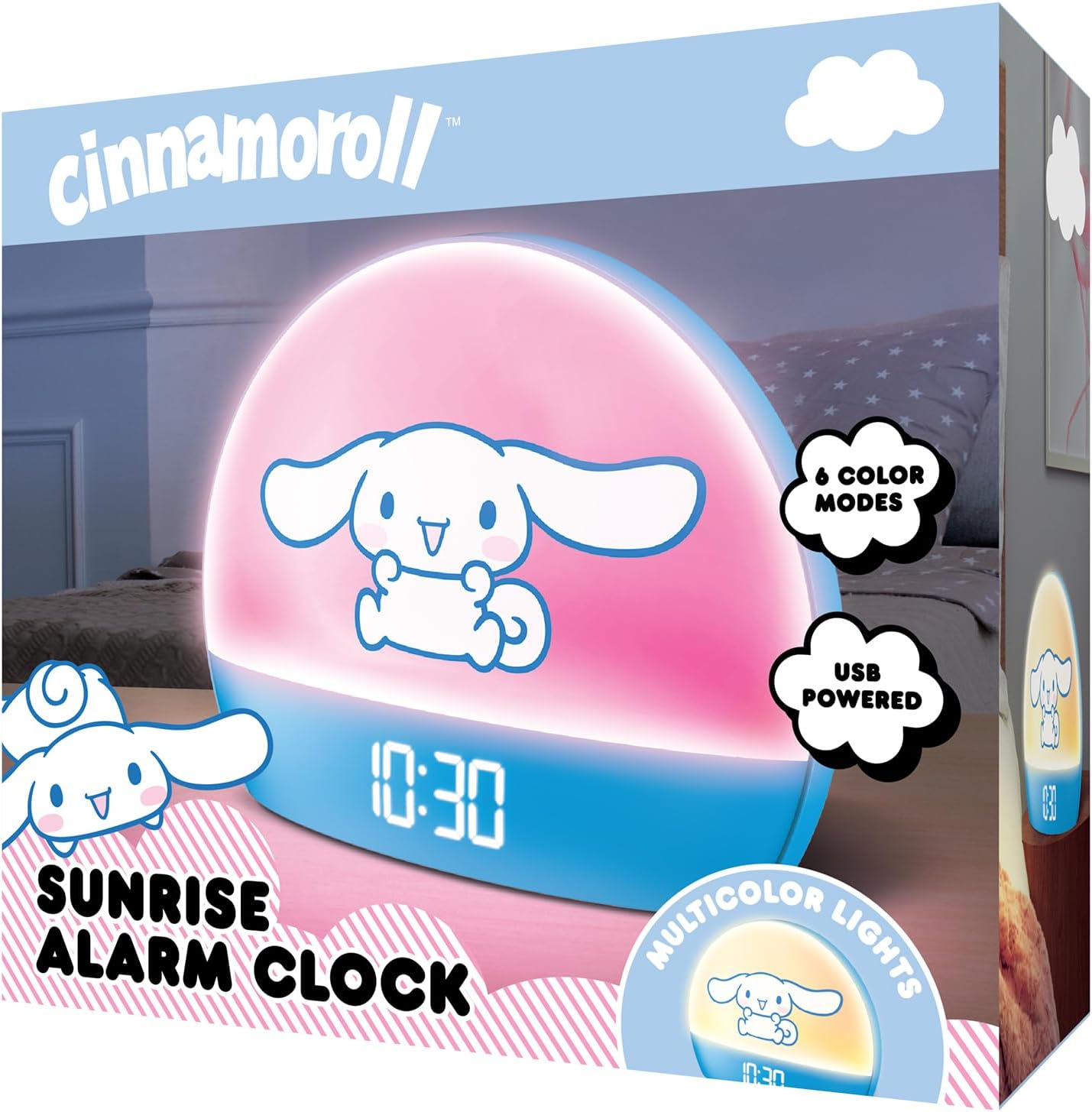
Image 2: Front packaging of the Hello Kitty Cinnamoroll Sunrise Alarm Clock.
4. Produk Lebihview
Familiarize yourself with the main components of your alarm clock.
- Paparan led: Menunjukkan masa, tarikh dan suhu.
- Panel Cahaya: Emits multicolor and sunrise simulation lights.
- Butang Kawalan: Located on the back or bottom for setting time, alarm, and light functions.
- Port Pengecasan USB: For powering the device and charging external devices.
- Butang Tunda: Typically a prominent button on the top or front.

Image 3: Hello Kitty Cinnamoroll Sunrise Alarm Clock in a bedroom setting.
5. Persediaan
5.1 Sambungan Kuasa
- Connect the provided USB power cable to the USB port on the back of the alarm clock.
- Palamkan hujung kabel USB yang satu lagi ke dalam penyesuai kuasa USB yang serasi (tidak disertakan) atau port USB berkuasa.
- The LED display will light up, indicating the device is powered on.
5.2 Menetapkan Masa dan Tarikh
Specific button names are not provided, so general instructions are given. Refer to the physical device for exact button labels.
- Press the "SET" or "TIME" button to enter time setting mode.
- Use the "UP" and "DOWN" buttons to adjust the hour. Press "SET" again to confirm.
- Adjust the minute using "UP" and "DOWN" buttons. Press "SET" to confirm.
- Continue this process to set the year, month, and day.
- The clock may offer 12-hour or 24-hour format selection. Follow on-screen prompts or consult the device's specific button functions.
6. Arahan Operasi
6.1 Menetapkan Penggera
- Press the "ALARM" button to enter alarm setting mode.
- Use "UP" and "DOWN" buttons to set the desired alarm hour. Press "ALARM" to confirm.
- Adjust the alarm minute. Press "ALARM" to confirm.
- Some models may allow setting alarm volume or sound. Follow prompts if available.
- To activate/deactivate the alarm, look for an "ALARM ON/OFF" button or a toggle within the alarm setting menu.
6.2 Simulasi Matahari Terbit
The sunrise simulation feature gradually increases light intensity before your set alarm time, mimicking a natural sunrise.
- This feature is typically linked to the alarm function. When the alarm is active, the light will begin to brighten a set period (e.g., 30 minutes) before the alarm sounds.
- Consult the device's specific controls for adjusting the duration or intensity of the sunrise simulation, if applicable.
6.3 Lampu Pelbagai Warna
The clock offers various color modes for ambient lighting.
- Press the "LIGHT" or "COLOR" button to cycle through different color options or activate a color-changing mode.
- Press and hold the "LIGHT" button to turn off the ambient light.
- Brightness of the display and ambient light can often be adjusted using dedicated buttons or by holding the "LIGHT" button.
6.4 Fungsi Tunda
When the alarm sounds, press the large "SNOOZE" button (usually on top) to temporarily pause the alarm. The alarm will sound again after a short interval (e.g., 5-10 minutes).
6.5 Port Pengecasan USB
The integrated USB port can be used to charge small electronic devices like smartphones or tablets. Simply connect your device's charging cable to the USB port on the alarm clock.
6.6 Paparan Suhu
The LED display shows the current room temperature. No specific action is usually required to view this, as it cycles with time and date or is displayed continuously.
7. Penyelenggaraan
- Bersihkan jam dengan kain lembut dan kering. Jangan gunakan pembersih atau pelarut yang melelas.
- Pastikan port USB bebas daripada habuk dan serpihan.
- Store the clock in a cool, dry place when not in use for extended periods.
8. Penyelesaian masalah
| Masalah | Kemungkinan Punca | Penyelesaian |
|---|---|---|
| Jam tidak boleh dihidupkan. | USB cable not connected properly or power source issue. | Check USB cable connection. Try a different USB power adapter or port. Ensure the cable is securely inserted. |
| Time is incorrect or drifts. | Time not set correctly or internal clock issue. | Re-set the time following Section 5.2. If the issue persists, try disconnecting and reconnecting power. |
| Penggera tidak berbunyi. | Penggera tidak diaktifkan atau ditetapkan dengan tidak betul. | Verify the alarm is set and activated (check for an alarm icon on the display). Ensure the volume is not set to zero if adjustable. |
| Butang tidak bertindak balas. | Temporary software glitch or physical button issue. | Disconnect power for a few seconds and reconnect to reset the device. If buttons remain unresponsive, contact support. |
| Port pengecasan USB tidak berfungsi. | Cable issue, device not fully powered, or port malfunction. | Ensure the clock is properly powered. Try a different USB charging cable. Check if the port is clean and free of debris. |
9. Spesifikasi
| Jenama | Hello Kitty |
| Nombor Model | HKCLK01CR-MFN |
| warna | Cinnamoroll |
| Jenis Paparan | digital |
| Ciri Khas | Adjustable Brightness, Alarm, Charging Port, LED Display, Temperature Display, Sunrise Simulation, Multicolor Lights |
| Dimensi Produk | 7"W x 6"H |
| Sumber Kuasa | Elektrik Bertali arus (USB) |
| bahan | plastik |
| Berat Barang | 0.4 Kilogram (14 auns) |
| Teknologi Ketersambungan | USB |
| Pengeluar | Telekom Selatan |
10. Waranti dan Sokongan
For warranty information or technical support, please refer to the contact details provided on the product packaging or visit the official Hello Kitty product support webtapak. Simpan resit pembelian anda untuk tuntutan waranti.