
1. Pengenalan
The Awei H15 Smartwatch is designed to integrate seamlessly into your daily life, offering health monitoring, communication features, and smart notifications. This manual provides essential information for setting up, operating, and maintaining your device.
2. Apa yang ada di dalam Kotak
- 1 x Awei H15 Smartwatch
- 1 x Kabel Pengecasan
- 1 x Manual Pengguna (dokumen ini)
3. Produk Lebihview
Familiarize yourself with the key components of your Awei H15 Smartwatch.
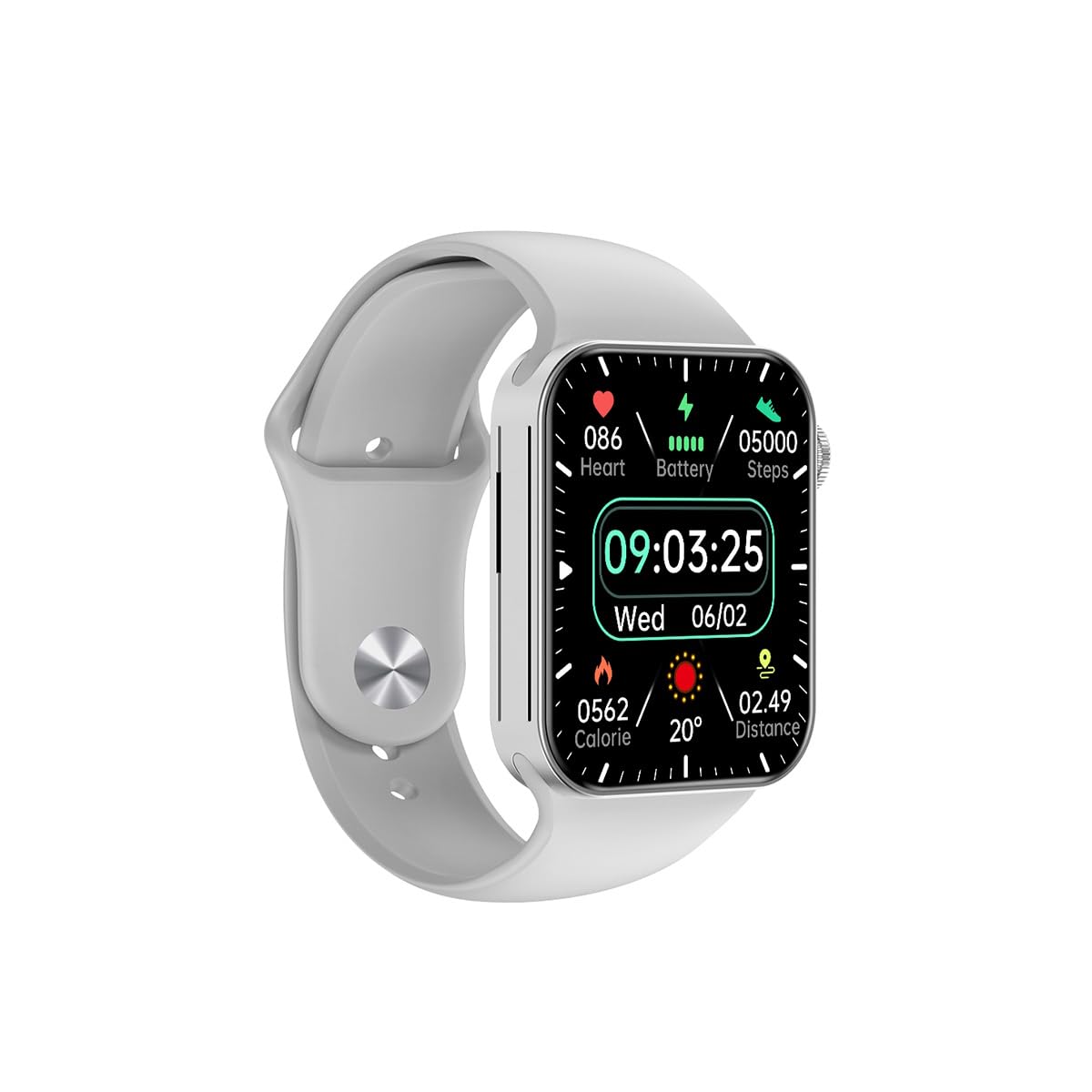
Rajah 3.1: Depan view of the Awei H15 Smartwatch display, illustrating various health metrics and time.

Rajah 3.2: sebelah view of the smartwatch, highlighting the rotary crown for navigation and an additional button.
4. Persediaan
4.1 Mengecas Jam Pintar
Before first use, fully charge your Awei H15 Smartwatch. Connect the provided charging cable to the charging port on the back of the watch and to a standard USB power adapter (not included).
- Masa Pengecasan: Lebih kurang 2-3 jam untuk cas penuh.
- Battery Life: Up to 7 days with calls, up to 15 days without calls.
4.2 Hidupkan/Mati Kuasa
- Untuk Menghidupkan: Press and hold the side button until the Awei logo appears.
- Untuk Mematikan: Tekan dan tahan butang sisi, kemudian pilih 'Matikan' pada skrin.
4.3 Berpasangan dengan Telefon Pintar Anda
The Awei H15 Smartwatch uses Dual Bluetooth 3.0/5.0 for stable connectivity. To unlock full features, download the companion app (refer to the packaging or quick start guide for app name) from your smartphone's app store.
- Pastikan jam tangan pintar anda dihidupkan dan dicas sepenuhnya.
- Dayakan Bluetooth pada telefon pintar anda.
- Open the companion app and follow the on-screen instructions to search for and connect to your Awei H15 Smartwatch.
- Sahkan permintaan berpasangan pada telefon pintar dan jam tangan pintar anda.
5. Arahan Operasi
5.1 Navigasi Asas
- Skrin Sentuh: Leret ke kiri, kanan, atas atau bawah untuk menavigasi menu dan skrin. Ketik untuk memilih item.
- Mahkota Berputar: Rotate the crown to scroll through lists or zoom in/out (where applicable). Press the crown to return to the home screen or confirm selections.
5.2 Multi-Dial Switching
Customize your smartwatch's appearance by switching between various watch faces.

Rajah 5.1: Examples of different watch faces available on the Awei H15 Smartwatch.
Untuk menukar wajah jam tangan:
- From the home screen, press and hold the display.
- Swipe left or right to browse available watch faces.
- Tap on a watch face to select it.
5.3 Pemantauan Kesihatan
The Awei H15 Smartwatch tracks various health metrics to support your active lifestyle.
- Kadar Jantung: Pantau kadar denyutan jantung anda sepanjang hari.
- Penjejakan Aktiviti: The built-in G-Sensor (MSA311) accurately tracks steps, distance, and calories burned.
- Pemantauan Tidur: Track your sleep patterns (light sleep, deep sleep, wake-up times).
Access detailed health data through the companion app on your smartphone.
5.4 Ciri Pintar
- Panggilan: Make and receive calls directly from your smartwatch when connected to your phone via Bluetooth.
- Pemberitahuan: Receive alerts for messages, emails, and app notifications.
- Kemas Kini Cuaca: Get real-time weather information.
- Kawalan Muzik: Kawal main balik muzik pada telefon pintar anda.
6. Penyelenggaraan
6.1 Pembersihan
Bersihkan jam tangan pintar anda secara berkala untuk memastikan prestasi dan kebersihan yang optimum.
- Lap skrin dan badan dengan kain lembut dan tidak berbulu.
- Untuk kotoran degil, sedikit dampen kain dengan air. Elakkan bahan kimia yang keras.
- Clean the charging contacts periodically to ensure good connection.
6.2 Rintangan Air (IP67)
The Awei H15 Smartwatch is IP67 water-resistant, meaning it is protected against dust and can withstand immersion in water up to 1 meter for 30 minutes.
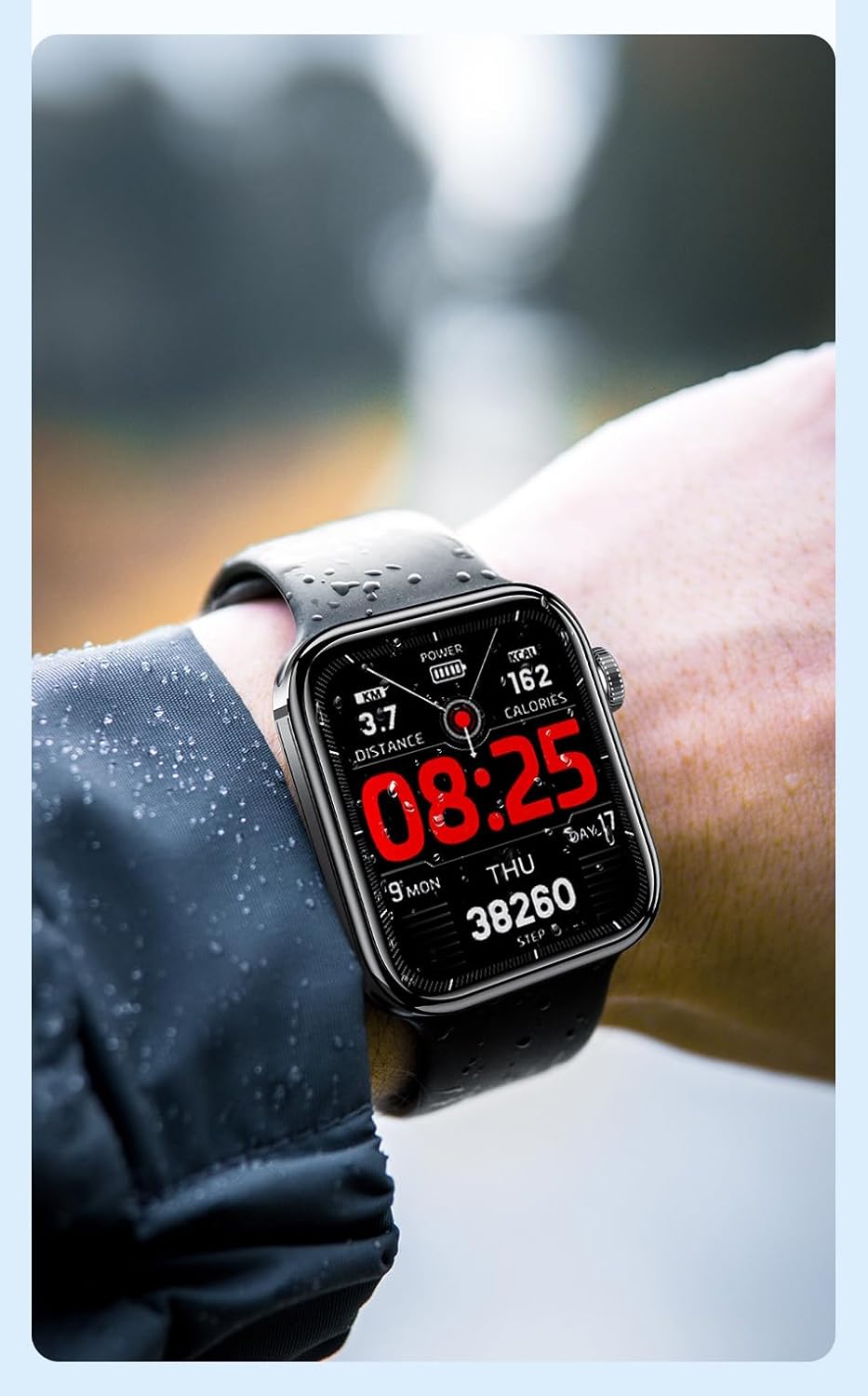
Rajah 6.1: The Awei H15 Smartwatch is designed to withstand splashes and dust.
Important: IP67 rating does not mean the watch is suitable for swimming, showering, or diving. Avoid exposing the watch to hot water, steam, or high-velocity water.
7. Penyelesaian masalah
- Tonton tidak dihidupkan: Pastikan jam tangan dicas sepenuhnya. Sambungkannya ke pengecas selama sekurang-kurangnya 30 minit.
- Tidak boleh berpasangan dengan telefon pintar:
- Pastikan Bluetooth didayakan pada telefon dan jam tangan anda.
- Pastikan jam tangan berada dalam julat telefon anda.
- Mulakan semula kedua-dua jam tangan dan telefon anda.
- Semak sama ada apl pendamping dikemas kini kepada versi terkini.
- Data kesihatan tidak tepat: Pastikan jam tangan dipakai dengan kemas pada pergelangan tangan anda, tidak terlalu ketat atau terlalu longgar. Bersihkan penderia di belakang jam tangan.
- Hayat bateri pendek: Reduce screen brightness, disable unnecessary notifications, and limit continuous heart rate monitoring.
8. Spesifikasi
| Ciri | Spesifikasi |
|---|---|
| Model | H15 |
| Teknologi Ketersambungan | Bluetooth 3.0/5.0 |
| Tahan Air | IP67 |
| Kapasiti Bateri | 260mAh |
| Masa Mengecas | 2-3 jam |
| Masa Penggunaan | Up to 7 days (with calls), 15 days (without calls) |
| G-Sensor | MSA311 |
| Dimensi | 36.8 × 42.5 × 13.2mm |
| Panjang Gelang | 270mm |
| Pengeluar | Awei |
9. Waranti dan Sokongan
Your Awei H15 Smartwatch comes with a Waranti 6 bulan dari tarikh pembelian. Waranti ini meliputi kecacatan pembuatan di bawah penggunaan biasa.
For warranty claims or technical support, please contact your retailer or the official Awei customer service. Keep your proof of purchase for warranty validation.