
pengenalan
This manual provides comprehensive instructions for the safe and efficient use of your Hello Kitty Wireless Bluetooth Light-Up Headphones. Please read this manual thoroughly before operating the device and retain it for future reference.

Imej: Depan view of the Hello Kitty Wireless Bluetooth Light-Up Headphones in white, featuring the iconic Hello Kitty face on the earcups and light-up cat ears on the headband.
Apa yang ada dalam Kotak
Sahkan bahawa semua item ada semasa menyahkotak:
- Hello Kitty Wireless Bluetooth Light-Up Headphones
- Kabel Pengecas USB
- Manual Pengguna (dokumen ini)
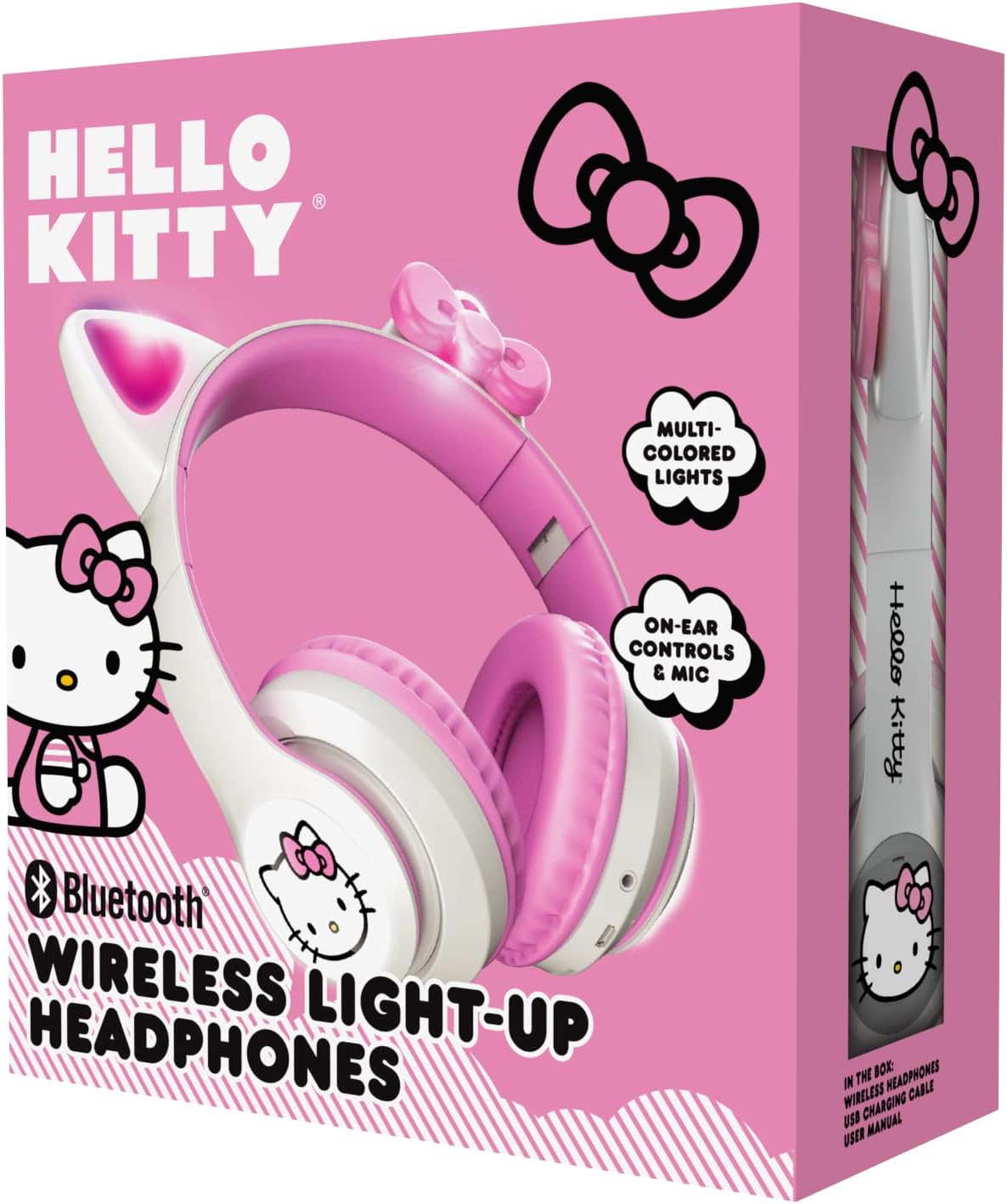
Image: The retail packaging for the Hello Kitty Wireless Bluetooth Light-Up Headphones, illustrating the headphones and the USB charging cable.
Ciri-ciri Produk
- Kesambungan Bluetooth: Seamless wireless pairing with compatible devices.
- Light-Up LED Earcups & Cat Ears: Features Hello Kitty graphics on earcups and colorful LED lights in the ears. Lights can change with music or be turned on/off as desired.
- Reka Bentuk Boleh Dilipat & Mudah Alih: Easy to store and carry, ideal for travel.
- Mikrofon terbina dalam: Enables hands-free calls, voice chats, and gaming communication.
- Destar boleh laras: Provides a custom and comfortable fit for various head sizes.
Persediaan
1. Mengecas Fon Kepala
Before first use, fully charge the headphones. Connect the included USB charging cable to the charging port on the headphones and to a USB power source (e.g., computer, wall adapter). The LED indicator will show charging status and turn off or change color when fully charged.
2. Berpasangan Bluetooth
- Pastikan fon kepala dimatikan.
- Tekan dan tahan butang Kuasa sehingga penunjuk LED berkelip biru dan merah, menunjukkan mod berpasangan.
- Pada peranti anda (telefon pintar, tablet, komputer riba), dayakan Bluetooth dan cari peranti yang tersedia.
- Select "Hello Kitty Headphones" from the list of devices.
- Once paired, the LED indicator will typically show a solid blue light or flash slowly.
Note: If prompted for a password, enter "0000".
Arahan Operasi
Hidupkan/Mati Kuasa
- Untuk Menghidupkan: Tekan dan tahan butang Kuasa selama lebih kurang 3 saat.
- Untuk Mematikan: Tekan dan tahan butang Kuasa selama lebih kurang 5 saat.
Kawalan Kelantangan
- Kelantangan: Tekan butang '+'.
- Perlahankan suara: Tekan butang '-'.
Main balik Muzik
- Main/Jeda: Press the Multi-function button (often the Power button when not powering on/off).
- Lagu Seterusnya: Tekan dan tahan butang '+'.
- Trek Sebelumnya: Tekan dan tahan butang '-'.
Pengurusan Panggilan
- Jawab/Tamatkan Panggilan: Tekan butang Berbilang fungsi.
- Tolak Panggilan: Tekan dan tahan butang Berbilang fungsi.
- Dail Semula Nombor Terakhir: Tekan dua kali butang Berbilang fungsi.
Kawalan Lampu LED
The LED lights on the earcups and cat ears can be controlled independently. Locate the dedicated light button (refer to the diagram in the included quick start guide if available). Press the button to cycle through light modes (e.g., blinking, solid, off).
Adjusting and Folding
- Laraskan ikat kepala: Gently slide the earcups up or down along the headband to achieve a comfortable fit.
- Lipat untuk Storan: The earcups can be folded inwards towards the headband for compact storage and portability.

Image: The Hello Kitty Wireless Bluetooth Light-Up Headphones shown in their folded position, demonstrating their portability.
Penyelenggaraan
- Pembersihan: Lap fon kepala dengan kain lembut dan kering. Jangan gunakan pembersih yang kasar atau rendam dalam air.
- Storan: Store the headphones in a cool, dry place away from direct sunlight and extreme temperatures. Utilize the foldable design for compact and safe storage.
- Penjagaan Bateri: To prolong battery life, charge the headphones regularly, even if not in frequent use. Avoid fully discharging the battery for extended periods.
Menyelesaikan masalah
| Masalah | Penyelesaian yang Mungkin |
|---|---|
| Fon kepala tidak dihidupkan. | Pastikan fon kepala dicas sepenuhnya. Sambungkan ke sumber kuasa dan cuba lagi. |
| Tidak boleh berpasangan dengan peranti. |
|
| Tiada bunyi atau kelantangan rendah. |
|
| Lampu LED tidak berfungsi. | Press the dedicated light control button to cycle through modes or turn them on. Ensure headphones have sufficient battery. |
Spesifikasi
- Nama Model: Hello Kitty Wireless Bluetooth Light-Up Headphones with Built-in Microphone, Foldable Design, Adjustable Headband, 8 Hours Playtime, LED Kitty Earcups, for Kids & Adults (White)
- Nombor Model: HKLEDBTHP2-WH-MFN
- Teknologi Ketersambungan: Wayarles (Bluetooth)
- Versi Bluetooth: 5.0
- Bentuk alat dengar: Di Telinga
- Bahan: plastik
- Berat Barang: 0.27 Kilogram (9.6 auns)
- Bateri: 1 Bateri Bukan Standard (termasuk)
- Ciri Khas: Adjustable Headband, Foldable, Lightweight, Light-Up LED Earcups & Cat Ears, Built-in Microphone
- Peranti Serasi: Telefon Pintar, Tablet, Komputer Riba
- Pengeluar: Telekom Selatan
- UPC: 680079035358
Waranti dan Sokongan
For warranty information and technical support, please refer to the contact details provided on the product packaging or visit the official Hello Kitty or Southern Telecom webtapak. Simpan bukti pembelian anda untuk tuntutan waranti.