
pengenalan
Thank you for choosing the SUNITEC BH880 Wireless Headset. This manual provides detailed instructions for setting up, operating, and maintaining your headset to ensure optimal performance and longevity. The BH880 headset is designed for clear communication and comfortable use in various environments, featuring advanced noise-cancelling technology and multiple connectivity options.

Image: SUNITEC BH880 Wireless Headset, showcasing its design with an adjustable microphone boom.
Apa yang ada dalam Kotak
Sahkan bahawa semua item terdapat dalam pakej:
- 1 x SUNITEC BH880 Bluetooth Computer Headset with Microphone
- 1 x Kabel Pengecas Jenis-C
- 1 x Bluetooth Audio USB-A Dongle Adapter
- Kabel Audio 1 x 3.5mm
- 1 x Manual Pengguna (dokumen ini)

Image: The SUNITEC BH880 headset, USB-C charging cable, USB-A dongle, and 3.5mm audio cable, illustrating the package contents.
Produk Selesaiview
Familiarize yourself with the components and controls of your SUNITEC BH880 headset.
Ciri-ciri Utama:
- AI Noise Cancelling Microphone: Blocks 99% of ambient noise for clear voice transmission.
- Qualcomm QCC3034 Chipset: Provides stable and fast Bluetooth transmission with aptX HD and aptX LL support.
- Reka bentuk yang selesa: Soft dual ear pads and an adjustable headband for extended wear.
- 270° Rotatable Boom Microphone: Can be positioned on either the left or right side.
- Hayat Bateri yang Panjang: Sehingga 45 jam masa bercakap dengan sekali caj.
- Kesambungan Berbilang: Bluetooth, USB Dongle, and 3.5mm wired connection.

Image: Close-up of the memory foam earpads, highlighting the comfort feature of the headset.

Image: Detail of the individual mute button located on the microphone boom.

Imej: Satu dalaman view highlighting the Qualcomm QCC3034 chipset, responsible for stable and fast connections.
Persediaan
1. Mengecas Alat Dengar
Before first use, fully charge the headset. Connect the Type-C charging cable to the headset's charging port and the other end to a USB power source (e.g., computer USB port, wall adapter). The LED indicator will show charging status. A full charge takes approximately 2 hours and provides up to 45 hours of talk time or 400 hours of standby time.
2. Hidupkan/Mati Kuasa
- Hidupkan kuasa: Tekan dan tahan butang Kuasa selama beberapa saat sehingga penunjuk LED menyala.
- Matikan: Tekan dan tahan butang Kuasa selama beberapa saat sehingga penunjuk LED padam.
3. Pilihan Kesambungan
The SUNITEC BH880 offers three ways to connect to your devices:
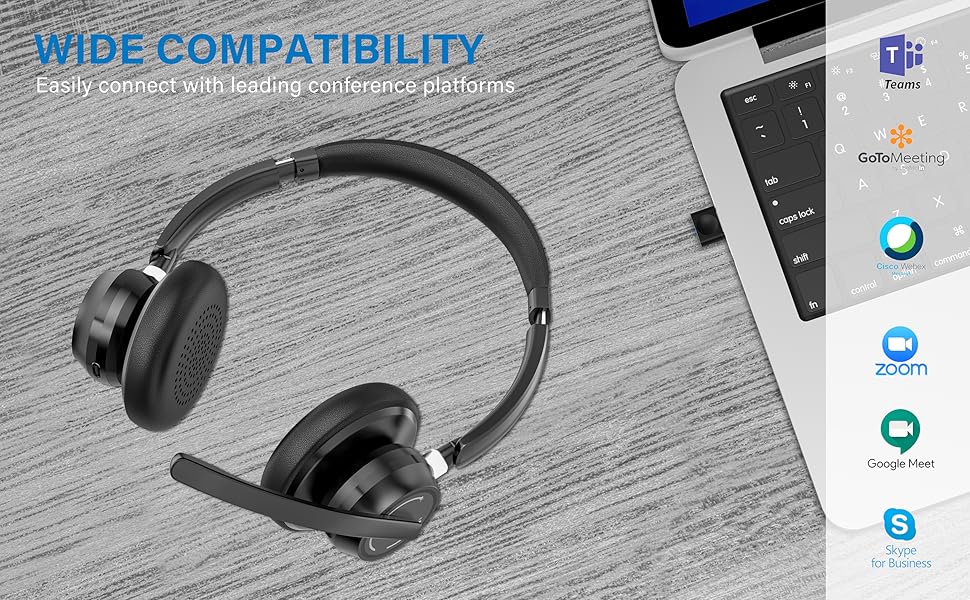
Image: Visual representation of Bluetooth, USB Dongle, and Wired connection methods for the headset.
Sambungan Bluetooth:
- Pastikan alat dengar dimatikan.
- Tekan dan tahan butang Kuasa sehingga penunjuk LED berkelip biru dan merah secara berselang-seli, menunjukkan mod berpasangan.
- Pada peranti anda (telefon pintar, tablet, komputer), dayakan Bluetooth dan cari peranti baharu.
- Select "SUNITEC BH880" from the list of available devices.
- Setelah disambungkan, penunjuk LED akan berkelip biru perlahan.
Sambungan Dongle USB:
This method is ideal for computers without built-in Bluetooth or for a more stable connection.
- Plug the USB-A Dongle Adapter into an available USB port on your computer.
- Power on the SUNITEC BH880 headset. It will automatically attempt to connect to the dongle.
- The LED indicator on the dongle and headset will show a solid blue light once connected.
- You may need to select the "SUNITEC BH880" as the audio input/output device in your computer's sound settings.

Image: A USB dongle being inserted into a laptop's USB port, demonstrating the dongle connection method.
Sambungan Berwayar:
Use the included 3.5mm audio cable to connect the headset directly to devices with a 3.5mm audio jack. Note that the microphone function is not available when using the 3.5mm wired connection; the headset will function as headphones only.

Image: The headset shown with logos of popular communication platforms like Teams, Zoom, Google Meet, and Skype, indicating wide compatibility.
Arahan Operasi
Fungsi Asas:
- Kelantangan Naik/Turun: Use the dedicated volume buttons on the earcup.
- Main/Jeda: Tekan butang Pelbagai fungsi sekali.
- Lagu Seterusnya: Tekan dan tahan butang Naik Kelantangan.
- Trek Sebelumnya: Tekan dan tahan butang Kurangkan Kelantangan.
Fungsi Panggilan:
- Jawab/Tamatkan Panggilan: Tekan butang Pelbagai fungsi sekali.
- Tolak Panggilan: Tekan dan tahan butang Berbilang fungsi selama 2 saat.
- Dail Semula Nombor Terakhir: Tekan dua kali butang Berbilang fungsi.
Fungsi Redam Mikrofon:
The headset features an individual mute button on the microphone boom for quick privacy control.
- Redam/Nyahredam: Press the mute button on the microphone boom. The LED indicator on the microphone will show red when muted.
- Nota: For PC platforms, microphone mute functionality may also be controlled via the software application (e.g., Zoom, Teams).
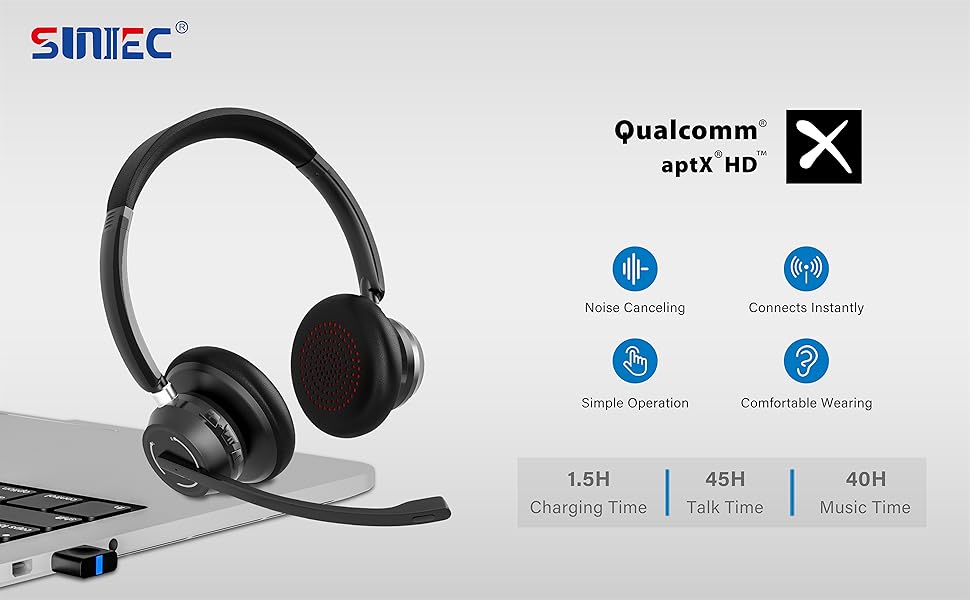
Image: A graphic demonstrating how the noise-cancelling microphone filters out background noise for clearer audio output.
Penyelenggaraan
Proper care ensures the longevity of your SUNITEC BH880 headset.
- Pembersihan: Gunakan kain lembut dan kering untuk membersihkan set kepala. Jangan gunakan pembersih atau pelarut yang melelas.
- Storan: Simpan alat dengar di tempat yang sejuk dan kering jauh dari cahaya matahari langsung dan suhu yang melampau.
- Penjagaan Bateri: Untuk mengekalkan hayat bateri, elakkan menyahcas sepenuhnya set kepala dengan kerap. Mengecasnya dengan kerap, walaupun tidak digunakan untuk tempoh yang lama.
- Elakkan Kelembapan: The headset is not water-resistant. Keep it away from liquids and high humidity.
Menyelesaikan masalah
If you encounter issues with your SUNITEC BH880 headset, refer to the following common solutions:
| Masalah | Penyelesaian |
|---|---|
| Alat dengar tidak dihidupkan. | Ensure the headset is charged. Connect it to a power source using the Type-C cable. |
| Tidak boleh berpasangan melalui Bluetooth. |
|
| Tiada bunyi atau kualiti bunyi yang buruk. |
|
| Mikrofon tidak berfungsi. |
|
| Dongle USB tidak bersambung. |
|
Spesifikasi
| Ciri | Perincian |
|---|---|
| Nama Model | BH880 |
| Teknologi Ketersambungan | Wireless (Bluetooth), Wired (3.5mm), USB Dongle |
| Teknologi Komunikasi Tanpa Wayar | Bluetooth 5.1 |
| Julat Bluetooth | Sehingga 15 meter (49 kaki) |
| Kawalan Bunyi | Adaptive Noise Cancellation (Microphone) |
| Saiz Pemacu Audio | 40 Milimeter |
| Jenis Pemacu Audio | Pemandu Dinamik |
| Impedans | 32 ohm |
| Bentuk alat dengar | Atas Telinga |
| Hayat Bateri (Masa Berbual) | Sehingga 45 Jam |
| Masa Mengecas | Approximately 2 Hours (Type-C) |
| Berat Barang | 280 Gram (9.9 auns) |
| Dimensi Produk | 5.91 x 3.94 x 1.96 inci |
| bahan | plastik |
| Peranti Serasi | Computers, Communication Software (Skype, Zoom, MS Teams, Google Meet) |
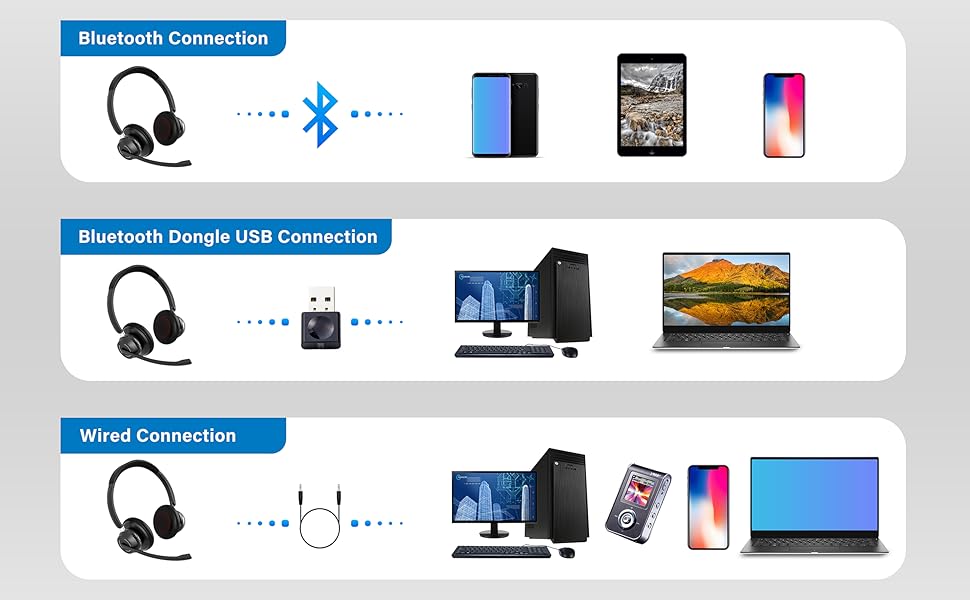
Image: An illustration highlighting the headset's battery performance, indicating up to 45 hours of wireless talk time.
Waranti dan Sokongan
SUNITEC products are designed for reliability and performance. For warranty information or technical support, please refer to the contact details provided with your purchase or visit the official SUNITEC webtapak. Simpan resit pembelian anda sebagai bukti pembelian untuk tuntutan waranti.
For further assistance, you may contact SUNITEC customer service through their official channels.