
WOOPKER AK3116
Stereo WOOPKER AK3116 AmpManual Pengguna yang lebih hidup
Model: AK3116
Produk Selesaiview
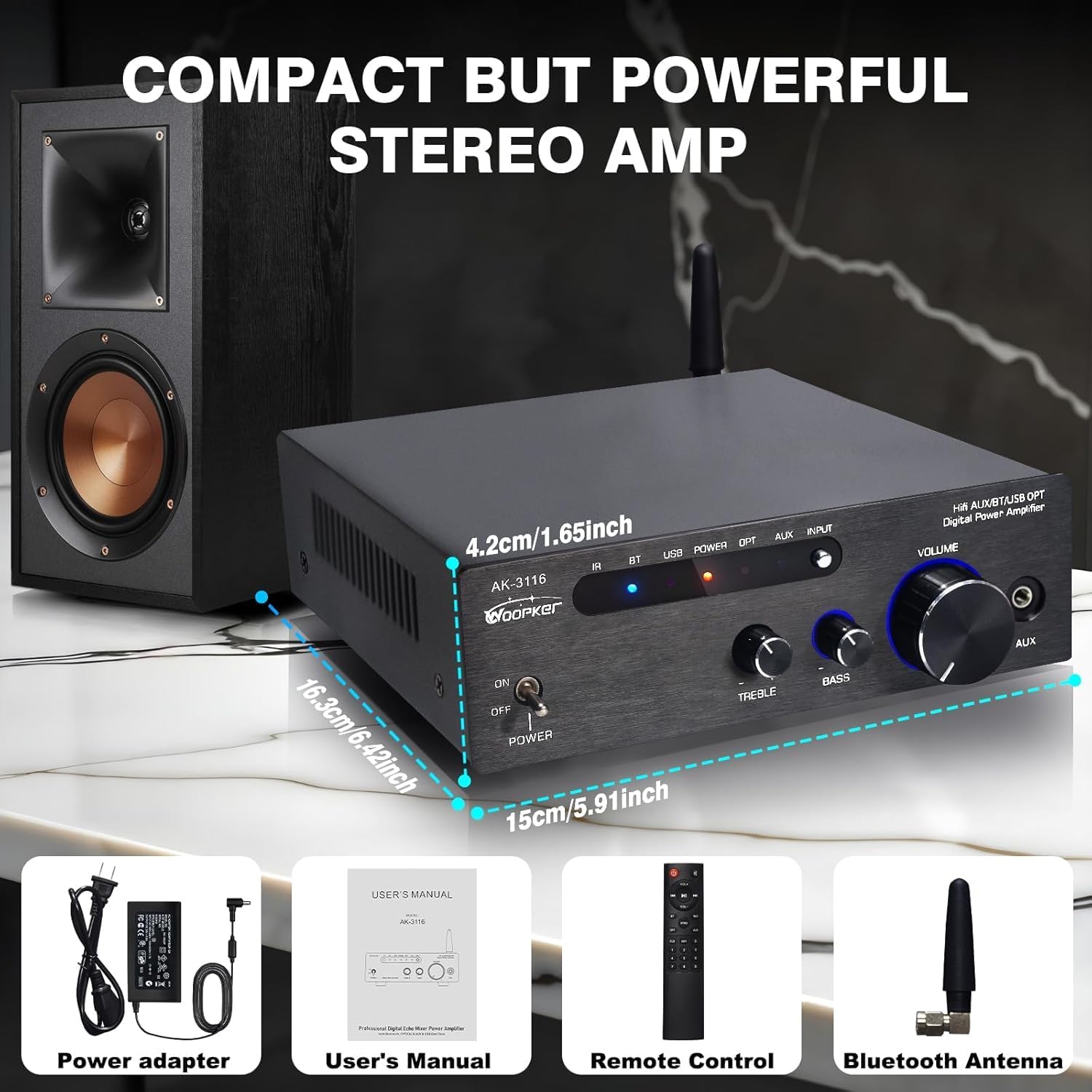
The WOOPKER AK3116 is a compact yet powerful stereo amplifier designed for home audio systems. It features dual TPA3116 amplifier chips, delivering 100W + 100W of power. With multiple input options including Bluetooth 5.3, USB, AUX, RCA, and Optical, it offers versatile connectivity for various audio sources. The amplifier also includes bass and treble controls for sound customization and comes with a remote control for convenient operation.

Imej: Depan view daripada AK3116 amplifier with its remote control, showcasing its compact design and various indicators.
Maklumat Keselamatan
Please read and understand all safety instructions before operating this device. Failure to do so may result in injury or damage to the unit.
- ini amplifier does not come with an internal battery. It requires an external DC 24V 5A power adapter (included) for operation.
- Pastikan pengudaraan yang betul di sekeliling amppenghawa dingin untuk mengelakkan terlalu panas. Jangan halang bukaan pengudaraan.
- Do not expose the unit to water, moisture, or excessive humidity.
- Elakkan meletakkan unit berhampiran sumber haba seperti radiator, daftar haba, dapur atau peralatan lain yang menghasilkan haba.
- Gunakan hanya lampiran/aksesori yang ditentukan oleh pengilang.
- Cabut plag radas ini semasa ribut petir atau apabila tidak digunakan untuk jangka masa yang lama.
Kandungan Pakej
Sahkan bahawa semua item terdapat dalam pakej:
- AK3116 Power Amplebih hidup
- Penyesuai Kuasa 24V 5A DC
- Remote Control (Note: Batteries for the remote control are not included and must be purchased separately.)
- Antena Bluetooth
- Manual Pengguna (Dokumen ini)
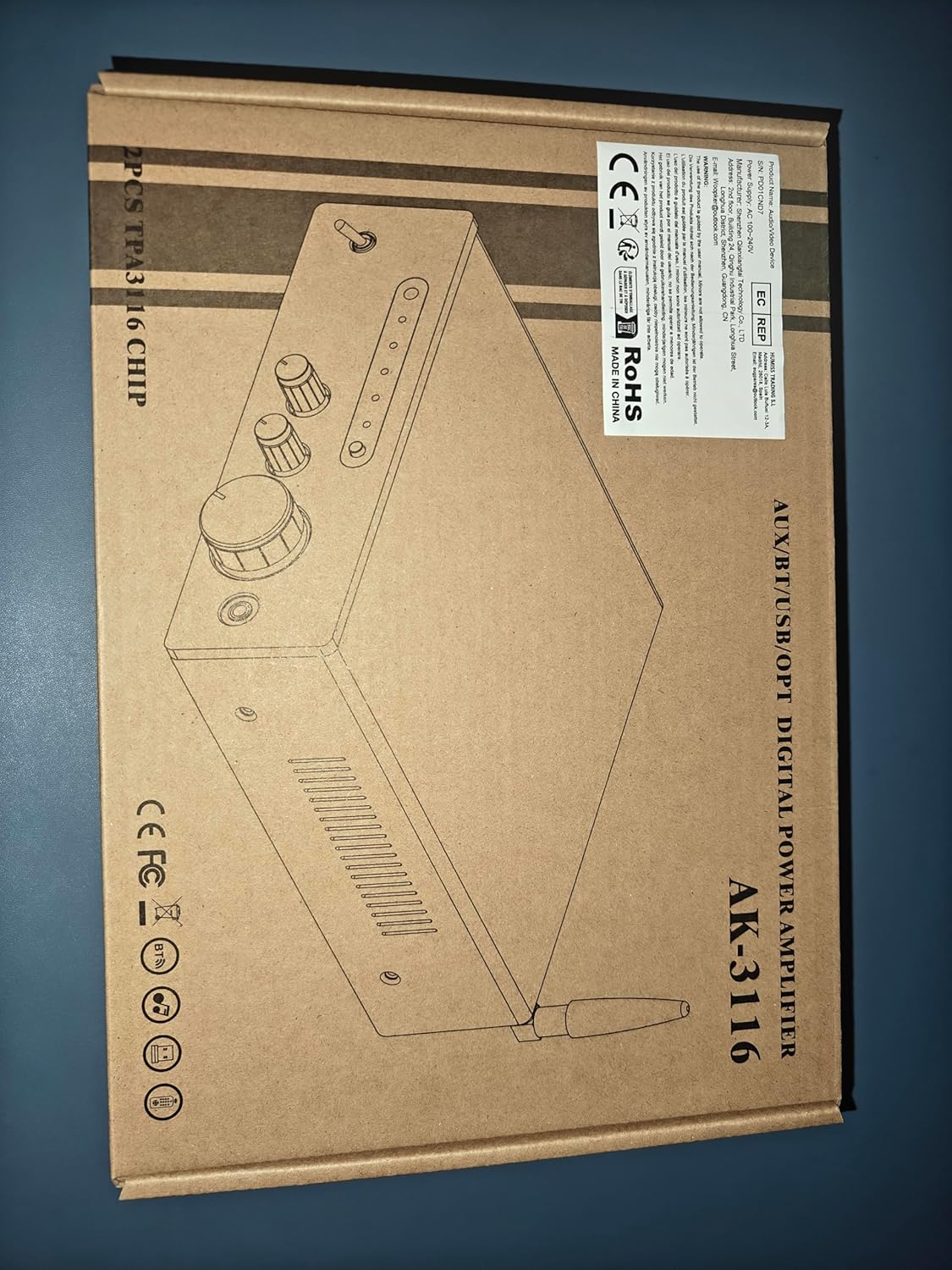
Image: Visual representation of the AK3116 amplifier and its included accessories: power adapter, user manual, remote control, and Bluetooth antenna.
Ciri-ciri Produk
- Bunyi Kuat: Delivers 100W + 100W rated power with dual Texas Instruments TPA3116 amplifier ICs for high-quality audio, low distortion, and efficiency.
- Berbilang Input: Supports AUX, RCA, Bluetooth, USB flash drive, and Optical inputs for connection to various devices like CD/DVD players, TVs, PCs, tablets, and smartphones.
- Bluetooth 5.3: Features the latest Bluetooth 5.3 for stable, high-quality wireless audio streaming with a robust connection range of up to 60 feet (18 meters).
- Kawalan Bes & Treble: Independent knobs for bass and treble adjustment, along with a master volume control, allow for fine-tuning of sound effects.
- Reka bentuk padat: Small footprint suitable for various environments including home TV audio, computer audio systems, car audio, bedrooms, and small offices.
- Kawalan Jauh: Included remote for convenient adjustment of audio settings from a distance.
- Paparan LED Digital: Bright display shows current settings and input status.
Kawalan dan Sambungan
Panel Depan

Image: Detailed diagram of the AK3116 amplifier's front panel, labeling each control and indicator.
- Infrared Signal Receiving Head: Untuk isyarat kawalan jauh.
- Bluetooth Signal / USB Reading Indicator: Lights up to indicate active Bluetooth or USB input.
- Penunjuk Kuasa Hidup: Menunjukkan apabila unit dihidupkan.
- Fiber Signal / AUX Signal Input Indicator: Lights up to indicate active Optical or AUX input.
- Input Function Selection Button: Press to cycle through available audio inputs (Bluetooth, USB, Optical, AUX).
- Suis kuasa: Togol amphidup atau mati.
- Treble Adjustment Knob: Melaraskan output frekuensi tinggi.
- Bass Control Knob: Melaraskan output frekuensi rendah.
- Tombol Pelarasan Kelantangan: Controls the overall audio output volume.
- 3.5mm Stereo Headphone Jack (AUX Input): Connect headphones or a 3.5mm audio source.
Panel Belakang

Image: Detailed diagram of the AK3116 amplifier's rear panel, labeling each port and connection point.
- USB Flash Drive Jack: Untuk memainkan audio files terus daripada pemacu USB.
- Optical Fiber Signal Input Jack (OPT): Connect devices with optical audio output (e.g., TVs, game consoles).
- AUX Audio Input Jack (RCA L/R): Connect devices with RCA audio output (e.g., CD/DVD players).
- LINE Audio Signal Output Jack (RCA L/R): For connecting to another amppembesar atau subwufer berkuasa.
- Left Channel Speaker Output (FL): Connects to the left passive speaker.
- Right Channel Speaker Output (FR): Connects to the right passive speaker.
- 24V/5A DC Power Input: Sambungkan penyesuai kuasa yang disertakan di sini.
- Bluetooth Signal Receiving Antenna: Screw in the provided Bluetooth antenna for optimal wireless reception.
Arahan Persediaan
1. Sambungkan Pembesar Suara
The AK3116 uses standard binding posts for speaker connections. Ensure your speakers are passive and compatible with the ampkeluaran kuasa penguat.

Image: Step-by-step guide on how to connect speaker wires to the amplifier's binding posts.
- Prepare Speaker Wires: Strip approximately 1/2 inch (1.2 cm) of insulation from the ends of your speaker wires. Twist the bare strands tightly.
- Sambung ke Amplebih hidup:
- Rotate and loosen the speaker knob on the amppanel belakang liifier.
- Insert the bare wire into the exposed hole.
- Tighten the knob to secure the wire firmly.
- Perhatikan Kekutuban: Sambungkan terminal positif (+) pada amppengubah ke terminal positif (+) pembesar suara, dan terminal negatif (-) pembesar suara amplifier to the negative (-) terminal of the speaker. Mismatched polarity can result in poor sound quality.
- Repeat for both left (FL) and right (FR) channels.
2. Connect Audio Sources
- Input Optik: Connect an optical cable from your TV, game console, or other digital audio source to the "OPT" input on the rear panel.
- Input AUX (RCA): Connect RCA cables from your CD player, DVD player, or other analog audio source to the "AUX" input (L/R) on the rear panel.
- Input USB: Masukkan pemacu kilat USB yang mengandungi audio files into the "USB" port on the rear panel.
- 3.5mm AUX Input (Front Panel): For quick connection of portable devices like smartphones or MP3 players, use a 3.5mm audio cable to the front panel "AUX" jack.
- Bluetooth: Ensure the Bluetooth antenna is securely screwed into the "BT ANT" port on the rear panel.
3. Sambungkan Kuasa
- Connect the included DC 24V 5A power adapter to the "DC INPUT 24V/5A" port on the rear panel.
- Palamkan penyesuai kuasa ke salur keluar dinding yang sesuai.
Arahan Operasi
Hidupkan/Mati Kuasa
Press the "POWER" switch on the front panel to turn the amplifier on or off. The "Power On Indicator" will illuminate when the unit is on.
Pemilihan Input
Press the "INPUT" button on the front panel or the remote control to cycle through the available audio inputs: Bluetooth (BT), USB, Optical (OPT), and AUX (RCA/3.5mm). The corresponding indicator light on the front panel will show the active input.
Berpasangan Bluetooth
- Ensure the Bluetooth antenna is connected.
- Select "BT" input using the "INPUT" button. The Bluetooth indicator will flash, indicating it's in pairing mode.
- Pada peranti mudah alih anda (telefon pintar, tablet, dll.), dayakan Bluetooth dan cari peranti yang tersedia.
- Select "AK3116" from the list of devices. Once paired, the Bluetooth indicator on the amplifier will stop flashing and remain solid.
- Anda kini boleh memainkan audio daripada peranti anda melalui amplebih hidup.

Image: A person using a smartphone to connect to the AK3116 amplifier via Bluetooth 5.3, demonstrating wireless music streaming.
Kawalan Kelantangan
Rotate the large "VOLUME" knob on the front panel clockwise to increase volume and counter-clockwise to decrease it. You can also adjust the volume using the remote control.
Pelarasan Bes dan Treble
Use the "BASS" and "TREBLE" knobs on the front panel to fine-tune the low and high frequencies of your audio. Rotate clockwise to increase and counter-clockwise to decrease. These controls allow you to customize the sound to your preference.
Imej: Jarak dekat view of the bass and treble adjustment knobs on the front panel of the AK3116 amplifier, highlighting their function.
Menggunakan Alat Kawalan Jauh
The included remote control provides convenient access to various functions from a distance. Ensure batteries are inserted correctly (not included). Point the remote towards the infrared signal receiving head on the amppanel hadapan lifier.
- Butang Kuasa: Berpusing amppengikat hidup/mati.
- Butang Pemilihan Input: Dedicated buttons for BT, USB, OPT, AUX inputs.
- Kelantangan Naik/Turun: Melaraskan kelantangan induk.
- Redam: Membisukan atau menyahredamkan output audio.
- EQ Presets (if available): Some remotes may offer preset equalization modes.
- Playback Controls (for USB): Play/Pause, Next/Previous track.
Penyelenggaraan
- Pembersihan: Gunakan kain lembut dan kering untuk membersihkan bahagian luar amppenghidrat. Jangan gunakan pembersih cecair atau semburan aerosol.
- Pengudaraan: Pastikan bukaan pengudaraan bersih daripada habuk dan serpihan untuk mengekalkan aliran udara yang betul dan mengelakkan terlalu panas.
- Storan: Jika menyimpan amplifier for an extended period, unplug it from the power outlet and store it in a cool, dry place.
Menyelesaikan masalah
| Masalah | Kemungkinan Punca | Penyelesaian |
|---|---|---|
| Tiada kuasa | Power adapter not connected; Power outlet not working; Power switch off. | Ensure power adapter is securely connected and plugged into a live outlet. Turn the power switch to ON. |
| Tiada keluaran bunyi | Incorrect input selected; Volume too low; Speakers not connected properly; Audio source issue. | Select the correct input. Increase volume. Check speaker wire connections and polarity. Verify audio source is playing and its volume is up. |
| Bluetooth tidak bersambung | Amplifier not in pairing mode; Device too far; Interference; Device already paired to another unit. | pastikan amplifier is on BT input and indicator is flashing. Move device closer. Turn off other Bluetooth devices. Disconnect from other devices and try pairing again. |
| Alat kawalan jauh tidak berfungsi | No batteries or low batteries; Obstruction between remote and amplifier; Remote not pointed correctly. | Insert fresh batteries (AAA, not included). Remove any obstructions. Point remote directly at the IR sensor on the front panel. |
| Bunyi herot | Volume too high; Input signal too strong; Speaker impedance mismatch. | Kurangkan amplifier volume. Reduce volume from the audio source. Ensure speakers are compatible with the amplifier's impedance range. |
Spesifikasi
| Ciri | Perincian |
|---|---|
| Nombor Model | AK3116 |
| Jenama | PEMERIKSA |
| Kuasa Keluaran | 100W + 100W (Rated) |
| AmpIC penguat | Dual TPA3116 Chips |
| Versi Bluetooth | 5.3 |
| Julat Bluetooth | Sehingga 60 kaki (18 meter) |
| Antara Muka Input | AUX (RCA), Optical, USB, Bluetooth, 3.5mm AUX (front) |
| Antaramuka Output | Speaker Binding Posts (L/R), RCA Line Out (L/R) |
| Bekalan Kuasa | DC 24V 5A (Adapter included) |
| warna | Hitam |
| Berat Barang | 3.3 paun (1.5 Kilogram) |
| Dimensi (L x W x H) | lebih kurang 5.91 x 6.42 x 1.65 inci (15 x 16.3 x 4.2 cm) |
Waranti dan Sokongan
WOOPKER is committed to providing high-quality products and customer satisfaction. For any inquiries or support needs, please refer to the following:
- Respons Pantas: Expect a response to your queries within 24 hours.
- Polisi Pemulangan 30 Hari: You may return the product within 30 days for an exchange or refund.
- Lifetime Technical Customer Support: WOOPKER provides lifetime technical assistance for this product.

Image: Icons representing 24-hour quick response, 30-day return policy, and lifetime technical customer support.
Ask a question about this manual
Ask about setup, troubleshooting, compatibility, parts, safety, or missing instructions. Manuals+ will review the question and use this page’s manual context to help answer it.