
AWEI T78
AWEI T78 Mini Wireless Earbuds User Manual
Model: T78
pengenalan
Thank you for choosing the AWEI T78 Mini Wireless Earbuds. These earbuds are designed to provide an immersive audio experience with advanced Bluetooth 5.4 technology, clear call performance, and a lightweight, ergonomic design. This manual will guide you through the setup, operation, and maintenance of your new earbuds to ensure optimal performance and longevity.

Image: AWEI T78 earbuds and charging case, highlighting immersive stereo sound.
Apa yang ada dalam Kotak
- Fon Telinga Wayarles AWEI T78
- Kes Pengecasan
- Kabel Pengecas USB (Jenis-C)
- Manual Pengguna
- Sakit telinga
Produk Selesaiview
The AWEI T78 earbuds consist of two lightweight earbuds and a portable charging case. The earbuds feature touch-sensitive controls for easy operation, while the charging case provides extended battery life on the go.
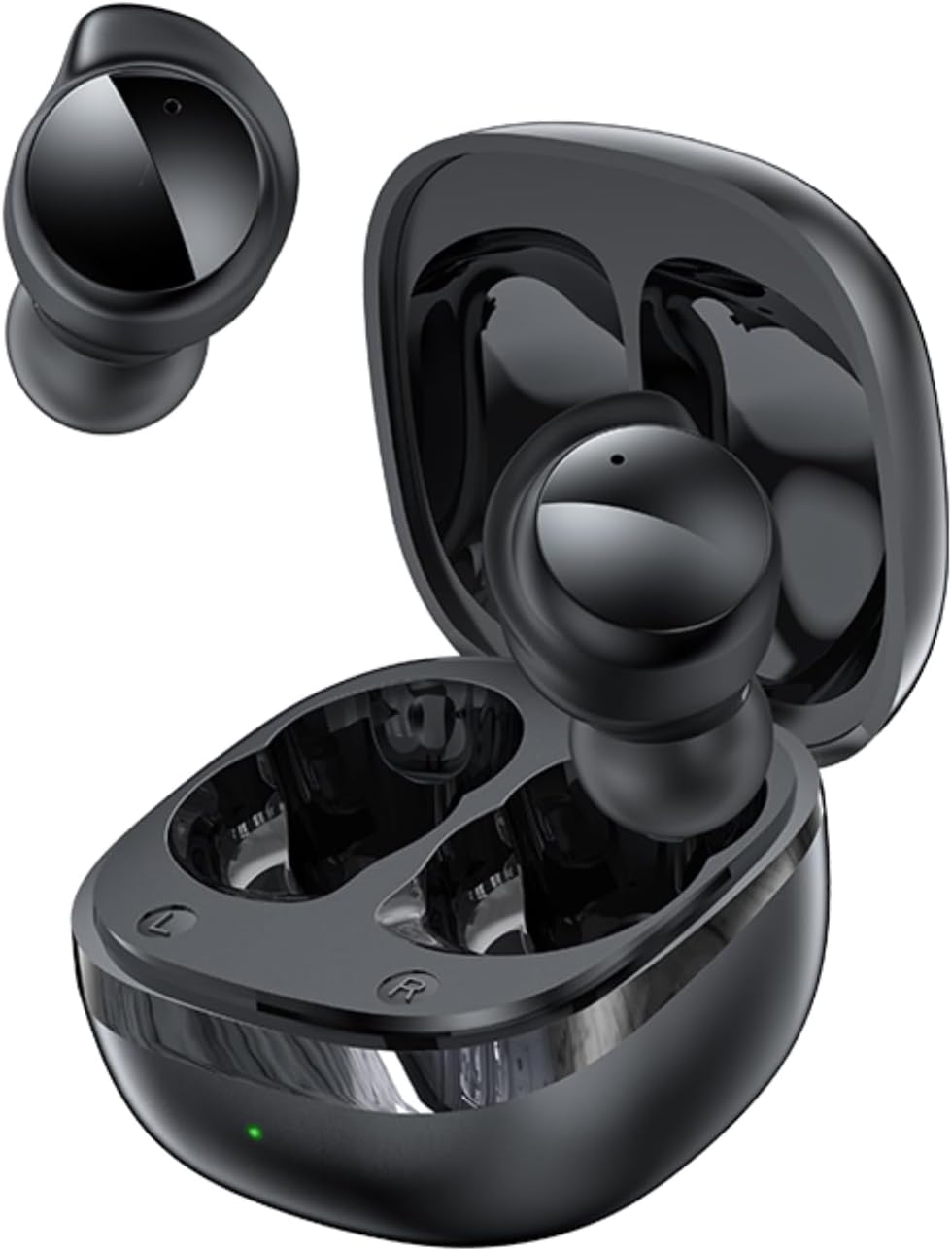
Image: AWEI T78 Mini Wireless Earbuds and Charging Case.

Image: Internal components of an AWEI T78 earbud, showcasing the 13mm speaker.
Persediaan
1. Mengecas Fon Telinga dan Sarung
Before first use, fully charge the charging case and earbuds. Connect the provided Type-C USB cable to the charging port on the case and a power source. The charging indicator light will show the charging status.
- Bateri Kes Pengecasan: 200mAh
- Masa Pengecasan (Kes): Lebih kurang 1 jam
- Earbud Play Time: Up to 4 hours per charge
- Earbud Talk Time: Up to 3 hours per charge
- Total Playback with Charging Case: Up to 30 hours (dual-ear mode), up to 52 hours (single-ear alternating mode)

Image: Battery life details for AWEI T78 earbuds.
2. Berpasangan dengan Peranti Anda
- Pastikan fon telinga dicas.
- Buka bekas pengecas. Fon telinga akan dihidupkan secara automatik dan memasuki mod berpasangan.
- Pada peranti anda (telefon pintar, tablet, komputer riba), dayakan Bluetooth.
- Cari untuk peranti Bluetooth yang tersedia dan pilih "AWEI T78" daripada senarai.
- Setelah disambungkan, anda akan mendengar bunyi pengesahan dan fon telinga akan sedia untuk digunakan.
The earbuds feature Bluetooth 5.4 for a fast, stable, and low-latency connection up to 10 meters (33 feet). They will automatically reconnect to the last paired device when taken out of the case.

Image: AWEI T78 earbuds demonstrating Bluetooth 5.4 connectivity.
Beroperasi
Hidupkan/Mati Kuasa
- Hidupkan kuasa: Buka bekas pengecasan dan fon telinga akan dihidupkan secara automatik.
- Matikan: Letakkan fon telinga kembali ke dalam bekas pengecasan dan tutup penutupnya. Mereka akan dimatikan secara automatik dan mula mengecas.
Kawalan Sentuh
The AWEI T78 earbuds feature intuitive touch controls on each earbud. The functions are as follows:
- Main/Jeda: Tap once on either L/R earbud.
- Lagu Seterusnya: Tap twice on either L/R earbud.
- Lagu Sebelumnya: Tap thrice on either L/R earbud.
- Jawab/Tutup Panggilan: Tap once on either L/R earbud.
- Tolak Panggilan: Touch for 1 second on either L/R earbud.
- Aktifkan Pembantu Suara: Long touch for 2 seconds on either L/R earbud.

Image: Detailed diagram of AWEI T78 earbud touch controls.
Mod Earbud Tunggal
You can use either the left or right earbud independently. Simply take one earbud out of the case, and it will automatically connect to your device. The other earbud can remain in the case or be used later.

Image: AWEI T78 earbud worn, emphasizing its lightweight design.
Penyelenggaraan
Pembersihan
Bersihkan fon telinga dan bekas pengecas anda dengan kerap untuk mengekalkan prestasi dan kebersihan yang optimum.
- Gunakan kain lembut, kering dan tidak berbulu untuk mengelap fon telinga dan bekas pengecas.
- Gently remove any earwax or debris from the earbud mesh and charging contacts using a clean, dry cotton swab or a small, soft brush.
- Jangan gunakan pembersih yang melelas, alkohol atau pelarut kimia.
Rintangan Air (IPX5)
The AWEI T78 earbuds are IPX5 waterproof, meaning they are protected against low-pressure water jets from any direction. This makes them suitable for workouts and light rain. However, they are not designed for submersion in water or for use during swimming or showering.
Penyimpanan
Apabila tidak digunakan, simpan fon telinga dalam bekas pengecasnya untuk melindunginya daripada habuk dan kerosakan serta memastikan ia dicas.
Menyelesaikan masalah
- Fon telinga tidak berpasangan dengan peranti:
- Pastikan Bluetooth didayakan pada peranti anda.
- Make sure the earbuds are charged and out of the charging case.
- Try forgetting "AWEI T78" from your device's Bluetooth list and re-pairing.
- Restart your device and try again. - Hanya satu fon telinga berfungsi:
- Place both earbuds back into the charging case, close the lid, and then take them out again.
- Pastikan kedua-dua fon telinga dicas.
- If the issue persists, try resetting the earbuds (refer to manufacturer's webtapak untuk arahan set semula khusus jika perlu). - Tiada bunyi:
- Check the volume level on both your device and the earbuds.
- Ensure the earbuds are properly connected to your device.
- Try playing audio from a different application or source. - Sarung pengecas tidak dicas:
- Pastikan kabel pengecas disambungkan dengan selamat pada kedua-dua bekas dan sumber kuasa.
- Cuba kabel pengecas atau penyesuai kuasa yang berbeza.
- Check if the charging port on the case is clean and free of debris.
Spesifikasi
| Nama Model | T78 |
| Jenama | AWEI |
| Teknologi Ketersambungan | Wayarles (Bluetooth 5.4) |
| Julat Bluetooth | Sehingga 10 meter (33 kaki) |
| Tahap Ketahanan Air | IPX5 |
| Penempatan Telinga | Di Telinga |
| Jenis Kawalan | Kawalan Sentuh |
| Port Pengecasan | Jenis-C |
| Mengecas Bateri Kes | 200mAh |
| Saiz Pembesar Suara | 13mm |
| Impedans | 32 Ohm |
| Kawalan Bunyi | Pembatalan Bunyi Aktif |
Waranti dan Sokongan
For warranty information and technical support, please refer to the warranty card included with your product or visit the official AWEI weblaman web. Jika anda menghadapi sebarang isu yang tidak diliputi dalam manual ini, sila hubungi khidmat pelanggan AWEI untuk mendapatkan bantuan.
Ask a question about this manual
Ask about setup, troubleshooting, compatibility, parts, safety, or missing instructions. Manuals+ will review the question and use this page’s manual context to help answer it.