
DOOGEE T35
Manual Pengguna Tablet DOOGEE T35
Model: T35 | Jenama: DOOGEE
1. Pengenalan
This manual provides essential information for the operation and maintenance of your DOOGEE T35 tablet. Please read it thoroughly before using the device to ensure proper functionality and longevity.
The DOOGEE T35 is an 11-inch tablet featuring a Helio G99 Octa-core processor, Android 14 operating system, and a 2.5K FHD+ display. It comes equipped with 20GB RAM and 256GB internal storage, expandable up to 2TB. Key features include 4G LTE calling, 5G Wi-Fi, an 8580mAh battery with 33W fast charging, and a 20MP camera. Accessories such as a keyboard, stylus, and protective case are included to enhance productivity and user experience.
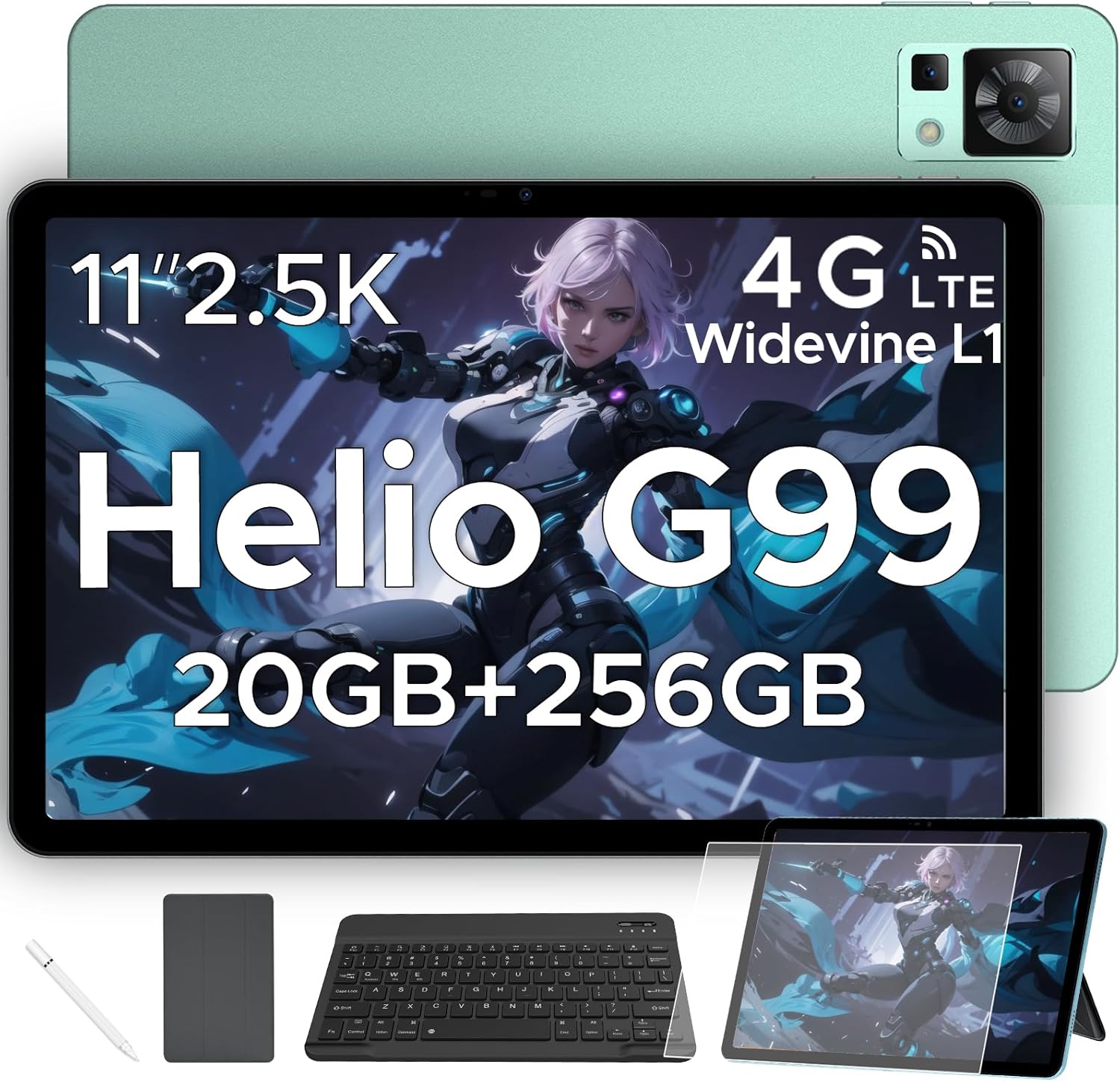
Figure 1.1: DOOGEE T35 Tablet and its accompanying accessories.
2. Apa yang ada di dalam Kotak
Selepas membuka pakej, sahkan bahawa semua item yang disenaraikan di bawah ada dan dalam keadaan baik:
- Tablet DOOGEE T35
- Pengecas
- Kabel USB Jenis-C
- SIM Card Tray Ejector Tool
- Manual Pengguna
- Papan Kekunci Bluetooth
- Filem Pelindung
- Touching Pen (Stylus)
- Business Leather Case
Video 2.1: An unboxing video demonstrating the contents of the DOOGEE T35 package, including the tablet and all listed accessories.
3. Persediaan
3.1 Kuasa Awal Hidup
- Press and hold the Power button located on the side of the tablet until the DOOGEE logo appears.
- Ikut arahan pada skrin untuk memilih bahasa, rantau dan sambungkan ke rangkaian Wi-Fi anda.
- Sign in with your Google account or create a new one to access the Google Play Store and other services.
3.2 Memasukkan Kad SIM dan Kad MicroSD
The DOOGEE T35 supports 4G LTE connectivity and expandable storage via a MicroSD card (up to 2TB).
- Cari dulang kad SIM di sisi tablet.
- Insert the provided SIM card tray ejector tool into the small hole next to the tray and gently push until the tray pops out.
- Letakkan kad Nano-SIM dan/atau kad MicroSD anda ke dalam slot yang ditetapkan pada dulang, pastikan orientasinya betul.
- Masukkan semula dulang ke dalam tablet dengan berhati-hati sehingga ia berbunyi klik pada tempatnya.
3.3 Menyambung Aksesori
The tablet comes with a Bluetooth keyboard, stylus, and a business leather case.
- Bluetooth Keyboard: Turn on the keyboard and enable Bluetooth on your tablet. Cari untuk the keyboard in the Bluetooth settings and pair it.
- Stylus: The stylus is ready for use directly on the screen for drawing or navigation.
- Business Leather Case: Insert the tablet into the protective case for enhanced protection and convenience.
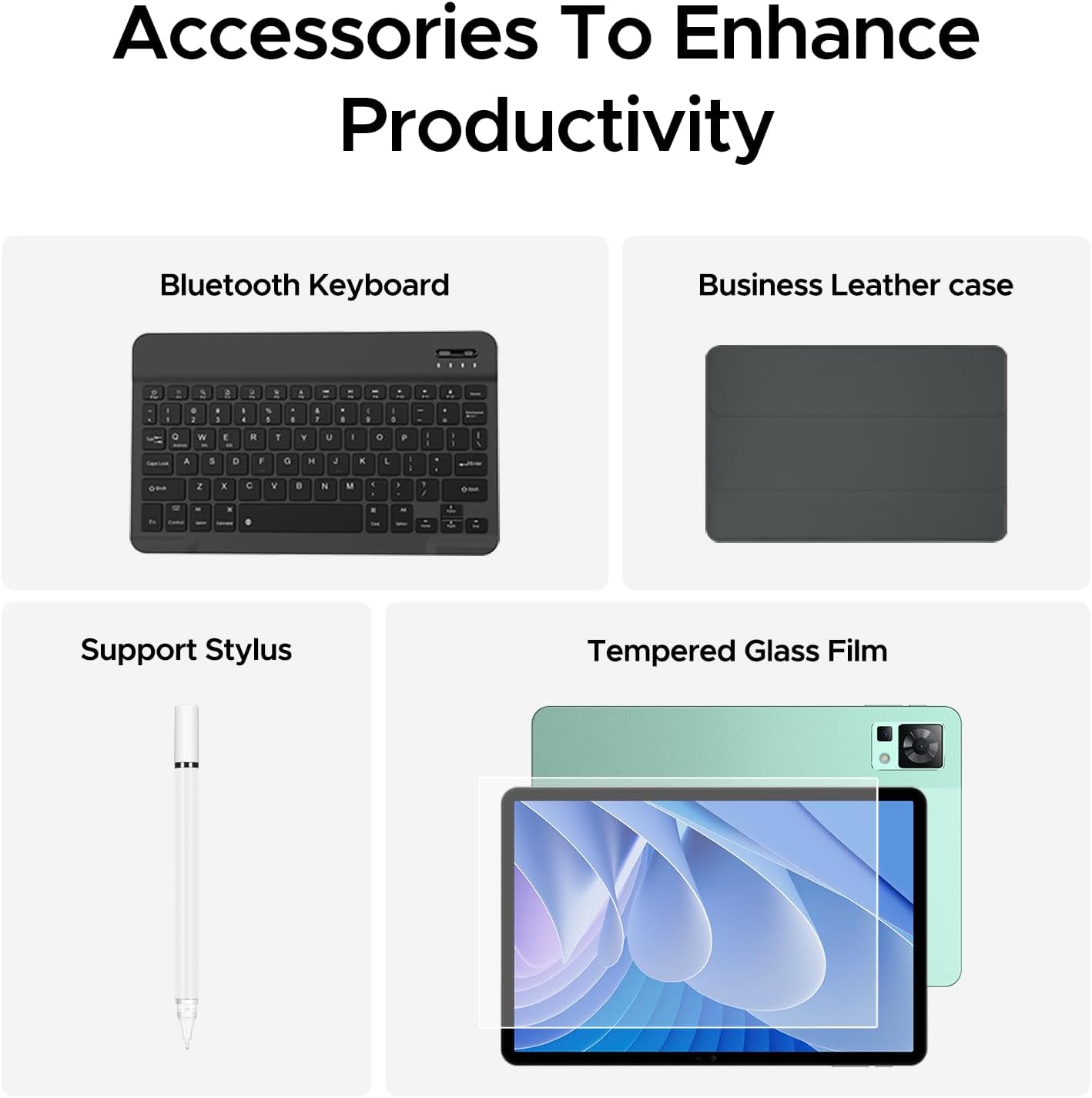
Figure 3.1: The DOOGEE T35 tablet with its included accessories, ready for use.
4. Arahan Operasi
4.1 Paparan dan Navigasi
The DOOGEE T35 features an 11-inch 2.5K ultra-clear display (2560 x 1600 pixels) for a high-quality visual experience.
- Gerak isyarat sentuh: Navigate the Android 14 interface using standard touch gestures like tap, swipe, pinch-to-zoom.
- Skrin Pisah: Utilize the split-screen feature to run two applications simultaneously for enhanced multitasking.
- Mod Bacaan: Adjust the display settings to Warm, Standard, or Cool mode for comfortable reading in various lighting conditions.

Figure 4.1: The 11-inch 2.5K ultra-clear display provides excellent visuals for all content.
4.2 Prestasi dan Penyimpanan
Powered by the Helio G99 Octa-core processor, the T35 offers robust performance for gaming, streaming, and productivity. It offers 20GB RAM (8GB base + 12GB extended) and 256GB ROM, expandable up to 2TB with a MicroSD card.
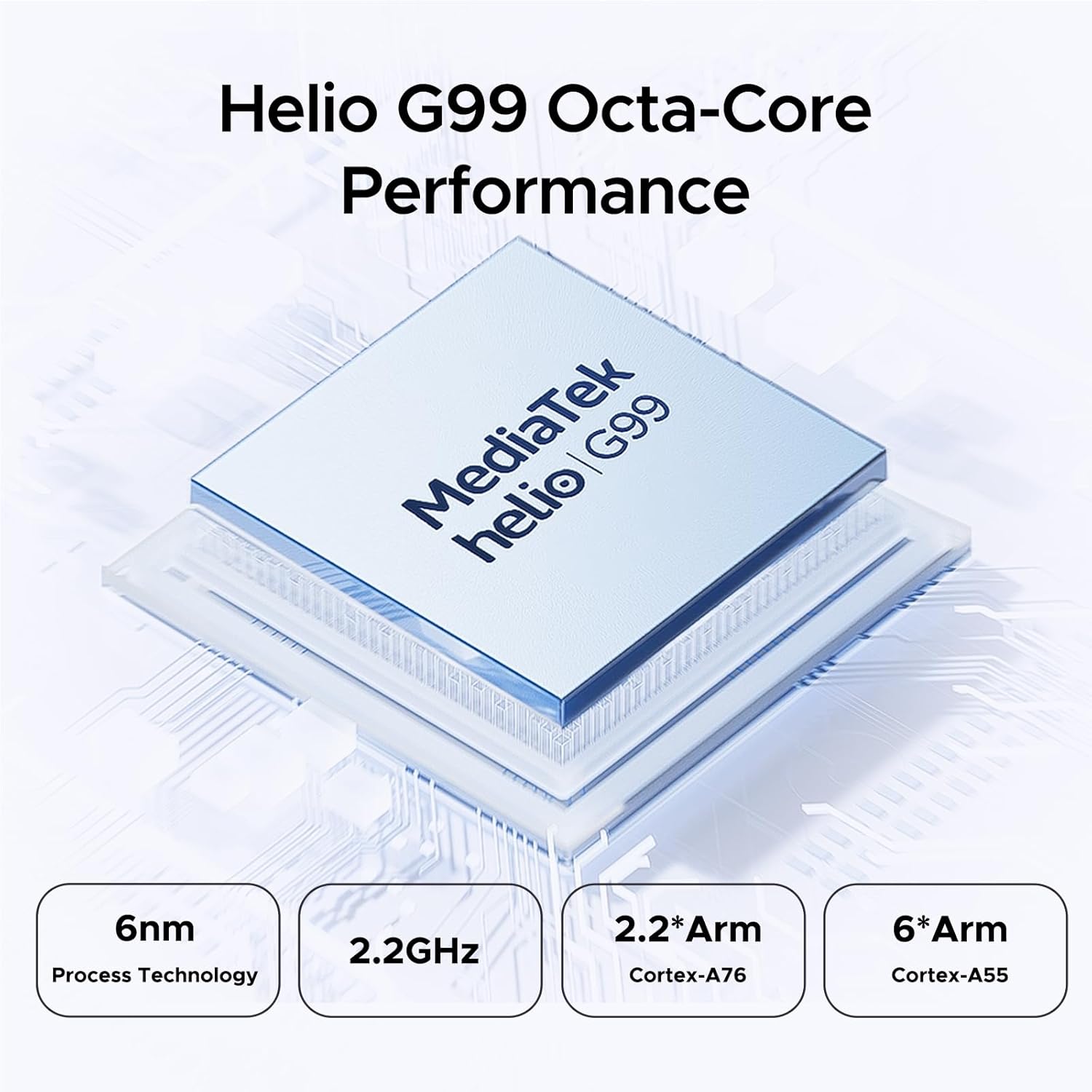
Figure 4.2: Helio G99 Octa-Core Processor for robust performance.

Figure 4.3: Memory and storage capabilities of the DOOGEE T35.
4.3 Pengurusan Bateri
The 8580mAh large capacity battery provides extended usage. It supports 33W fast charging and reverse charging, allowing the tablet to act as a power bank for other devices.

Figure 4.4: 8580mAh Battery with 33W Fast Charging.
4.4 Ketersambungan
The tablet supports 4G LTE for cellular calls and data, and 5G Wi-Fi for high-speed internet. It also includes GPS, Glonass, Galileo, Beidou, and AGPS for accurate navigation.
4.5 Multimedia
Enjoy immersive audio with quad speakers and Smart PA. Widevine L1 support ensures high-quality streaming from platforms like Netflix and Amazon Prime Video.
Video 4.1: Tayangan video promosiasing the DOOGEE T35 Android Tablet and its accessories, highlighting its features and design.
5. Penyelenggaraan
5.1 Membersihkan Tablet
- Gunakan kain lembut dan tidak berbulu untuk membersihkan skrin dan badan tablet.
- Untuk calitan degil, sedikit dampen kain dengan air atau pembersih skrin. Elakkan bahan kimia yang keras.
- Pastikan semua port bebas daripada habuk dan serpihan.
5.2 Penjagaan Bateri
- Elakkan daripada mendedahkan tablet kepada suhu yang melampau.
- Jangan nyahcas bateri sepenuhnya secara berkala. Caskannya sebelum ia jatuh di bawah 20%.
- Use only the provided charger and cable for optimal charging performance and safety.
5.3 Kemas Kini Perisian
Semak dan pasang kemas kini sistem secara berkala untuk memastikan tablet anda mempunyai ciri terkini, tampalan keselamatan dan penambahbaikan prestasi. Pergi ke Tetapan > Sistem > Kemas kini sistem untuk menyemak kemas kini.
6. Penyelesaian masalah
| Masalah | Kemungkinan Punca | Penyelesaian |
|---|---|---|
| Tablet tidak dihidupkan. | Bateri lemah; ranap perisian. | Charge the tablet for at least 30 minutes. Press and hold the power button for 10-15 seconds to force restart. |
| Isu sambungan Wi-Fi. | Incorrect password; router issues; tablet Wi-Fi disabled. | Verify Wi-Fi password. Restart router. Toggle Wi-Fi off/on on tablet. |
| Apl ranap atau beku. | RAM tidak mencukupi; pepijat aplikasi; perisian ketinggalan zaman. | Close background apps. Clear app cache/data. Update the app or system software. |
| Prestasi perlahan. | Too many apps running; low storage; outdated software. | Close unused apps. Free up storage space. Perform a system update. |
| Cannot connect to Google server/account. | Network issues; incorrect account details; software glitch. | Ensure stable internet connection. Verify Google account credentials. Restart tablet. If persistent, consider a factory reset (backup data first). |
7. Spesifikasi
| Ciri | Spesifikasi |
|---|---|
| Model | DOOGEE T35 |
| Sistem Operasi | Android 14 |
| Pemproses | MediaTek Helio G99 Octa-core (6nm, 2.2GHz) |
| Paparan | 11-inch 2.5K (2560 x 1600 pixels) |
| RAM | 8GB (boleh dikembangkan hingga 20GB) |
| Storan Dalaman (ROM) | 256GB |
| Storan Boleh Dikembangkan | Sehingga 2TB melalui kad MicroSD |
| Kapasiti Bateri | 8580mAh |
| Mengecas | Pengecasan Pantas 33W, Pengecasan Songsang |
| Ketersambungan | 4G LTE, 5G Wi-Fi (802.11ax), Bluetooth |
| Navigasi | GPS, Glonass, Galileo, Beidou, AGPS |
| Audio | Quad Speakers with Smart PA, Hi-Res Audio, 3.5mm Headphone Jack |
| Keselamatan | ID Wajah |
| Dimensi (LxWxH) | 10.12 x 6.64 x 0.3 inci |
| Berat badan | 3 paun |
8. Waranti dan Sokongan
DOOGEE provides comprehensive support for your T35 tablet:
- Jaminan Wang Dikembalikan: Nikmati jaminan wang dikembalikan selama 30 hari dan pemulangan percuma.
- Waranti Terhad: The tablet comes with a 2-year limited warranty.
- Sokongan Pelanggan: For any inquiries or assistance, please contact DOOGEE customer service.
Untuk bantuan lanjut, sila rujuk DOOGEE rasmi webtapak atau hubungi saluran sokongan mereka.
Ask a question about this manual
Ask about setup, troubleshooting, compatibility, parts, safety, or missing instructions. Manuals+ will review the question and use this page’s manual context to help answer it.