
DOOGEE U11 Android 15 Tablet
Manual Pengguna Tablet Android 15 DOOGEE U11(2025)
Model: U11 Android 15 Tablet
pengenalan
This manual provides detailed instructions for the setup, operation, maintenance, and troubleshooting of your DOOGEE U11(2025) Android 15 Tablet. Please read this manual thoroughly before using your device to ensure optimal performance and longevity.
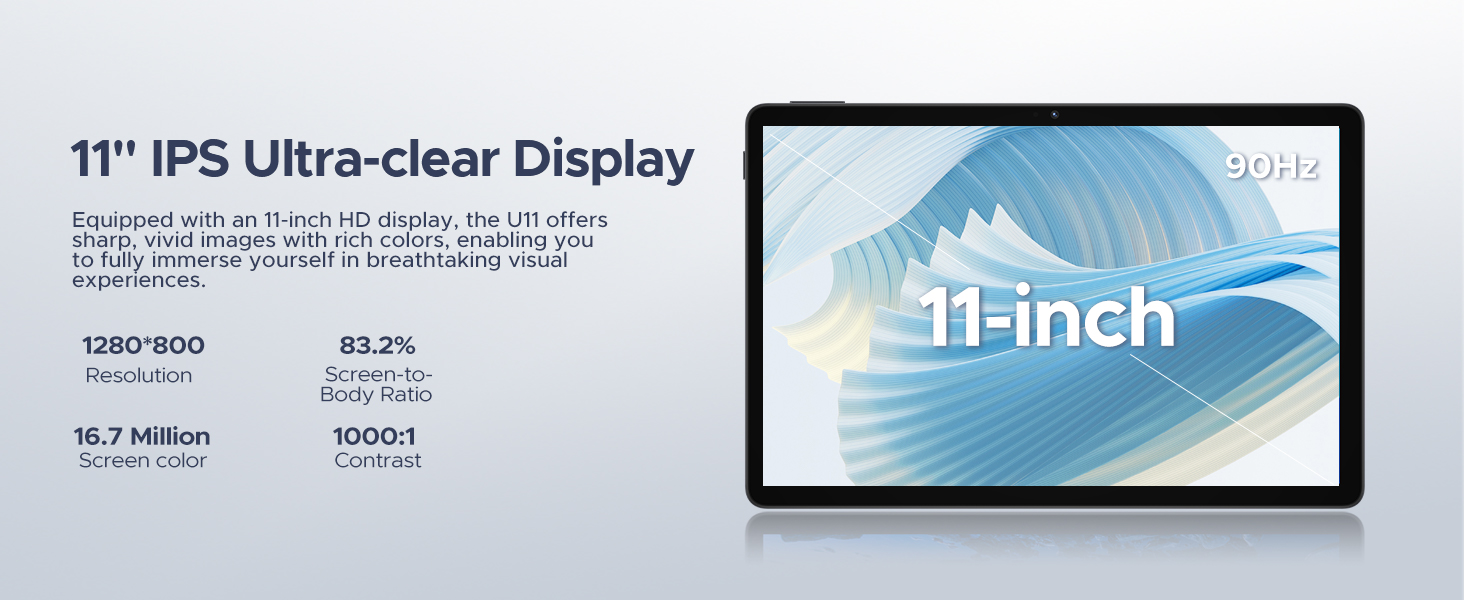
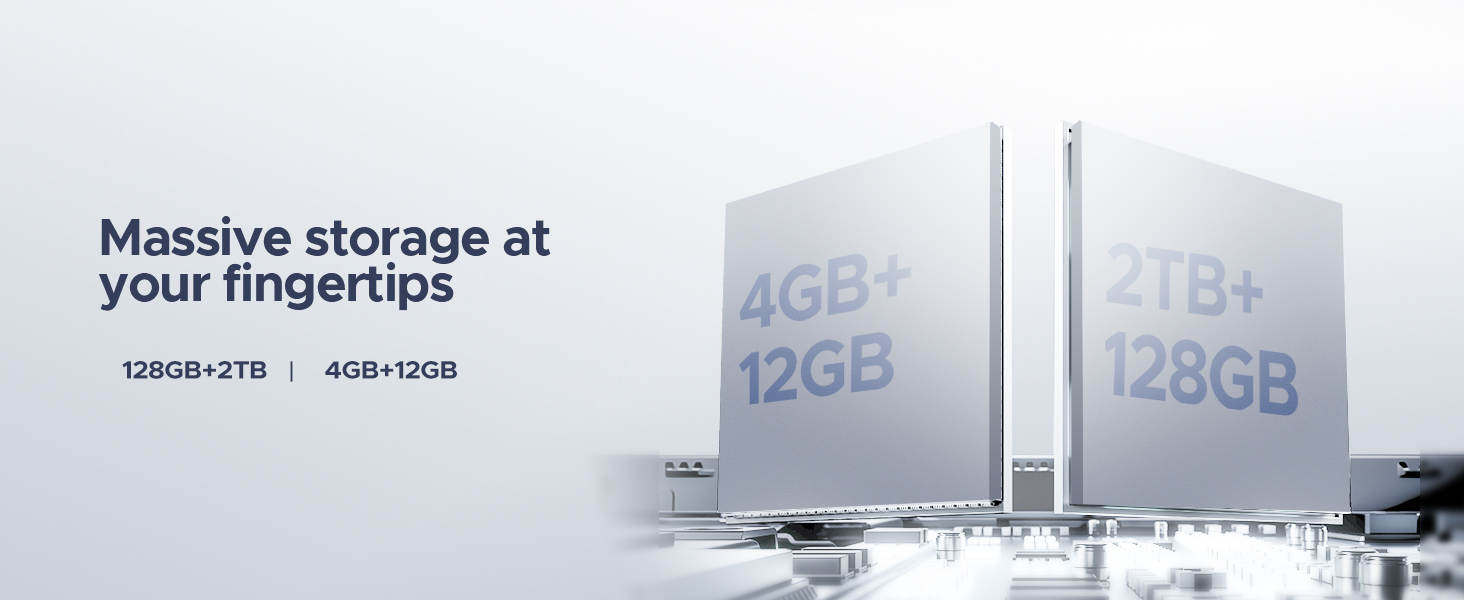
The DOOGEE U11(2025) is an 11-inch tablet featuring the Android 15 operating system, an Octa-Core processor, 16GB RAM (expandable), 128GB ROM (expandable up to 2TB), a 90Hz IPS display, and an 8580mAh battery. It supports Netflix 1080P, Bluetooth 5.0, and 5G WiFi.
Produk Selesaiview
Familiarize yourself with the physical components and key features of your DOOGEE U11(2025) tablet.

Rajah 1: Depan dan belakang view of the DOOGEE U11(2025) Android 15 Tablet, highlighting its sleek design and camera module.

Rajah 2: Diagram illustrating key features such as the Octa-core processor, 8580mAh battery, 128GB storage with 2TB expansion, 11-inch IPS display, 13MP main camera, 5MP front camera, and Smart PA 128 dB Dual Speaker.
Komponen Fizikal
- paparan: 11-inch IPS Ultra-clear Display with 90Hz refresh rate.
- Kamera: 13MP Main Camera (rear) and 5MP Front Camera.
- Penceramah: Smart PA 128 dB Dual Speakers for enhanced audio.
- Pelabuhan: 1x Type-C port, 1x 3.5mm AUX headphone jack, 1x SD card port.
- Butang: Butang kuasa, butang naik/turunkan kelantangan.
Panduan Persediaan
1. Kuasa Awal Hidup
- Tekan dan tahan butang Butang kuasa located on the side of the tablet until the DOOGEE logo appears.
- The tablet will boot up and guide you through the initial setup process.
2. Language and Region Selection
- Pilih bahasa pilihan anda daripada senarai.
- Choose your region for accurate time zone and local settings.
3. Sambungan Wi-Fi
- Pilih rangkaian Wi-Fi anda daripada senarai yang tersedia.
- Enter the Wi-Fi password if prompted. The tablet supports both 5G and 2.4G Wi-Fi networks.
4. Persediaan Akaun Google
- Sign in with your existing Google account or create a new one. This is necessary to access the Google Play Store and other Google services.
5. Pemindahan Data (Pilihan)
- You may choose to transfer data from a previous device during this step. Follow the on-screen instructions.
6. Security Setup
- Set up a screen lock method (PIN, pattern, password, or Face ID). The DOOGEE U11 supports Face Unlock for convenient access.
Video 1: This video demonstrates the unboxing and initial setup process of the DOOGEE U11 tablet, including powering on and navigating the initial settings. It highlights the tablet's lightweight design and responsive display.
Mengendalikan Tablet Anda
Navigasi dan Gerak Isyarat
- Ketik: Touch the screen once to select an item or open an app.
- Tekan lama: Touch and hold an item to reveal more options.
- Leret: Drag your finger across the screen to scroll or navigate between pages.
- Cubit-untuk-Zum: Gunakan dua jari untuk zum masuk atau keluar pada imej atau web muka surat.
Penyesuaian Skrin Utama
- Tambah Widget: Long press on an empty area of the home screen, then select "Widgets" to add useful tools like clocks or weather.
- Tukar Kertas Dinding: Long press on an empty area, then select "Wallpaper & style" to customize your background.
Video 2: This video showcases the smooth operation and responsiveness of the DOOGEE U11 tablet, demonstrating app navigation, settings adjustments, and general user interface fluidity.
Multitasking and Productivity
- Mod Skrin Terpisah: Open a recent app, tap its icon at the top of the window, and select "Split screen" to use two apps simultaneously.
- Pejabat WPS: The tablet comes with built-in WPS Office, allowing you to create and edit documents, spreadsheets, and presentations.
Rajah 3: The DOOGEE U11 tablet displaying WPS Office applications, demonstrating its capability for productivity tasks.
Entertainment and Media
- Penstriman: Enjoy 1080P streaming on platforms like Netflix, YouTube, HBO, and Amazon Prime Video with Widevine L1 support.
- Permainan: The Octa-Core processor and 90Hz display provide a smooth gaming experience.
- Radio FM: Plug in headphones to use the built-in FM radio function.
Bateri dan Pengecasan
The DOOGEE U11 is equipped with an 8580mAh high-capacity battery designed for extended use.
- mengecas: Use the provided Type-C cable and power adapter to charge the tablet.
- Hayat Bateri: Expect long hours of video watching, music playback, and web melayari.
- Pengecasan Terbalik: The tablet supports reverse charging, allowing you to charge other devices in emergencies.
Rajah 4: Infographic detailing the impressive battery life of the 8580mAh battery, including standby, music playback, video watching, and web jam melayari.
Rajah 5: Image showing the DOOGEE U11 tablet providing reverse charging to another mobile device, illustrating its utility in emergencies.
Penyelenggaraan dan Penjagaan
- Pembersihan: Gunakan kain lembut dan tidak berbulu untuk membersihkan skrin dan badan. Elakkan bahan kimia yang keras.
- Kemas Kini Perisian: Semak dan pasang kemas kini sistem secara kerap untuk memastikan prestasi dan keselamatan yang optimum.
- Pengurusan Storan: Utilize the new Memory Manager features to clean junk files, delete duplicates, and manage large files untuk mengosongkan ruang.
- Suhu: Elakkan mendedahkan tablet kepada suhu yang melampau atau cahaya matahari langsung untuk tempoh yang lama.
Menyelesaikan masalah
| Masalah | Kemungkinan Punca | Penyelesaian |
|---|---|---|
| Tablet tidak dihidupkan | Bateri lemah; Ranap sistem | Charge the tablet for at least 30 minutes. Press and hold the power button for 10-15 seconds to force restart. |
| Isu sambungan Wi-Fi | Kata laluan salah; Isu penghala; Di luar julat | Verify password. Restart router. Move closer to the Wi-Fi source. |
| Apl ranap atau beku | Insufficient RAM; App bug; Too many background apps | Close background apps. Clear app cache/data. Update the app or system software. |
| Prestasi perlahan | Too many apps; Low storage; Outdated software | Free up storage using Memory Manager. Uninstall unused apps. Update system software. |
Spesifikasi
| Ciri | Perincian |
|---|---|
| Model | DOOGEE U11(2025) Android 15 Tablet |
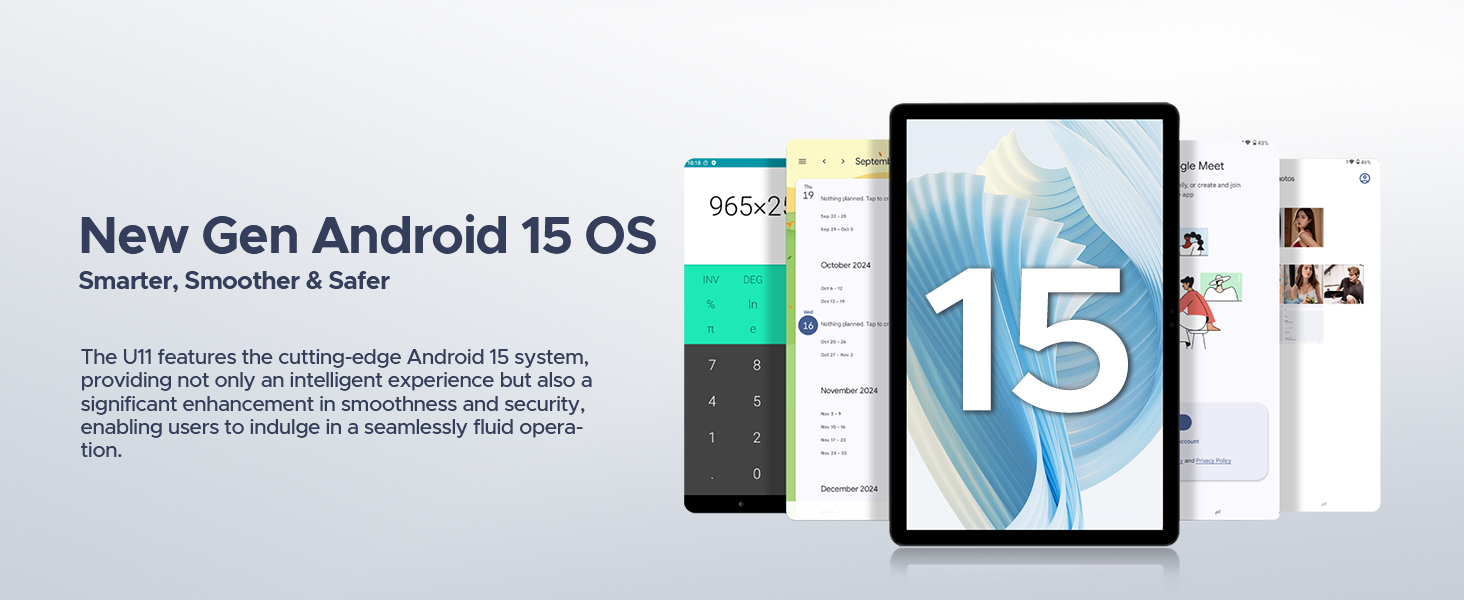
| Sistem Operasi | Android 15 |
| Pemproses | T606 Octa-Core |
| Paparan | 11-inch IPS, 1280*800 Pixels, 90Hz Refresh Rate |
| RAM | 16GB (4GB + 12GB RAM expansion) |
| Storan Dalaman | ROM 128GB |
| Storan Boleh Dikembangkan | Up to 2TB via MicroSD/TF card |
| Bateri | Polimer Lithium 8580mAh |
| Kamera Utama | 13MP |
| Kamera Depan | 5MP |
| Ketersambungan | Wi-Fi 5G & 2.4G, Bluetooth 5.0, AGPS |
| Pelabuhan | Type-C, 3.5mm AUX, SD card slot |
| Dimensi | 10.12 x 6.68 x 0.31 inci (26 x 17 x 0.8 cm) |
| Berat badan | 1.94 paun (537g) |
Waranti dan Sokongan
Maklumat Waranti
The DOOGEE U11(2025) Android 15 Tablet comes with a Waranti Terhad 2 Tahun. This warranty covers manufacturing defects and malfunctions under normal use. Please retain your proof of purchase for warranty claims.
A Jaminan Wang Dikembalikan 30 Hari and free return policy are also available from the seller.
Sokongan Pelanggan
For technical assistance, troubleshooting, or warranty inquiries, please contact DOOGEE customer support. They offer 24/7 one-on-one online support.
- Sokongan dalam talian: Refer to the official DOOGEE webtapak untuk maklumat hubungan dan sumber sokongan.
- Sokongan Penjual: For purchase-related issues, contact the seller "yingyuankeji08" through Amazon's messaging system.
Rajah 6: Image detailing DOOGEE's customer service commitments, including 30-day money-back guarantee, 2-year limited warranty, and 24/7 online support.
Ask a question about this manual
Ask about setup, troubleshooting, compatibility, parts, safety, or missing instructions. Manuals+ will review the question and use this page’s manual context to help answer it.