
HUNTVISION E3-E3Z
HUNTVISION E3-Z Security Camera User Manual
Model: E3-Z (E3-E3Z)
1. Pengenalan
This user manual provides comprehensive instructions for the installation, operation, and maintenance of your HUNTVISION E3-Z Security Camera. Please read this manual thoroughly before using the product to ensure proper function and safety. Keep this manual for future reference.
2. Maklumat Keselamatan
Always adhere to the following safety guidelines to prevent damage to the device or injury to yourself:
- Ensure the power source matches the camera's requirements.
- Jangan dedahkan kamera kepada suhu yang melampau atau cahaya matahari langsung untuk tempoh yang lama.
- Avoid placing the camera near strong magnetic fields.
- Jangan cuba membuka atau mengubah suai kamera. Rujuk semua servis kepada kakitangan yang berkelayakan.
- Jauhkan kamera dan aksesorinya daripada capaian kanak-kanak.
- Ensure proper mounting to prevent the camera from falling.
3. Kandungan Pakej
Sahkan bahawa semua item terdapat dalam pakej:
- HUNTVISION E3-Z Security Camera (1)
- Penyesuai Kuasa (1)
- Data Line (1)
- Auxiliary Package (1)
- User Guide (This manual)
Nota: Jika terdapat sebarang barang yang hilang atau rosak, sila hubungi khidmat pelanggan.
4. Produk Lebihview
The HUNTVISION E3-Z is a 3MP PTZ (Pan-Tilt-Zoom) outdoor security camera designed for comprehensive surveillance. It features AI motion tracking, full-color night vision, and two-way audio communication.

Rajah 4.1: Depan view of the HUNTVISION E3-Z Security Camera, showing the lens, IR LEDs, and dual antennas.
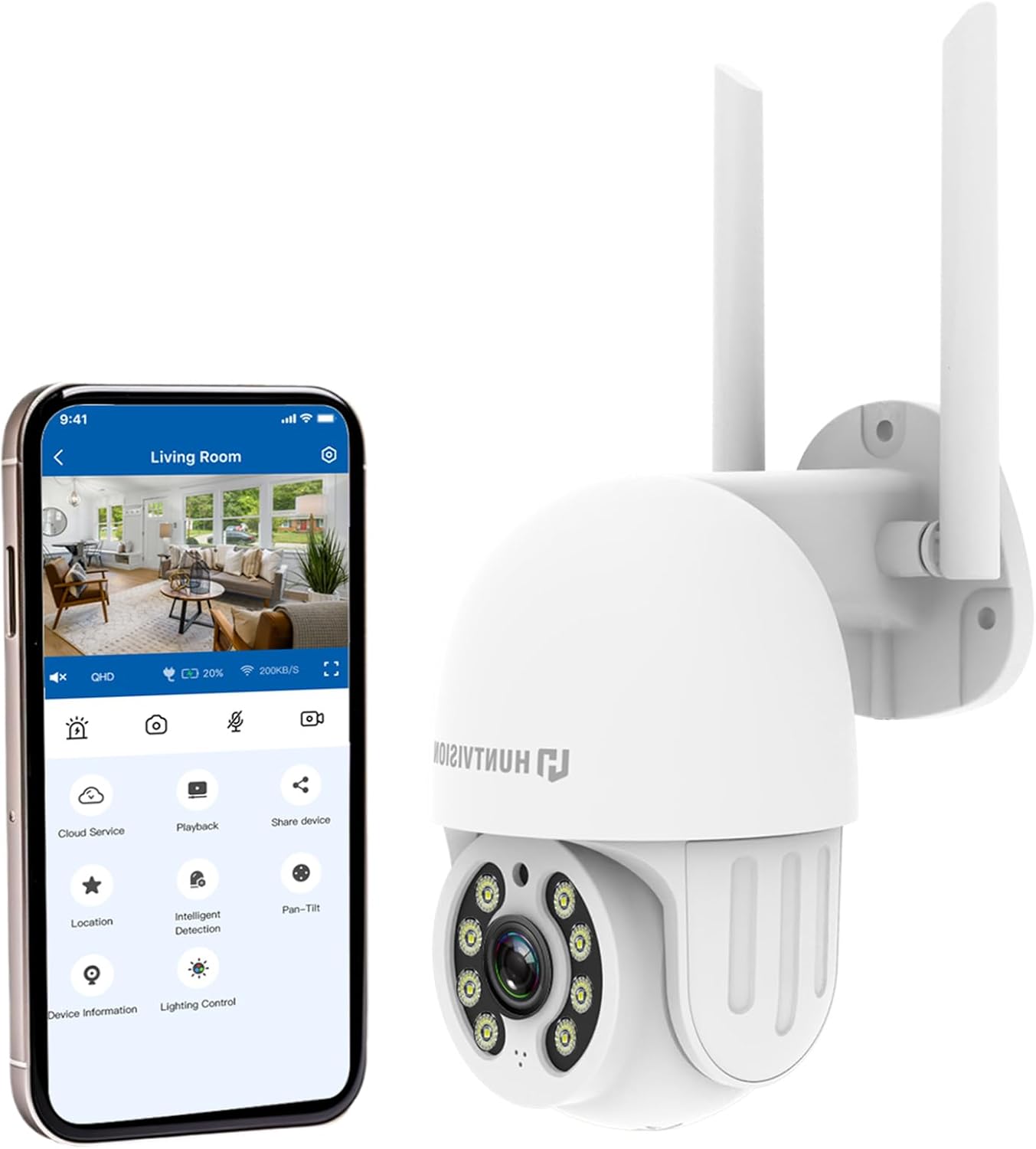
Rajah 4.2: The HUNTVISION E3-Z camera alongside a smartphone displaying the companion mobile application interface, illustrating remote control capabilities.
Ciri-ciri Utama:
- Resolusi HD Penuh 3MP: Captures clear 2304×1296 footage.
- 24/7 Color Night Vision: Advanced starlight technology for full-color monitoring in low light.
- Pengesanan AI Pintar: Distinguishes people, vehicles, and animals with AI-powered motion tracking.
- 360° PTZ Control: Remote pan, tilt, and zoom via the Huntvision app.
- Audio Dua hala: Mikrofon dan pembesar suara terbina dalam untuk komunikasi.
- IP65 Kalis Cuaca: Designed to withstand outdoor conditions (rain, snow, dust).
- Dual Storage: Supports up to 128GB TF card and cloud storage options.
- Persediaan Mudah: 2.4G WiFi and Bluetooth 4.2 for quick installation.
5. Persediaan dan Pemasangan
5.1 Memilih Lokasi
Pilih lokasi luar yang sesuai yang menyediakan keperluan viewing angle and is within range of your 2.4G WiFi network. The camera is IP65 weatherproof, making it suitable for various outdoor environments.

Rajah 5.1: Examples of suitable installation environments, including residential homes, farms, construction sites, and commercial properties.
5.2 Memasang Kamera
The camera supports wall mounting. Use the provided auxiliary package for secure installation.
- Tandakan titik penggerudian di dinding menggunakan pendakap pelekap sebagai templat.
- Tebuk lubang dan masukkan penambat dinding jika perlu.
- Kencangkan pendakap pelekap ke dinding menggunakan skru.
- Attach the camera to the mounting bracket, ensuring it is firmly in place.
5.3 Menghidupkan dan Persediaan Awal
- Sambungkan penyesuai kuasa ke kamera dan pasangkannya ke soket kuasa.
- Download the "Huntvision" app from your mobile app store (available for iOS).
- Open the app and follow the on-screen instructions to add your camera. The camera uses Bluetooth 4.2 for initial configuration, simplifying the WiFi connection process.
- Ensure your mobile device is connected to a 2.4G WiFi network during setup.
6. Mengendalikan Kamera
6.1 Langsung View dan Kawalan PTZ
Once connected, access the live view through the Huntvision app. You can remotely control the camera's pan (355°) and tilt (85°) functions to adjust the viewsudut ing.

Rajah 6.1: Illustration of the camera's remote pan (355°) and tilt (85°) capabilities, controlled via the mobile application, along with 6X digital zoom.
6.2 Pengesanan Gerakan dan Makluman
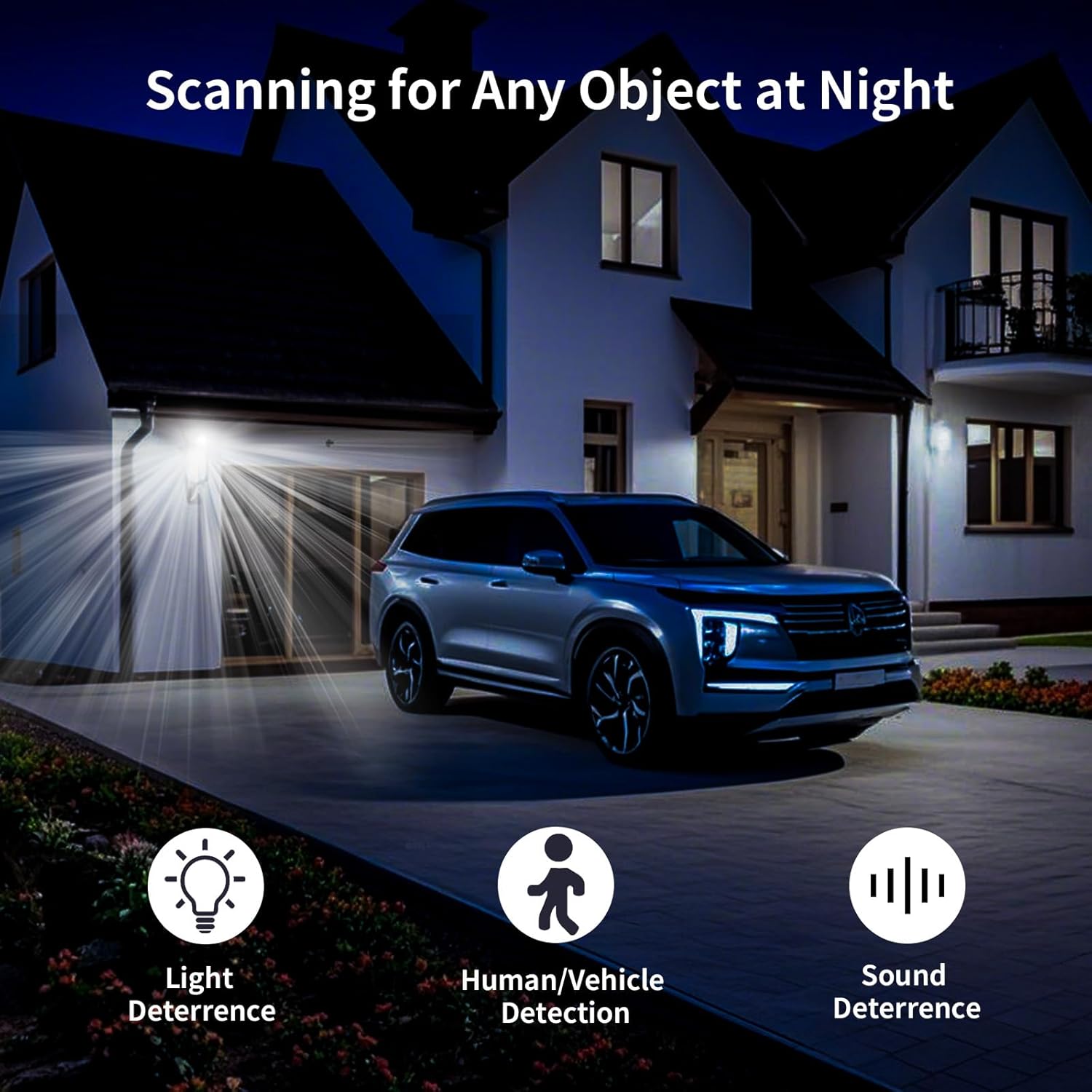
The camera features smart AI detection to distinguish between people, vehicles, and animals. Configure alert settings in the app to receive instant notifications on your mobile device when motion is detected.

Rajah 6.2: Depiction of motion detection triggering a siren alert, spotlight alarm, and app notification push, alongside the two-way audio function.
6.3 Mod Penglihatan Malam
The E3-Z offers multiple night vision modes:
- Penglihatan Malam Warna Penuh: Utilizes advanced starlight technology to provide color images in low-light conditions.
- Penglihatan Malam IR: Standard black and white infrared vision for complete darkness.
- Penglihatan Malam Pintar: Automatically switches between IR and color night vision based on detected motion or light conditions.
Rajah 6.3: Visual comparison of Color Night Vision, IR Night Vision, and Smart Night Vision modes, demonstrating clear visibility in various nighttime scenarios.
6.4 Audio Dua Hala
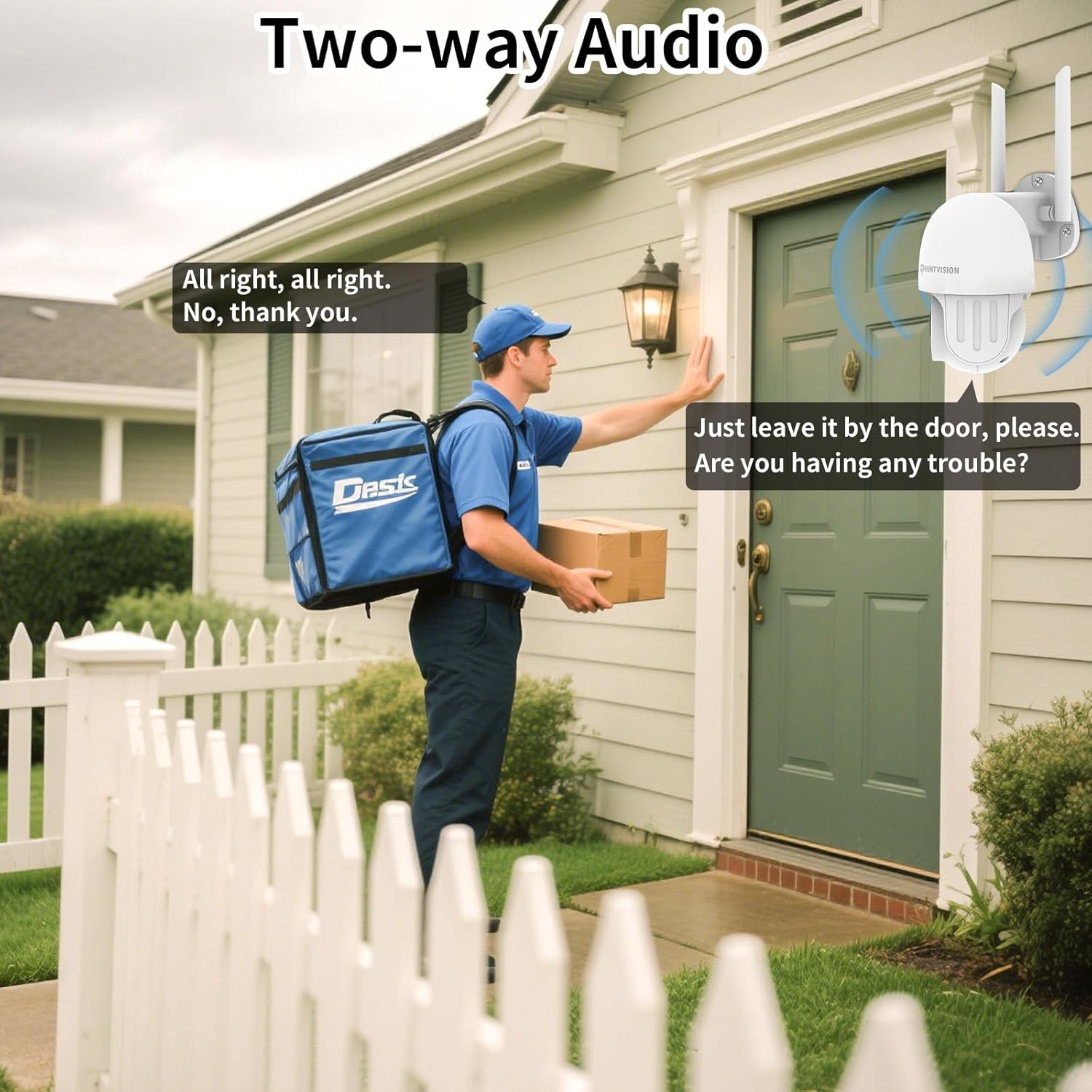
Use the two-way audio feature to communicate with individuals near the camera. This is useful for deterring intruders or speaking with delivery personnel.

Rajah 6.4: Seorang bekasample of two-way audio in use, showing a user communicating with a delivery person through the camera.
6.5 Pilihan Storan
The camera supports local storage via a TF (microSD) card up to 128GB and cloud storage services. Insert the TF card into the designated slot on the camera.
Rajah 6.5: jarak dekat view of the TF card slot on the camera and a list of compatible memory card brands (Kingston, SanDisk, PNY) with supported capacities.
7. Penyelenggaraan
Regular maintenance ensures optimal performance and longevity of your security camera:
- Pembersihan: Lap kanta dan badan kamera dengan lembut menggunakan kain lembut dan kering. Jangan gunakan bahan kimia yang keras atau pembersih yang kasar.
- Kemas kini Firmware: Check the Huntvision app regularly for firmware updates. Keeping your camera's firmware up-to-date ensures access to the latest features and security enhancements.
- Kitaran Kuasa: Jika kamera menjadi tidak responsif, cuba cabut plagnya daripada sumber kuasa selama beberapa saat dan kemudian pasangkannya semula.
- Pengurusan Storan: Semula secara berkalaview dan urus foo anda yang direkodkantage. If using a TF card, ensure it has sufficient space or consider setting up automatic overwriting.
8. Penyelesaian masalah
If you encounter issues with your HUNTVISION E3-Z camera, refer to the following common problems and solutions:
| Masalah | Kemungkinan Punca | Penyelesaian |
|---|---|---|
| Kamera luar talian dalam aplikasi | No power; WiFi disconnected; Router issues | Check power connection; Verify WiFi signal strength; Restart router and camera; Re-add camera to app if necessary. |
| Kualiti imej yang lemah | Dirty lens; Low light; Network bandwidth issues | Clean the lens; Ensure adequate lighting or proper night vision mode; Check network speed. |
| Amaran gerakan tidak diterima | App notifications disabled; Detection sensitivity too low; Incorrect detection zone settings | Enable app notifications; Adjust detection sensitivity; Configure detection zones in the app. |
| Audio dua hala tidak berfungsi | Microphone/speaker muted in app; Network latency | Check audio settings in the app; Ensure stable network connection. |
| Kad TF tidak merakam | Card full; Card not formatted; Incompatible card | Format the TF card via the app; Replace with a compatible card (up to 128GB); Check recording settings. |
For further assistance, please contact HUNTVISION customer support.
9. Spesifikasi
| Ciri | Perincian |
|---|---|
| Nama Model | 3MP Outdoor PTZ Camera (E3-Z) |
| Resolusi | 3MP (2304 x 1296p) |
| Teknologi Ketersambungan | Wireless (2.4G WiFi, Bluetooth 4.2 for setup) |
| Julat Pan/Sendeng | Pan 355 °, Condong 85 ° |
| Penglihatan Malam | Full-Color Night Vision, IR Night Vision, Smart Night Vision |
| Audio | Audio 2 Hala |
| Pilihan Storan | Kad TF (sehingga 128GB), Storan Awan |
| Peringkat Cuaca | IP65 |
| Sumber Kuasa | Elektrik Bertali |
| Jenis Pemasangan | Lekap di dinding |
| Dimensi (L x W x H) | 6.36 x 5.31 x 3.62 inci |
| Berat Barang | 1 paun |
| Komponen yang Disertakan | Camera, Power adapter, Data line, Auxiliary package, User guide |
10. Waranti dan Sokongan
HUNTVISION products come with a standard manufacturer's warranty. Please refer to the warranty card included in your package or visit the official HUNTVISION webtapak untuk terma dan syarat jaminan terperinci.
Sokongan Pelanggan:
If you require technical assistance or have questions regarding your HUNTVISION E3-Z Security Camera, please contact our customer support team. For the most up-to-date contact information, please visit the official HUNTVISION webtapak atau rujuk butiran hubungan yang disediakan dalam pembungkusan produk anda.
Please have your model number (E3-Z) and purchase information ready when contacting support.
Ask a question about this manual
Ask about setup, troubleshooting, compatibility, parts, safety, or missing instructions. Manuals+ will review the question and use this page’s manual context to help answer it.