
1. Pengenalan
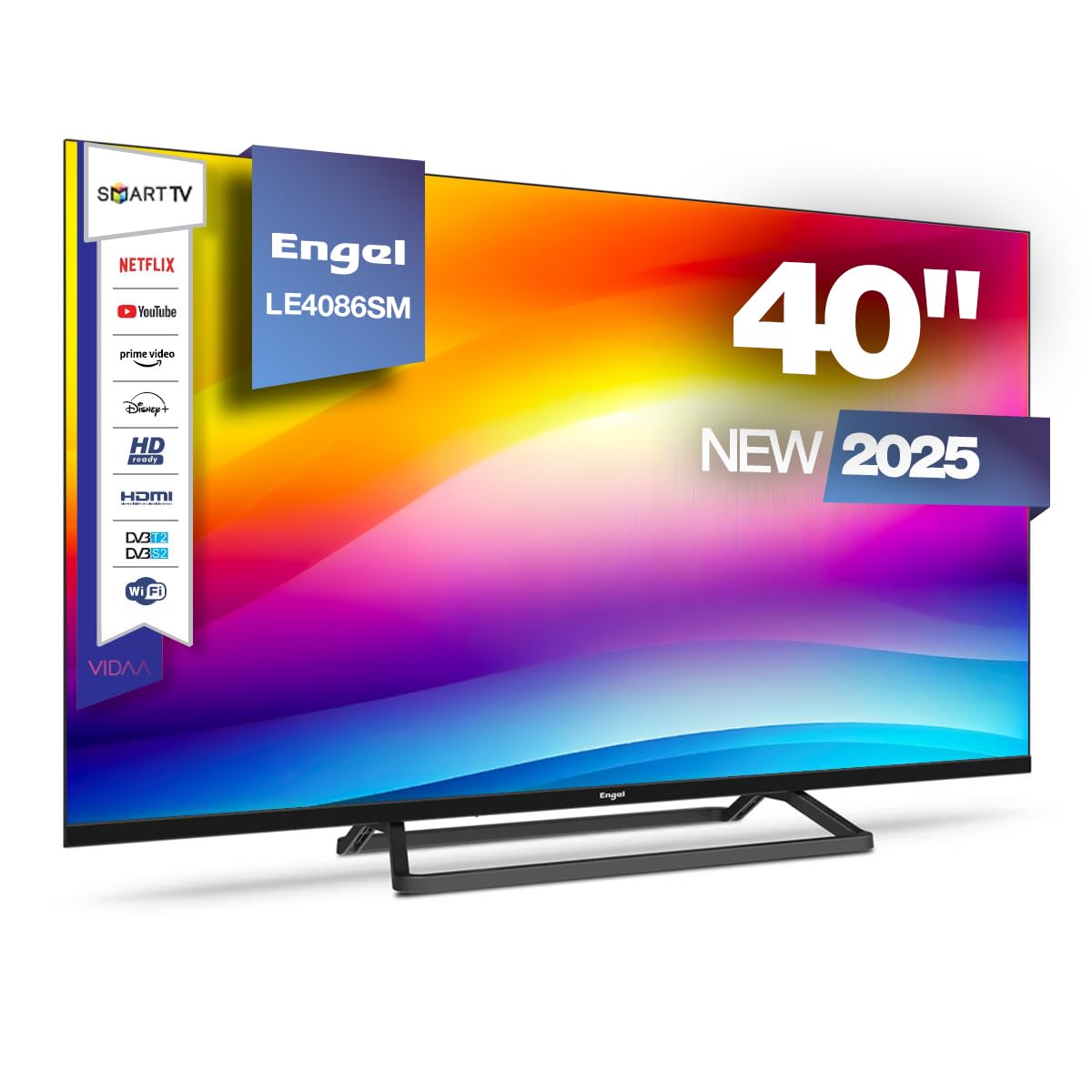
This manual provides essential information for the safe and efficient operation of your Engel LE4086SM Smart TV. Please read these instructions carefully before using the product and retain them for future reference. This television features a 40-inch Full HD LED display, integrated VIDAA Smart TV system, and Dolby Audio for an enhanced viewpengalaman dalam.
2. Maklumat Keselamatan
Patuhi langkah berjaga-jaga keselamatan berikut untuk mengelakkan kerosakan pada peranti atau kecederaan diri:
- Bekalan Kuasa: Pastikan bekalan kuasa voltage sepadan dengan label penilaian di TV. Jangan membebankan alur keluar kuasa.
- Pengudaraan: Jangan sekat bukaan pengudaraan. Benarkan ruang yang mencukupi di sekeliling TV untuk aliran udara yang betul.
- Air dan Kelembapan: Jangan dedahkan TV kepada hujan atau lembapan. Jangan letakkan objek yang diisi dengan cecair, seperti pasu, di TV.
- Sumber Haba: Keep the TV away from heat sources like radiators, heat registers, stoves, or other heat-producing appliances.
- Pembersihan: Cabut plag TV dari salur keluar dinding sebelum membersihkan. Gunakan kain lembut dan kering. Jangan gunakan pembersih cecair atau pembersih aerosol.
- Pemasangan: If wall-mounting, ensure the wall mount is compatible with the TV's VESA standard and can support its weight. Follow the wall mount manufacturer's instructions carefully.
- Kanak-kanak: Supervise children to ensure they do not play with the TV or its remote control.
3. Kandungan Pakej
Sahkan bahawa semua item terdapat dalam kotak:
- Engel LE4086SM Smart TV
- Alat Kawalan Jauh (bateri tidak disertakan)
- Kabel Kuasa
- Manual Pengguna (dokumen ini)
- Pendirian TV (jika tidak dipasang di dinding)
4. Produk Lebihview
4.1. Ciri Paparan dan Audio
The Engel LE4086SM features a 40-inch Full HD (1920x1080) LED display with a 3000:1 contrast ratio, ensuring vibrant and deep colors. The wide 178°/178° viewing angle allows for clear images from various positions. With a maximum brightness of 230 cd/m² and support for 16.7 million colors, the TV delivers high-quality visuals for all content types. The integrated audio system includes Dolby Audio and two 8W speakers, providing a clear and immersive sound experience.
4.2. Dimensi
Refer to the diagram below for the physical dimensions of the television.
This diagram illustrates the physical dimensions of the television, providing measurements for width (954mm), height (509mm without stand, 551mm with stand), and depth (80mm without stand, 221mm with stand) for installation planning.
4.3. Pelabuhan Ketersambungan
The TV offers a comprehensive range of connectivity options for various devices.
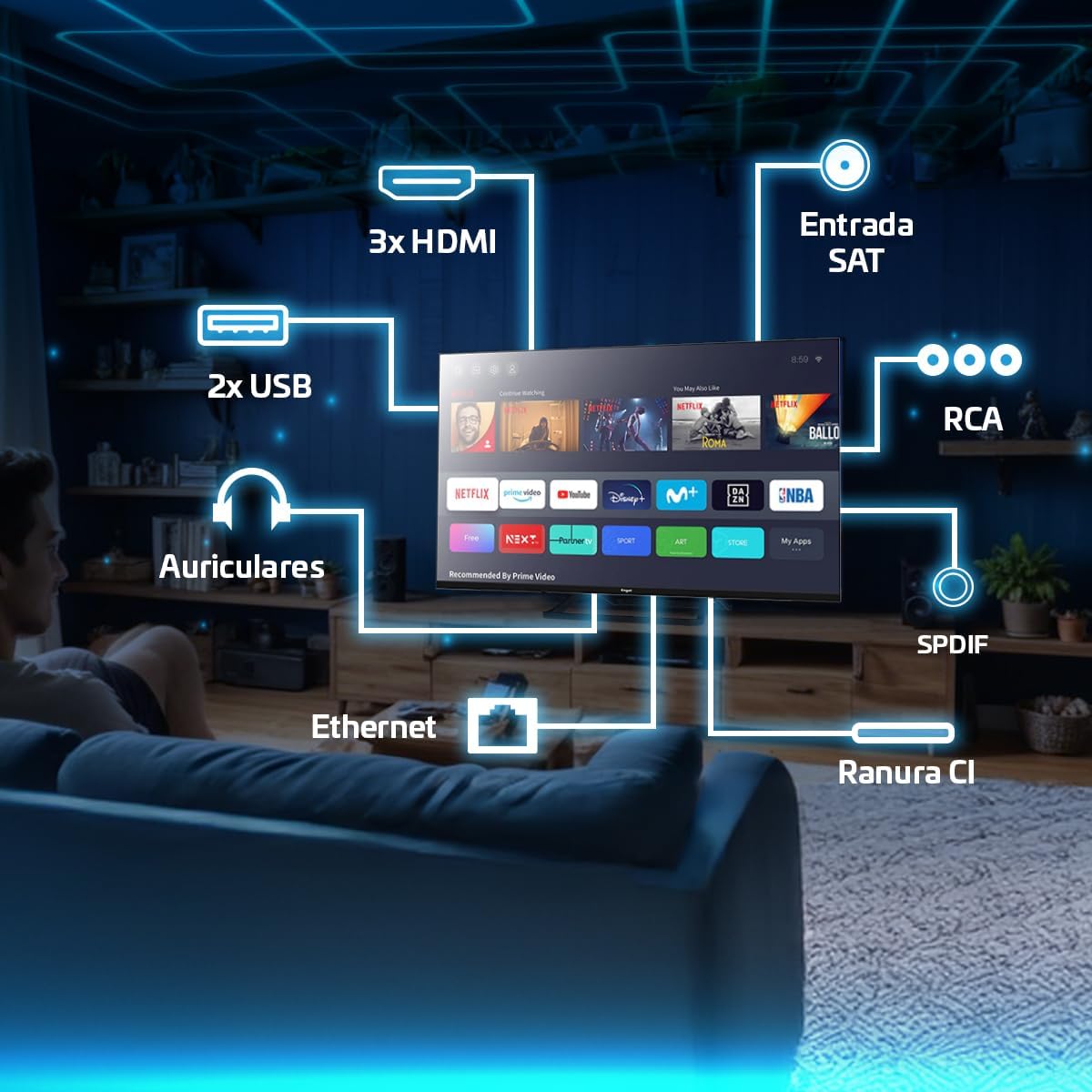
This image highlights the available connectivity options on the television, such as three HDMI ports, two USB 2.0 ports, an Ethernet port, headphone output, SPDIF optical output, RCA input, a Satellite input, and a Common Interface (CI) slot.
5. Persediaan
5.1. Attaching the Stand or Wall Mounting
If using the included stand, carefully attach it to the base of the TV using the provided screws. Ensure the stand is securely fastened before placing the TV on a stable surface. If wall-mounting, use a VESA-compatible wall mount (not included) and follow the wall mount manufacturer's instructions. The TV supports wall mounting.
5.2. Kuasa Penyambung
Sambungkan kabel kuasa ke input kuasa TV dan kemudian ke soket dinding. Pastikan sambungannya selamat.
5.3. Persediaan Awal
Upon first power-on, the TV will guide you through the initial setup process. This includes selecting your language, country, network connection (Wi-Fi or Ethernet), and scanning for available TV channels. Follow the on-screen prompts.
6. Arahan Operasi
6.1. Penggunaan Alat Kawalan Jauh
The remote control allows you to navigate the TV's interface, adjust settings, and access various functions. Insert two AAA batteries (not included) into the remote control, observing polarity. Common functions include:
- Butang Kuasa: Menghidupkan atau mematikan TV.
- Butang Navigasi: Up, Down, Left, Right arrows to move through menus.
- Butang OK/Masuk: Mengesahkan pilihan.
- Butang Kembali/Keluar: Kembali ke skrin sebelumnya atau keluar dari menu.
- Jilid +/-: Melaraskan tahap kelantangan.
- Saluran +/-: Menukar saluran TV.
- Butang Sumber: Selects input sources (HDMI, AV, Tuner).
- Butang TV Pintar: Dedicated buttons for popular streaming services like Netflix, Prime Video, and Disney+.

This image demonstrates the television's capability to display dynamic sports content, highlighting the remote control for easy navigation and access to smart features.
6.2. Navigating the VIDAA Smart TV System
The VIDAA operating system provides a user-friendly interface for accessing applications, settings, and media. Use the navigation buttons on your remote to browse the home screen and select desired apps or functions.

This image shows the television being used for gaming, demonstrating its suitability for interactive entertainment.
6.3. Accessing Streaming Applications
The VIDAA system provides direct access to popular streaming services such as Netflix, Prime Video, and Disney+. You can launch these applications directly from the home screen or using dedicated buttons on the remote control. An active internet connection is required.
6.4. Cast Function
The built-in Cast function allows you to wirelessly mirror content from compatible smartphones, tablets, or computers to your TV. Ensure your device and the TV are connected to the same Wi-Fi network. The specific steps for casting may vary depending on your source device and application.
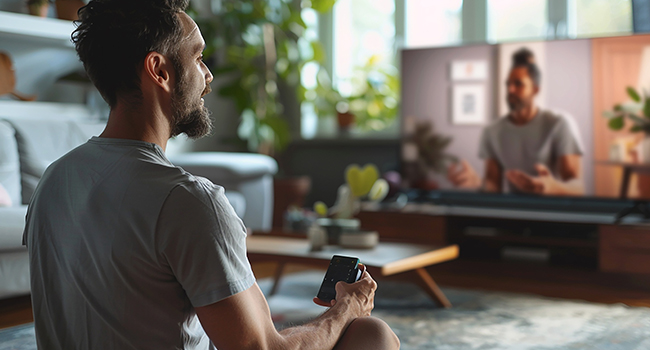
This image depicts a user interacting with the TV using a smartphone, illustrating the convenience of the Cast function for sharing content.
6.5. PVR and Time-Shift Functions
The TV supports Personal Video Recorder (PVR) and Time-Shift functions. To use these features, connect a USB storage device (e.g., a USB flash drive or external hard drive) to one of the TV's USB ports. You can then record live TV programs or pause and resume live broadcasts.
- PVR (Rakaman): Access the TV guide or channel information to schedule recordings.
- Time-Shift (Pause Live TV): While watching live TV, press the pause button on your remote. The TV will begin recording to the connected USB device, allowing you to resume playback later.
6.6. Tuner Setup
The TV includes DVB-T2, DVB-S2, and DVB-C tuners, supporting terrestrial, satellite, and cable television signals. During initial setup or via the settings menu, you can scan for and configure channels for your preferred broadcast type.
7. Ketersambungan
This section details the various connection options available on your TV.
- Port HDMI (x3): Sambungkan peranti luaran seperti pemain Blu-ray, konsol permainan atau kotak set atas.
- Port USB 2.0 (x2): Connect USB storage devices for media playback (photos, videos, music) or for PVR/Time-Shift functions.
- Port Ethernet (LAN): Sambungkan kabel Ethernet untuk sambungan internet berwayar yang stabil.
- Output Fon Kepala: Sambungkan fon kepala untuk mendengar secara peribadi.
- SPDIF Optical Output: Connect to an external audio receiver or soundbar for high-quality digital audio.
- Input RCA: Sambungkan peranti lama menggunakan video komposit dan kabel audio stereo.
- Slot Antara Muka Biasa (CI): Insert a CI module and smart card (provided by your service provider) to access encrypted digital TV channels.
8. Penyelenggaraan
8.1. Membersihkan TV
Before cleaning, unplug the TV from the power outlet. Use a soft, dry, lint-free cloth to gently wipe the screen and cabinet. Do not use liquid cleaners, abrasive cleaners, or chemical sprays, as these can damage the TV's surface or screen coating.
8.2. Kemas Kini Perisian
TV mungkin menerima kemas kini perisian untuk meningkatkan prestasi dan menambah ciri baharu. Pastikan TV anda disambungkan ke internet untuk menerima kemas kini ini. Anda biasanya boleh menyemak kemas kini dalam menu tetapan TV.
9. Penyelesaian masalah
Jika anda menghadapi masalah dengan TV anda, rujuk kepada penyelesaian biasa berikut:
| Masalah | Penyelesaian yang Mungkin |
|---|---|
| Tiada kuasa | Periksa sama ada kabel kuasa disambungkan dengan kukuh ke TV dan soket dinding. Pastikan soket berfungsi. |
| Tiada gambar, tetapi bunyi hadir | Ensure the correct input source is selected. Check cable connections (HDMI, AV). |
| Tiada bunyi, tetapi ada gambar | Periksa tahap kelantangan dan status bisu. Pastikan peranti audio luaran disambungkan dan dikonfigurasikan dengan betul. |
| Alat kawalan jauh tidak berfungsi | Gantikan bateri. Pastikan tiada halangan antara alat kawalan jauh dan penderia IR TV. |
| Smart TV apps not loading or slow | Check your internet connection. Restart the TV and your router. Clear app cache if available in settings. |
Jika masalah berterusan, sila hubungi sokongan pelanggan.
10. Spesifikasi
Key technical specifications for the Engel LE4086SM Smart TV:
- model: LE4086SM
- Saiz Paparan: 40 inci
- Resolusi: Full HD (1920x1080)
- Jenis Paparan: LED
- Nisbah Kontras: 3000:1
- Viewsudut: 178°/178°
- Kecerahan: 230 cd/m²
- warna: 16.7 Juta
- Audio: Dolby Audio, 2 x 8W Speakers
- Smart TV System: VIDAA
- Ketersambungan: 3x HDMI, 2x USB 2.0, Ethernet, Headphone Out, SPDIF Optical, RCA, CI Slot
- Penala: DVB-T2, DVB-S2, DVB-C
- Ciri Khas: PVR, Time-Shift, Cast Function, Hotel Mode
- Dimensi (tanpa pendirian): 95.4 x 8.2 x 50.9 cm (Lebar x Dalam x Tinggi)
- Bahan: plastik
- Jenis Pemasangan: Pelekap Dinding (serasi VESA)
11. Waranti dan Sokongan
Your Engel LE4086SM Smart TV comes with a Waranti 3 tahun in Spain, covering manufacturing defects and malfunctions under normal use. For warranty claims or technical assistance, please contact Engel's specialized technical service. Keep your proof of purchase for warranty validation.

This graphic confirms the product comes with a 3-year warranty in Spain and access to specialized technical support.
For further support, visit the official Engel webtapak atau rujuk maklumat hubungan yang diberikan bersama dokumentasi pembelian anda.