
1. Pengenalan
This manual provides detailed instructions for the Transformers TF-T07 Ear Hanging Wireless Headphones. Please read this manual carefully before using the product to ensure proper operation and to maximize your listening experience.
The TF-T07 headphones feature an ergonomic ear-hanging design, Bluetooth 5.4 connectivity, ultra-low latency for gaming, a high-quality microphone, and a sweatproof build, delivering clear audio with deep bass.
2. Kandungan Pakej
Selepas membuka pakej, sila sahkan bahawa semua item berikut disertakan:
- Transformers TF-T07 Ear Hanging Wireless Headphones
- Kabel Pengecasan (Jenis-C)
- Kes Pengecasan
- Manual Pengguna (dokumen ini)
3. Produk Lebihview
The Transformers TF-T07 headphones are designed for comfort and high-fidelity audio. They feature an open-ear, ear-hanging design, providing a comfortable fit without entering the ear canal.

Image: The TF-T07 headphones in their charging case, highlighting the non-in-ear design for comfortable wear.
Ciri-ciri utama termasuk:
- Bluetooth 5.4: Untuk sambungan tanpa wayar yang stabil dan cekap.
- Suara HD: Enhanced call clarity.
- Latensi Rendah Permainan: Minimized audio delay for gaming.
- Bunyi sekeliling: Pengalaman audio yang mengasyikkan.
- Lampu berwarna-warni: Integrated lighting feature.

Image: Visual representation of the TF-T07's main features, including Bluetooth 5.4 and low latency gaming.
4. Persediaan dan Pengecasan
4.1 Pengecasan Awal
Sebelum penggunaan pertama, cas sepenuhnya fon kepala dan bekas pengecas.
- Sambungkan kabel pengecas Jenis-C yang disediakan ke port pengecasan pada bekas.
- Sambungkan hujung kabel yang satu lagi ke sumber kuasa USB (cth, penyesuai dinding, port USB komputer).
- The charging indicator lights on the case will show charging status.
- Pengecasan penuh biasanya mengambil masa lebih kurang 2 jam.
4.2 Memakai Fon Kepala
The TF-T07 features an ergonomic ear-hanging design for a secure and comfortable fit.
- Identify the left (L) and right (R) headphones.
- Gently hook each headphone over your ear, ensuring the speaker portion is positioned correctly near your ear canal without entering it.
- Adjust for a snug and comfortable fit.
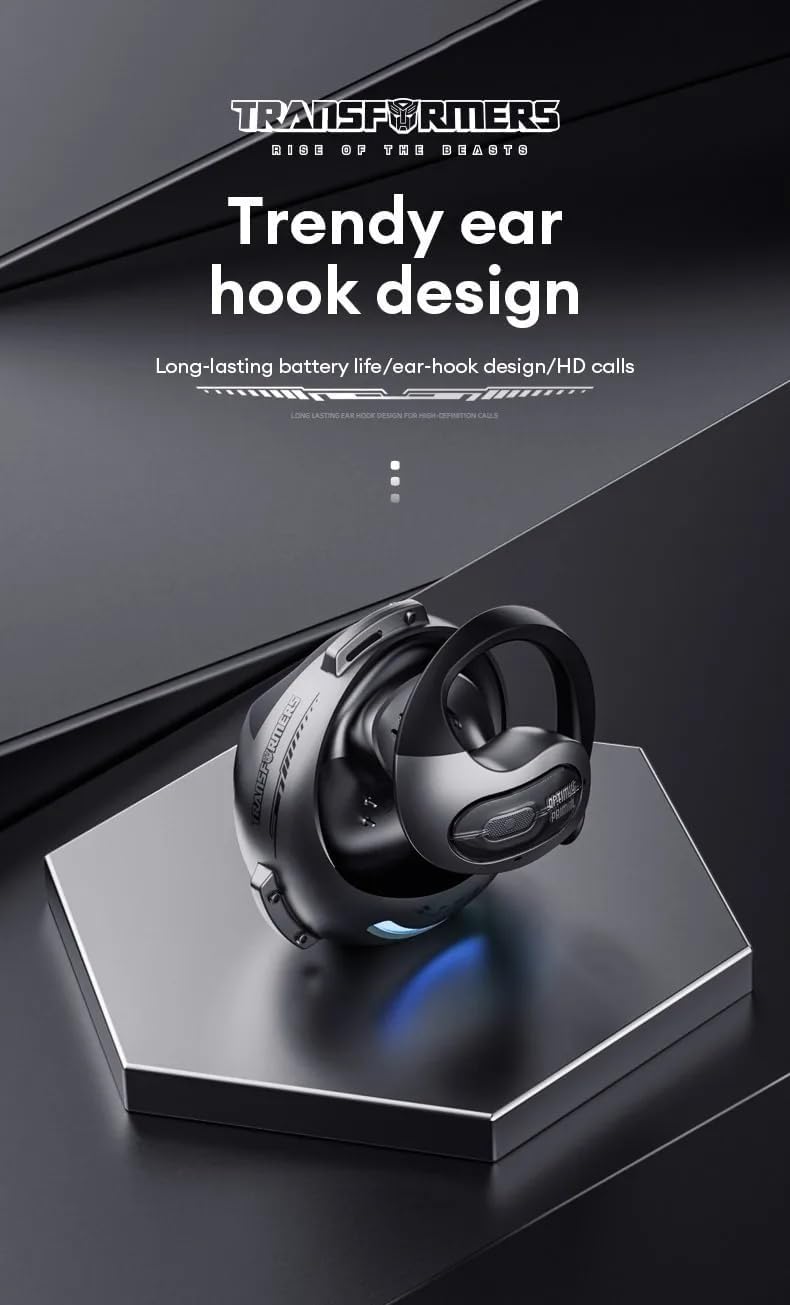
Image: Close-up of the TF-T07's ear hook design, emphasizing its ergonomic shape.
4.3 Berpasangan Bluetooth
Untuk menyambungkan fon kepala anda ke peranti:
- Pastikan fon kepala dicas.
- Open the charging case. The headphones will automatically enter pairing mode (indicated by flashing lights, refer to product specific light indicators if available).
- Pada peranti anda (telefon pintar, tablet, komputer), dayakan Bluetooth.
- Cari untuk available Bluetooth devices and select "TF-T07" from the list.
- Sebaik sahaja disambungkan, fon kepala akan menunjukkan pasangan yang berjaya (cth., gesaan suara atau lampu malap).
- Fon kepala akan disambungkan semula secara automatik ke peranti terakhir yang dipasangkan apabila dikeluarkan dari bekas, jika Bluetooth didayakan pada peranti.
5. Arahan Operasi
5.1 Kawalan Asas
The TF-T07 headphones feature integrated controls for easy management of audio and calls. Specific touch or button functions may vary; refer to the quick start guide included in your package for precise details.
- Hidupkan/Mati Kuasa: Headphones power on automatically when removed from the case and power off when placed back in the case.
- Main/Jeda: Ketik sekali pada salah satu fon telinga.
- Kawalan Kelantangan: Adjust volume directly on the headphones (specific gesture/button location not detailed in product info, assume standard controls).
- Trek Seterusnya / Sebelumnya: Double tap or long press (refer to quick start guide).
- Jawab/Tamatkan Panggilan: Ketik sekali semasa panggilan masuk.
- Tolak Panggilan: Long press during an incoming call.
- Aktifkan Pembantu Suara: Triple tap (refer to quick start guide).
5.2 Membuat dan Menerima Panggilan
The built-in high-quality microphone with DNS noise reduction ensures clear communication.

Image: The TF-T07 headphones are designed for high-definition calls, even in noisy environments.
5.3 Pengalaman Permainan
The TF-T07 headphones offer ultra-low latency, crucial for competitive gaming, ensuring audio synchronization with on-screen action.
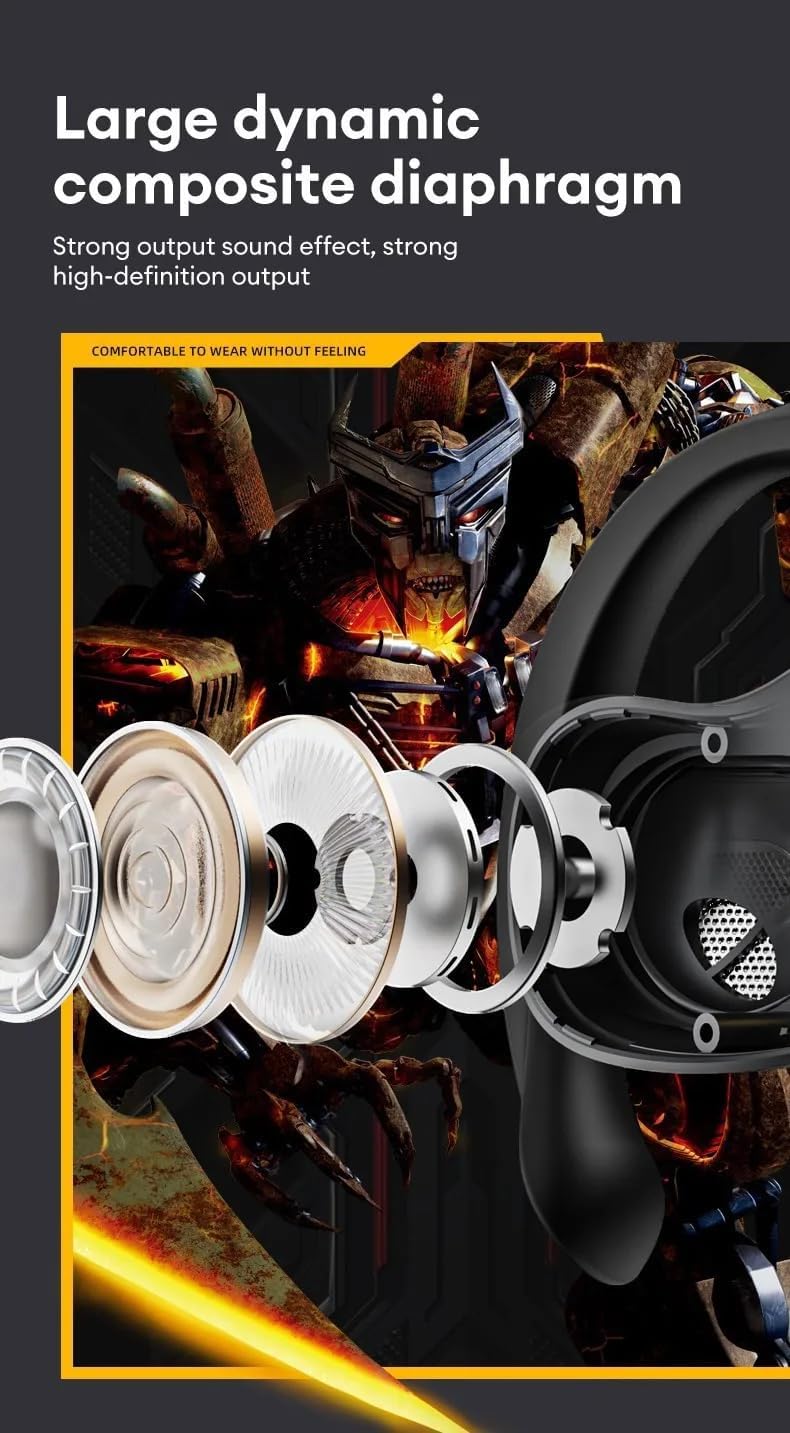
Image: Internal components of the TF-T07 headphones, highlighting the large dynamic composite diaphragm for strong sound output.

Image: The TF-T07 headphones provide a full spectrum listening experience with excellent sound transmission.
6. Penyelenggaraan dan Penjagaan
To ensure the longevity and optimal performance of your TF-T07 headphones, follow these care guidelines:
- Pembersihan: Use a soft, dry, lint-free cloth to clean the headphones and charging case. Do not use abrasive cleaners, alcohol, or chemical solvents.
- Reka bentuk kalis peluh: The headphones are designed to be sweatproof, making them suitable for workouts. However, avoid submerging them in water or exposing them to heavy rain. Dry them thoroughly after exposure to sweat.
- Storan: Apabila tidak digunakan, simpan fon kepala dalam bekas pengecasnya untuk melindunginya daripada habuk dan kerosakan. Simpan di tempat yang sejuk dan kering jauh dari suhu yang melampau.
- Penjagaan Bateri: Untuk menjimatkan hayat bateri, cas fon kepala secara berkala, walaupun tidak digunakan dengan kerap. Elakkan daripada mencas bateri sepenuhnya untuk tempoh yang lama.
7. Penyelesaian masalah
If you encounter issues with your TF-T07 headphones, try the following solutions:
- Tiada Kuasa:
- Ensure the headphones and charging case are fully charged.
- Periksa kabel pengecasan dan sumber kuasa.
- Tidak boleh berpasangan:
- Pastikan Bluetooth didayakan pada peranti anda dan fon kepala berada dalam mod berpasangan.
- Gerakkan fon kepala lebih dekat ke peranti anda (dalam jarak 10 meter).
- Matikan Bluetooth pada peranti berdekatan yang lain untuk mengelakkan gangguan.
- Forget "TF-T07" from your device's Bluetooth list and try pairing again.
- Mulakan semula peranti dan fon kepala anda.
- Tiada Bunyi atau Kelantangan Rendah:
- Increase the volume on both your device and the headphones.
- Pastikan fon kepala disambungkan dengan betul ke peranti anda.
- Check if the audio output is set to "TF-T07" on your device.
- Kualiti Bunyi Lemah:
- Bergerak lebih dekat dengan peranti anda untuk mengurangkan gangguan.
- Elakkan halangan antara fon kepala dan peranti anda.
- Ensure the headphones are clean and free from debris.
If the issue persists, please refer to the warranty and support section.
8. Spesifikasi
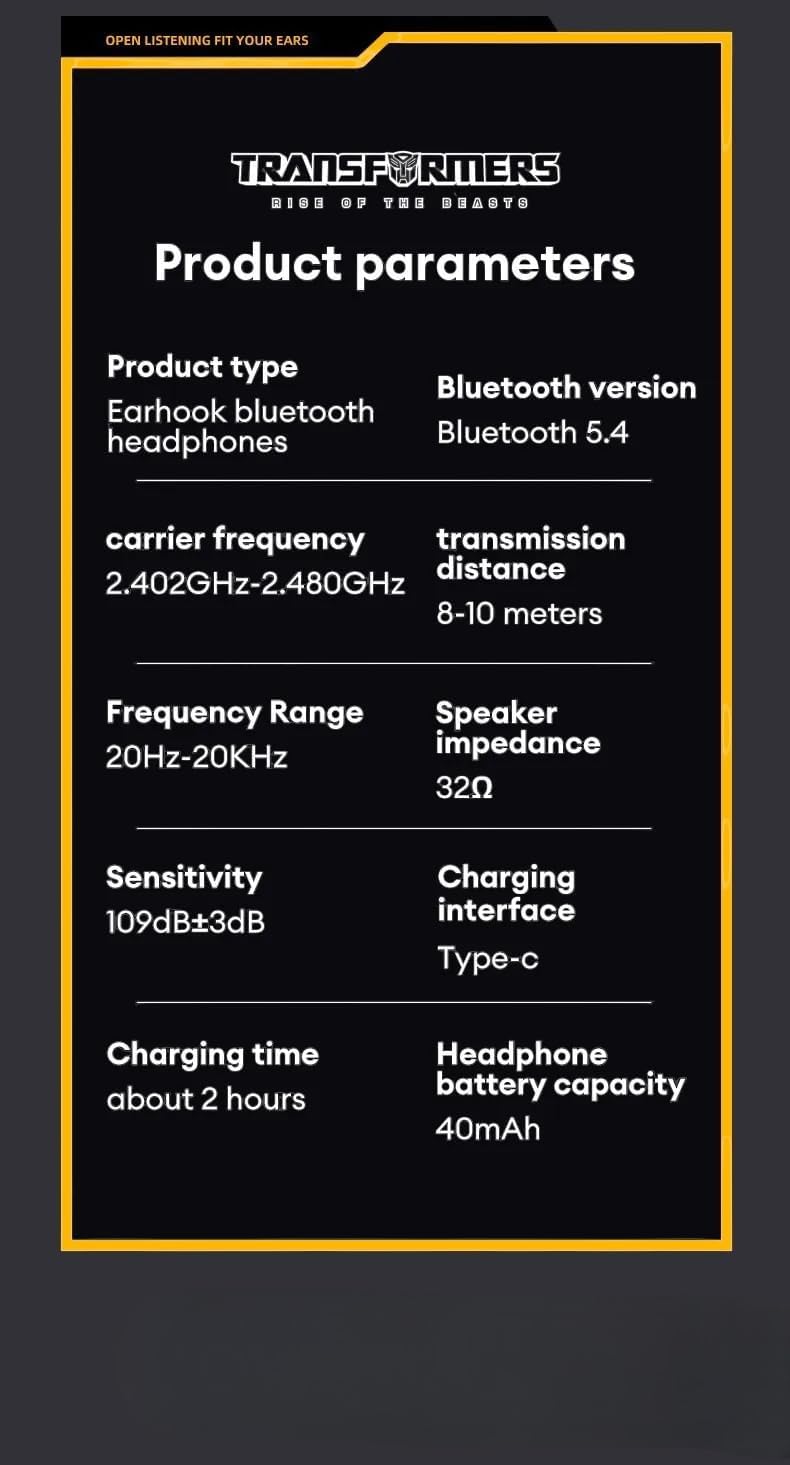
Image: Detailed product parameters for the TF-T07 headphones.
| Ciri | Perincian |
|---|---|
| Jenis Produk | Fon Kepala Bluetooth cangkuk telinga |
| Nama Model | TF-T07 |
| Jenama | Transformers |
| Teknologi Ketersambungan | Wayarles (Bluetooth 5.4) |
| Versi Bluetooth | Bluetooth 5.4 |
| Kekerapan Pembawa | 2.402GHz - 2.480GHz |
| Jarak Penghantaran | 8-10 meter |
| Julat Kekerapan | 20Hz - 20KHz |
| Impedans Pembesar Suara | 32Ω |
| Sensitiviti | 109dB ± 3dB |
| Antara Muka Pengecasan | Jenis-C |
| Masa Mengecas | Lebih kurang 2 jam |
| Kapasiti Bateri Fon kepala | 40mAh |
| Ciri Khas | Noise Isolation, Sweatproof Design, Ultra-Low Latency |
| warna | Kelabu |
9. Maklumat Waranti
The Transformers TF-T07 Ear Hanging Wireless Headphones come with a Manufacturer's Warranty of 6 Bulan dari tarikh pembelian.
This warranty covers defects in materials and workmanship under normal use. It does not cover damage caused by misuse, accidents, unauthorized modifications, or normal wear and tear.
Sila simpan bukti pembelian anda untuk tuntutan waranti.
10. Sokongan Pelanggan
For further assistance, technical support, or warranty inquiries, please contact your retailer or the manufacturer's customer service department.
Please have your product model number (TF-T07) and proof of purchase ready when contacting support.