
pengenalan
Thank you for choosing the Parsonver 5ATM Waterproof Smart Watch. This manual provides essential information for setting up, operating, and maintaining your device. Please read it carefully to ensure proper use and to maximize the watch's features.

Image: The Parsonver 5ATM Waterproof Smart Watch, showcasing reka bentuknya yang anggun.
Panduan Persediaan
1. Mengecas Peranti
Before first use, fully charge your Parsonver Smart Watch. Connect the magnetic charging cable to the charging contacts on the back of the watch and plug the USB end into a standard USB power adapter (not included).
- Pengecasan penuh biasanya mengambil masa lebih kurang 2 jam.
- Paparan jam tangan akan menunjukkan status pengecasan.
2. Muat Turun Apl dan Berpasangan
To unlock all features, download the official Parsonver app on your smartphone.
- Scan the QR code provided in the watch's packaging or search for "Parsonver" in your smartphone's app store (iOS App Store or Google Play Store).
- Pasang dan buka apl.
- Pastikan Bluetooth didayakan pada telefon pintar anda.
- In the app, follow the on-screen instructions to add your device. Select your Parsonver Smart Watch from the list of available devices.
- Sahkan permintaan berpasangan pada kedua-dua jam tangan dan telefon pintar anda.
Note: If you have a 2-pack, repeat the pairing process for the second watch with the same or a different smartphone as desired.
3. Tetapan Awal
After successful pairing, you can customize basic settings through the app, such as time format, unit preferences, and personal profile maklumat.
Arahan Operasi
Navigasi Asas
- Skrin sentuh: Leret ke atas, bawah, kiri atau kanan untuk menavigasi menu dan pemberitahuan. Ketik untuk memilih item.
- Butang Sampingan: Typically, a short press returns to the previous screen or watch face. A long press may access power options or a quick menu. Refer to the watch's on-screen prompts for specific button functions.
Smart Calls & Notifications
Stay connected by receiving call, text, and app notifications directly on your wrist.
- Panggilan Masuk: The watch will display caller ID. You can reject calls directly from the watch. Answering calls is not supported directly on the watch.
- Mesej: View SMS, emails, and alerts from apps like WhatsApp, LinkedIn, Instagram, dan Twitter.
- Persediaan: Enable desired notifications through the Parsonver app on your smartphone.
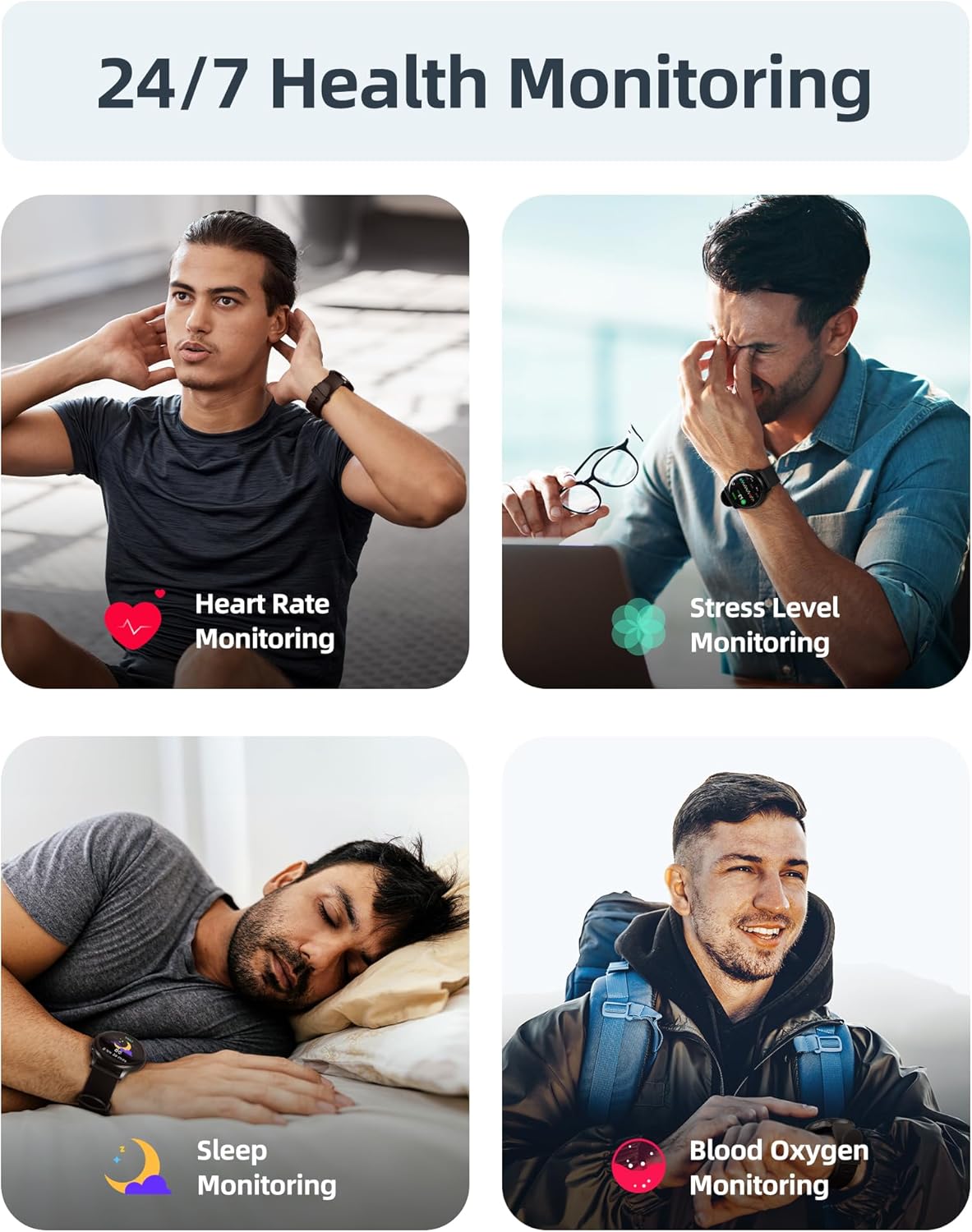
Image: A user interacting with the smartwatch to manage incoming calls and view pemberitahuan aplikasi.
Pemantauan Kesihatan 24/7
The watch continuously monitors various health metrics to help you stay informed about your well-being.
- Pemantauan Denyut Jantung: Penjejakan kadar denyutan jantung masa nyata sepanjang hari.
- Pengukuran Oksigen Darah (SpO2): On-demand or continuous blood oxygen level monitoring.
- Analisis Tidur: Jejak tidur stages (dalam, ringan, REM) dan memberikan pandangan tentang kualiti tidur.
- Pemantauan Tahap Tekanan: Helps identify periods of high stress.
- Amaran Sedentari: Mengingatkan anda untuk bergerak selepas tempoh tidak aktif.
- Penjejakan Kitaran Haid: Specialized tracking for female users.

Image: Visual representation of the smartwatch's health monitoring capabilities, including heart rate, stress, sleep, and blood oxygen tracking.
110+ Sports Modes & Fitness Tracking
Track your workouts with a wide range of sports modes, both indoors and outdoors.
- Penjejakan Aktiviti: Monitors steps, calories burned, distance, and active time.
- Mod yang Disokong: Includes walking, running, cycling, swimming, yoga, gym workouts, and many more.
- Penyegerakan Data: All workout data is synced to the Parsonver app for detailed analysis and progress tracking.

Image: A person cycling while wearing the smartwatch, with an overlay showing different sports modes like treadmill, outdoor running, and yoga.
5ATM Waterproof & Swim Tracking
The Parsonver Smart Watch is rated 5ATM waterproof, suitable for swimming and daily water exposure up to 50 meters.
- Swimming Metrics: Automatically detects swim strokes (Butterfly, Backstroke, Breaststroke, Freestyle) and provides data on stroke count, stroke rate, and SWOLF score.
- penggunaan: Ideal for pool swimming and open water activities. Not suitable for diving or high-pressure water activities.
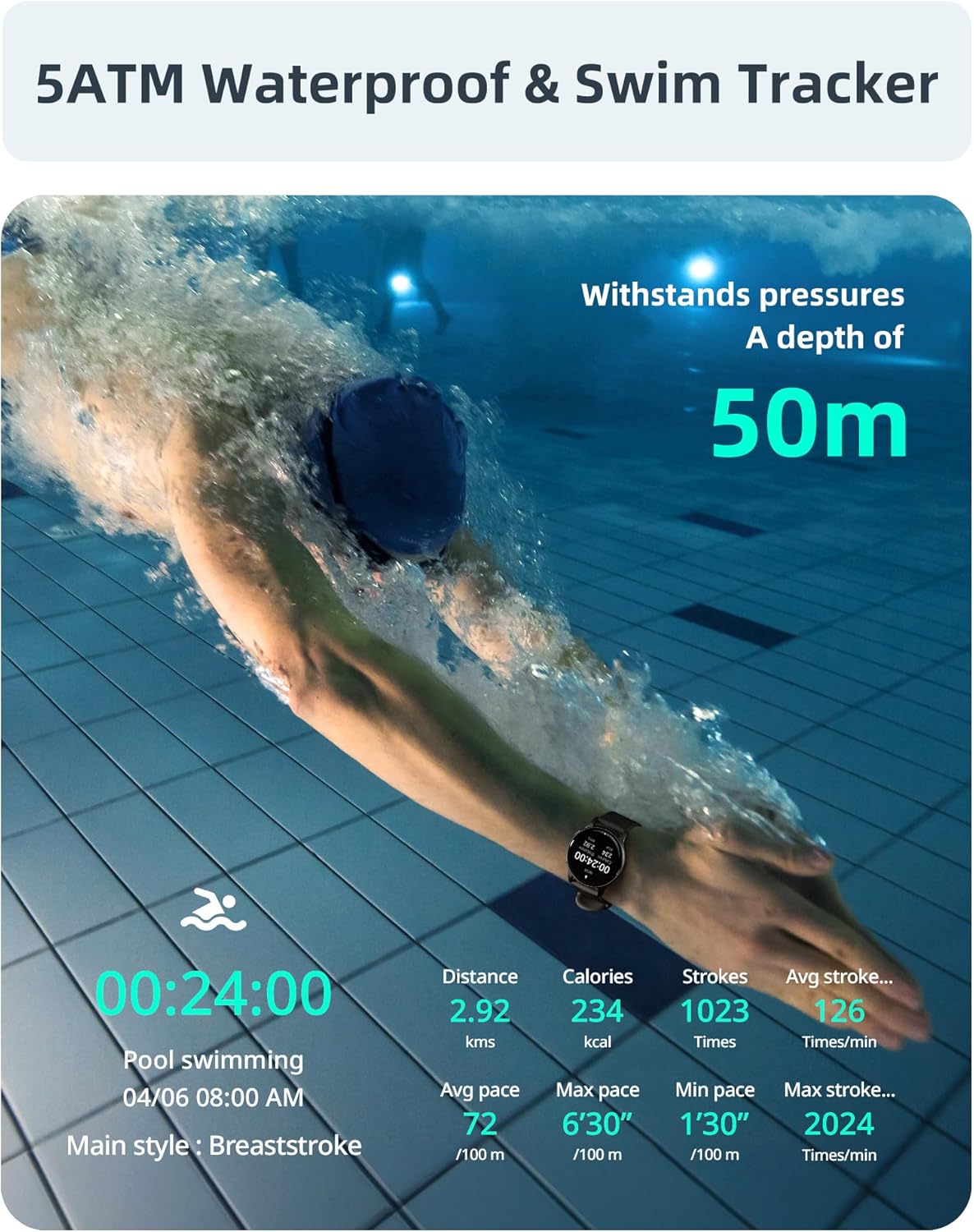
Image: A swimmer in a pool, with the smartwatch displaying swim tracking data such as distance, calories, strokes, and average pace.
Muka Jam yang boleh disesuaikan
Personalize your watch with over 200 customizable watch faces available through the Parsonver app.
- Pilihan: Choose from a wide variety of built-in and dynamic watch faces.
- Pemperibadian: Upload your own photos to create unique watch faces.

Image: The smartwatch screen showing various customizable watch face options, including a photo of a family.
Penyelenggaraan dan Penjagaan
- Pembersihan: Kerap bersihkan jam tangan dan tali pinggang anda dengan lembut, damp kain. Elakkan bahan kimia yang keras atau bahan yang melelas.
- Pendedahan Air: While 5ATM waterproof, it is recommended to rinse the watch with fresh water after exposure to saltwater or chlorinated water to prevent corrosion. Dry thoroughly.
- Penjagaan Tali: The watch features an anti-allergic, soft, and comfortable strap. Ensure it is not too tight or too loose for optimal comfort and sensor accuracy.
- Penjagaan Bateri: Avoid extreme temperatures. Do not fully discharge the battery for extended periods. Charge regularly to prolong battery life.
- Storan: Simpan jam tangan di tempat yang sejuk dan kering apabila tidak digunakan.

Image: Close-up of the smartwatch, emphasizing its lightweight design (37g) and the anti-allergic, soft, and comfortable strap material.
Menyelesaikan masalah
- Tonton Tidak Dihidupkan: Pastikan jam tangan dicas sepenuhnya. Sambungkannya ke pengecas selama sekurang-kurangnya 30 minit.
- Tidak Boleh Dipasangkan dengan Telefon Pintar:
- Pastikan Bluetooth didayakan pada telefon dan jam tangan anda.
- Pastikan jam tangan berada dalam julat Bluetooth telefon anda.
- Mulakan semula telefon dan jam tangan anda.
- Try unpairing and re-pairing through the Parsonver app.
- Data Kesihatan Tidak Tepat:
- Pastikan jam tangan dipakai dengan kemas pada pergelangan tangan anda, tetapi tidak terlalu ketat.
- Bersihkan penderia di belakang jam tangan.
- Elakkan pergerakan berlebihan semasa pengukuran.
- Pemberitahuan Tidak Muncul:
- Check notification settings in the Parsonver app.
- Pastikan pemberitahuan aplikasi diaktifkan dalam tetapan sistem telefon anda.
- Sahkan bahawa jam tangan disambungkan melalui Bluetooth.
- Tetapan semula kilang: If issues persist, you may perform a factory reset via the watch's settings menu. This will erase all data on the watch and restore it to its original state.
Spesifikasi
| Jenama | Parsonver |
| Model | Parsonver 5ATM Waterproof Smart Watch |
| Tahan Air | 5ATM (sehingga 50 meter) |
| Paparan | Skrin Sentuh HD 1.8 inci |
| Ciri Khas | Heart Rate Monitor, Blood Oxygen Monitor, Sleep Tracker, Stress Monitor, 110+ Sports Modes, Smart Notifications |
| bentuk | Bulat |
| Berat badan | 37g (approximate, watch body only) |
| ASIN | B0DH2P2SJP |
Waranti dan Sokongan
For warranty information, please refer to the documentation included with your product or visit the official Parsonver website. If you encounter any issues or require technical assistance, please contact Parsonver customer support through their official channels.
You can often find support contact details on the manufacturer's website or within the Parsonver application.