
zhizhi S61
zhizhi Smartwatch User Manual
Model: S61
1. Pengenalan
Thank you for choosing the zhizhi S61 Smartwatch. This device is designed to enhance your daily life by providing comprehensive health monitoring, fitness tracking, and smart communication features. This manual will guide you through the setup, operation, and maintenance of your new smartwatch to ensure optimal performance and user experience.
2. Maklumat Keselamatan
Please read the following safety precautions carefully before using the device:
- Do not attempt to disassemble, repair, or modify the device. This may cause damage, fire, or electric shock.
- Jauhkan peranti daripada suhu ekstrem, cahaya matahari langsung dan kelembapan yang tinggi.
- Elakkan mendedahkan peranti kepada hentaman atau jatuhan yang kuat.
- This device is IP68 waterproof, suitable for daily use like hand washing or rain. It is not recommended for diving, hot showers, or saunas, as steam and hot water can damage the seals.
- Rujuk doktor sebelum memulakan sebarang rejimen senaman baharu, terutamanya jika anda mempunyai masalah kesihatan yang sedia ada.
- The health monitoring data provided by this device is for reference only and should not be used for medical diagnosis or treatment.
3. Kandungan Pakej
Sila tandai kotak untuk item berikut:
- zhizhi S61 Smartwatch (with one strap attached)
- Additional strap (color may vary)
- Kabel Pengecasan
- Manual Pengguna
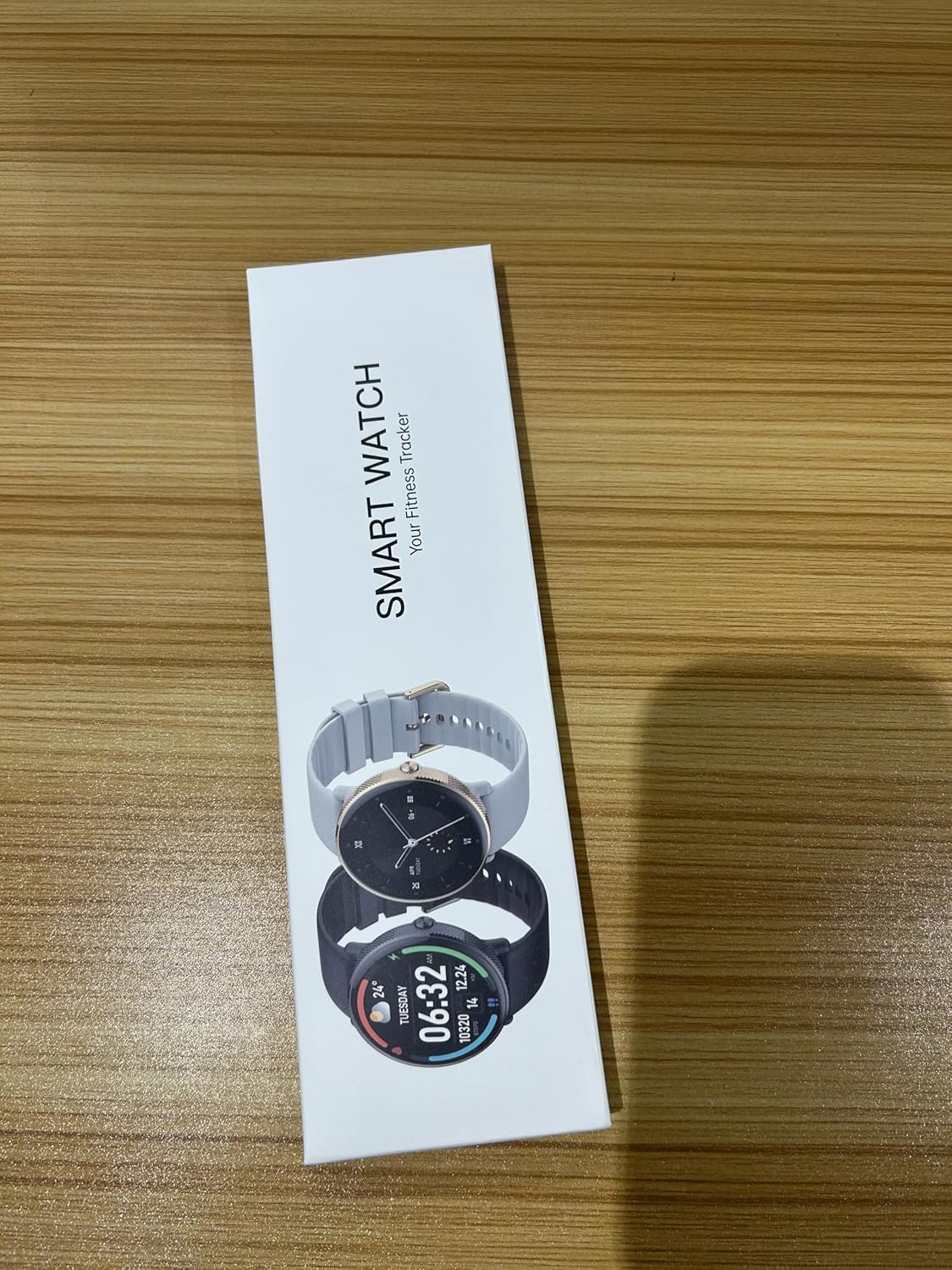
Image: Front of the zhizhi smartwatch retail packaging, showing the product name and a depiction of the smartwatch.

Image: Back of the zhizhi smartwatch retail packaging, displaying product specifications, manufacturer details, and a QR code for app download.
4. Produk Lebihview
The zhizhi S61 Smartwatch features a sleek design with a 1.43-inch AMOLED full-touch screen, offering clear visuals and responsive interaction. It includes a physical button on the side for navigation and power control. The back of the watch houses the heart rate and SpO2 sensors, along with charging contacts.

Image: The zhizhi S61 Smartwatch with its round display showing a digital watch face with current time, date, weather, steps taken, and distance covered. An inset image shows the watch's phone dialer interface.

Imej: A terperinci view of the zhizhi S61 Smartwatch's 1.43-inch AMOLED HD touch screen, emphasizing its broad color range, high definition, and color accuracy. Text indicates the ability to customize watch faces with over 200 options.
5. Persediaan
5.1. Mengecas Peranti
Before first use, fully charge your smartwatch. Connect the magnetic charging cable to the charging contacts on the back of the watch and plug the USB end into a standard USB power adapter (5V/1A recommended). The watch display will show the charging status. A full charge typically takes about 2 hours.
5.2. Downloading and Installing the Companion App
To unlock all features and synchronize data, you need to install the companion application on your smartphone. Scan the QR code on the product packaging or in this manual, or search for the app name (usually indicated on the box or in the quick start guide) in your phone's app store (Google Play Store for Android, Apple App Store for iOS).
Pautan Muat turun Aplikasi: https://qr21.cn/CPE9oM
5.3. Berpasangan dengan Telefon Pintar Anda
Follow these steps to pair your smartwatch with your phone:
- Pastikan jam tangan pintar anda dicas dan dihidupkan.
- Dayakan Bluetooth pada telefon pintar anda.
- Open the installed companion app on your phone.
- Ikut arahan dalam apl untuk menambah peranti baharu. Apl akan mencari jam tangan pintar yang tersedia.
- Select 'S61' or the corresponding device name from the list.
- Sahkan permintaan berpasangan pada kedua-dua telefon anda dan jam tangan pintar jika digesa.
- Sebaik sahaja dipasangkan, jam tangan akan menyegerakkan masa dan data dengan telefon anda.
6. Arahan Operasi
6.1. Navigasi Asas
- Skrin Sentuh: Swipe left/right to navigate through main functions, swipe up/down for quick settings or notifications. Tap to select.
- Butang Sisi: Press to wake up the screen, return to the home screen, or access the app menu. Press and hold to power on/off.
6.2. Bluetooth Calls and Messages
The smartwatch features a built-in microphone and speaker, allowing you to make and receive calls directly from your wrist when connected to your phone via Bluetooth. It also displays incoming call alerts, SMS, and app notifications.

Image: A visual representation of the smartwatch's Bluetooth call capabilities, including built-in mic, contacts, and call history. It also illustrates text and message notifications from various social media apps and the voice assistant function.
6.3. Pemantauan Kesihatan
The S61 Smartwatch provides continuous monitoring of key health metrics:
- Kadar Jantung: Monitors your heart rate throughout the day.
- Oksigen Darah (SpO2): Mengukur tahap ketepuan oksigen darah anda.
- Penjejakan Tidur: Records your sleep patterns, including deep sleep, light sleep, and wake-up times.
- Latihan pernafasan: Guided breathing exercises to help you relax.
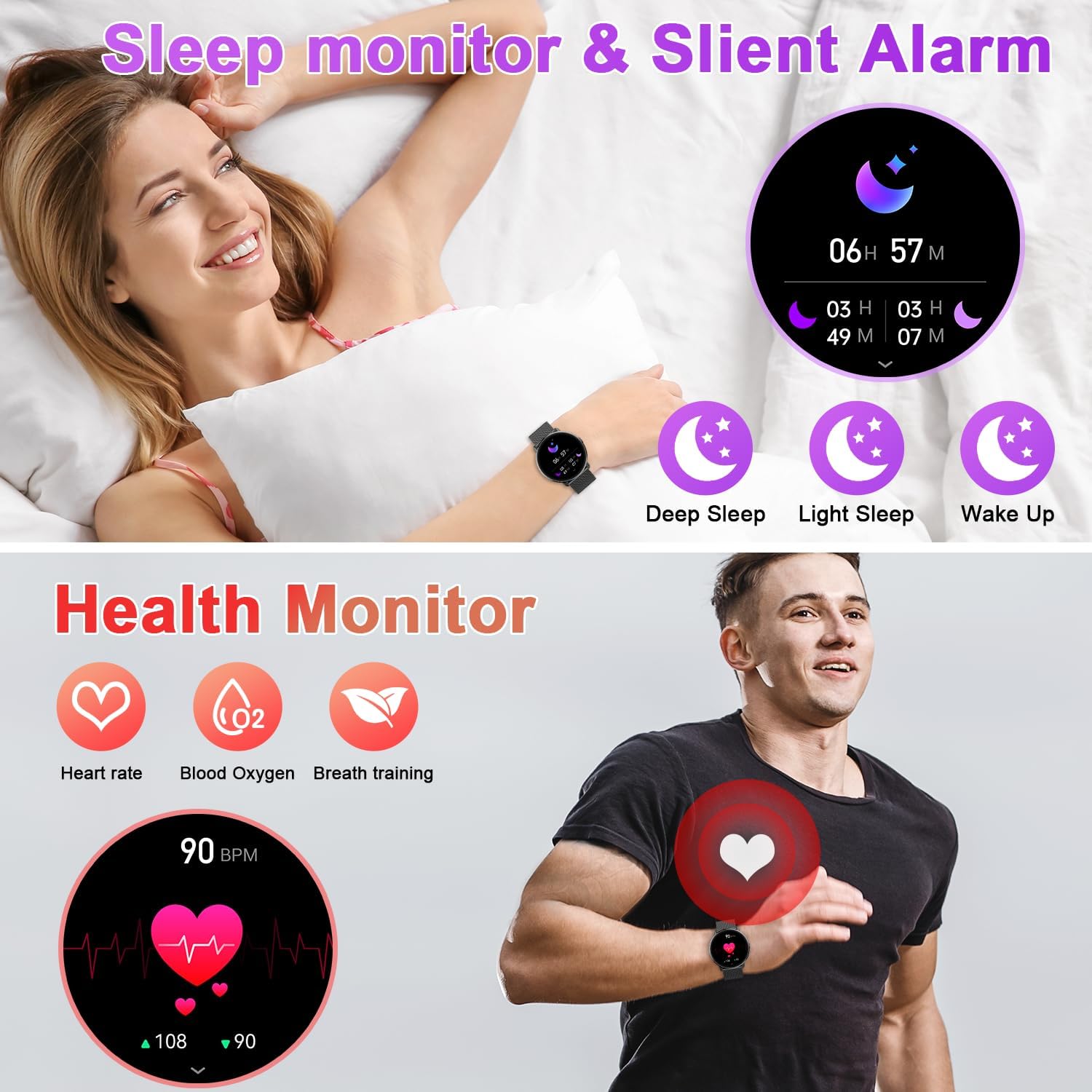
Image: Top section shows a person sleeping with icons representing deep sleep, light sleep, and wake-up times. The bottom section illustrates health monitoring features: heart rate, blood oxygen, and breath training, with a graphic showing heart rate measurement.

Image: The top part displays a blood oxygen saturation reading of 98% (Normal) with a graphical representation. The bottom part highlights the IPX8 waterproof rating with icons for rain, shower, and sweat, and shows the smartwatch submerged in water.
6.4. Mod Sukan
The smartwatch supports over 112 professional sports modes, accurately tracking your steps, calories burned, distance, and workout duration. Select your desired activity from the sports menu to begin tracking.

Image: An infographic illustrating over 112 sports modes with various activity icons. It shows a person cycling and the smartwatch display tracking calories, steps, distance, and heart rate, along with a map interface on a smartphone.
6.5. Menyesuaikan Muka Jam
Personalize your smartwatch with over 200 gorgeous dials available in the companion app. You can also upload your own photos to create unique watch faces.
6.6. Ciri-ciri Pintar Lain
The smartwatch offers additional convenient features:
- Ramalan cuaca: Dapatkan kemas kini cuaca masa nyata terus pada pergelangan tangan anda.
- Kawalan Muzik: Kawal main balik muzik pada telefon pintar anda (main, jeda, langkau trek).
- Kawalan Kamera: Use your smartwatch as a remote shutter for your phone's camera.
- Peringatan Sedentari: Memberi amaran kepada anda untuk bergerak selepas tempoh tidak aktif.
- Alarm Clock, Timer, Stopwatch: Alat pengurusan masa yang penting.

Image: Three panels showing smartwatch features: top panel displays weather forecast on the watch and phone; middle panel shows the watch acting as a remote camera control; bottom panel illustrates music control on the watch and phone, with a person listening to music.
7. Penyelenggaraan
Proper maintenance ensures the longevity and performance of your smartwatch:
- Pembersihan: Lap jam tangan dan tali dengan kerap menggunakan kain lembut dan kering. Untuk kotoran degil, gunakan sedikit pembersihamp kain dan kemudian keringkan dengan teliti.
- Rintangan Air (IP68): The watch is resistant to splashes, rain, and brief immersion in shallow water. Do not use it for swimming, diving, or in hot water environments (e.g., hot showers, saunas) as steam and high temperatures can compromise the waterproof seals. Avoid contact with chemical solvents, detergents, or corrosive liquids.
- Mengecas Kenalan: Pastikan sentuhan pengecasan di bahagian belakang jam tangan bersih dan kering untuk memastikan pengecasan yang cekap.
- Storan: Apabila tidak digunakan untuk tempoh yang lama, simpan jam tangan di tempat yang sejuk dan kering.
8. Penyelesaian masalah
Jika anda menghadapi masalah dengan jam tangan pintar anda, rujuk masalah dan penyelesaian biasa berikut:
| Masalah | Penyelesaian |
|---|---|
| Jam tangan tidak dihidupkan | Pastikan jam tangan dicas sepenuhnya. Tekan dan tahan butang sisi selama beberapa saat. |
| Tidak boleh berpasangan dengan telefon | Ensure Bluetooth is enabled on your phone. Make sure the watch is within range. Restart both the watch and phone. Clear previous Bluetooth connections. |
| Data kesihatan yang tidak tepat | Ensure the watch is worn snugly on your wrist, not too tight or too loose. Clean the sensor area. Avoid excessive movement during measurement. |
| Pemberitahuan tidak diterima | Check app notification permissions on your phone. Ensure the app is running in the background. Verify Bluetooth connection is stable. |
| Hayat bateri pendek | Reduce screen brightness. Turn off continuous heart rate monitoring if not needed. Limit frequent screen wake-ups. Ensure no background apps are draining power. |
9. Spesifikasi
| Ciri | Perincian |
|---|---|
| Nombor Model | S61 |
| Saiz Skrin | 1.43 Inci |
| Jenis Paparan | AMOLED Touch Screen |
| Ketersambungan | Bluetooth |
| Sistem Operasi | Android and iOS compatible (Android 5.0+, iOS 9.0+) |
| Jenis Bateri | Polimer Litium |
| Hayat Bateri | 7-15 days (usage dependent), 45 days (standby) |
| Tahan Air | IP68 |
| Ciri Khas | Fitness Tracker (Pedometer, Calories, Distance), Heart Rate Monitoring, SpO2, Sleep Monitor, Bluetooth Call, Notifications, 112+ Sports Modes, Music Control, Camera Control, Weather, Sedentary Reminder, Alarm, Timer, Stopwatch. |
| Dimensi | 28.8 x 8.5 x 1.7 cm |
| Berat badan | 160 g |
10. Waranti dan Sokongan
Your zhizhi S61 Smartwatch comes with a standard manufacturer's warranty. Please refer to the warranty card included in your package for specific terms and conditions. For technical support, troubleshooting assistance, or warranty claims, please contact the retailer or the manufacturer's customer service through the contact information provided on the product packaging or official webtapak.
Ask a question about this manual
Ask about setup, troubleshooting, compatibility, parts, safety, or missing instructions. Manuals+ will review the question and use this page’s manual context to help answer it.