
YESPER Armor
YESPER Armor 3000A Jump Starter User Manual
Model: Armor
1. Produk Lebihview
The YESPER Armor 3000A Jump Starter is a portable device designed to jump-start 12V vehicles with up to 10L gas or 8L diesel engines. It features a 20000mAh battery capacity, 100W two-way fast charging, an LED display for real-time monitoring, and multiple safety protections. Beyond jump-starting, it functions as a power bank for various electronic devices and includes a 400-lumen LED light.
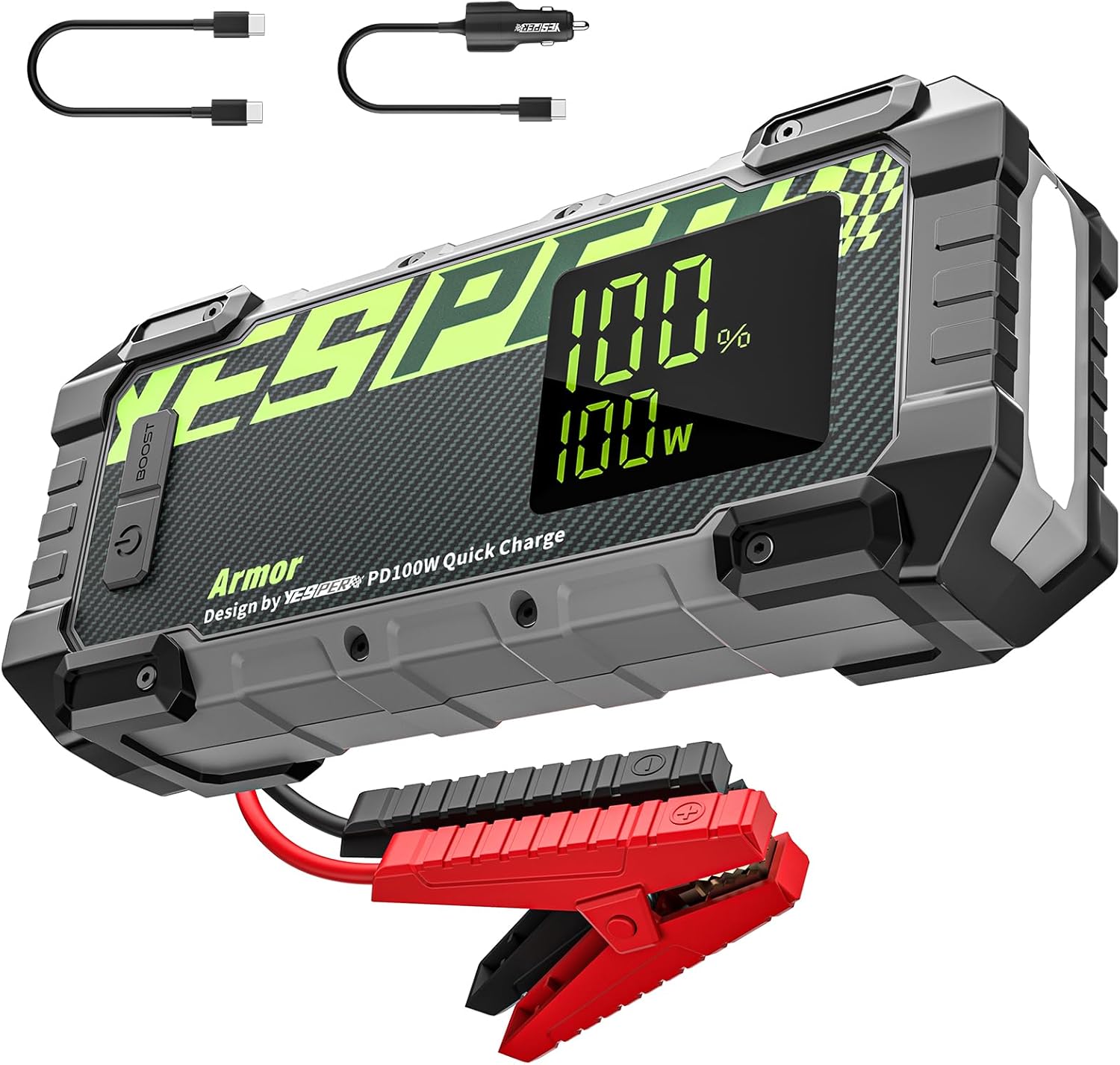
Image 1.1: The YESPER Armor 3000A Jump Starter, showing the main unit, jumper cables, and charging cables.
2. Apa yang ada di dalam Kotak
Sahkan bahawa semua komponen hadir semasa menyahkotak:
- 1 x YESPER Armor 3000A Jump Starter (20000mAh)
- 1 x Jumper Cable with Smart Clamps
- 1 x 100W Pengecas Kereta
- 1 x 60W USB-C to C Cable
- 1 x Penyesuai Soket Pemetik Rokok
- 1 x Manual Pengguna

Image 2.1: All items included in the YESPER Armor 3000A Jump Starter package.
3. Persediaan dan Pengecasan
3.1 Caj Permulaan
Before first use, fully charge the YESPER Armor Jump Starter. The device supports 100W two-way fast charging via its Type-C port. A full charge from 0% to 100% can be achieved in approximately 45 minutes using the included 100W car charger and USB-C to C cable.

Image 3.1: The jump starter being charged via its Type-C port, illustrating the 100W fast charging capability.
Video 3.1: Demonstration of the 100W fast charging feature of the YESPER Armor Jump Starter.
3.2 Komponen Peranti
Familiarize yourself with the device's buttons, ports, and display:

Image 3.2: Labeled diagram showing the Power Button, BOOST Button, Jumper Cable Socket, DC Out Port, USB Out Ports, Display Screen, and LED Light.
- Butang Kuasa: Turns the device on/off and cycles through LED light modes.
- Butang BOOST: Used for jump-starting completely dead batteries.
- Jumper Cable Socket: Menyambungkan kabel jumper pintar.
- Port Keluar DC: Provides 15V output for compatible devices like tire inflators.
- 5V/2.4A USB Out Port: Output USB standard untuk peranti pengecasan.
- QC3.0 USB Out Port: Quick Charge 3.0 compatible USB output.
- PD100W USB-C In/Out Port: For 100W fast charging input and output.
- Skrin Paparan: Menunjukkan percen bateritage, charge/discharge power, and status indicators.
- Lampu LED: Provides illumination with steady, strobe, and SOS modes.
4. Arahan Operasi
4.1 Lompat Memulakan Kenderaan
Ikuti langkah ini untuk memulakan kenderaan anda dengan selamat:
- Sambungkan Kabel Jumper: Insert the smart jumper cable plug into the jump starter's socket.
- Lampirkan Clamps: Sambungkan MERAH (+) clamp to the vehicle's positive battery terminal and the HITAM (-) clamp to the vehicle's negative battery terminal. Ensure a secure connection.
- Semak Paparan: Turn on the jump starter. The display should show "READY" if the connections are correct and the battery has sufficient charge.
- Mulakan Kenderaan: Attempt to start your vehicle. If it doesn't start immediately, wait 30 seconds before trying again.
- Keluarkan Clamps: Once the vehicle starts, immediately remove the black clamp pertama, kemudian cl merahamp, dan akhirnya cabut kabel jumper daripada jump starter.

Image 4.1: The YESPER Armor Jump Starter connected to a car battery, ready for jump-starting.
Video 4.1: Step-by-step guide on how to jump start a car using the YESPER Armor Jump Starter.
4.2 Boost Start Mode (for completely dead batteries)
If your vehicle's battery is completely dead and the jump starter does not show "READY", use the Boost Start Mode:
- Follow steps 1 and 2 from "Jump Starting a Vehicle" above.
- Tekan dan tahan butang MENINGKATKAN button on the jump starter until the display shows "READY".
- Attempt to start your vehicle within 30 seconds.
- Once the vehicle starts, immediately remove the black clamp pertama, kemudian cl merahamp, dan akhirnya cabut kabel jumper daripada jump starter.
4.3 Menggunakan sebagai Power Bank
The YESPER Armor can charge various electronic devices:
- Port USB-C: Use the PD100W USB-C port for fast charging compatible smartphones, tablets, and laptops.
- Port USB QC3.0: For quick charging devices that support QC3.0.
- Port USB 5V/2.4A: For standard charging of USB-powered devices.
- Output DC 15V: Connect the cigarette lighter socket adapter to the DC Out Port to power 15V/12V DC devices such as tire inflators or car vacuums.
4.4 Fungsi Lampu LED
Press the Power Button to cycle through the LED light modes:
- Steady Lighting: Untuk pencahayaan umum.
- Strobo: Untuk memberi isyarat atau menarik perhatian.
- SOS: Untuk isyarat kecemasan.

Image 4.2: The jump starter's 400-lumen LED light being used to illuminate an engine bay.
5. Penyelenggaraan
To ensure the longevity and optimal performance of your YESPER Armor Jump Starter:
- Storan: Simpan peranti di tempat yang sejuk dan kering jauh dari cahaya matahari langsung dan suhu yang melampau.
- Mengecas semula: For optimal performance, recharge the jump starter every 6 months, even if not in use. The device can hold a full charge for up to 24 months under moderate storage conditions.
- Pembersihan: Lap peranti dengan kain lembut dan kering. Jangan gunakan bahan kimia yang keras atau bahan yang melelas.
- Keselamatan: The device is housed in an IP65-rated rugged case, making it waterproof, dustproof, and drop-proof. However, avoid intentional submersion or severe impacts.

Image 5.1: The jump starter highlighting its 24-month standby capability and low-power technology.
6. Penyelesaian masalah
The 3.2-inch LED display provides important status indicators to assist with troubleshooting:

Image 6.1: The jump starter's display showing battery percentage, wattage, and status icons like 'READY', 'Low Voltage', 'Misconnection Prevention', and 'Battery Low Temperature Reminder'.
- "READY" not displayed: Pastikan clamps are correctly attached to the battery terminals. If the vehicle battery is completely dead, use the Boost Start Mode.
- Vol. Rendahtage Penunjuk: If the jump starter's battery is low, recharge it. For immediate jump-starting with low voltage, the Boost function may be necessary.
- Misconnection Prevention Indicator: Ini menunjukkan cl yang salahamp connection (e.g., reverse polarity). Disconnect and re-attach clamps correctly. The smart clamps have 10 built-in protections to prevent sparks and misoperation.
- Battery Low Temperature Reminder: In extremely cold conditions, the jump starter may indicate low temperature. Allow the device to warm up slightly before use for optimal performance.
- Peranti tidak dihidupkan: Ensure the power button is pressed firmly. If the battery is completely drained, charge the device.
If you encounter issues not covered here, please refer to the Warranty & Support section for assistance.
7. Spesifikasi
| Ciri | Spesifikasi |
|---|---|
| Jenama | YESPER |
| Model | perisai |
| Arus Keluaran Puncak | 3000 Amps |
| Kapasiti Bateri | 20000mAh |
| Keserasian Enjin | Sehingga 10L Gas / 8L Diesel |
| Input/Output Pengecasan | 100W Two-Way Type-C |
| Pelabuhan Keluaran USB | QC3.0, 5V/2.4A |
| Port Keluaran DC | 15V (compatible with 15V/12V devices) |
| Kecerahan Cahaya LED | 400 Lumen |
| Perlindungan Keselamatan | 10 built-in protections (short circuit, over current, over charge, over discharge, over voltage, over temperature, reverse charge, reverse connection, AI software, low power consumption) |
| Penilaian Kalis Air | IP65 |
| Dimensi Produk | 2.08"D x 4.13"W x 9.37"H |
| Berat Barang | 1.98 paun |
| Jenis Bateri | Polimer Litium |
8. Waranti dan Sokongan
8.1 Product Reliability
The YESPER Armor Jump Starter is designed for reliability, maintaining a full charge for up to 24 months under normal storage conditions. Its smart auto-shutoff feature helps preserve power.
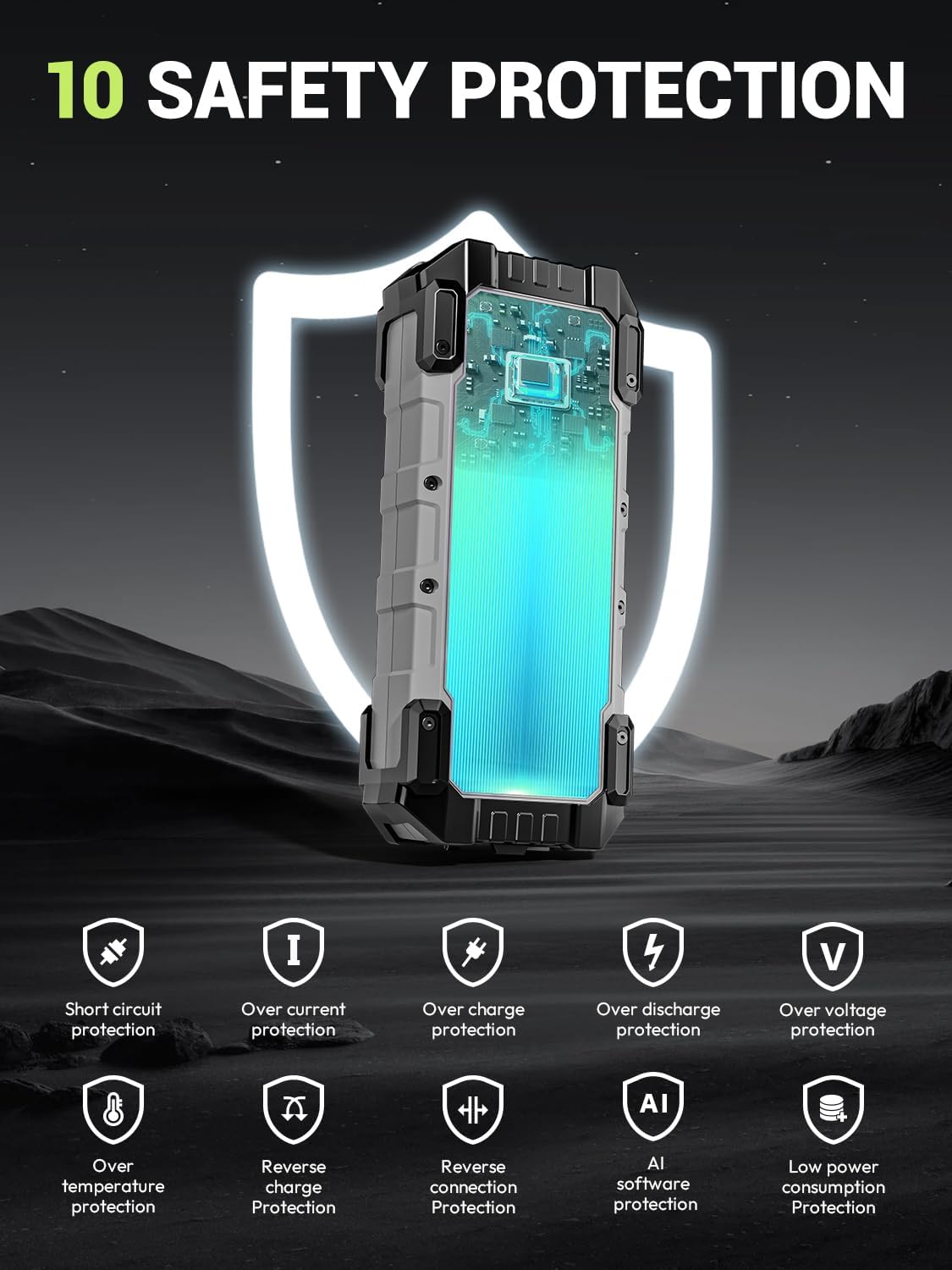
Image 8.1: The jump starter emphasizing its 10 built-in safety protections for user and device safety.
8.2 Sokongan Pelanggan
For any questions, concerns, or technical assistance regarding your YESPER Armor Jump Starter, please contact our customer support team. Refer to the contact information provided in your product packaging or visit the official YESPER webtapak untuk butiran sokongan.
Anda juga boleh melawat YESPER Store on Amazon untuk maklumat lanjut dan kemas kini produk.
Ask a question about this manual
Ask about setup, troubleshooting, compatibility, parts, safety, or missing instructions. Manuals+ will review the question and use this page’s manual context to help answer it.