pengenalan
This manual provides detailed instructions for the setup, operation, and maintenance of your innioasis G1 80GB MP3 Player. Please read this guide thoroughly to ensure proper usage and to maximize your device's features. The innioasis G1 is a versatile portable media player equipped with Bluetooth, Wi-Fi, a 4.0-inch touch screen, and pre-installed streaming applications, designed for both music and video playback.
Apa yang ada dalam Kotak
Upon unboxing your innioasis G1 MP3 Player, verify that all the following items are included:
- 1 x innioasis G1 MP3 Player
- 1 x 64GB Micro SD Card (pre-installed or separate)
- 1 x Kabel Pengecasan USB-C
- 1 x Fon Kepala Berwayar
- 1 x Manual Pengguna

Image: Contents of the innioasis G1 MP3 Player package.
Produk Selesaiview
The innioasis G1 MP3 Player features a compact design with a 4.0-inch IPS full touch LCD screen. It includes physical buttons for power and volume control, along with essential ports for charging and audio output.

Imej: Depan dan sisi view of the innioasis G1 MP3 Player.
Ciri-ciri Fizikal
- 4.0-inch IPS Full Touch LCD Screen: For intuitive navigation and media viewing.
- Butang Sisi: Power on/off and volume control.
- Port USB-C: Untuk pengecasan dan pemindahan data.
- Bicu Audio 3.5mm: Untuk fon kepala berwayar.
- Slot Kad Mikro SD: Untuk storan yang boleh dikembangkan sehingga 1TB.
- Pembesar Suara Terbina dalam: Allows audio playback without headphones.
Persediaan
1. Mengecas Peranti
Before initial use, fully charge your MP3 player. Connect the provided USB-C cable to the device's charging port and the other end to a compatible USB power adapter (not included) or a computer's USB port. A full charge typically takes approximately 2 hours.
2. Hidupkan/Mati Kuasa
- Untuk Menghidupkan: Tekan dan tahan butang kuasa yang terletak di sisi peranti sehingga skrin menyala.
- Untuk Mematikan: Press and hold the power button until a power-off menu appears on the screen. Select 'Power Off'.
3. Memasukkan Kad SD Mikro
The device comes with a 64GB Micro SD card. To insert or replace the card, locate the Micro SD card slot on the side of the player. Gently push the card into the slot until it clicks into place. Ensure the card is oriented correctly.
4. Menyambung ke Wi-Fi
To access online streaming services and other internet features, connect your device to a Wi-Fi network.
- Pergi ke tetapan > Rangkaian & Internet.
- Togol Wi-Fi to 'On'.
- Pilih rangkaian Wi-Fi yang anda inginkan daripada senarai.
- Masukkan kata laluan rangkaian jika digesa dan ketik Sambung.

Image: Wi-Fi connectivity settings on the device.
5. Menyambung Peranti Bluetooth
The MP3 player supports Bluetooth for connecting to headphones, speakers, or car audio systems.
- Pergi ke tetapan > Peranti yang disambungkan > Bluetooth.
- Togol Bluetooth to 'On'.
- Pastikan aksesori Bluetooth anda berada dalam mod berpasangan.
- Pilih aksesori anda daripada senarai peranti yang tersedia untuk dipasangkan.

Image: Bluetooth connectivity options for the MP3 player.
Mengendalikan Peranti
1. Menavigasi Antara Muka
The device features a full touch screen for easy navigation. Swipe left or right to browse through app pages, tap icons to open applications, and use the navigation buttons at the bottom of the screen for 'Back' and 'Home' functions.

Image: Demonstrating touch screen interaction.
2. Main balik Muzik
The MP3 player supports various audio formats including MP3, WAV, FLAC, AAC, APE, OGG, M4A, WMA, and MP2. You can load songs from folders, create playlists, and search for music by name.
- Buka Muzik apl.
- Use the music scan feature to quickly add songs from storage.
- Create and manage playlists as desired.
- The device features a noise reduction chip for enhanced sound quality.
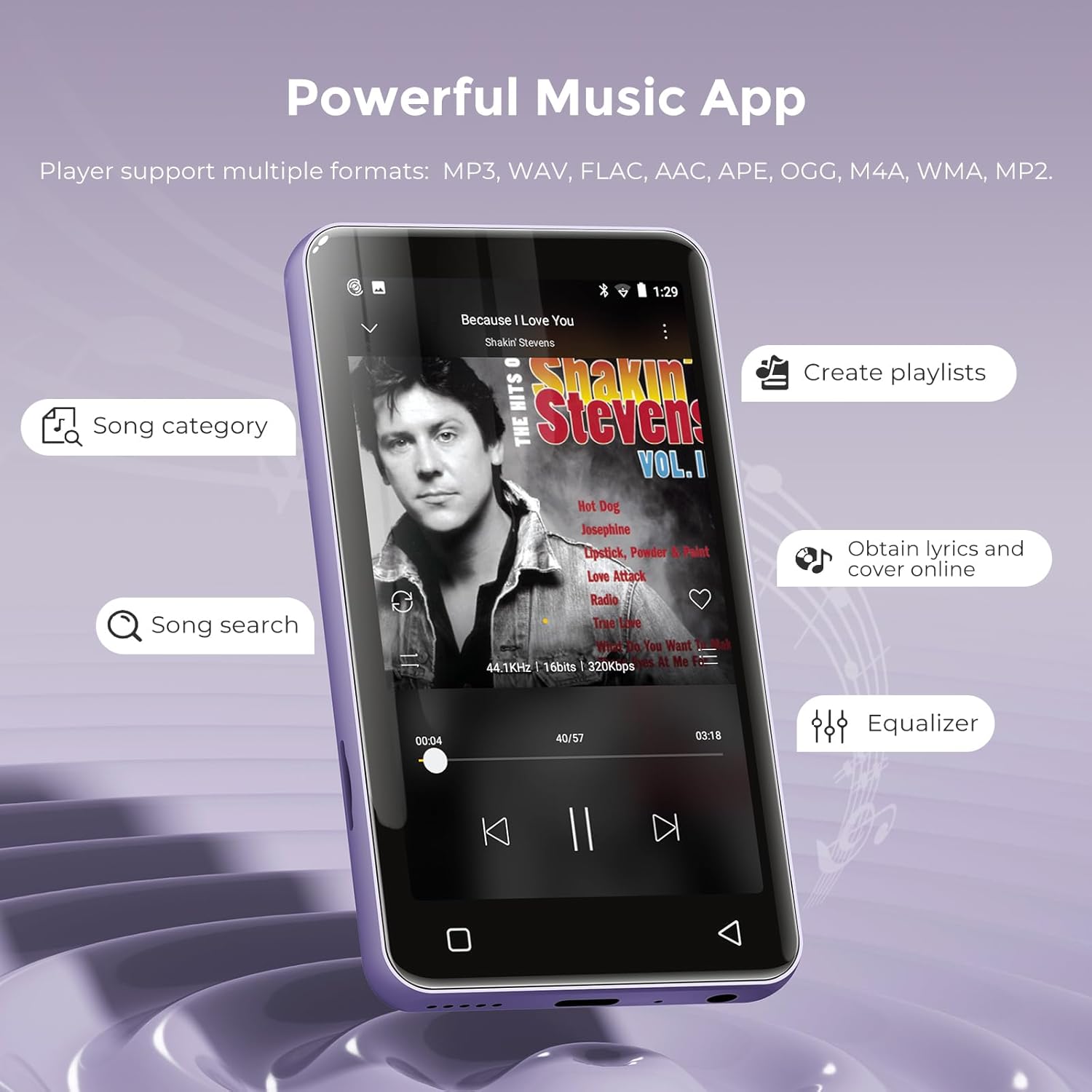
Image: Music playback interface.
3. Main Semula Video
The device functions as an MP4 player, supporting 480x800 pixel HD video playback. Compatible video formats include RM, AVI, RMVB, FLV, MP4, DAT, MKV, MPG, MOV, TS, and 3GP.
- Buka Video apl.
- Pilih video file from your storage to play.
- Features include loop, random playback, variable speed, sleep timer, gesture zoom/expansion, and resume last playing.
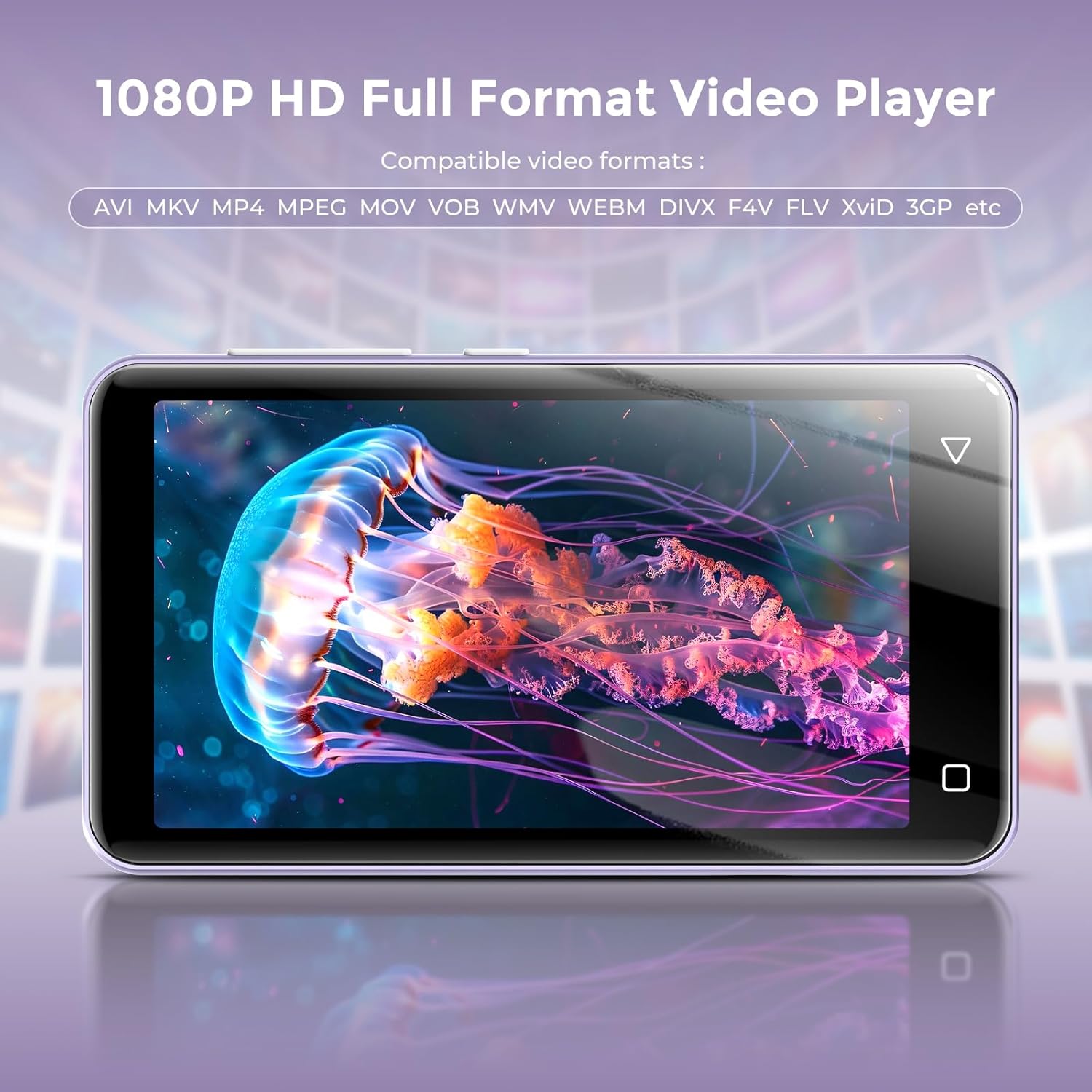
Image: Video playback on the 4-inch screen.
4. Aplikasi Pra-pasang
The MP3 player comes with several popular applications pre-installed for immediate use:
- Muzik: For local music files.
- Pandora: Music streaming service.
- Spotify Kids: Curated music for children.
- Muzik Apple: Music streaming service.
- Muzik Amazon: Music streaming service.
- Spotify: Music streaming service.
- TIDAL: High-fidelity music streaming.
- Deezer: Music streaming service.
- Chrome: Web pelayar.
- Boleh didengar: Audiobooks.
- Kindle: E-book reader.
- Facebook: Social media platform.

Image: Home screen displaying pre-installed applications.
5. Radio FM
The device includes an FM radio function. To use the FM radio, you must plug in the wired headphones, as they serve as the antenna.

Image: FM Radio interface.
6. Other Useful Apps
Beyond media playback, the device offers additional utilities:
- Perakam: For voice recordings.
- E-buku: Dedicated e-book reader.
- jam: Time and alarm functions.
- Kalendar: For scheduling and reminders.
- Kalkulator: Fungsi asas aritmetik.
- Galeri: Kepada view imej yang disimpan.
- File Transfer/Manager: For organizing and moving files.
Kawalan Ibu Bapa
The innioasis G1 MP3 Player includes parental control features to manage content access and device usage, making it suitable for younger users.
- Pengurusan Apl: You can uninstall any pre-installed applications that you do not wish for children to use. The device does not allow the installation of additional apps beyond the pre-installed selection, preventing access to unapproved content.
- Tetapkan Semula Kunci: Set a reset lock to prevent the device from being restored to factory settings, which would re-enable uninstalled apps.
- Had Penggunaan: Limit the duration of both internet access and overall player usage.

Image: Parental Control settings interface.
Penyelenggaraan
1. Hayat Bateri dan Pengecasan
The device is equipped with a 1500mAh lithium battery. It offers up to 25 hours of continuous music playback with wired earbuds or 5 hours of video playback on a full charge. Use the provided USB-C cable for charging.
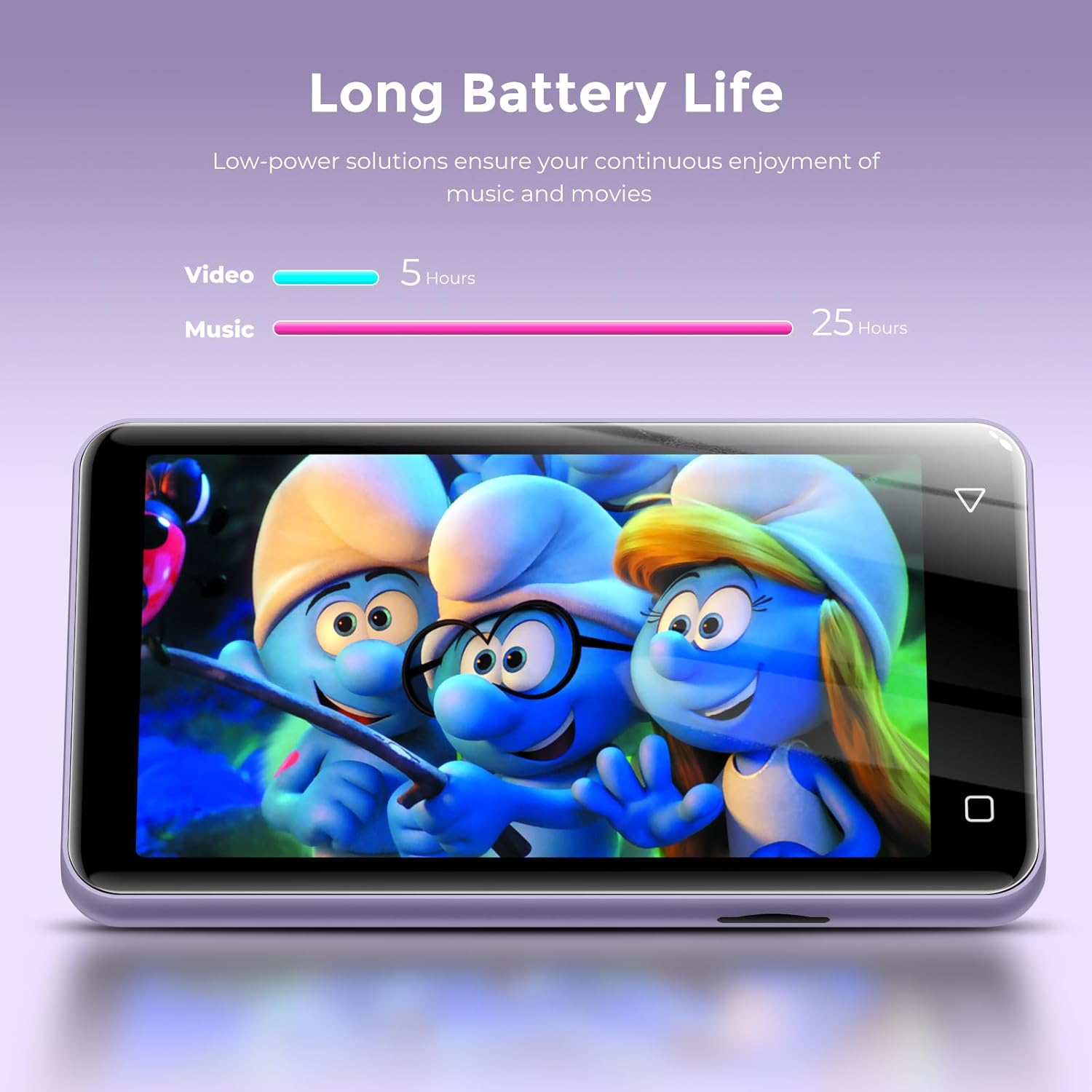
Image: Battery life for music and video playback.
2. Pengurusan Storan
The innioasis G1 features 16GB of internal ROM and comes with a 64GB memory card, providing a total of 80GB storage. It supports external storage expansion via the Micro SD card slot, allowing for up to 1TB of additional space.

Image: Internal specifications and storage capacity.
Menyelesaikan masalah
- Peranti Tidak Dihidupkan: If the device does not power on, ensure it is fully charged. Try using a different USB-A to USB-C charging cable and a different power adapter to rule out cable or adapter issues.
- Apps Freezing/Crashing: If pre-installed apps like Amazon Music or Spotify freeze, try closing and restarting the application. Ensure the device's software is up to date if an update option is available in settings.
- Kad Memori Tidak Dikesan: Ensure the Micro SD card is correctly inserted into its slot. Try reinserting the card or testing with a different compatible Micro SD card.
- Penerimaan Radio FM yang lemah: Ensure wired headphones are securely plugged into the 3.5mm audio jack, as they function as the antenna for the FM radio.
Spesifikasi
| Dimensi Produk | 0.39 x 2.36 x 4.33 inci |
| Berat Barang | 5.9 auns |
| Pengeluar | INNIOASIS |
| Nombor Model Item | G1 |
| Bateri | 1 bateri Lithium Ion diperlukan (termasuk) |
| Jenama | innioasis |
| Ciri Khas | Pembesar Suara Terbina Dalam, Penyama, Radio FM, Main Semula Video, Perakam Suara |
| Teknologi Ketersambungan | Bluetooth, Wi-Fi (Dual-band 2.4GHz and 5GHz) |
| Kapasiti Penyimpanan Memori | 80 GB (ROM 16GB + kad SD 64GB), boleh dikembangkan sehingga 1TB |
| Saiz Skrin | 4 Inci |
| Peranti Serasi | Headphone, Personal Computer |
| Jenis Media | Micro SD, Micro SDXC, SD Card, SDHC, SDXC |
Waranti dan Sokongan
For warranty information or technical support, please refer to the documentation included with your product or contact innioasis customer service directly. Contact details can typically be found on the manufacturer's official webtapak atau dalam pembungkusan produk.