
1. Pengenalan
This manual provides detailed instructions for the ESSLNB ES1108 Night Vision Monocular. This device is designed for both day and night observation, featuring 6x optical magnification, up to 18x digital zoom, and 1080P Full HD photo and video recording capabilities. It is equipped with a 5-level adjustable infrared illuminator for clear viewing in complete darkness. The monocular is suitable for various outdoor activities such as camping, hunting, surveillance, and wildlife observation.

Figure 1: ESSLNB ES1108 Night Vision Monocular and accessories.
2. Komponen Produk
2.1 Struktur Peranti

Figure 2: ESSLNB ES1108 Monocular Structure Analysis.
| Tidak. | Komponen | Tidak. | Komponen |
|---|---|---|---|
| 1 | kanta mata | 10 | Petak Bateri |
| 2 | Power/Function Check /Video Playing/Pause | 11 | Rel Picatinny |
| 3 | Pemilihan Fungsi | 12 | Antara Muka Tripod |
| 4 | Kekunci Naik | 13 | Penerang |
| 5 | Kekunci Turun | 14 | Objective Focusing Handwheel |
| 6 | Tali Tangan | 15 | USB 2.0 Interface (Charging) |
| 7 | Objektif | 16 | Antara Muka Keluaran Video |
| 8 | Cawan mata | 17 | Slot Kad TF |
| 9 | Diopter |
2.2 Aksesori Termasuk

Rajah 3: Aksesori yang Disertakan.
- Penglihatan Malam Monokular
- Beg Simpanan
- Kad TF 32GB
- Kain Pembersih
- Tali Genggam Tangan
- Kabel Video AV
- Kabel USB
- Operating Instruction Manual (this document)
3. Persediaan
3.1 Pemasangan Bateri
- Locate the battery compartment (10) on the side of the monocular.
- Buka penutup petak bateri.
- Masukkan 3 bateri AA, pastikan kekutuban (+/-) betul seperti yang ditunjukkan di dalam petak.
- Tutup penutup petak bateri dengan selamat.
Nota: Always use fresh batteries for optimal performance. Remove batteries if the device will not be used for an extended period.
3.2 Pemasangan Kad TF
- Locate the TF Card Slot (17) on the side of the monocular.
- Gently insert the included 32GB TF card into the slot until it clicks into place. Ensure the card is oriented correctly.
- To remove the card, press it gently inward until it springs out.
Nota: The device supports TF cards up to 64GB. Ensure the card is formatted before first use if not already pre-formatted.
4. Operasi
4.1 Hidupkan/Mati Kuasa
- To power on, press and hold the Power/Function Check button (2) until the screen illuminates.
- To power off, press and hold the Power/Function Check button (2) again until the screen turns off.
4.2 Asas Viewing dan Fokus
- Look through the Eyepiece (1).
- Adjust the Diopter (9) on the Eyecup (8) to achieve a clear view of the internal display for your eyesight.
- Rotate the Objective Focusing Handwheel (14) to bring the target into sharp focus.
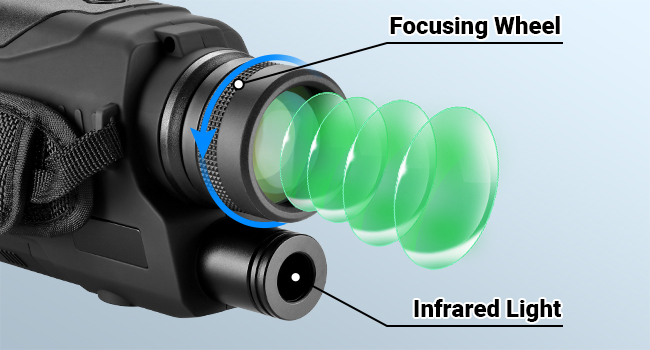
Figure 4: Focusing Wheel and Infrared Light.
4.3 Day and Night Mode
The monocular is designed for use in both daylight and complete darkness. The infrared illuminator is primarily used for night vision.
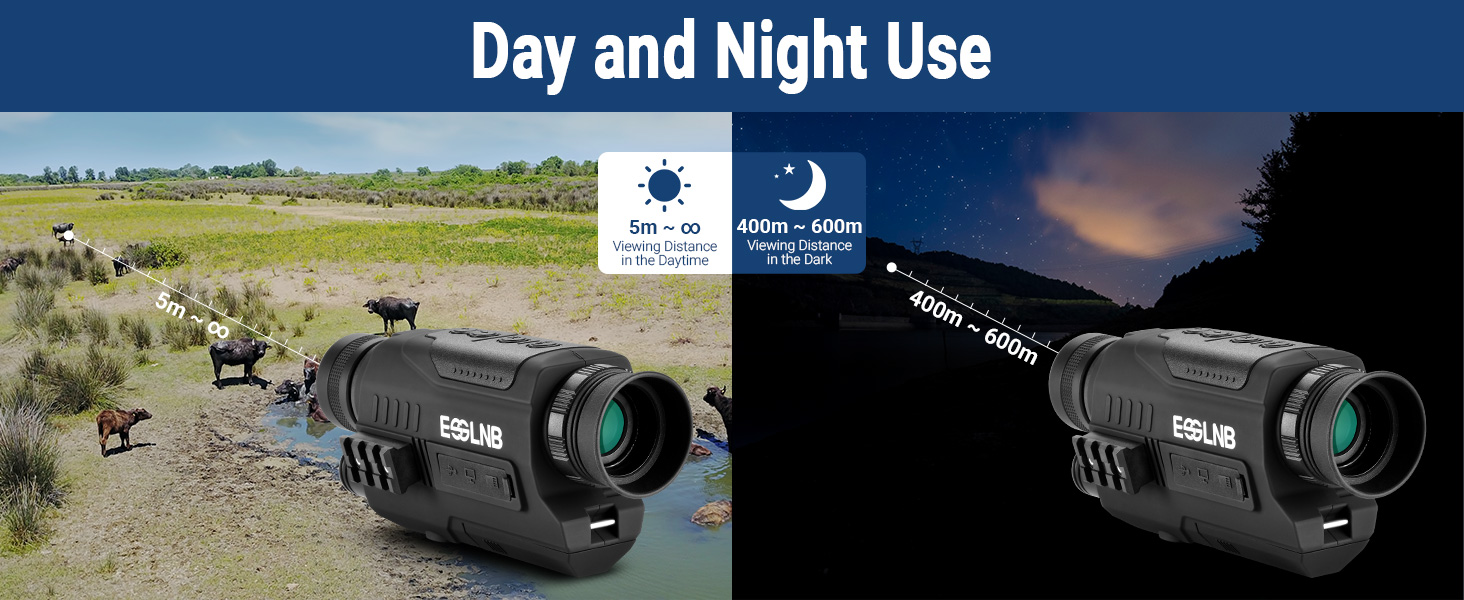
Figure 5: Day and Night Use Capabilities.
4.4 Infrared (IR) Setting
The monocular features a 5-level adjustable infrared illuminator to enhance visibility in low-light or total darkness conditions. Higher IR levels provide clearer images but may consume more battery power.
- While in night mode, press the Function Selection button (3) to cycle through IR levels.
- Observe the screen to select the appropriate IR level for your viewpersekitaran.

Figure 6: 5-Level Infrared Setting Example.
4.5 Fungsi Zum
The device offers 6x optical magnification and up to 18x digital zoom.
- Use the Up Key (4) and Down Key (5) to adjust the digital zoom level.
- The current zoom level will be displayed on the screen.

Figure 7: Optical and Digital Zoom Magnification.
4.6 Rakaman Foto dan Video
The monocular can capture 1080P Full HD photos and videos.
- To switch between photo and video mode, press the Function Selection button (3) until the desired icon appears on the screen.
- In photo mode, press the Power/Function Check button (2) to take a picture.
- In video mode, press the Power/Function Check button (2) to start recording. Press it again to stop recording.
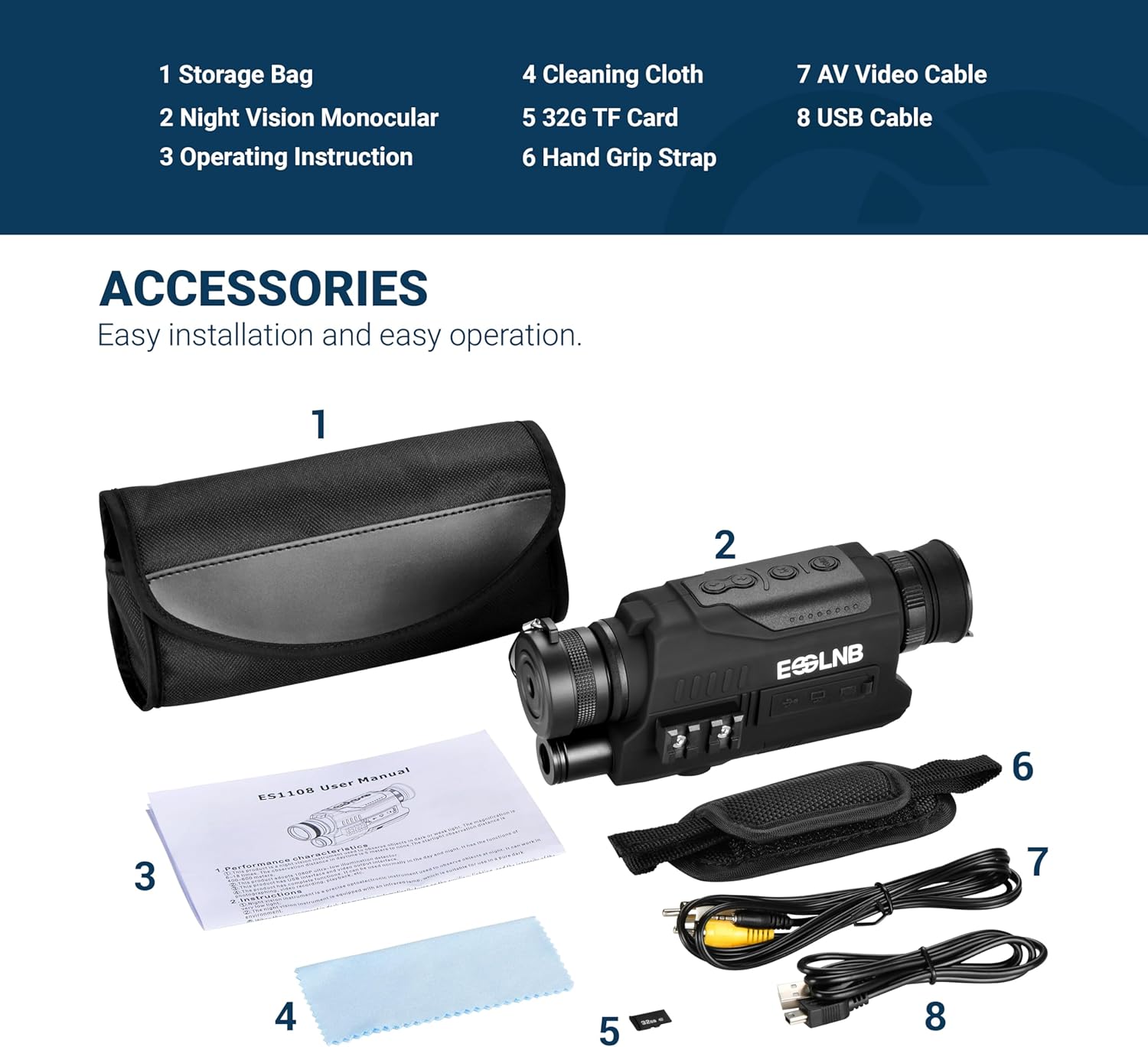
Figure 8: 1080P FHD Photo and Video Recording.
4.7 Main semula
Untuk kembaliview foto dan video yang dirakam:
- Enter playback mode by pressing the Function Selection button (3) until the playback icon is visible.
- Use the Up Key (4) and Down Key (5) to navigate through your recorded files.
- Press the Power/Function Check button (2) to play a video or view gambar.
4.8 Pelarasan Kecerahan Skrin
The 1.6-inch TFT LCD display screen brightness can be adjusted in 8 levels for comfortable viewdalam pelbagai keadaan pencahayaan.
- Access the brightness setting through the device's menu (refer to on-screen prompts).
- Use the Up Key (4) and Down Key (5) to increase or decrease the screen brightness.
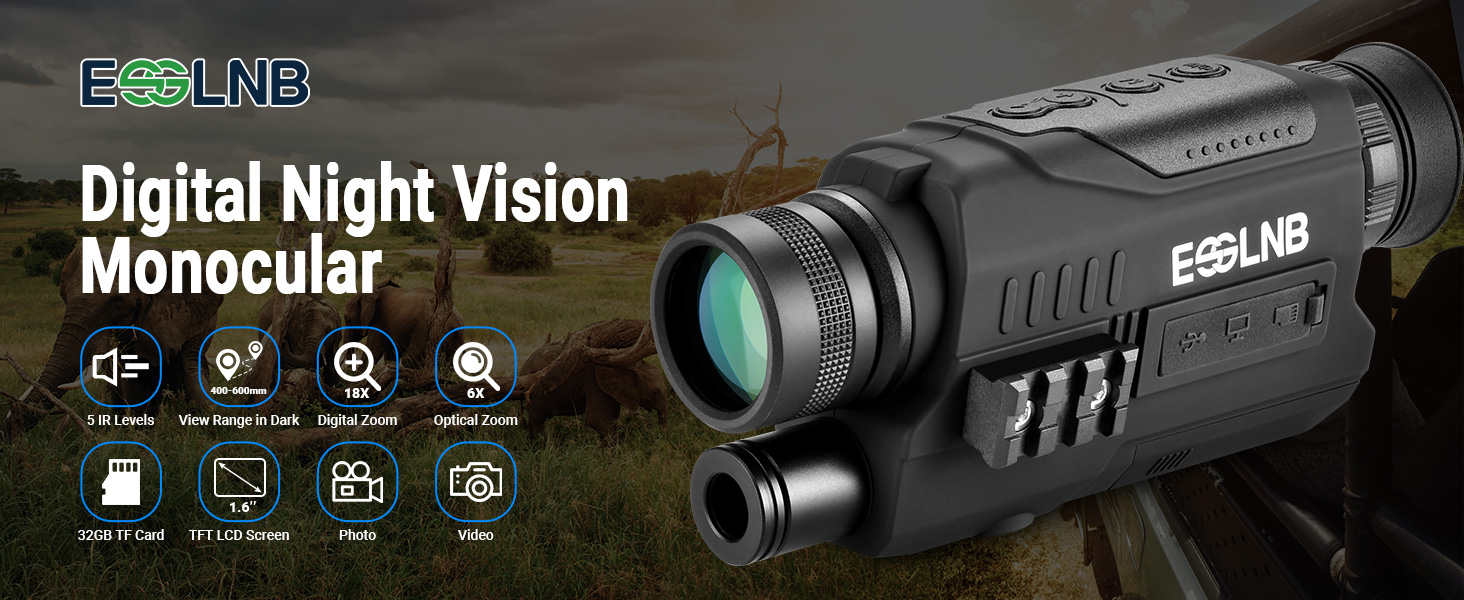
Figure 9: Screen Brightness Levels.
5. Penyelenggaraan
5.1 Pembersihan
- Use the provided cleaning cloth to gently wipe the lenses and screen.
- For stubborn smudges, use a lens cleaning solution specifically designed for optics. Apply to the cloth, not directly to the lens.
- Wipe the body of the monocular with a soft, dry cloth. Do not use abrasive cleaners or solvents.
5.2 Penyimpanan
- Store the monocular in its storage bag in a cool, dry place away from direct sunlight.
- Tanggalkan bateri jika peranti tidak akan digunakan untuk tempoh yang lama untuk mengelakkan kebocoran.
5.3 Penjagaan Bateri
- Replace all 3 AA batteries at the same time. Do not mix old and new batteries or different battery types.
- Buang bateri terpakai secara bertanggungjawab mengikut peraturan tempatan.
6. Penyelesaian masalah
| Masalah | Kemungkinan Punca | Penyelesaian |
|---|---|---|
| Peranti tidak dihidupkan. | Bateri rendah atau mati; pemasangan bateri yang salah. | Gantikan dengan bateri AA yang baru, memastikan kekutuban yang betul. |
| Imej kabur atau tidak fokus. | Improper focus adjustment; dirty lens. | Adjust the Objective Focusing Handwheel (14) and Diopter (9). Clean lenses with the provided cloth. |
| Cannot see clearly in darkness. | IR illuminator off or set too low. | Increase the Infrared (IR) setting level (up to 5). |
| Tidak boleh merakam foto/video. | Tiada kad TF dimasukkan; Kad TF penuh; Ralat kad TF. | Insert a TF card. Delete old files or replace with a new TF card. Format the TF card if necessary. |
| Screen is too bright/dim. | Screen brightness setting is incorrect. | Adjust the screen brightness through the device menu using the Up/Down keys. |
7. Spesifikasi
| Ciri | Perincian |
|---|---|
| Nombor Model | ES1108 |
| Pembesaran Optik | 6x |
| Zum Digital | 18x |
| Diameter Kanta Objektif | 32 Milimeter |
| Illuminator Inframerah | 850nm, 5 Levels Adjustable |
| Viewing Range (Full Dark) | Sehingga 1968 kaki (600 meter) |
| Viewing Distance (Daytime) | 5m hingga infiniti |
| Resolusi Foto | 1080P Full HD |
| Resolusi Video | 1080P Full HD |
| Skrin Paparan | 1.6-inch TFT LCD, 8 Levels Brightness |
| Penyimpanan | Supports up to 64GB TF card (32GB included) |
| Sumber Kuasa | 3 bateri AA (diperlukan) |
| Berat Barang | 1.12 paun |
| Dimensi Pakej | 8.86 x 5.59 x 3.11 inci |
| Jenis Fokus | Fokus Manual |
| Salutan Lensa | Berlapis Sepenuhnya |
| Peranti Serasi | Smartphone, Tablet, Computer (for data transfer) |
8. Maklumat Waranti
ESSLNB products are manufactured to high-quality standards. For specific warranty terms and conditions, please refer to the warranty card included with your product packaging or visit the official ESSLNB webtapak. Simpan resit pembelian anda sebagai bukti pembelian untuk sebarang tuntutan waranti.
9. Sokongan Pelanggan
If you encounter any issues or have questions regarding your ESSLNB ES1108 Night Vision Monocular, please contact ESSLNB customer support. You can find contact information and additional resources on the official ESSLNB store page: