
1. Pengenalan
Thank you for choosing the LiebeWH ZT-300AB Wireless Digital Multimeter. This device is a high-precision, 6000-count True RMS multimeter designed for a wide range of electrical measurements. It features wireless connectivity, allowing real-time data recording, analysis, and processing via a mobile application. This manual provides essential information for the safe and effective use of your multimeter.
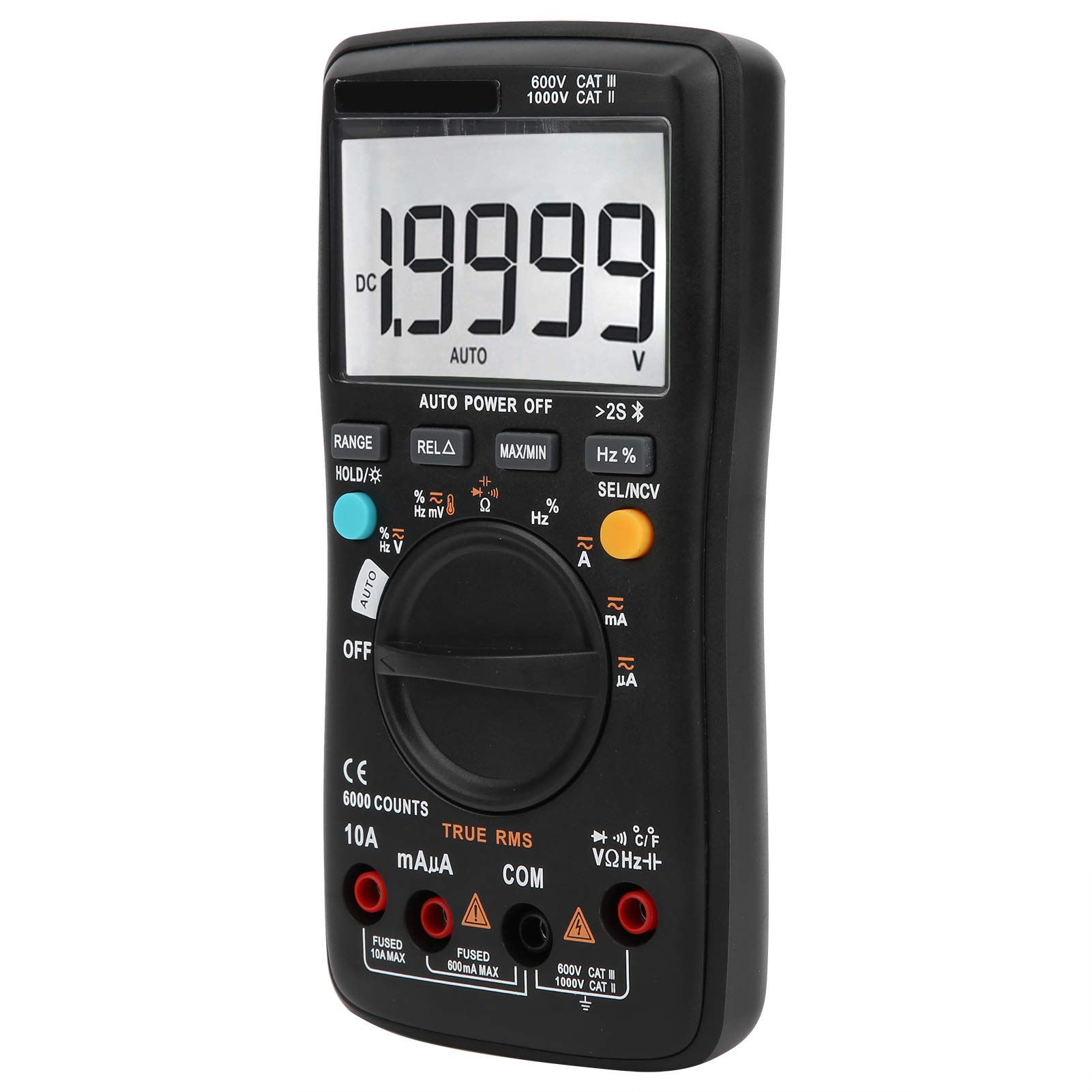
Imej 1.1: Depan view of the LiebeWH ZT-300AB Wireless Digital Multimeter, showing the large LCD display and function dial.
2. Maklumat Keselamatan
Untuk memastikan operasi dan operasi meter yang selamat, ikuti arahan ini. Kegagalan untuk mematuhi amaran ini boleh mengakibatkan kecederaan atau kematian yang teruk.
- Sentiasa putuskan sambungan petunjuk ujian daripada litar sebelum menukar fungsi.
- Jangan gunakan lebih daripada vol yang dinilaitage, seperti yang ditandakan pada meter, antara terminal atau antara mana-mana terminal dan tanah bumi.
- Berhati-hati apabila bekerja dengan voltagadalah melebihi 30V AC RMS, puncak 42V atau 60V DC. Jiltagia menimbulkan bahaya kejutan.
- Always use the proper terminals, function, and range for your measurements.
- Jangan gunakan meter jika ia kelihatan rosak atau jika bekasnya terbuka.
- Gantikan bateri sebaik sahaja penunjuk bateri lemah muncul untuk mengelakkan bacaan yang salah.
- Jangan kendalikan meter dalam persekitaran gas meletup, wap atau habuk.
- Ensure test leads are in good condition, with no damaged insulation.
3. Persediaan
3.1 Kandungan Pakej
Sahkan bahawa pakej anda mengandungi item berikut:
- LiebeWH ZT-300AB Digital Multimeter
- Petunjuk Ujian (Merah dan Hitam)
- Siasatan Suhu
- Manual Pengguna

Image 3.1: The multimeter shown with its included test leads and temperature probe.
3.2 Pemasangan Bateri
The multimeter requires batteries for operation. To install or replace batteries:
- Pastikan multimeter dimatikan dan putuskan sambungan semua petunjuk ujian.
- Cari penutup petak bateri di bahagian belakang unit.
- Gunakan pemutar skru untuk membuka petak bateri.
- Insert the new batteries, observing the correct polarity (+ and -).
- Gantikan penutup petak bateri dan kencangkannya dengan skru.
3.3 Menghubungkan Petunjuk Ujian
Sambungkan wayar ujian ke bicu input yang sesuai pada multimeter:
- Sambungkan hitam ujian membawa kepada COM jek (biasa).
- Sambungkan merah ujian membawa kepada VΩHz jack for voltage, rintangan, kekerapan, kemuatan, diod, dan ukuran kesinambungan.
- Untuk ukuran semasa (mA/µA), sambungkan merah ujian membawa kepada mAµA jek.
- Untuk pengukuran arus tinggi (sehingga 10A), sambungkan merah ujian membawa kepada 10A jek.
3.4 Wireless Function and Mobile App
The ZT-300AB can connect to your smartphone via its wireless function for real-time data monitoring and analysis.
- Download the dedicated mobile application from your device's app store. (App name not specified, refer to product packaging or manufacturer's webtapak).
- Enable wireless on your smartphone and the multimeter.
- Open the app and follow the on-screen instructions to pair your multimeter.
- The app allows real-time data display, recording, and curve graphing. It can connect to and monitor up to four wireless multimeters simultaneously.

Image 3.2: The multimeter displaying a reading, with a smartphone screen showing the companion application for data monitoring.
4. Arahan Operasi
4.1 Hidupkan/Mati Kuasa
Turn the rotary dial from the OFF position to any measurement function to power on the multimeter. To power off, turn the dial back to the OFF position. The multimeter also features an automatic power-off function to conserve battery life.
4.2 Pemilihan Fungsi
Putar dail tengah untuk memilih fungsi ukuran yang diingini (cth, V~ untuk AC Voltage, V- untuk DC Voltage, Ω for Resistance, A~ for AC Current, A- for DC Current, Temp for Temperature, etc.).
4.3 Fungsi Butang
- RANGE: Switches between automatic and manual ranging. In manual range, press repeatedly to cycle through available ranges.
- HOLD/☀: Press once to hold the current reading on the display. Press again to release. Long press to activate/deactivate the backlight.
- REL△: Relative measurement mode. Displays the difference between the current reading and a stored reference value.
- MAX / MIN: Records and displays the maximum and minimum values measured during a session.
- Hz%: Untuk pengukuran frekuensi dan kitaran tugas.
- SEL/NCV: Selects between different sub-functions within a dial position (e.g., AC/DC, Diode/Continuity). Long press to activate Non-Contact Voltagpengesanan e (NCV).
4.4 Melakukan Pengukuran
Always ensure the test leads are connected to the correct jacks and the function dial is set to the appropriate measurement type before connecting to a circuit.
- VoltagPengukuran (AC/DC): Select V~ for AC or V- for DC. Connect test leads in parallel with the circuit or component.
- Pengukuran Arus (AC/DC): Select A~ for AC or A- for DC. Connect test leads in series with the circuit. Ensure the correct current jack (mAµA or 10A) is used.
- Pengukuran Rintangan (Ω): Select Ω. Connect test leads across the component when it is de-energized.
- Pengukuran Kapasitan: Select the capacitance function. Connect test leads across the capacitor when it is de-energized.
- Ujian Diod: Select the diode function. Connect test leads across the diode.
- Ujian Kesinambungan: Select the continuity function. Connect test leads across the circuit. A beep indicates continuity.
- Kekerapan (Hz) / Kitaran Tugas (%): Select the Hz% function. Connect test leads to the signal source.
- Pengukuran Suhu: Connect the temperature probe to the appropriate jacks (usually VΩHz and COM). Select the temperature function.
- Vol. Bukan Kenalantage (NCV): Long press the SEL/NCV button. Bring the top of the multimeter near an AC voltage source. The meter will indicate the presence of voltage tanpa sentuhan langsung.
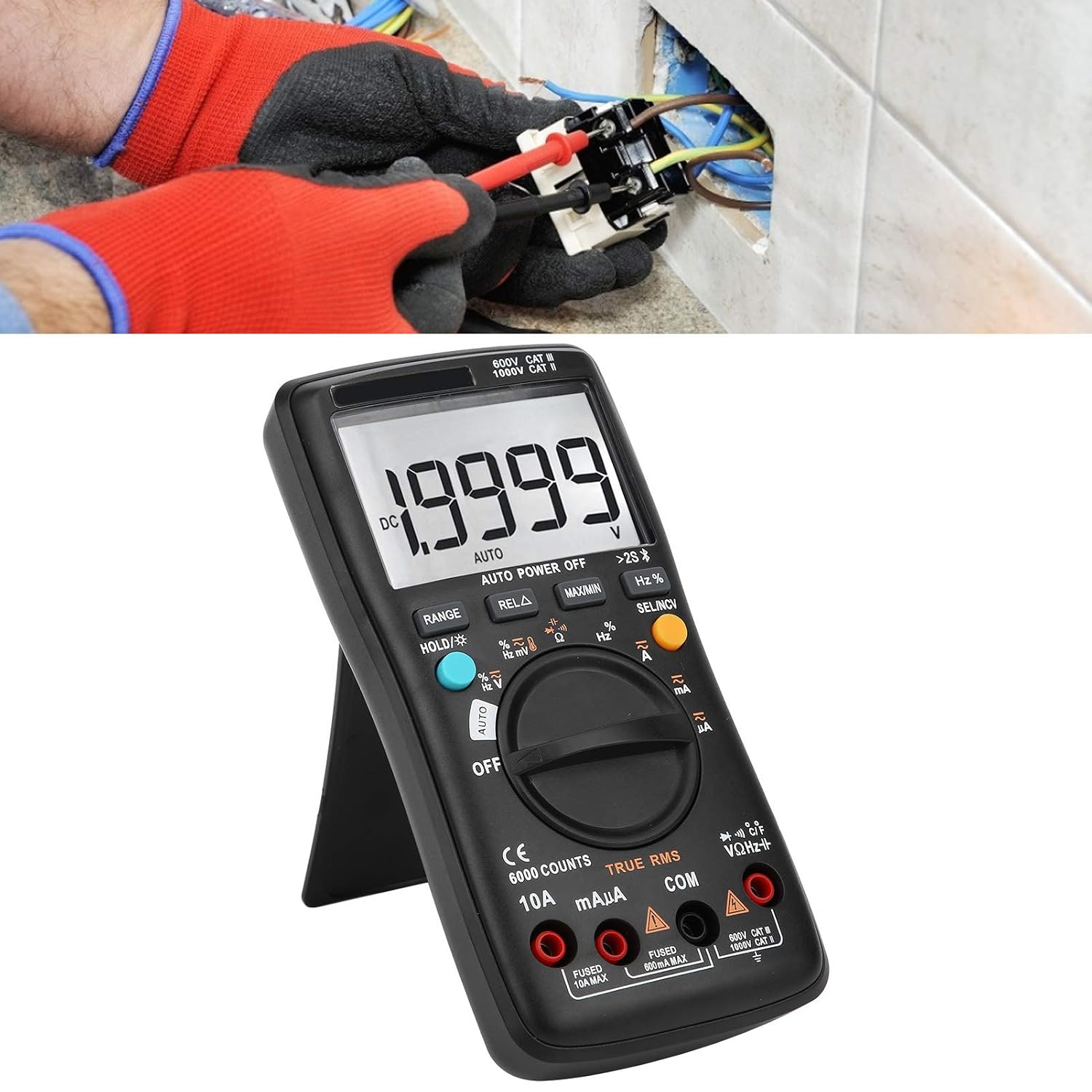
Image 4.1: The multimeter in use, positioned on its integrated kickstand for convenient viewdalam semasa pengukuran.
5. Penyelenggaraan
5.1 Pembersihan
Lap kes dengan iklanamp kain dan detergen lembut. Jangan gunakan bahan kasar atau pelarut. Pastikan terminal bebas daripada kotoran dan kelembapan.
5.2 Penggantian Bateri
Refer to Section 3.2 for battery replacement instructions. Replace batteries promptly when the low battery indicator appears on the display.
5.3 Penggantian Fius
If the current measurement functions stop working, the fuse may need replacement. Fuses are located inside the multimeter. Fuse specifications are typically printed near the current input jacks (e.g., FUSED 10A MAX, FUSED 600mA MAX). To replace a fuse:
- Pastikan multimeter dimatikan dan putuskan sambungan semua petunjuk ujian.
- Open the back case of the multimeter (this may require removing screws).
- Carefully locate and remove the blown fuse.
- Replace it with a fuse of the exact same type and rating. Using an incorrect fuse can damage the meter or pose a safety hazard.
- Reassemble the multimeter, ensuring all screws are securely fastened.
6. Penyelesaian masalah
- Tiada paparan atau paparan samar: Periksa pemasangan dan tahap pengecasan bateri. Gantikan bateri jika perlu.
- Bacaan yang salah: Ensure test leads are properly connected to the correct jacks. Verify the function dial is set to the appropriate measurement type and range. Check for damaged test leads.
- Pengukuran semasa tidak berfungsi: Check the fuse (refer to Section 5.3). Ensure the red test lead is connected to the correct current input jack (mAµA or 10A).
- Isu sambungan wayarles: Ensure wireless is enabled on both the multimeter and your smartphone. Restart both devices and try pairing again. Check the mobile app for troubleshooting tips.
- Meter tidak bertindak balas: Turn the meter off and then on again. If the issue persists, remove batteries for a few minutes and then reinsert them.
7. Spesifikasi
| Ciri | Spesifikasi |
|---|---|
| Paparan | 6000 Kiraan |
| Bermula | Auto/Manual |
| SampKadar ling | 3 saat/masa |
| RMS sebenar | Disokong |
| Pegangan Data | Disokong |
| Lampu latar | Disokong |
| Petunjuk Bateri Rendah | Disokong |
| Auto Matikan | Disokong |
| DC Voltage (V) | 6V, 60V, 600V, 1000V |
| DC Voltage (mV) | 60mV |
| Dimensi | 20 x 12 x 5 cm (7.9 x 4.7 x 2 inci) |
| Berat badan | 374 g (0.82 paun) |
| Pengeluar | LiebeWH |
| Nombor Model Produk | LiebeWHso0iq29gfn |

Image 7.1: Dimensions of the LiebeWH ZT-300AB Multimeter, showing its compact size.
8. Waranti dan Sokongan
For warranty information and technical support, please refer to the documentation included with your purchase or contact the manufacturer directly. Contact details can typically be found on the product packaging or the official LiebeWH webtapak.