
1. Produk Lebihview
The MgaoLo H36 Kids Digital Camera is designed for young users, offering a range of features to encourage creativity and exploration through photography and videography. This compact and durable camera is equipped with user-friendly controls and a protective silicone case.
Ciri-ciri Utama:
- Dwi Kamera: Front and rear lenses with 48-megapixel resolution.
- Video Definisi Tinggi: Records in 1080P.
- paparan: 2.0-inch HD IPS eye protection screen.
- Zum: 8x digital zoom with auto focus.
- Mod Kreatif: Includes 28 photo frames and 6 filters.
- Pelbagai fungsi: Supports photo recording, video recording, playback, burst recording, self-timer, built-in puzzle games, and music playback.
- Storan: Comes with a pre-installed 32GB Micro SD card.
- Bateri: Built-in rechargeable lithium battery with 2-3 hours working time and automatic shut-off.
- Ketahanan: Cute silicone case provides effective anti-fall protection.
- mudah alih: Includes a durable lanyard for easy carrying.
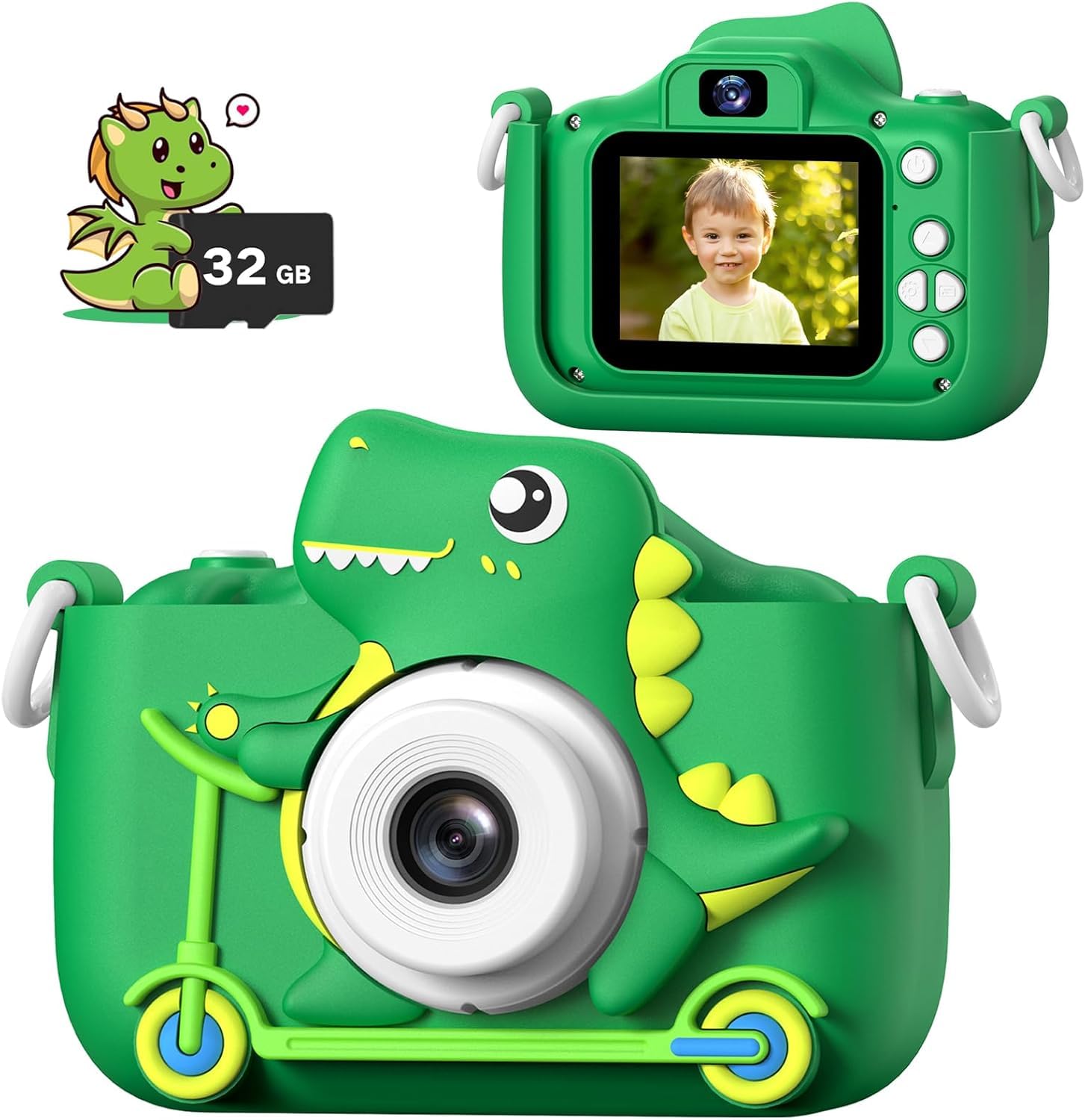
Image: The MgaoLo H36 Kids Digital Camera, highlighting its multi-functions including 48MP photo, video recording, 8X digital zoom, music/video player, self-camera, games, portability, 2" color display, time shooting, and front/rear lens capabilities.
2. Apa yang ada di dalam Kotak
Upon opening your MgaoLo H36 Kids Digital Camera package, you should find the following items:
- MgaoLo H36 Digital Camera (with pre-installed 32GB Micro SD card)
- Sarung Pelindung Silikon
- Lanyard Tahan Lama
- Kabel Pengecas USB
3. Persediaan
3.1 Mengecas Kamera
Before first use, fully charge the camera's built-in lithium battery. A full charge typically takes 1-1.5 hours.
- Locate the USB charging port on the side of the camera.
- Connect the provided USB cable to the camera's charging port.
- Palamkan hujung kabel USB yang satu lagi ke dalam penyesuai kuasa USB yang serasi (tidak disertakan) atau port USB komputer.
- Lampu penunjuk pengecasan akan menyala semasa pengecasan dan padam apabila dicas sepenuhnya.
3.2 Inserting/Removing Micro SD Card
The camera comes with a 32GB Micro SD card pre-installed. If you need to remove or replace it:
- Pastikan kamera dimatikan.
- Gently push the Micro SD card into its slot until you hear a click. To remove, push again until it springs out.
- Ensure the card is inserted correctly with the gold contacts facing the camera's screen side.
3.3 Attaching the Lanyard and Silicone Case
The silicone case provides protection, and the lanyard ensures the camera is securely carried.
- Carefully place the camera into the silicone protective case, ensuring all buttons and ports align with the case openings.
- Attach the durable lanyard to the designated loops on the silicone case or directly to the camera body if preferred.

Image: Detailed diagram of the camera's components, including USB charging port and SD card slot.
Video: Tamatview of the Mgaolo Kids Cameras, demonstrating the protective case and various features.
4. Arahan Operasi
4.1 Hidupkan/Mati Kuasa
- To power on, press and hold the power button (usually located on the top or side) for a few seconds until the screen illuminates.
- To power off, press and hold the power button again until the screen turns off. The camera also features an automatic shut-off function to preserve battery life if inactive.
4.2 Navigasi dan Menu
Use the directional buttons (Up, Down, Left, Right) and the OK/Shutter button to navigate through the camera's menu and select options.
- Atas bawah: Scroll through menu options or zoom in/out.
- Kiri/Kanan: Navigate between different modes or settings.
- Butang OK/Pengatup: Confirm selection or take a photo/start recording.
- Butang Belakang/Menu: Return to the previous screen or access the main menu.
4.3 Mengambil Foto
- Ensure the camera is in photo mode (indicated by a camera icon on the screen).
- Bingkaikan tangkapan anda menggunakan skrin.
- Press the OK/Shutter button to capture the photo.

Image: The camera's multi-function display, illustrating the photo capture option.
4.4 Merakam Video
- Switch to video mode (indicated by a video camera icon).
- Press the OK/Shutter button once to start recording. A red recording indicator will appear.
- Press the OK/Shutter button again to stop recording.
4.5 Mod Main Semula
Kepada view foto dan video anda yang ditangkap:
- Enter playback mode (indicated by a play icon).
- Use the Left/Right directional buttons to browse through your media.
- Press the OK/Shutter button to play a video.
4.6 Using Frames and Filters
Enhance your photos with fun frames and filters:
- In photo mode, press the Left/Right directional buttons to cycle through available frames and filters.
- Select your desired frame or filter before taking a picture.

Image: The camera screen showing different frames and filters that can be applied to photos.
4.7 Timed Shooting (Self-Timer)
Set a delay before taking a photo:
- Access the settings menu and locate the 'Capture Timer' option.
- Select your preferred delay (e.g., 2s, 5s, 10s).
- Exit settings and press the OK/Shutter button. The camera will count down before taking the picture.

Image: The camera showing the timed shooting feature, with options for 2, 5, or 10-second delays.
4.8 Zum Digital
Magnify your subject using the digital zoom function:
- In photo or video mode, use the Up/Down directional buttons to zoom in or out (up to 8x).

Image: The camera illustrating its 8x digital zoom feature with example images at different zoom levels.
4.9 Bermain Permainan
The camera includes built-in puzzle games for entertainment.
- Navigate to the games icon on the main menu.
- Select a game using the directional buttons and the OK/Shutter button.
- Ikut arahan pada skrin untuk bermain.

Image: The camera screen showing three built-in puzzle games: Snaker, PushBox, and Tetris.
5. Penyelenggaraan
- Pembersihan: Use a soft, dry cloth to clean the camera body and screen. Do not use liquid cleaners.
- Storan: Simpan kamera di tempat yang sejuk dan kering, jauh daripada cahaya matahari langsung apabila tidak digunakan.
- Penjagaan Bateri: Untuk memanjangkan hayat bateri, elakkan daripada kerap mencas sepenuhnya bateri. Caskannya secara berkala, walaupun tidak digunakan secara berterusan.
- Tahan Air: This camera is NOT water resistant. Avoid exposure to water or moisture.
6. Penyelesaian masalah
| Isu | Penyelesaian yang Mungkin |
|---|---|
| Camera won't turn on | Pastikan bateri dicas. Sambungkan ke sumber kuasa dan cuba lagi. |
| Cannot take photos/videos | Check if the Micro SD card is inserted correctly and has sufficient free space. |
| Skrin dibekukan | Locate the reset button (often a small pinhole) and gently press it with a thin object (e.g., a paperclip). |
| Kualiti imej yang lemah | Ensure the lens is clean and there is adequate lighting. |
7. Spesifikasi
| Ciri | Perincian |
|---|---|
| Nama Model | H36 |
| maksimum Webcam Resolusi Imej | 48 MP |
| Resolusi Video | 1080p |
| Zum Optik | 8 x |
| Saiz Skrin | 2 Inci |
| Jenis Paparan | LCD |
| Jenis Memori Denyar | SD mikro |
| Kapasiti Penyimpanan Memori | 32 GB |
| Jenis Bateri | Litium Ion |
| Purata Hayat Bateri | 2 Jam |
| Teknologi Ketersambungan | USB |
| Tahap Ketahanan Air | Bukan Tahan Air |
8. Waranti dan Sokongan
- Waranti: Produk ini disertakan dengan waranti 1 tahun dari tarikh pembelian. Sila simpan bukti pembelian anda untuk tuntutan waranti.
- Sokongan: For any questions, technical assistance, or warranty inquiries, please contact MgaoLo customer support through the retailer's platform or the official brand webtapak.