
1. Produk Lebihview
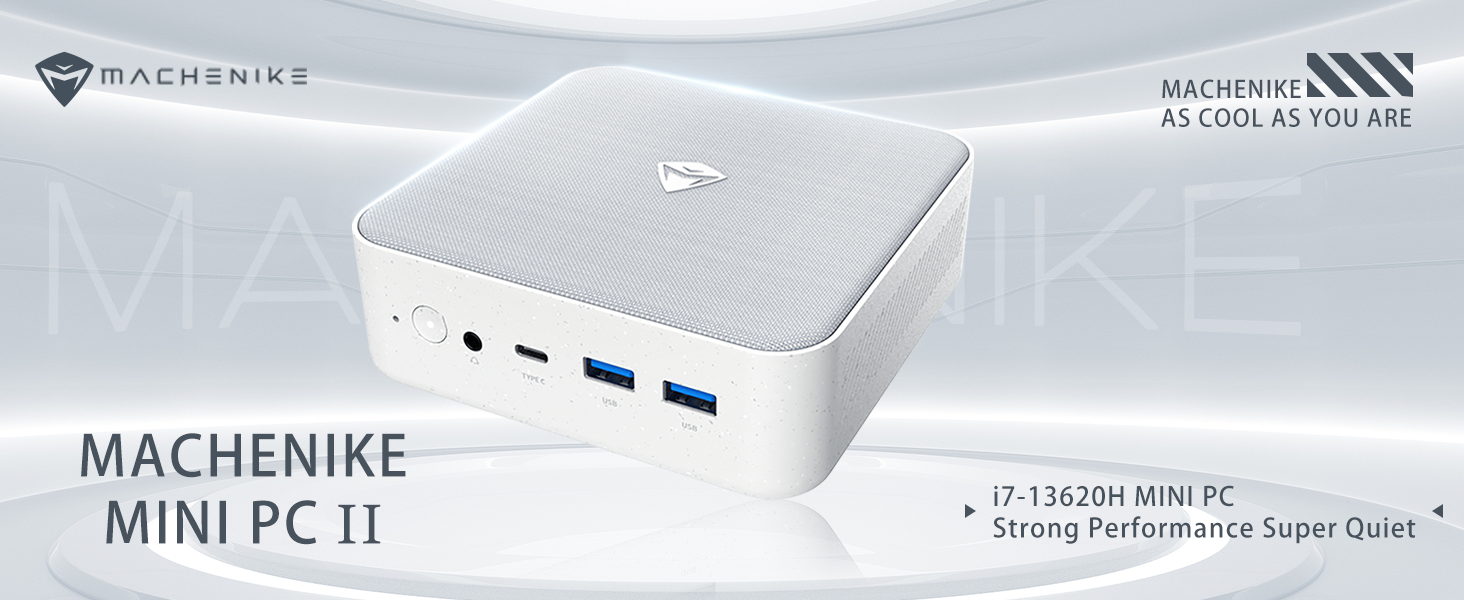
The Machenike Machcreator Mini Desktop, Model 4762H, is a compact and powerful computing solution designed for various applications, from business to everyday use. It features a 13th Gen Intel Core i7-13620H processor, 16GB DDR5 RAM, and a 512GB PCIe M.2 SSD, providing high-speed performance and efficient multitasking capabilities. This mini PC supports 4K dual monitor output and comes pre-installed with Windows 11 Pro.
Imej: Selesaiview of the Intel Core i7 processor, highlighting 10 Cores, 16 Threads, 4.90 GHz Max Turbo Frequency, and 24 MB L3 Cache.
Ciri-ciri Utama:
- Pemproses: Intel Core i7-13620H (10 Teras, 16 Benang, sehingga 4.9 GHz)
- Ingatan: 16GB DDR5 SODIMM RAM (expandable up to 64GB)
- Storan: 512GB PCIe M.2 Solid State Drive (supports dual M.2 expansion)
- Sistem pengendalian: Windows 11 Pro
- Grafik: Integrated Intel UHD Graphics, supporting 4K dual monitor output via HDMI 2.0 and DisplayPort 1.4
- Ketersambungan: Wi-Fi 6, Bluetooth, 2 x RJ45 Ethernet, USB 3.2 Gen2 Type-A, USB Type-C
- Sistem Penyejukan: Twin turbine cooling fan with deluxe all-copper radiator
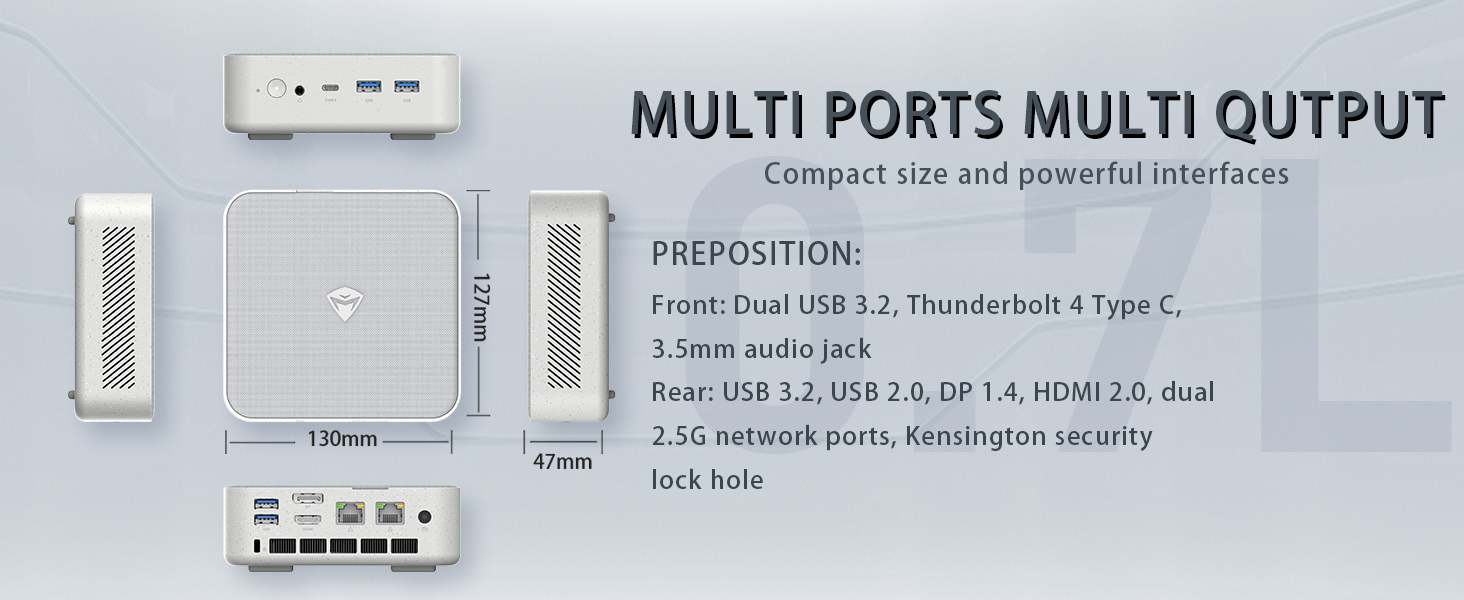
Image: Illustration of PCIe 4.0 SSD and memory slots, indicating support for up to 64GB DDR5 RAM and up to 4TB PCIe SSD expansion.
2. Panduan Persediaan
2.1 Membongkar Peranti
Keluarkan semua komponen dari pembungkusan dengan berhati-hati. Pastikan item berikut ada:
- Machenike Machcreator Mini Desktop (Model 4762H)
- Penyesuai Kuasa
- Manual Pengguna (dokumen ini)
- (Optional) VESA Mount Kit
2.2 Menyambung Peranti
Sebelum menghidupkan kuasa, sambungkan peranti persisian penting anda:
- paparan: Connect your monitor(s) to the HDMI 2.0 or DisplayPort 1.4 ports on the rear of the mini PC. The USB Type-C port also supports video output.
- Papan Kekunci dan Tetikus: Connect your USB keyboard and mouse to any of the available USB 3.2 Gen2 Type-A ports.
- Rangkaian: For a wired connection, connect an Ethernet cable to one of the RJ45 ports. For wireless, ensure your Wi-Fi network is available.
- Kuasa: Sambungkan penyesuai kuasa ke port DC-masuk pada PC mini, kemudian palamkan penyesuai ke alur keluar kuasa.
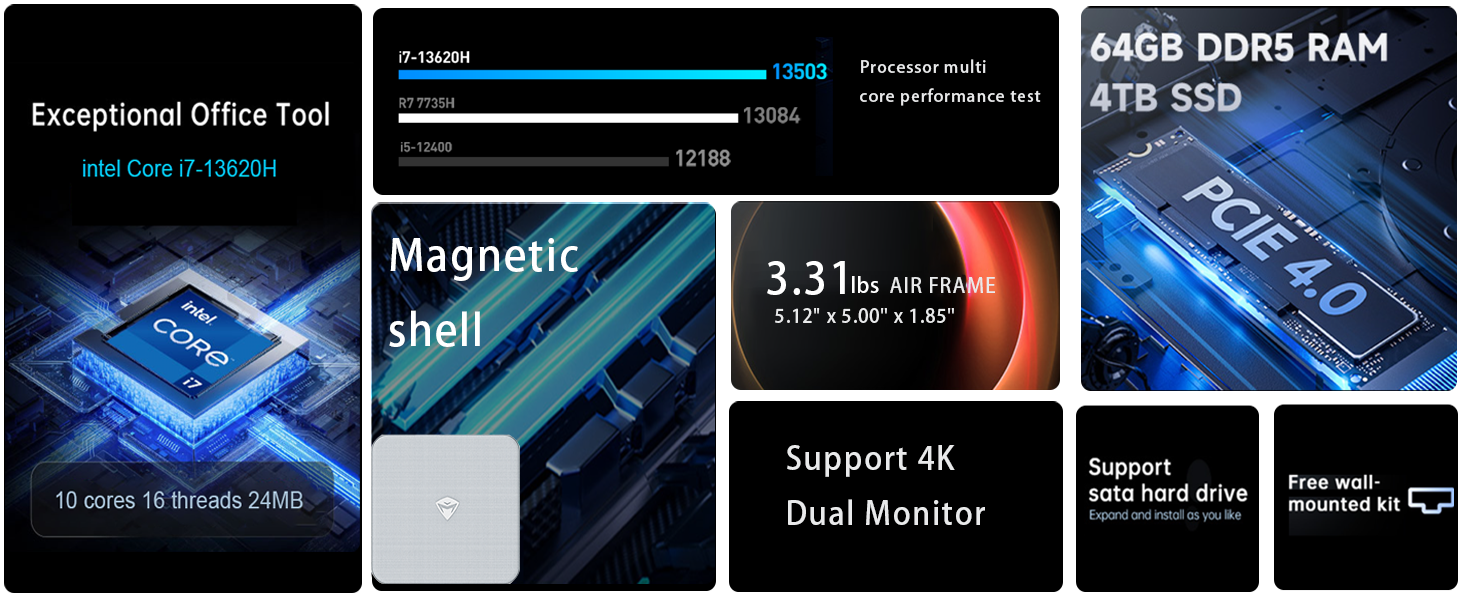
Imej: Terperinci view of the mini PC's front and rear ports, including USB 3.2 Gen2 Type-A, USB Type-C, 3.5mm Audio Jack, HDMI 2.0, DisplayPort 1.4, and RJ45 Ethernet ports. Dimensions are also shown.
2.3 Initial Boot-up and Windows 11 Pro Setup
- Tekan butang kuasa yang terletak di hadapan PC mini.
- The system will boot into the Windows 11 Pro setup wizard. Follow the on-screen instructions to configure your language, region, network, and user account.
- Once setup is complete, your mini PC is ready for use.
3. Arahan Operasi
3.1 Hidupkan/Mati Kuasa
- Hidupkan kuasa: Tekan butang kuasa sekali.
- Tutup: Klik butang Mula dalam Windows, kemudian pilih Kuasa > Matikan.
- Mulakan semula: Klik butang Mula dalam Windows, kemudian pilih Kuasa > Mulakan semula.
- tidur: Klik butang Mula dalam Windows, kemudian pilih Kuasa > Tidur.
3.2 Tatarajah Paparan
The mini PC supports up to two 4K displays simultaneously. To configure display settings:
- Klik kanan pada desktop dan pilih "Tetapan paparan".
- Here you can detect multiple displays, arrange them, change resolution, and adjust scaling.
3.3 Kesambungan Rangkaian
- Wi-Fi: Click the network icon in the taskbar, select your Wi-Fi network, enter the password, and connect.
- Ethernet: If an Ethernet cable is connected, the system should automatically establish a wired network connection.
3.4 Cooling System Modes
The mini PC features an advanced cooling system with adjustable modes via the BIOS to optimize performance and noise levels. These modes include:
- Mod Senyap: Prioritizes quiet operation, suitable for light tasks.
- Mod Baki: Offers a good balance between performance and noise.
- Mod Prestasi: Maximizes performance (up to 65W power release), ideal for demanding applications.
To change these settings, access the BIOS during startup (typically by pressing Del or F2 repeatedly after powering on) and navigate to the relevant power or performance settings.
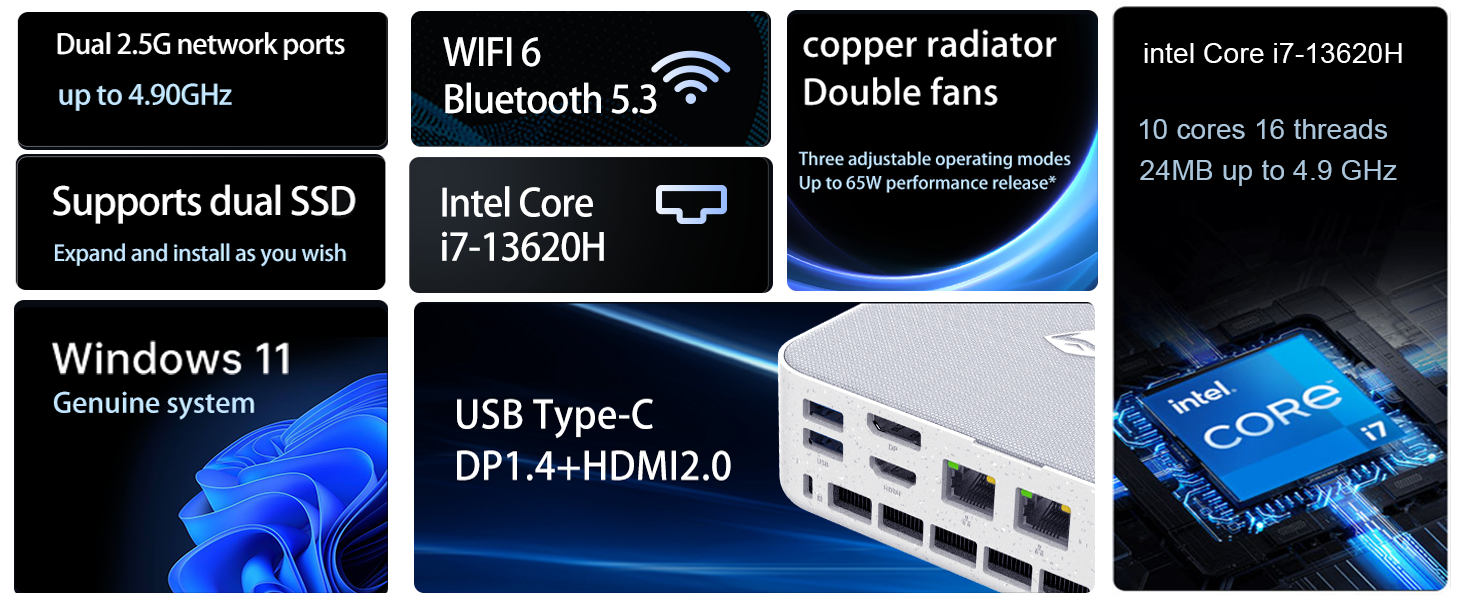
Image: Illustration of the twin turbine cooling fan and deluxe all-copper radiator, explaining how it prevents slowdowns due to overheating and offers silence, balance, and performance modes.
4. Penyelenggaraan
4.1 Membersihkan Peranti
To ensure optimal performance and longevity, regularly clean your mini PC:
- Power off the device and disconnect it from the power outlet.
- Gunakan kain lembut dan kering untuk mengelap bahagian luar.
- Use compressed air to gently clear dust from ventilation openings. Do not insert any objects into the vents.
4.2 Kemas Kini Perisian
Pastikan sistem pengendalian dan pemacu Windows 11 Pro anda dikemas kini untuk memastikan keselamatan dan prestasi:
- Kemas Kini Windows: Pergi ke Mula > Tetapan > Kemas Kini Windows dan semak kemas kini.
- Kemas Kini Pemandu: Visit the Machenike official webtapak untuk pemacu terkini untuk model khusus anda.
4.3 Storan dan Pengembangan Memori
The Machenike Machcreator Mini Desktop supports upgrades for both RAM and storage:
- RAM: The device has 2 SODIMM slots and supports up to 64GB DDR5 RAM.
- Storan: It supports dual PCIe M.2 SSDs, allowing for significant storage expansion up to 4TB.
Nota: Opening the device for upgrades may void your warranty. Consult a qualified technician or refer to specific upgrade guides from Machenike if available.
5. Penyelesaian masalah
Bahagian ini membincangkan isu-isu biasa yang mungkin anda hadapi. Untuk masalah yang lebih kompleks, sila hubungi khidmat pelanggan.
5.1 Tiada Kuasa
- Pastikan penyesuai kuasa disambungkan dengan selamat pada kedua-dua PC mini dan salur keluar kuasa yang berfungsi.
- Sahkan alur keluar kuasa berfungsi dengan memasang peranti lain.
- Periksa penyesuai kuasa untuk sebarang kerosakan yang boleh dilihat.
5.2 Tiada Output Paparan
- Confirm that the monitor is powered on and the correct input source is selected.
- Ensure the HDMI or DisplayPort cable is securely connected to both the mini PC and the monitor.
- Cuba kabel paparan atau monitor lain jika tersedia.
- If using multiple displays, try connecting only one display at a time.
5.3 Isu Ketersambungan Rangkaian
- Berwayar (Ethernet): Check if the Ethernet cable is properly connected to both the mini PC and the router/modem. Verify router/modem status.
- Tanpa Wayar (Wi-Fi): Ensure Wi-Fi is enabled in Windows settings. Restart your router/modem. Check if other devices can connect to the Wi-Fi network.
- Run Windows Network Troubleshooter (Start > Settings > Network & internet > Advanced network settings > Network troubleshooter).
6. Spesifikasi
Detailed technical specifications for the Machenike Machcreator Mini Desktop, Model 4762H:
| Ciri | Spesifikasi |
|---|---|
| Jenama | Machenike |
| Nombor Model | 4762H |
| Sistem Operasi | Windows 11 Pro |
| Model CPU | Intel Core i7-13620H |
| Kelajuan CPU | Up to 4.9 GHz (Max Turbo Frequency) |
| Saiz Terpasang Memori RAM | 16 GB DDR5 (Expandable to 64 GB) |
| Kelajuan Jam Memori | 4800 MHz |
| Slot Memori Tersedia | 2 |
| Kapasiti Penyimpanan Memori | 512 GB PCIe M.2 SSD (Supports dual M.2, up to 4TB) |
| Pemproses bersama Grafik | Grafik Intel UHD (Bersepadu) |
| Antara Muka Keluaran Video | HDMI 2.0, DisplayPort 1.4, USB Type-C |
| Resolusi Paparan Maksimum | 3840x2160 (4K) |
| Antara Muka Perkakasan | 3.5mm Audio, Bluetooth, DisplayPort, Ethernet (2x RJ45), HDMI, USB, USB Type C |
| Kesambungan Wayarles | Wi-Fi 6 (802.11ax), Bluetooth |
| Dimensi Item (LxWxH) | 5.12 x 5 x 1.85 inci |
| Berat Barang | 49.8 paun (Note: This weight may be a data entry error; actual weight for a mini PC is typically much less.) |
| UPC | 193200587317 |
7. Waranti dan Sokongan
7.1 Maklumat Waranti
Machenike products typically come with a limited manufacturer's warranty. Please refer to the warranty card included with your purchase or visit the official Machenike weblaman web untuk terma dan syarat jaminan terperinci khusus untuk rantau dan model produk anda. Simpan bukti pembelian anda untuk tuntutan jaminan.
7.2 Sokongan Pelanggan
For technical assistance, troubleshooting beyond this manual, or warranty inquiries, please contact Machenike customer support:
- Sokongan dalam talian: Visit the official Machenike webtapak (www.machenike.com - example link, actual link may vary) dan navigasi ke bahagian sokongan.
- Sokongan E-mel: Refer to your product documentation for the specific support email address.
- Sokongan Telefon: Periksa Mesin webtapak untuk nombor sokongan telefon serantau.
When contacting support, please have your product model number (4762H) and serial number ready.


