
pengenalan
Thank you for choosing the Cuifati Mini Body Camera. This manual provides detailed instructions for the proper use, setup, and maintenance of your device. Please read this manual thoroughly before operating the camera to ensure optimal performance and longevity.
Kandungan Pakej
- 1 x Wearable Camera
- 1 x Membawa Beg
- 1 x Manual Pengguna
- 1 x Lanyard
- 1 x Back Shell Bracket
- 1 x Tripod
- 1 x Kabel USB
- 1 x Kain Pembersih

Figure 1: Cuifati Mini Body Camera and included accessories.

Figure 2: Multi-scenario application examples for the body camera.
Produk Selesaiview
Familiarize yourself with the components and controls of your Cuifati Mini Body Camera.
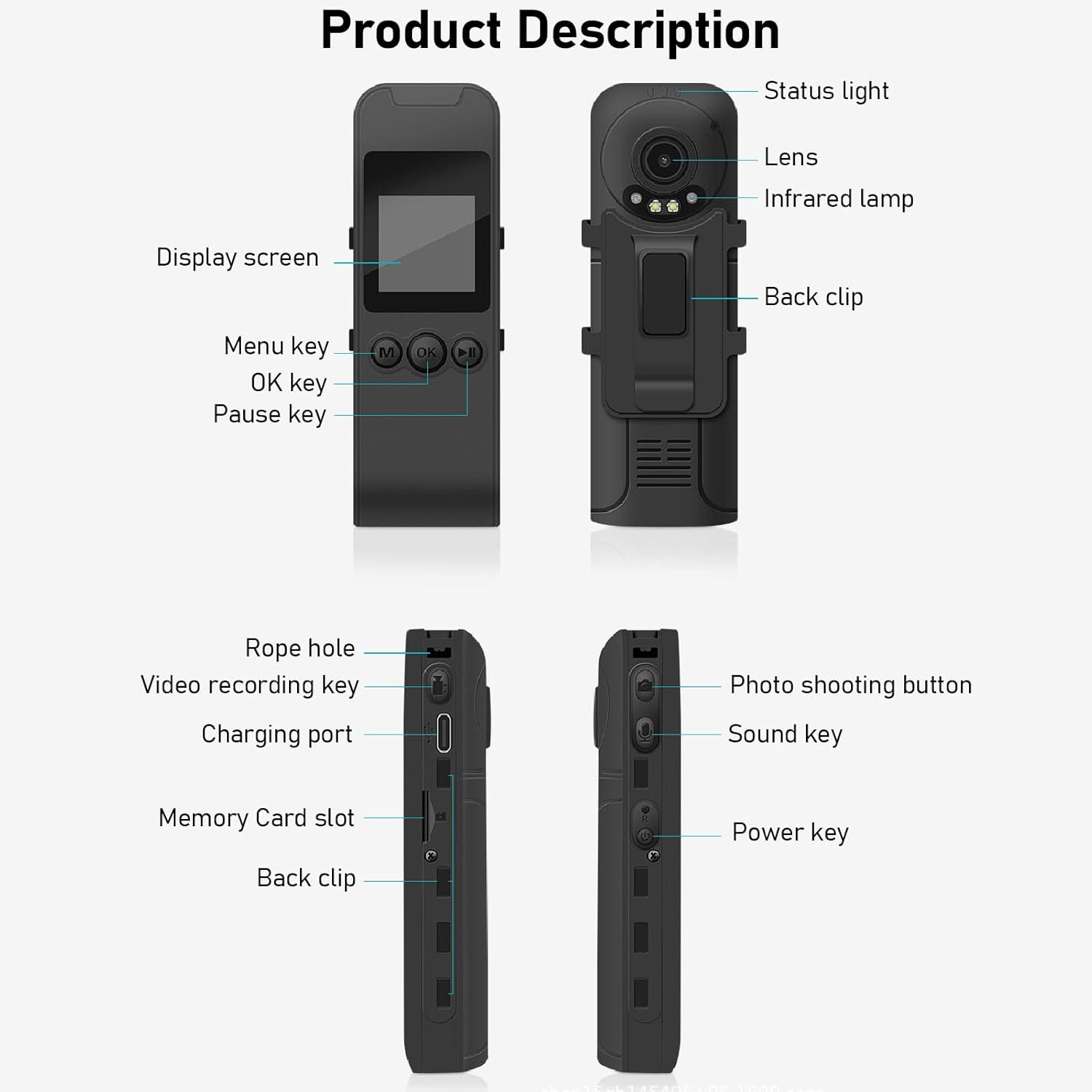
Figure 3: Labeled components of the Cuifati Mini Body Camera.
- Cahaya Status: Indicates device status (e.g., recording, charging).
- Kanta: Main camera lens for video and photo capture.
- Inframerah Lamp: Memberikan pencahayaan untuk penglihatan malam.
- Klip Belakang: Untuk memasang kamera pada pakaian atau permukaan lain.
- Skrin Paparan: 1.3-inch LCD for live view, main balik dan navigasi menu.
- Menu Key (M): Mengakses tetapan peranti.
- Kunci OK: Confirms selections or starts/stops functions.
- Kunci Jeda: Pauses playback or recording.
- Lubang Tali: Attachment point for the lanyard.
- Video Recording Key: Memulakan dan menghentikan rakaman video.
- Port Pengecasan (Jenis-C): Untuk mengecas peranti dan menyambungkannya ke komputer.
- Slot Kad Memori: Insert microSD card for storage.
- Photo Shooting Button: Menangkap imej pegun.
- Sound Key: Controls audio recording.
- Kekunci Kuasa: Menghidupkan atau mematikan peranti.
Persediaan
1. Mengecas Bateri
Before first use, fully charge the camera's built-in lithium-ion battery. Connect the camera to a power source using the provided Type-C USB cable. The status light will indicate charging status. A full charge provides approximately 20 hours of work time and 10 hours of video recording.
Figure 4: Built-in 1200mAh battery for extended use.
2. Memasukkan Kad Memori
The camera supports up to a 256GB memory card (not included). Locate the memory card slot on the side of the camera. Gently insert the microSD card with the gold contacts facing down until it clicks into place. To remove, push the card in slightly until it springs out.

Figure 5: Memory card slot for storage expansion.
Arahan Operasi
1. Menghidupkan/Mematikan
- Untuk Menghidupkan: Press and hold the Power Key until the display screen illuminates.
- Untuk Mematikan: Press and hold the Power Key until the device shuts down.
2. Rakaman Video
The camera records in 1440P HD at 30 frames per second with a 120° wide-angle lens and infrared night vision.
- Untuk Mula Merakam: Press the Video Recording Key. The status light will change, and a recording indicator will appear on the screen.
- Untuk Berhenti Rakaman: Press the Video Recording Key again.
- Rakaman Gelung: Kamera menyokong rakaman gelung, menulis ganti secara automatik yang tertua files apabila kad memori penuh.
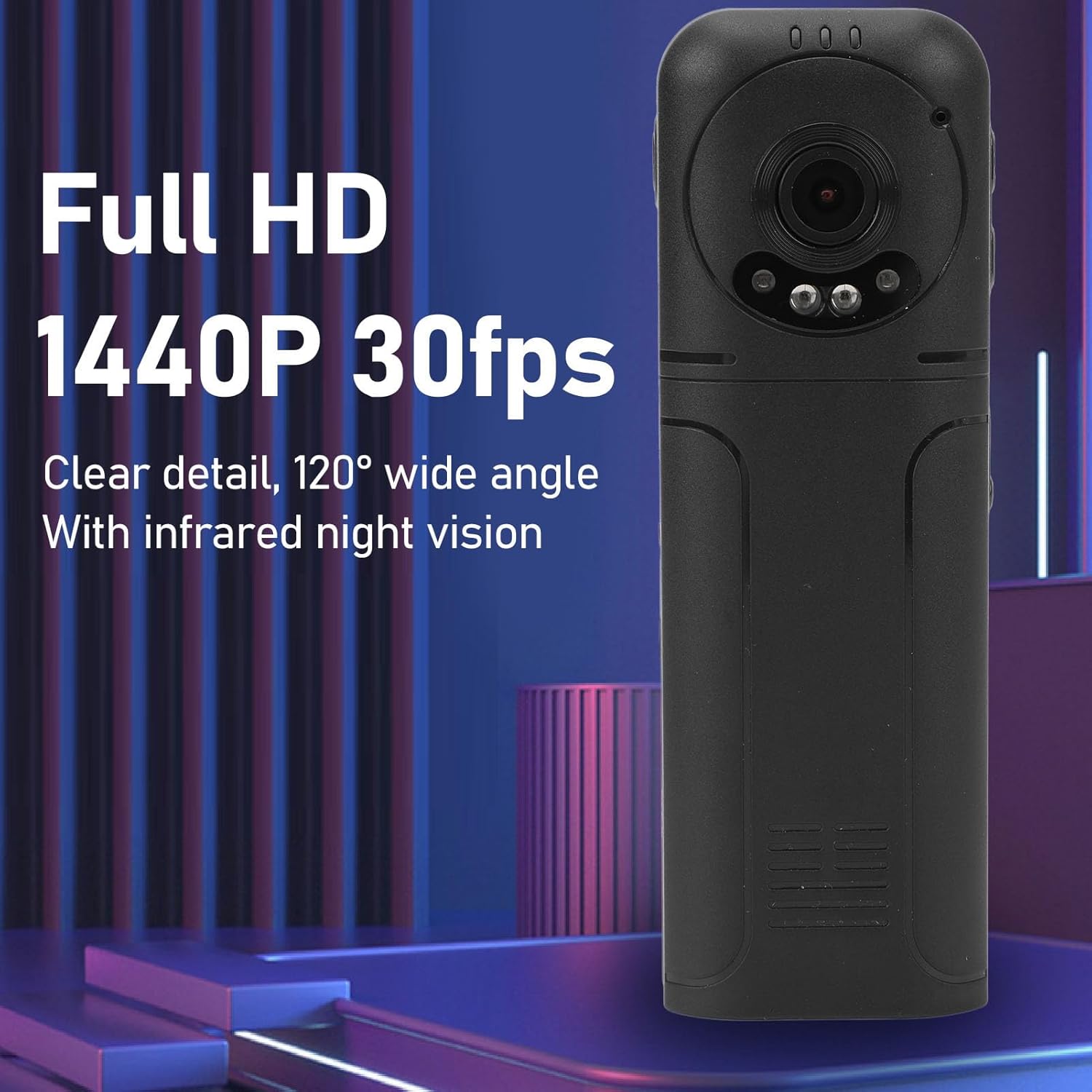
Figure 6: 1440P HD video recording with night vision.
3. Pengambilan Foto
- Untuk Mengambil Foto: In standby mode, press the Photo Shooting Button.
4. Rakaman Audio
- To Start Audio Recording: Press the Sound Key.
- To Stop Audio Recording: Press the Sound Key again.

Figure 7: Audio recording functionality.
5. Main semula dan File Pengurusan
The 1.3-inch LCD screen supports live playback, browsing, and pausing of videos, photos, and recordings directly on the device.

Figure 8: 1.3-inch color screen for on-device playback.
- Main Balik Pada Peranti: Use the Menu, OK, and Pause keys to navigate and play files pada skrin.
- Menyambung ke Komputer: Connect the camera to a computer via the Type-C USB cable to transfer, view, or delete files.
- Fungsi OTG: If your mobile phone supports OTG, you can connect the camera directly to your phone for playback and file pengurusan.
Penyelenggaraan
1. Pembersihan
- Use the provided cleaning cloth or a soft, dry cloth to wipe the camera body and lens.
- Jangan gunakan pembersih cecair atau pelarut, kerana ia boleh merosakkan peranti.
2. Penyimpanan
- Simpan kamera di tempat yang sejuk dan kering jauh dari cahaya matahari langsung dan suhu yang melampau.
- Remove the memory card if storing for extended periods.
Menyelesaikan masalah
Jika anda menghadapi masalah dengan kamera anda, rujuk masalah dan penyelesaian biasa berikut:
| Masalah | Penyelesaian |
|---|---|
| Kamera tidak dihidupkan. | Pastikan bateri dicas. Sambungkan ke sumber kuasa dan cuba lagi. |
| Cannot record video/photo. | Check if a memory card is inserted correctly and has sufficient free space. Format the memory card if necessary (this will erase all data). |
| Kad memori tidak dikenali. | Ensure the memory card is inserted correctly. Try a different compatible memory card. Format the card using the camera's menu or a computer. |
| Kualiti video/audio yang teruk. | Ensure the lens is clean. Check lighting conditions. For audio, ensure the microphone is not obstructed. |
| Peranti membeku atau menjadi tidak bertindak balas. | Press and hold the Power Key for 10-15 seconds to force a restart. |
Spesifikasi
Below are the technical specifications for the Cuifati Mini Body Camera (Model CUIFATI2vg0ri8moa):
- Jenis Item: Wearable Camera
- Bahan: ABS
- Penglihatan Malam: 2pcs Night Vision Light Beads
- Resolusi Video: 1440P (Maximum)
- Kadar Bingkai: 30FPS
- Jenis Bateri: Bateri Litium Ion
- Kapasiti Bateri: 1200mAh (Terbina dalam)
- Sokongan Penyimpanan: Maximum 256GB Memory Card (Not Included)
- Port Pengecasan: Jenis-C
- Nama APP: For RoadCam (if applicable for advanced features)
- Nama Model: CUIFATI2vg0ri8moa
- Pengeluar: CUIFATI
Waranti dan Sokongan
For warranty information or technical support, please refer to the documentation provided at the time of purchase or contact Cuifati customer service directly. Keep your purchase receipt as proof of purchase.