
pengenalan
Thank you for choosing the Fixwal L-Shaped Gaming Desk. This manual provides detailed instructions for assembly, operation, maintenance, and troubleshooting to ensure optimal use of your new desk. Please read this manual thoroughly before assembly and retain it for future reference.
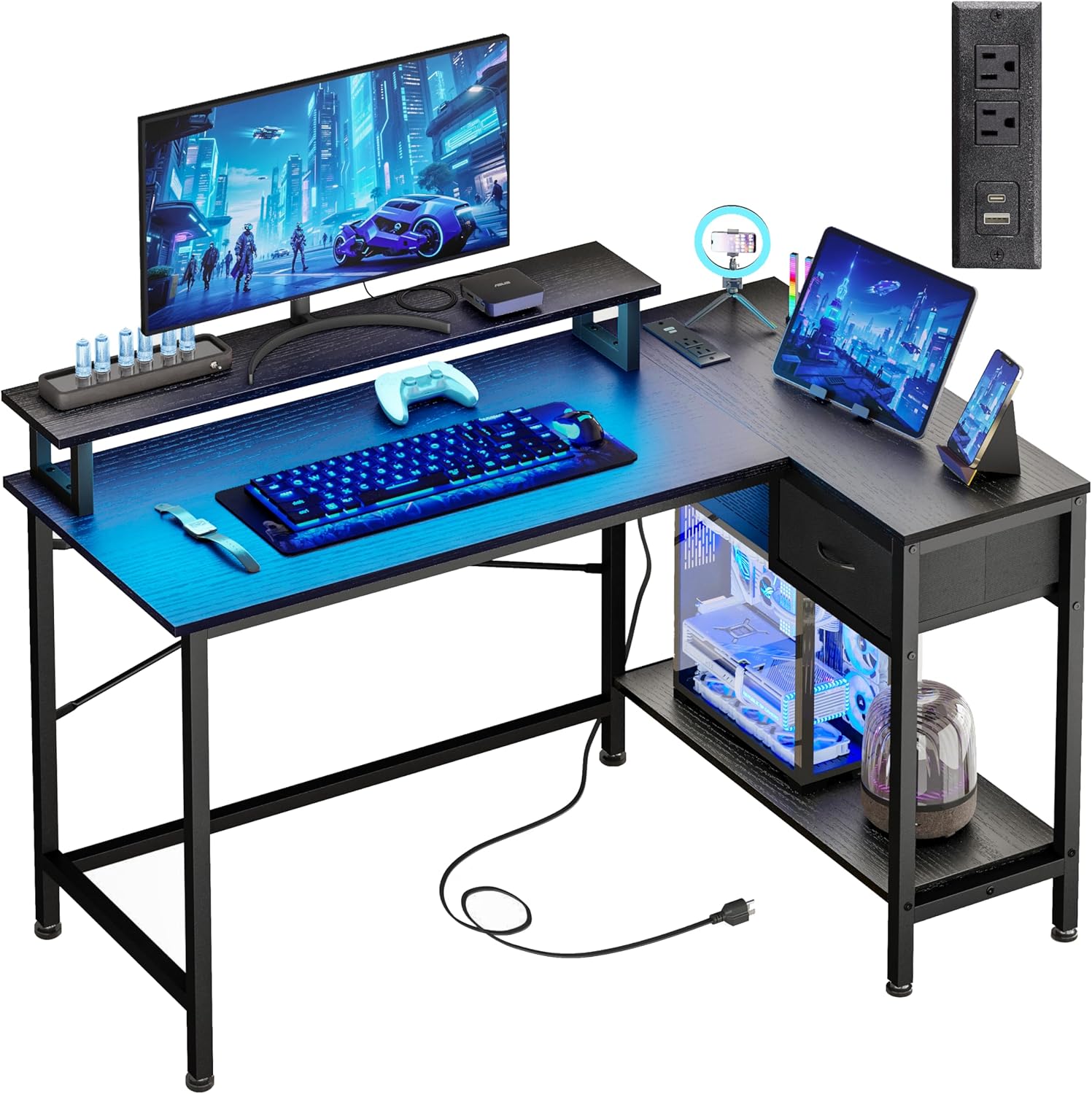
Image: The Fixwal L-Shaped Gaming Desk, showcasing its design and functionality in a typical user environment.
Maklumat Keselamatan
Untuk mengelakkan kecederaan atau kerosakan pada produk, sila patuhi garis panduan keselamatan berikut:
- Do not exceed the maximum weight capacity of 150 lbs (68 kg) for the desk surface.
- Pastikan semua skru dan pengikat diketatkan dengan kukuh semasa pemasangan dan periksa secara berkala sama ada ia longgar.
- Keep liquids away from the power outlets and LED light strip to prevent electrical hazards.
- Pasang meja di atas permukaan yang lembut dan bersih untuk mengelakkan komponen tercalar.
- This L-shaped desk is not reversible; the drawer can only be installed on the right side.
Warning: This desk should not be loaded beyond 150 lbs to ensure safety and stability.
Kandungan Pakej
Sebelum memulakan pemasangan, sahkan bahawa semua komponen ada dan tidak rosak. Jika mana-mana bahagian yang hilang atau rosak, sila hubungi sokongan pelanggan.
- Desk Panels (Main desktop, L-extension, monitor stand, drawer panels, bottom shelf)
- Metal Frame Components (Legs, support bars)
- Hardware Kit (Screws, bolts, Allen wrench)
- LED Strip Light Kit (LED strip, controller, remote)
- Power Outlet Unit (2 AC outlets, 1 USB-A, 1 USB-C port, power cord)
- Alas Kaki Boleh Laras
- Manual Arahan Pemasangan
Arahan Persediaan dan Pemasangan
Assembly typically takes 30-60 minutes. Follow the included step-by-step instructions carefully. It is recommended to have two people for assembly.
Petua Pemasangan Utama:
- Identify all parts: Lay out all components and hardware, matching them with the parts list in the separate assembly guide.
- Do not overtighten screws initially: Hand-tighten screws during initial assembly, then fully tighten once the entire structure is aligned.
- Install the monitor stand: The monitor stand is designed to accommodate two 21-24 inch monitors and supports up to 50 lbs.
- Ensure stability: The desk features cross-bracing for enhanced stability. Ensure these are correctly installed.
- Adjust foot pads: Use the adjustable anti-slip foot pads to level the desk on uneven surfaces and protect your floor.

Image: A detailed diagram illustrating the dimensions and weight capacities for different sections of the desk, including the main desktop (150 lbs), monitor stand (50 lbs), and drawer (20 lbs).

Imej: Dari dekat view of the X-shaped cross-bracing, highlighting the structural support for enhanced desk stability.
Arahan Operasi
Lampu Jalur LED:
The integrated LED strip lights offer customizable ambiance for your workspace or gaming setup.
- Kaedah Kawalan: The LED lights can be controlled via a physical switch control or a Bluetooth control application on your smartphone.
- Pilihan Warna: Choose from 12 static RGB colors.
- Kecerahan: Adjust between 6 brightness levels.
- Mod Dinamik: Explore various dynamic lighting modes.
- Fungsi Memori: The lights retain your last setting when powered off and on.

Image: A smartphone displaying the Bluetooth application interface for controlling the desk's LED lights, showing color and mode selection.

Image: An infographic highlighting the RGB LED light strip's capabilities, such as 20 dynamic modes, a built-in microphone for sound reactivity, music synchronization, and a timing function.
Alur Kuasa:
The integrated power strip provides convenient access to charging ports.
- Cawangan AC: Two standard 120V/12A AC outlets for powering devices like monitors or laptops.
- Port USB: One USB-A charging port and one USB-C charging port (5V/2A) for mobile devices, power banks, and gaming accessories.
- Kord Kuasa: The unit includes a 4.9-foot power cord for connection to a wall outlet.

Imej: Dari dekat view of the desk's integrated power strip, showing two AC outlets, a USB-A port, and a USB-C port, with a smartphone charging.

Image: An infographic illustrating the technical specifications of the built-in power outlets, including voltage, amperage, and USB port output.
Penyelenggaraan
Regular maintenance will help prolong the life and appearance of your Fixwal desk.
- Pembersihan: Lap permukaan meja dengan lembut, damp kain. Elakkan bahan kimia yang keras atau pembersih kasar yang boleh merosakkan kemasan.
- Berhabuk: Regularly dust the LED strip and power outlets to ensure proper function and prevent dust buildup.
- Pemeriksaan perkakasan: Periksa semua skru dan bolt secara berkala untuk memastikan ia kekal ketat. Ketatkan semula jika perlu.
- Pengurusan Kabel: Organize cables to prevent tangles and reduce strain on the power outlets.
Menyelesaikan masalah
Jika anda menghadapi masalah dengan meja anda, rujuk masalah dan penyelesaian biasa berikut:
| Masalah | Kemungkinan Punca | Penyelesaian |
|---|---|---|
| Meja goyah/tidak stabil | Loose screws; uneven floor; incorrect assembly of cross-bracing. | Ensure all screws are fully tightened. Adjust the foot pads to level the desk. Verify cross-bracing is installed correctly. |
| Lampu LED tidak berfungsi | Power not connected; faulty connection; remote battery dead. | Check if the LED strip is properly plugged into its power source. Ensure connections are secure. Replace remote battery if applicable. |
| Power outlets not providing power | Desk power cord unplugged; circuit breaker tripped; device not properly plugged in. | Ensure the desk's main power cord is securely plugged into a working wall outlet. Check your home's circuit breaker. Verify devices are fully inserted into the outlets. |
| Bahagian tidak sejajar semasa pemasangan | Orientasi bahagian yang salah; kecacatan pembuatan. | Double-check the assembly instructions and part numbers. If parts are still misaligned, contact customer support for assistance. |
Spesifikasi
| Ciri | Perincian |
|---|---|
| Jenama | Fixwal |
| Nombor Model | L Shaped Desk 0002 |
| Dimensi Produk (D x W x H) | 19.7"D x 43"W x 30.1"H |
| warna | Hitam |
| Jenis Bahan Atas | Metal, MDF Board |
| Bahan Asas | Keluli Aloi |
| Cadangan Berat Maksimum | 150 paun |
| Bilangan Laci | 1 |
| Bilangan Rak | 1 (lower shelf) |
| Ciri Khas | LED Strip Lights, Built-in Power Outlets (2 AC, 1 USB-A, 1 USB-C), Monitor Stand, Utility Drawer, CPU Tower Space |
| Power Outlet Specs | AC: 120V/12A; USB: 5V/2A |
| Panjang Kord Kuasa | 4.9 kaki |
| Perhimpunan Diperlukan | ya |
Maklumat Waranti
The Fixwal L-Shaped Gaming Desk comes with a limited warranty. Please refer to the warranty card included in your package for specific terms, conditions, and duration of coverage. This warranty typically covers manufacturing defects under normal use.
Sokongan Pelanggan
If you have any questions, require assistance with assembly, or need to report missing/damaged parts, please contact Fixwal customer support. Refer to the contact information provided in your product packaging or visit the official Fixwal store on Amazon: