
1. Pengenalan dan Lebihview
This manual provides instructions for the SKMEI Kids Digital Watch, Model 2309. This watch is designed for children, featuring a digital display, durable construction, and water resistance up to 50 meters. It includes functions such as time display (12/24 hour format), date, week, alarm, chronograph, and an LED backlight for visibility in low light conditions.
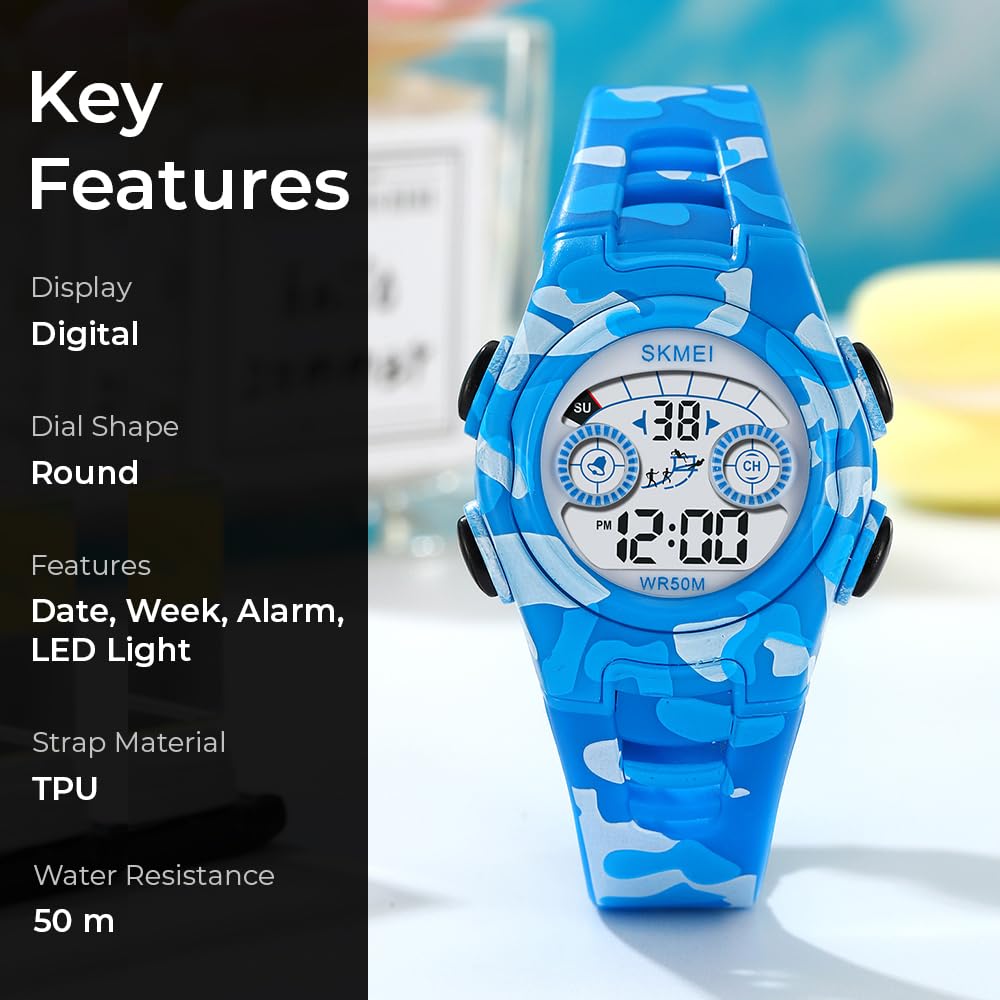
Rajah 1: Depan view of the SKMEI Kids Digital Watch Model 2309, highlighting its digital display and blue camouflage strap.
2. Komponen Jam Tangan
Familiarize yourself with the watch's buttons and display areas.
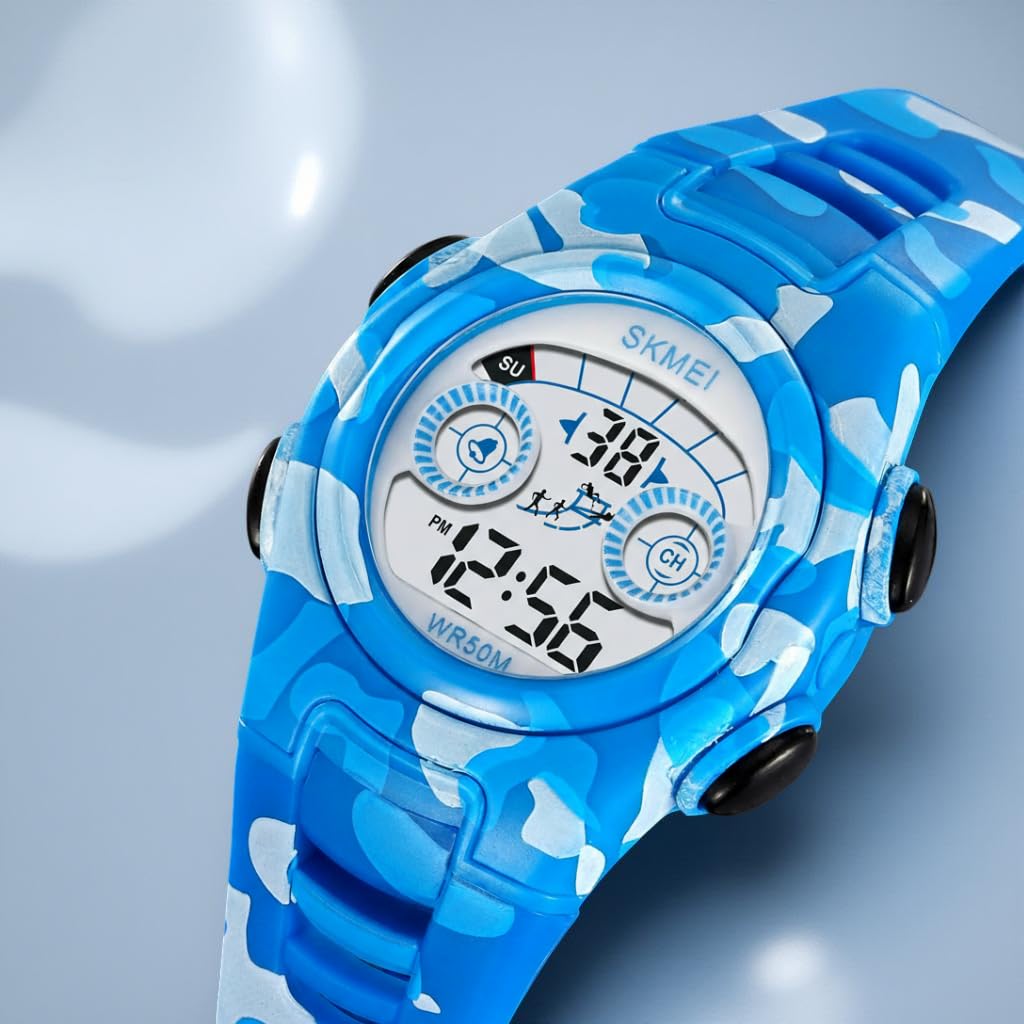
Rajah 2: Sisi view illustrating the four control buttons: CAHAYA (kiri atas), MODE (kiri bawah), MULAKAN (kanan atas), dan TETAP SEMULA (bottom right).
- Butang LIGHT (Kiri Atas): Mengaktifkan lampu latar LED.
- Butang MOD (Kiri Bawah): Cycles through different display modes (Time, Alarm, Chronograph).
- Butang MULA (Kanan Atas): Used to start/stop functions in Chronograph mode and adjust settings.
- Butang TETAP SEMULA (Bahagian Kanan Bawah): Used to reset functions in Chronograph mode and select settings.
3. Arahan Persediaan
3.1 Menetapkan Masa dan Tarikh
- Daripada paparan masa biasa, tekan butang MODE butang tiga kali untuk memasuki mod tetapan masa. Saat akan berkelip.
- Tekan ke TETAP SEMULA button to select the item to be adjusted (seconds, hours, minutes, month, date, day of week).
- Tekan ke MULAKAN button to adjust the flashing item.
- To switch between 12-hour and 24-hour format, adjust the hour past 12 in 12-hour mode (PM will appear) or past 24 in 24-hour mode.
- Setelah semua tetapan betul, tekan butang MODE butang untuk keluar dari mod tetapan dan kembali ke paparan masa biasa.
3.2 Menetapkan Penggera
- Daripada paparan masa biasa, tekan butang MODE butang dua kali untuk memasuki mod tetapan penggera. Jam akan berkelip.
- Tekan ke TETAP SEMULA butang untuk memilih antara tetapan jam dan minit.
- Tekan ke MULAKAN butang untuk melaraskan jam atau minit yang berkelip.
- Tekan ke MODE butang untuk keluar dari mod tetapan penggera.
- Untuk menghidupkan/mematikan penggera, tekan butang MULAKAN dan TETAP SEMULA buttons simultaneously in alarm mode. An alarm icon will appear/disappear.
4. Arahan Operasi
4.1 Menggunakan Lampu Latar LED
Tekan ke CAHAYA butang (kiri atas) untuk menerangi paparan. Lampu latar akan kekal menyala selama beberapa saat.
4.2 Menggunakan Kronograf (Jam Randik)
- Daripada paparan masa biasa, tekan butang MODE button once to enter chronograph mode. The display will show "00:00:00".
- Tekan ke MULAKAN butang untuk memulakan pemasaan.
- Tekan ke MULAKAN butang sekali lagi untuk menjeda masa.
- Tekan ke MULAKAN button to resume timing.
- Semasa dijeda, tekan butang TETAP SEMULA butang untuk mengosongkan jam randik kepada "00:00:00".
- Tekan ke MODE button to exit chronograph mode.
4.3 Displaying Date and Day of Week
In normal time display mode, the date and day of the week are typically shown on the screen. If not, a quick press of the MULAKAN button might cycle through date/time views depending on the specific watch firmware.
5. Penyelenggaraan
- Tahan Air: The watch is water-resistant up to 50 meters (5 ATM). This means it is suitable for handwashing, swimming, and exposure to rain. Do not press buttons underwater. Avoid hot water, saunas, or deep diving, as this can compromise the water seal.
- Pembersihan: Bersihkan jam tangan dengan kain lembut,amp kain. Elakkan menggunakan bahan kimia yang keras atau bahan yang melelas.
- Bateri: The watch uses 1 C battery (included). Battery replacement should ideally be performed by a qualified technician to ensure water resistance is maintained.
- Storan: Simpan jam tangan di tempat yang sejuk dan kering jauh dari cahaya matahari langsung dan suhu yang melampau.

Rajah 3: Belakang view of the watch, displaying the model number and water resistance rating.
6. Penyelesaian masalah
- Paparan kosong atau malap: The battery may be low or depleted. Consider professional battery replacement.
- Masa tidak tepat: Re-set the time following the instructions in Section 3.1. Ensure the 12/24 hour format is correctly set.
- Butang tidak bertindak balas: Ensure the watch is not wet. If the issue persists, a soft reset (removing and reinserting the battery) by a professional might be necessary.
- Penggera tidak berbunyi: Verify that the alarm is set and activated (check for the alarm icon on the display). Ensure the volume is not muted if applicable (this model does not have volume control, but it's a general troubleshooting tip).
7. Spesifikasi
| Ciri | Spesifikasi |
|---|---|
| Nombor Model | 2309 |
| Jenis Paparan | digital |
| Jenis Pergerakan | Kuarza |
| Bahan Kes | Akrilonitril Butadiena Stirena (ABS) |
| Bahan Band | Poliuretana Termoplastik (TPU) |
| Bahan Kristal | damar |
| Kedalaman Rintangan Air | 50 Meter (5 ATM) |
| Diameter Kes | 34.5 mm |
| Ketebalan Kes | 12.2 mm |
| Panjang Jalur | 23 sm |
| Berat Barang | 26.3 Gram |
| Ciri Khas | 12/24 hour clock, Alarm, Chronograph, Date-Week, Time, LED Backlight |
| Sumber Kuasa | Dikuasakan oleh Bateri (1 bateri C disertakan) |

Figure 4: Watch dimensions for Model 2309.
8. Waranti dan Sokongan
Your SKMEI Kids Digital Watch Model 2309 comes with a 9-month Manufacturer Warranty dari tarikh pembelian.
For any service-related inquiries or feedback, please contact the SKMEI India Helpline:
- Nombor Talian Bantuan: 1800-889-6251
- Waktu Operasi: Monday to Saturday, 9:00 AM to 6:00 PM
Manufacturer and Importer: SKMEI