
pengenalan
Thank you for choosing the OnePlus Nord Buds 3 Pro wireless earbuds. These earbuds are designed to provide an immersive audio experience with features like Hybrid Active Noise Cancellation, deep bass, and extended battery life. This manual provides detailed instructions for setting up, operating, maintaining, and troubleshooting your device to ensure optimal performance.
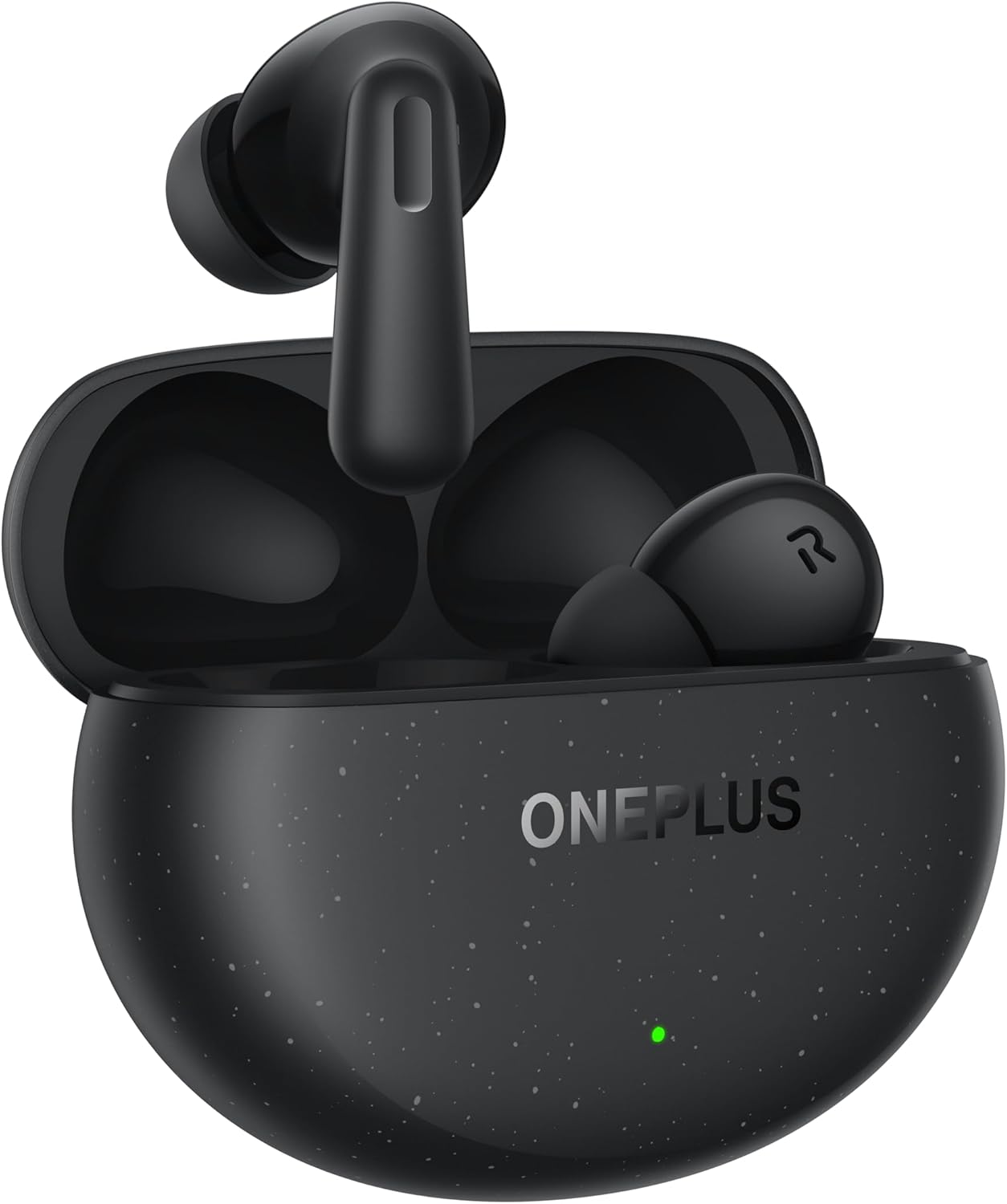
Image: The OnePlus Nord Buds 3 Pro earbuds, in Starry Black, are shown inside their open charging case. The case has a speckled finish and the OnePlus logo. A small green LED indicator is visible on the front of the case.
Apa yang ada dalam Kotak
Carefully unpack your OnePlus Nord Buds 3 Pro and ensure all items are present:
- OnePlus Nord Buds 3 Pro earbuds (1 pair)
- OnePlus Nord Buds 3 Pro charging case (1 unit)
- Silicon eartips (3 pairs: S, M, L)
- USB Type-C charging cable (1 unit)
- User guide (1 unit)
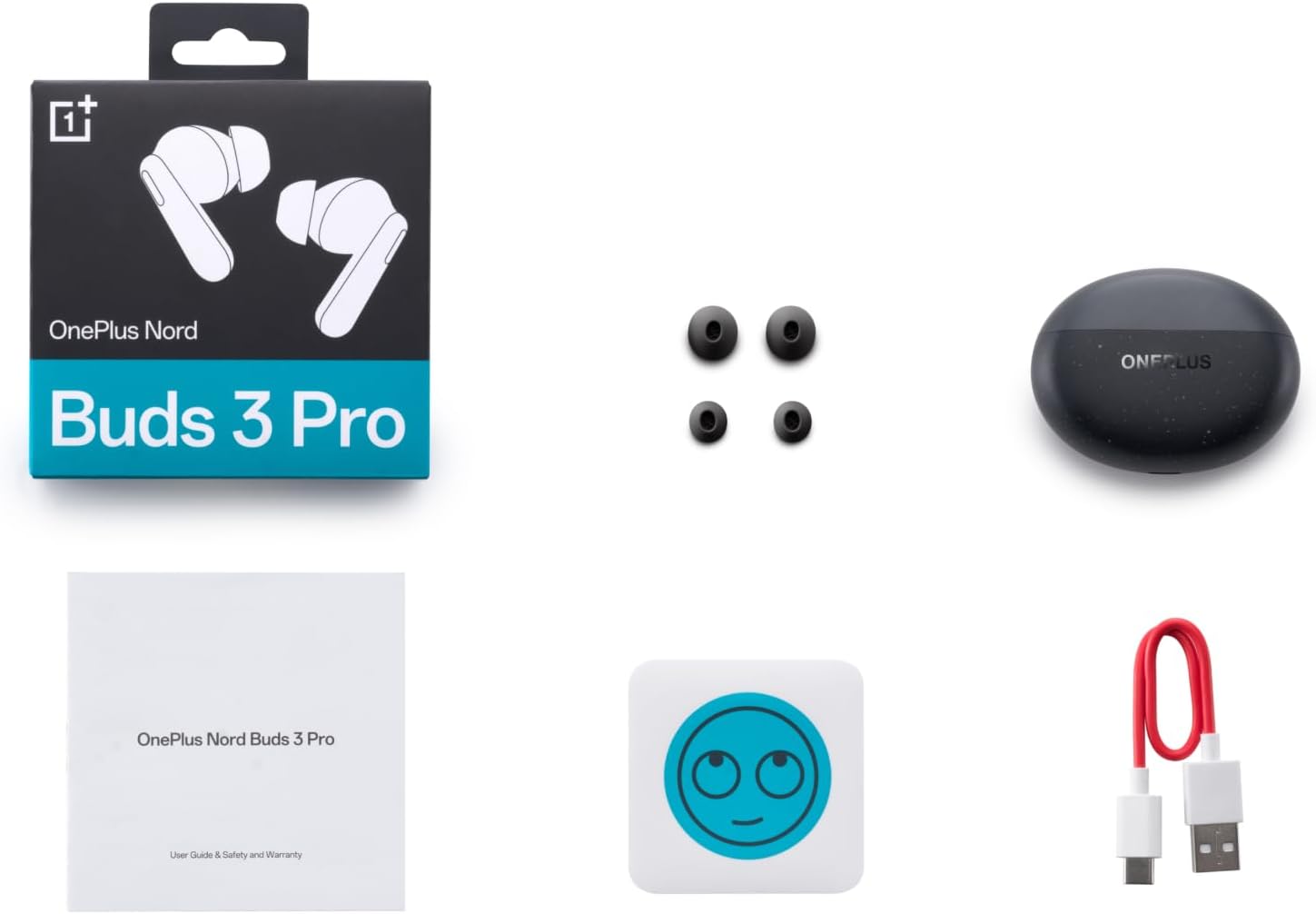
Image: A flat lay of the OnePlus Nord Buds 3 Pro package contents, including the retail box, the charging case, three pairs of silicone eartips, a USB Type-C charging cable, and the user guide.
Persediaan
1. Pengecasan Awal
Before first use, fully charge the earbuds and the charging case. Connect the provided USB Type-C cable to the charging port on the case and a power source. The indicator light on the case will show charging status.
2. Berpasangan dengan Peranti Anda
- Pastikan fon telinga berada dalam bekas pengecasan dan penutup kotak terbuka.
- Press and hold the function button on the charging case for 2 seconds until the indicator light flashes white, indicating pairing mode.
- On your device (smartphone, tablet, etc.), go to Bluetooth settings and select "OnePlus Nord Buds 3 Pro" from the list of available devices.
- For Android devices, the earbuds support Google Fast Pair for quick connection. Simply open the case near your Android device and follow the on-screen prompts.

Image: A person holding a OnePlus Nord Buds 3 Pro charging case and a smartphone. The smartphone screen displays a prompt for Google Fast Pair, showing the earbuds ready to connect, illustrating the pairing process.
3. HeyMelody App
For enhanced features and customization, download the HeyMelody app from your device's app store. The app allows you to manage settings, update firmware, and locate your earbuds.
Arahan Operasi
Kawalan Sentuh
The OnePlus Nord Buds 3 Pro feature intuitive touch controls on each earbud. Default controls are as follows, but can often be customized via the HeyMelody app:
- Ketuk tunggal: Main/Jeda muzik, Jawab/Tamatkan panggilan.
- Tekan dua kali: Lagu seterusnya, Tolak panggilan.
- Ketuk Tiga Kali: Lagu sebelumnya.
- Press and Hold (1 second): Switch between Active Noise Cancellation (ANC) and Transparency mode.
Pembatalan Bunyi Aktif (ANC) dan Mod Ketelusan
The earbuds offer Hybrid Active Noise Cancellation up to 49dB to minimize ambient noise. Transparency mode allows you to hear your surroundings without removing the earbuds. Toggle between these modes by pressing and holding the earbud touch area.

Image: An infographic detailing key features of the OnePlus Nord Buds 3 Pro, including up to 44 hours listening time, 49dB Hybrid Active Noise Cancellation, 12.4mm Titanized Diaphragm, and Basswave 2.0 technology.
Kualiti Bunyi
Equipped with a 12.4mm titanium-coated diaphragm and Basswave 2.0 technology, the Nord Buds 3 Pro deliver rich bass, clear vocals, and an immersive sound experience.
Bateri dan Pengecasan
- Hayat Bateri Earbud: Up to 44 hours with ANC off, up to 20 hours with ANC on (including charging case).
- Pengecasan Cepat: Pengecasan selama 10 minit memberikan masa bermain sehingga 11 jam.
- Sarung Pengecasan: Recharge the case using the provided USB Type-C cable.
Penyelenggaraan
- Pembersihan: Bersihkan fon telinga dan bekas pengecas dengan kerap menggunakan kain yang lembut, kering dan tidak berbulu. Jangan gunakan bahan kimia yang keras atau bahan yang melelas.
- Telinga: Remove and clean the silicone eartips with water and mild soap if necessary. Ensure they are completely dry before reattaching.
- Mengecas Kenalan: Keep the charging contacts on both the earbuds and inside the case clean and free of debris to ensure proper charging.
- Storan: Apabila tidak digunakan, simpan fon telinga di dalam bekas pengecas untuk melindunginya dan memastikan ia dicas. Elakkan suhu yang melampau.
Menyelesaikan masalah
Fon telinga tidak berpasangan atau bersambung:
- Pastikan fon telinga dicas.
- Place earbuds in the case, close the lid, then open it again to re-enter pairing mode.
- Semak tetapan Bluetooth peranti anda dan pastikan Bluetooth didayakan.
- Cuba lupakan peranti dalam tetapan Bluetooth anda dan pasangkan semula.
- Mulakan semula peranti anda.
Tiada bunyi atau kualiti bunyi yang lemah:
- Semak tahap kelantangan pada kedua-dua peranti anda dan fon telinga.
- Ensure the earbuds are properly seated in your ears and the correct size eartips are used.
- Bersihkan sebarang serpihan daripada pembesar suara fon telinga dan kanta lekap pengecas.
- Bergerak lebih dekat dengan peranti anda yang disambungkan untuk mengelakkan gangguan.
Fon telinga tidak dicas:
- Pastikan kabel pengecasan disambungkan dengan selamat pada kedua-dua bekas dan sumber kuasa.
- Sahkan sumber kuasa aktif.
- Bersihkan sesentuh pengecasan pada kedua-dua fon telinga dan dalam sarung.
Spesifikasi
| Ciri | Perincian |
|---|---|
| Nama Model | Nord Buds 3 Pro (E511A) |
| Jenama | OnePlus |
| Teknologi Ketersambungan | Bluetooth |
| Versi Bluetooth | 5.4 |
| Kawalan Bunyi | Pembatalan Bunyi Aktif Hibrid (sehingga 49dB) |
| Saiz Pemandu | 12.4mm Titanized Diaphragm |
| Julat Kekerapan | 20 Hz - 20,000 Hz |
| Sensitiviti | 38 dB |
| Impedans | 32 Ohm |
| Hayat Bateri (Earbud + Sarung) | Up to 44 hours (ANC off), Up to 20 hours (ANC on) |
| Caj Pantas | Cas 10 minit untuk masa main 11 jam |
| Antara Muka Pengecasan | USB Jenis-C |
| Penempatan Telinga | Di Telinga |
| Berat Barang | 3.52 auns (0.1 Kilogram) |
| Dimensi Produk | 1.09 x 0.92 x 0.82 inci |
Waranti dan Sokongan
The OnePlus Nord Buds 3 Pro are covered by a limited warranty. Please refer to the warranty card included in your package for specific terms and conditions, or visit the official OnePlus weblaman web untuk maklumat jaminan terperinci.
For technical support, troubleshooting assistance, or service inquiries, please visit the Sokongan OnePlus webtapak atau hubungi perkhidmatan pelanggan mereka secara terus.