
1. Produk Lebihview
The Casio G-Shock G-Steel GM2110D is an analog-digital combination watch featuring a robust stainless steel bezel and a durable band. This model is designed for resilience and style, incorporating advanced features within a slim, octagonal case. It offers both analog time display and digital functionalities, making it suitable for various environments and activities.
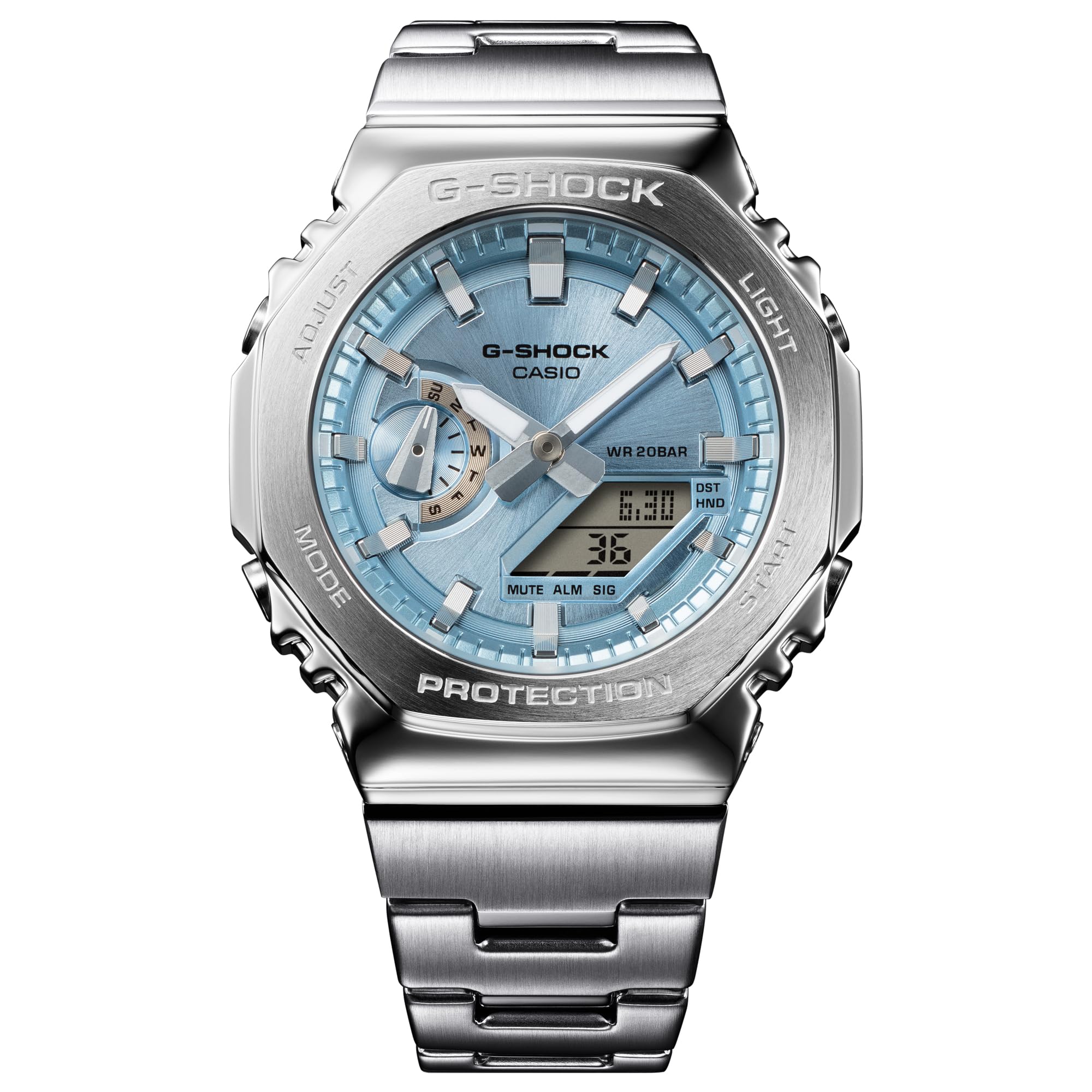
Imej: Depan view of the Casio G-Shock G-Steel GM2110D watch, showcasing its sky blue dial and stainless steel construction.
2. Persediaan Awal
Upon receiving your Casio G-Shock G-Steel GM2110D watch, ensure all protective films are removed. The watch is equipped with Tough Solar technology, meaning it charges using both natural and artificial light. Place the watch in a well-lit area to ensure it receives sufficient charge before initial use. For optimal performance, regular exposure to light is recommended.
2.1 Unboxing and First Look
Video: An unboxing of the Casio G-Shock GM-2110D-2A watch, showing the initial presentation and removal of protective packaging.
2.2 Smartphone Link (Bluetooth)
To utilize the full range of features, download the official Casio Watches app on your smartphone. Enable Bluetooth on your phone and follow the in-app instructions to pair your watch. This connection allows for automatic time synchronization, easy adjustment of watch settings, and access to world time functions.

Imej: Side profile of the Casio G-Shock G-Steel GM2110D, highlighting the slim case design and button layout.
3. Arahan Operasi
Your G-Shock watch is designed for intuitive operation. The buttons on the side of the case control various functions. Refer to the digital display for mode indications and settings. The analog hands automatically adjust to the synchronized time.
3.1 Timekeeping and World Time
With Bluetooth connectivity, the watch automatically synchronizes time with your smartphone, ensuring accurate timekeeping. To check world time, use the Casio Watches app or navigate through the watch's modes using the 'MODE' button. The digital display will show the selected world time zone.
3.2 Stopwatch, Timer, and Alarms
Access the stopwatch, countdown timer, and daily alarm functions via the 'MODE' button. Use the 'START' and 'ADJUST' buttons to operate and set these features. The watch supports multiple daily alarms for convenience.
3.3 Hand Shift Feature and LED Light
If the analog hands obstruct the digital display, activate the hand shift feature to temporarily move them out of the way. The watch features a double LED light for illumination, ensuring readability in low-light conditions. One LED illuminates the analog face, and another illuminates the digital display.

Image: The Casio G-Shock G-Steel GM2110D watch worn on a wrist, demonstrating its fit and appearance during use.
4. Penyelenggaraan
Regular maintenance ensures the longevity and optimal performance of your G-Shock watch. Keep the watch clean by wiping it with a soft, dry cloth. Avoid exposing it to extreme temperatures or harsh chemicals.
4.1 Strap Care and Replacement
The watch features a durable band. If you wish to replace the strap, the quick-release mechanism allows for easy removal and attachment of compatible straps. Ensure the new strap is securely fastened before wearing.
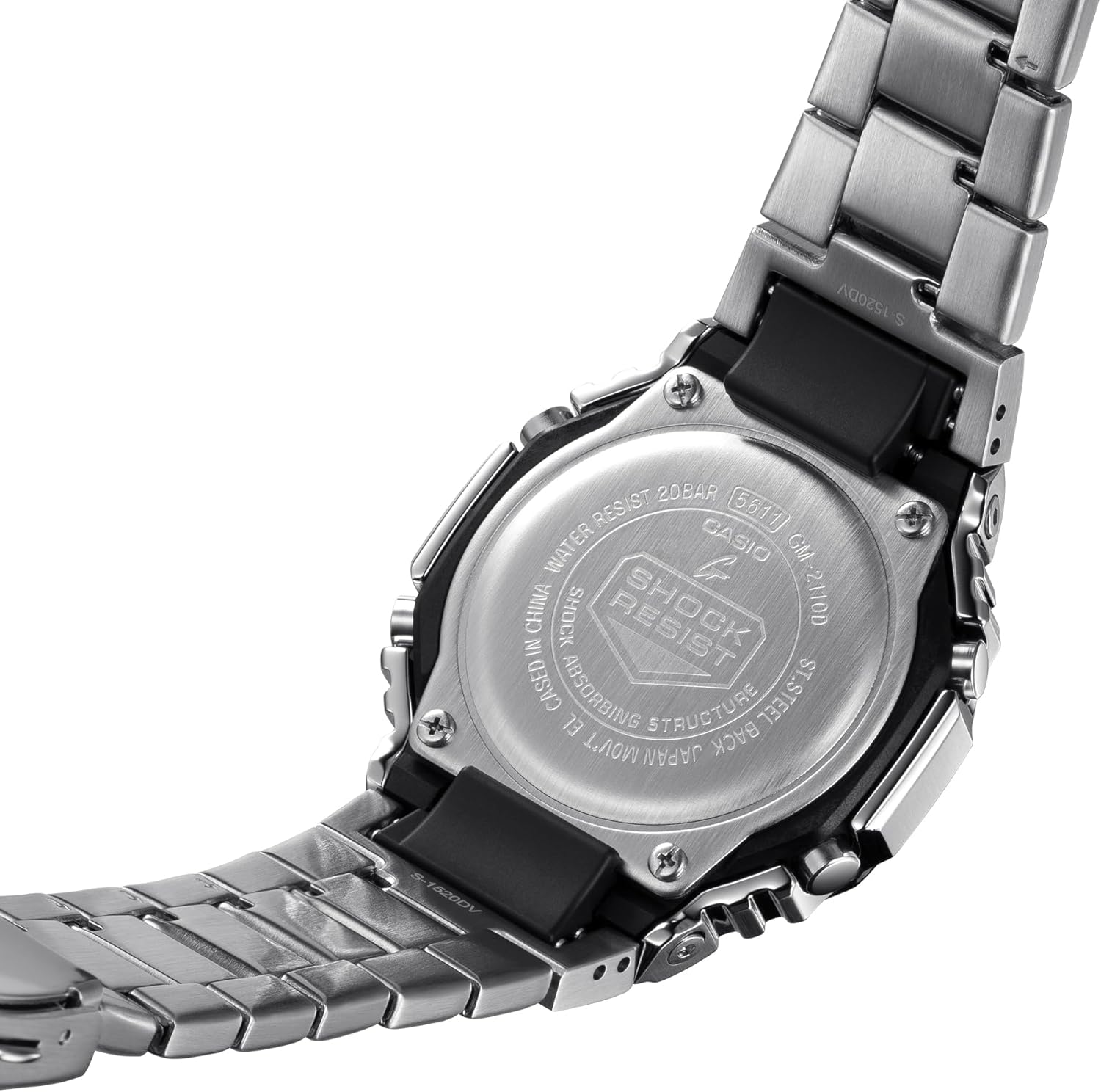
Image: Close-up of the watch's stainless steel case back, showing engraved model number, water resistance, and 'Shock Resist' logo.

Imej: Bersudut view of the watch's back, showing the quick-release pins for the strap and the clasp mechanism.
5. Penyelesaian masalah
If you encounter any issues with your watch, please refer to the following general troubleshooting tips:
- Tonton Tidak Mengecas: Ensure the watch is exposed to sufficient light for an adequate period. Tough Solar requires light exposure to charge the internal battery.
- Paparan Masa Salah: Verify that the watch is successfully paired with the Casio Watches app via Bluetooth. The app will automatically correct time settings. Manual adjustment is also possible if needed.
- Isu Kesambungan Bluetooth: Check your smartphone's Bluetooth settings and ensure the watch is within range. Restarting both the watch and your phone may resolve connection problems.
- Hands Not Moving: If the analog hands are stuck or not moving, try performing a hand alignment correction through the Casio Watches app or by following the manual's specific instructions for hand adjustment.
6. Spesifikasi
| Ciri | Perincian |
|---|---|
| Nombor Model | GM2110D-2A |
| Saiz Kotak (P×L×T) | 49.3 × 44.4 × 11.8 mm |
| Berat badan | 146 g |
| Bahan Sarung dan Bezel | Resin / Stainless steel |
| Bahan Band | Keluli Tahan Karat |
| Tahan Air | 200 meter |
| Bekalan Kuasa | Tough Solar (berkuasa suria) |
| kaca | Kaca Mineral |
| Ketersambungan | Bluetooth® Pintar |
| Masa Dunia | 31 zon waktu (48 bandar + UTC) |
| Jam randik | Jam randik 1/100 saat |
| Pemasa Undur | ya |
| Penggera | 5 penggera harian |
| Cahaya | Lampu LED Berganda (Super Illuminator) |
| Kalendar | Kalendar automatik penuh (hingga tahun 2099) |
7. Maklumat Waranti
Your Casio G-Shock G-Steel GM2110D watch is covered by a standard manufacturer's warranty. This warranty typically covers defects in materials and workmanship under normal use. For specific details regarding the warranty period, coverage, and claims process, please refer to the warranty card included with your product or visit the official Casio webtapak.
8. Sokongan Pelanggan
For further assistance, technical support, or service inquiries regarding your Casio G-Shock G-Steel GM2110D watch, please contact Casio customer service. You can find contact information, FAQs, and additional resources on the official Casio website or through the Casio Watches app.