
1. Pengenalan
Thank you for choosing the Hulkman Mega 576Wh Portable Power Station. This manual provides essential information for the safe and efficient operation of your device. Please read it thoroughly before use and retain it for future reference.
The Hulkman Mega is a versatile power solution designed for various applications, from outdoor adventures to emergency home backup. It features a 576Wh ternary lithium battery, multiple output ports, and rapid charging capabilities, ensuring reliable power wherever you need it.
2. Maklumat Keselamatan
Sentiasa patuhi langkah berjaga-jaga keselamatan berikut untuk mengelakkan kecederaan atau kerosakan pada peranti:
- Jangan buka, baiki atau ubah suai unit. Pemasangan semula yang salah boleh menyebabkan kebakaran atau kejutan elektrik.
- Do not expose the unit to fire or extreme temperatures (above 140°F / 60°C).
- Do not use or store the unit in bathrooms or areas exposed to water or moisture.
- Jauhkan unit daripada kanak-kanak dan haiwan peliharaan.
- Pastikan pengudaraan yang betul semasa penggunaan dan pengecasan untuk mengelakkan terlalu panas.
- Gunakan hanya aksesori dan kabel pengecas yang diluluskan.
- Sekiranya berlaku kebakaran, gunakan alat pemadam api serbuk kering. Air boleh menyebabkan kejutan elektrik.
- Elakkan daripada menjatuhkan atau menyebabkan unit terkena hentakan yang kuat.
3. Kandungan Pakej
Sahkan bahawa semua item terdapat dalam pakej anda:
- Hulkman Mega 576Wh Portable Power Station
- AC Wall Charging Cable
- Car Cigarette Lighter Plug Charging Cable
- Manual Pengguna
4. Ciri-ciri Produk dan Lebihview
The Hulkman Mega features a robust design with multiple input and output options. Familiarize yourself with the various components:

4.1 Port Output


- Cawangan AC (x3): 600W (1200W Peak) 120V, 60Hz Pure Sine Wave.
- Port USB-C (x2): PD100W and PD65W for fast charging compatible devices.
- Port USB-A (x2): QC18W and QC12W for standard USB charging.
- DC Car Output (x1): 13.6V, 10A, 136W Max.
- Output DC 5521 (x2): 13.6V, 3A.
4.2 Port Input

- Input Pengecasan AC: 600W for rapid wall charging.
- Solar/Car Charging Input (XT60): Supports up to 400W solar input (MPPT) or 24V car input.
4.3 Paparan dan Kawalan

- Paparan led: Menunjukkan paras bateri, wat input/outputtage, remaining runtime, and error indicators.
- Dual-Button Control: Antara muka mudah untuk pengurusan kuasa.
- Jalur Lampu LED: Integrated light with touch-adjustable dimming and SOS function.
4.4 Ciri-ciri Keselamatan


- Smart Safety Switch: Automatically cuts power during overload and restores without manual reset.
- Dustproof Covers: Protects ports from dirt and moisture.
- Makluman Suhu: Visual and sound cues for high/low temperature conditions.
5. Persediaan
5.1 Pengecasan Awal
Before first use, fully charge your Hulkman Mega Power Station. This ensures optimal battery performance and calibration.
- Connect the AC Wall Charging Cable to the AC input port on the power station.
- Palamkan hujung yang satu lagi ke soket dinding standard.
- The LED display will show the charging status. The unit is fully charged when the display indicates 100%.
5.2 Menghidupkan/Mematikan
- Untuk menghidupkan unit, tekan dan tahan butang kuasa utama selama beberapa saat sehingga paparan menyala.
- To power off, press and hold the main power button again until the display turns off.
6. Arahan Operasi
6.1 Menggunakan Soket AC
The AC outlets provide 120V 60Hz pure sine wave power, suitable for sensitive electronics.
- Pastikan stesen janakuasa dihidupkan.
- Press the AC power button to activate the AC outlets. The AC indicator on the display will light up.
- Plug your device into one of the AC outlets.
- To turn off AC power, press the AC power button again.
6.2 Using DC and USB Ports
The DC and USB ports are always active when the power station is on.
- Pastikan stesen janakuasa dihidupkan.
- Plug your USB or DC device into the appropriate port.
- The display will show the output wattage.
6.3 Mod UPS
The Hulkman Mega features an Uninterruptible Power Supply (UPS) function with a 15ms switchover time, protecting connected devices from power interruptions.
- Connect the power station to a wall outlet using the AC Wall Charging Cable.
- Plug your critical devices (e.g., computers, NAS) into the AC outlets of the power station.
- Sekiranya berlaku kuasa outage, the power station will automatically switch to battery power within 15ms, providing continuous power to your devices.
6.4 Cold Weather Performance


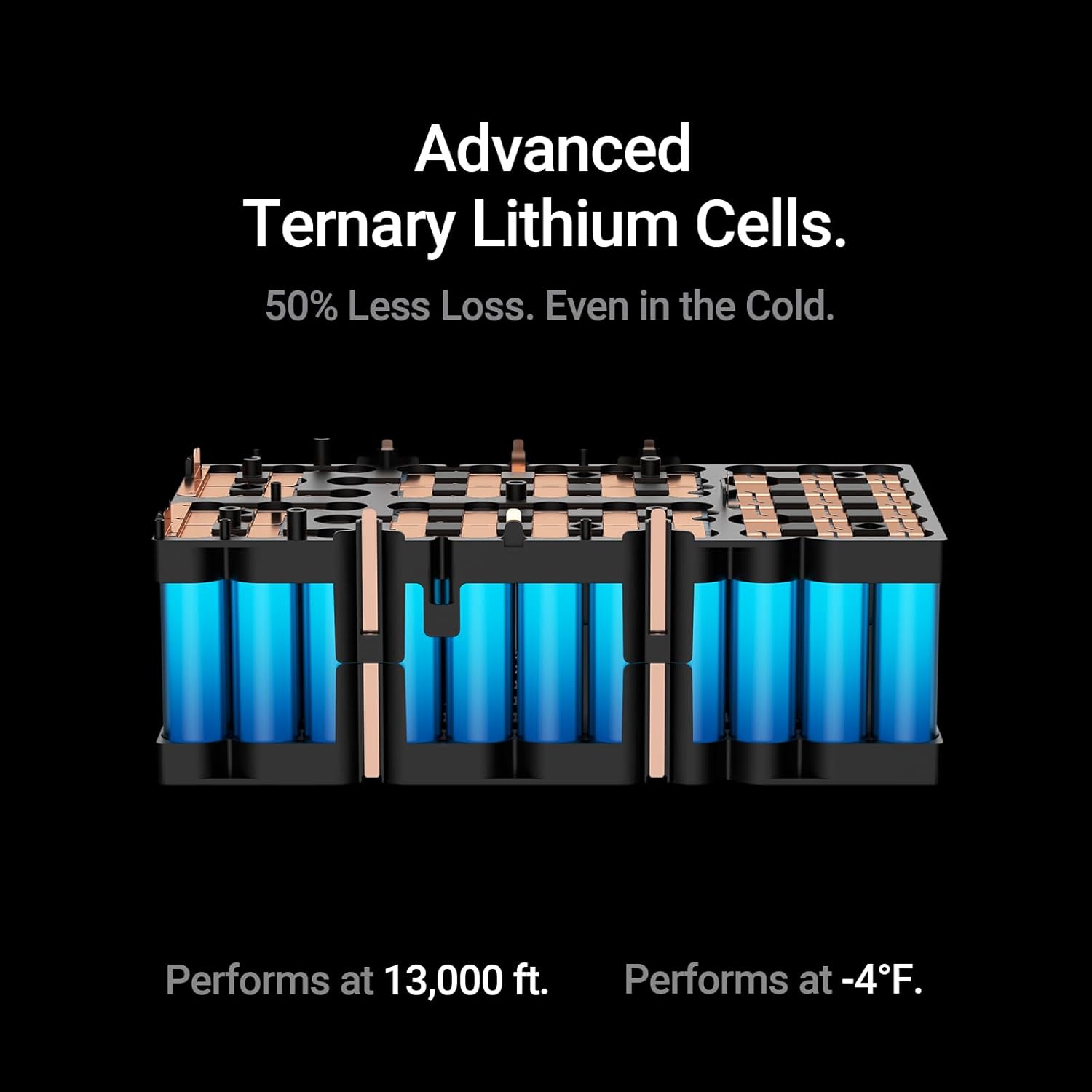
The Hulkman Mega is engineered with EV-grade ternary lithium cells, allowing it to deliver stable output even at temperatures as low as -4°F (-20°C) and altitudes up to 13,000 ft (4000m). This design minimizes power loss in cold conditions, ensuring your devices remain powered.
7. Mengecas Stesen Janakuasa
The Hulkman Mega offers multiple charging methods:

7.1 Pengecasan Dinding AC
Use the included AC Wall Charging Cable for the fastest recharge.
- Connect the AC cable to the power station's AC input and a wall outlet.
- The power station can reach 80% charge in approximately 1 hour.
7.2 Pengecasan Suria
The power station can be charged using compatible solar panels (sold separately) via the XT60 input port.
- Connect your solar panel (up to 400W MPPT) to the XT60 input port.
- Ensure the solar panels are placed in direct sunlight for optimal charging efficiency.
7.3 Mengecas Kereta
Charge your power station on the go using your vehicle's 24V cigarette lighter outlet.
- Connect the Car Cigarette Lighter Plug Charging Cable to the XT60 input port on the power station.
- Pasangkan hujung yang satu lagi ke soket pemetik api 24V kenderaan anda.
8. Kawalan Apl
Manage your Hulkman Mega Power Station remotely using the dedicated mobile application (available for Wi-Fi and Bluetooth connectivity).

- Download the Hulkman app from your device's app store.
- Follow the in-app instructions to connect your power station via Wi-Fi or Bluetooth.
- The app allows you to monitor battery status, control output ports, adjust settings, and view real-time power data.
9. Penyelenggaraan
9.1 Pembersihan
- Use a dry, soft cloth to wipe the exterior of the power station.
- Jangan gunakan pembersih yang melelas atau rendam unit di dalam air.
9.2 Penyimpanan
- Simpan stesen janakuasa di tempat yang sejuk dan kering, jauh daripada cahaya matahari langsung dan suhu yang melampau.
- For long-term storage, charge the unit to 50-80% every 3-6 months to maintain battery health.
10. Penyelesaian masalah
If you encounter issues with your Hulkman Mega Power Station, refer to the following common problems and solutions:
| Masalah | Kemungkinan Punca | Penyelesaian |
|---|---|---|
| Unit tidak dihidupkan | Bateri kehabisan bateri; Butang kuasa tidak dipegang cukup lama. | Cas unit; Tekan dan tahan butang kuasa selama 3-5 saat. |
| Cawangan AC tidak berfungsi | Output AC tidak diaktifkan; Perlindungan lebihan tercetus. | Press the AC power button; Reduce load, unit will reset automatically. |
| Pengecasan perlahan melalui solar | Insufficient sunlight; Incorrect panel connection; Panel not compatible. | Ensure direct sunlight; Check connections; Use compatible solar panels. |
| Kod ralat pada paparan | Internal fault; Over-temperature/Under-temperature. | Refer to the app for specific error details or contact support. Move to a suitable temperature environment. |
If the problem persists, please contact Hulkman customer support.
11. Spesifikasi
| Ciri | Spesifikasi |
|---|---|
| Nama Model | Mega |
| Nombor Model | H01 |
| Kapasiti Bateri | 576 Watt-jam |
| Jenis Bateri | Ternary Lithium Cells |
| Output AC | 600W (1200W Peak), 120V, 60Hz, Pure Sine Wave |
| Output USB-C | PD100W (5V/3A, 9V/3A, 12V/3A, 15V/3A, 20V/5A), PD65W (5V/3A, 9V/3A, 12V/3A, 15V/3A, 20V/3.5A) |
| Keluaran USB-A | QC18W, QC12W |
| DC Car Output | 13.6V, 10A, 136W Maks |
| Output DC 5521 | 13.6V, 3A |
| Input AC | Pengecasan Pantas 600W |
| Input Suria | Maks 400W (MPPT) |
| Input Kereta | 24V |
| Masa Pertukaran UPS | 15ms |
| Suhu Operasi | -4°F hingga 104°F (-20°C hingga 40°C) |
| Dimensi (L x W x H) | 12.17" x 7.68" x 9.61" (30.9cm x 19.5cm x 24.4cm) |
| Berat badan | 19.13 paun (8.68 kg) |
| Ketersambungan | Wi-Fi & Bluetooth App Control |
12. Waranti dan Sokongan
12.1 Maklumat Waranti
The Hulkman Mega 576Wh Portable Power Station comes with a Jaminan 5 tahun dari tarikh pembelian. Waranti ini meliputi kecacatan bahan dan mutu kerja di bawah penggunaan biasa. Ia tidak meliputi kerosakan yang disebabkan oleh salah guna, kemalangan, pengubahsuaian tanpa kebenaran atau bencana alam.
Sila simpan bukti pembelian anda untuk tuntutan waranti.
12.2 Sokongan Pelanggan
For technical assistance, troubleshooting, or warranty inquiries, please contact Hulkman customer support through the official webtapak atau maklumat hubungan yang diberikan dalam pembungkusan produk anda.
13. Video Produk Rasmi
Watch these official videos for a visual guide on using and understanding your Hulkman Mega Power Station.
Video 13.1: Mega & Solva: Power Your Adventure Without Limits. Video ini memberikan penamatview of the Hulkman Mega and its compatibility with Solva solar panels, demonstrating its use in various scenarios.
Video 13.2: Mega: Experience the Premium Build & Design in All 4 Colors. This video showcases the design and build quality of the Hulkman Mega, including its available color options.
Video 13.3: Mega's Pure Sine Wave: Safely Power Your Precision Devices. Learn about the pure sine wave output of the Hulkman Mega and how it safely powers sensitive electronics.
Video 13.4: Every Port You Need - Power Up Anytime, Anywhere. This video highlights the comprehensive array of output ports available on the Hulkman Mega, demonstrating its versatility.