
COOLCRAZY N8
COOLCRAZY N8 Dual Dash Cam User Manual
Model: N8 | Brand: COOLCRAZY
pengenalan
Thank you for choosing the COOLCRAZY N8 Dual Dash Cam. This device is designed to provide comprehensive recording of your driving journey with its advanced 4K front and 1080P rear cameras. Equipped with features like 5G WiFi, GPS, night vision, and parking mode, the N8 ensures your safety and provides crucial evidence when needed. This manual will guide you through the installation, operation, and maintenance of your dash cam to ensure optimal performance.
Kandungan Pakej
Sila sahkan bahawa semua item terdapat dalam pakej anda:
- 1 x COOLCRAZY N8 4K Dash Cam
- 1 x 1080P Kamera Belakang
- 1 x Kabel Bekalan Kuasa 11.8 kaki dengan Pengecas Kereta
- 1 x 20.3 kaki Kabel Kamera Belakang
- 1 x Suction cup mount with built-in GPS
- 1 x 64GB Kad Memori
- 2 x Pelekat Elektrostatik
- 1 x Manual Pengguna
- 1 x Mount Tool (Pry Tool)
- 1 x Dust Free Cloth

Image: All components included in the COOLCRAZY N8 Dash Cam package, including the main unit, rear camera, cables, mount, memory card, and accessories.
Produk Selesaiview
The COOLCRAZY N8 features a compact design with a 3-inch IPS screen for clear viewing. The front camera records in stunning 4K resolution, while the rear camera captures 1080P footage, providing comprehensive coverage of your vehicle's surroundings. Integrated GPS tracks your location and speed, and 5G WiFi allows for seamless app connectivity.

Image: The COOLCRAZY N8 Dual Dash Cam, showcasing its main unit, rear camera, and a smartphone displaying the companion app's interface with GPS and video playback.
Ciri-ciri Utama
- 4K+1080P Dual Recording: Records videos up to Ultra HD 4K (front) and 1080P (rear) resolution, capturing clear details like license plates and road signs. Features a 170° front camera and a 150° rear camera for maximum road coverage.

Image: Demonstrates the dash cam's ability to capture clear license plates with both front 4K UHD and rear 1080P FHD cameras, highlighting wide-angle views.
- Built-in 5G WiFi: Experience unmatched speed and convenience. View and manage footage on iOS/Android devices, download 4K videos instantly, and share on social media. Manage recordings anytime, anywhere.

Image: Illustrates the dash cam's built-in 5G Wi-Fi and GPS capabilities, showing app connectivity for live viewing, file browsing, and sharing on social media platforms.
- 24-hour Parking Mode & Superior Night Vision: When parked, the dash cam automatically switches to parking mode for monitoring and protection. Features Time Lapse recording to save power and storage (requires additional ACC hardwire kit). F1.5 Extra-large aperture ensures clear details in low-light environments.

Image: Compares the dash cam's superior night vision performance (left) against a standard camera (right), showing clearer details and license plate readability in low light.

Image: Displays the four optional 24/7 parking modes: Motion Detection, Collision Detection, Low Bitrate Mode, and Low Framerate Mode, emphasizing continuous vehicle protection.
- GPS terbina dalam: Enables real-time live speed and compass display on the 3” IPS screen. View your driving route and location on the app, with speed stamps embedded in the video for additional evidence.

Image: Highlights the dash cam's WiFi connectivity and high-precision GPS, showing how the built-in WiFi allows for live viewing dan file management, while GPS tracks location and speed.
- Loop Recording & G-Sensor: Menulis ganti foo tertua secara automatiktage when the memory is full, ensuring continuous recording with the included 64GB card. The built-in G-sensor detects sudden movements or impacts, automatically locking and protecting associated footage daripada ditimpa.

Image: Illustrates the loop recording function, where new records overwrite old ones, and shows recording times for different memory card sizes (32GB, 64GB, 128GB, 256GB).

Image: Details the buffered parking mode, which saves 15 seconds before and 30 seconds after motion detection, and the G-sensor's adjustable motion detection for collision protection.
- Superkapasitor: Provides reliable and long-lasting performance even in extreme temperatures, offering higher heat/cold resistance and a longer product life compared to traditional batteries.
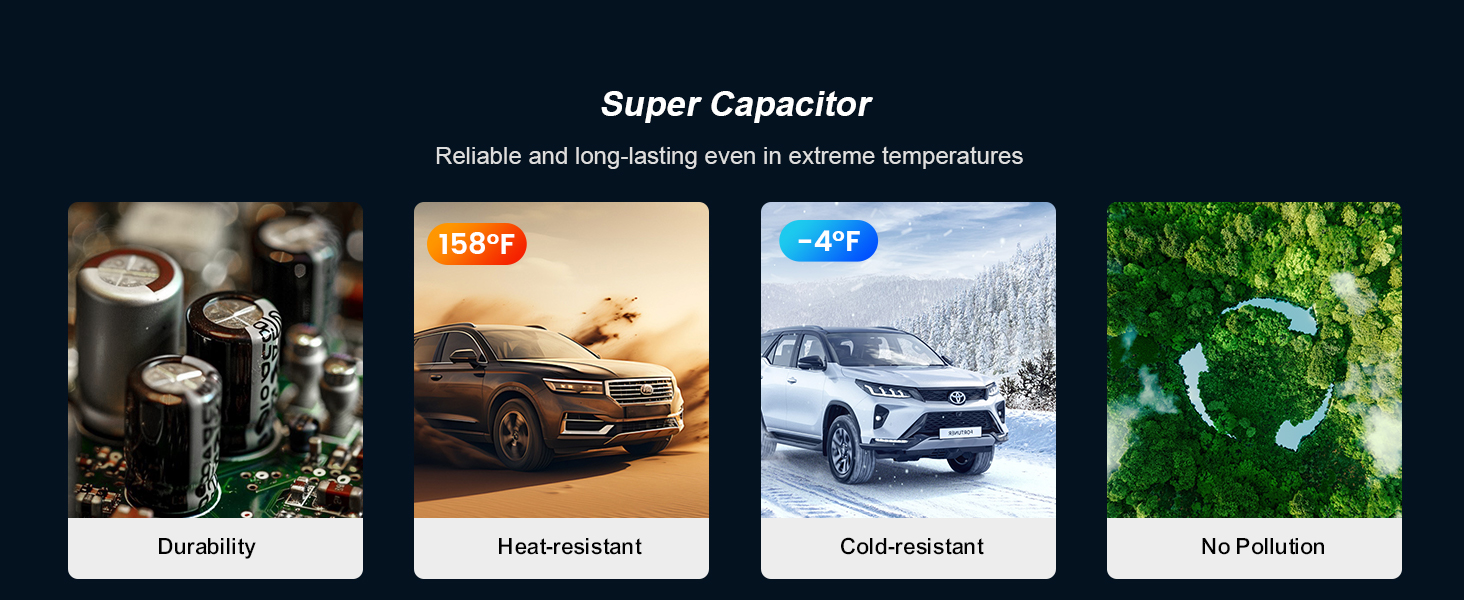
Image: Explains the benefits of the supercapacitor, including durability, heat resistance (up to 158°F), cold resistance (down to -4°F), and environmental friendliness (no pollution).
- Dual HDR: Equipped with advanced HDR technology to balance bright and dark details, ensuring clear capture of license plates and other crucial information in various lighting conditions, including strong sunlight, tunnels, heavy rain, snowfall, and overcast skies.

Image: Illustrates the Dual HDR feature, showing how it improves image quality by reducing glare (top comparison) and compensating for darkness (bottom comparison) to retain all details.
Persediaan dan Pemasangan
Follow these steps for a quick and easy installation:
- Sediakan Cermin Depan: Clean the area on your windshield where you intend to mount the dash cam. Ensure it is free of dust and grease for optimal suction.
- Attach Electrostatic Sticker: Apply one of the provided electrostatic stickers to the cleaned area on the windshield. This helps protect your windshield and makes removal easier.
- Lekapkan Cam Dash Depan: Attach the suction cup mount with the built-in GPS to the electrostatic sticker. Press firmly to ensure a secure grip. Adjust the angle of the dash cam for an optimal view jalan di hadapan.
- Sambungkan Kuasa: Plug the 11.8ft power supply cable into the dash cam's Type-C port and the other end into your car's cigarette lighter socket.
- Pasang Kamera Belakang: Attach the rear camera to the rear window glass using its adhesive. Route the 20.3ft rear camera cable from the rear camera to the front dash cam, connecting it to the designated port. Use the included pry tool to neatly tuck the cable along the car's headliner and pillars.
- Hidupkan dan Uji: Start your vehicle. The dash cam should automatically power on and begin recording. Check the screen to ensure both front and rear camera views are displayed correctly.

Image: A diagram illustrating the simple 5-minute quick installation process, showing connections between the car charger, front dash cam, rear camera, and rear cable.
Arahan Operasi
Operasi Asas
- Hidupkan/Mati Kuasa: Kamera papan pemuka akan dihidupkan secara automatik dan mula merakam apabila penyalaan enjin kenderaan anda dihidupkan. Ia akan dimatikan secara automatik apabila penyalaan enjin dimatikan. Anda juga boleh menghidupkan/mematikannya secara manual menggunakan butang kuasa.
- Rakaman: Once powered on, the dash cam automatically begins continuous loop recording. The recording indicator will typically flash or remain solid.
- Paparan Skrin: The 3-inch IPS screen displays real-time footage from both front and rear cameras. You can switch between views or turn off the screen display while recording continues in the background.
Using the Mobile App (Viidure App)
The COOLCRAZY N8 features built-in 5G WiFi for seamless connection to your smartphone via the Viidure App (available on App Store and Google Play).
- Muat turun Apl: Cari untuk "Viidure" in your device's app store and install it.
- Enable Dash Cam WiFi: On the dash cam, navigate to the settings menu and enable the WiFi function. The screen will display the WiFi network name (SSID) and password.
- Sambungkan Telefon Anda: On your smartphone, go to WiFi settings, find the dash cam's SSID, and enter the password to connect.
- Access Footage: Open the Viidure App. You can now view hidup footage, layari video yang dirakam, muat turun fileke telefon anda dan laraskan tetapan kamera papan pemuka terus daripada aplikasi.
Mod Letak Kereta
To enable 24-hour parking monitoring, an optional ACC hardwire kit is required (ASIN: B0DH5BH9KS). Once installed, the dash cam will automatically activate parking mode when the vehicle is turned off. It supports various parking modes including motion detection, collision detection, low bitrate recording, and low framerate recording.
G-Sensor dan Rakaman Kecemasan
The built-in G-sensor automatically detects sudden impacts or rapid acceleration/deceleration. When such an event occurs, the dash cam will automatically lock the current video segment, preventing it from being overwritten by loop recording. These emergency videos are stored in a separate folder for easy access.
Penyelenggaraan
- Membersihkan Kanta: Use the provided dust-free cloth or a soft, lint-free cloth to gently wipe the camera lenses. Avoid using abrasive cleaners or solvents.
- Membersihkan Skrin: Wipe the IPS screen with a soft, dry cloth. Do not press too hard on the screen.
- Penjagaan Kad SD: Periodically format the included 64GB memory card (every 2-4 weeks is recommended) within the dash cam's settings to maintain optimal performance and prevent data corruption. Use only high-quality Class 10 or U3 microSD cards.
- Suhu: Avoid exposing the dash cam to extreme temperatures for prolonged periods. The supercapacitor design provides excellent heat and cold resistance, but prolonged exposure to direct sunlight in a hot car can still affect its lifespan.
Menyelesaikan masalah
| Masalah | Kemungkinan Punca | Penyelesaian |
|---|---|---|
| Dash cam tidak dihidupkan. | Tiada bekalan kuasa; sambungan longgar; pengecas kereta rosak. | Check car charger connection and car's power outlet. Ensure ignition is on. Try a different USB-C cable or car charger. |
| Rakaman berhenti atau membeku. | SD card full; slow SD card; SD card error. | Format the SD card. Use a high-speed (Class 10 or U3) microSD card. Replace the SD card if issues persist. |
| Video footage adalah kabur atau tidak jelas. | Filem pelindung pada kanta; kanta kotor; fokus yang salah. | Tanggalkan sebarang filem pelindung daripada kanta. Bersihkan kanta dengan kain lembut. Pastikan kamera dipasang dengan kukuh dan tidak bergetar. |
| Isu sambungan WiFi. | Incorrect password; too far from dash cam; app issue. | Ensure correct WiFi password. Stay close to the dash cam. Restart the app and dash cam. Reinstall the app if necessary. |
| Mod letak kereta tidak berfungsi. | No hardwire kit; incorrect settings. | Ensure the ACC hardwire kit is correctly installed. Check parking mode settings in the dash cam menu. |
Spesifikasi Teknikal
| Ciri | Spesifikasi |
|---|---|
| Nama Model | N8 |
| Dimensi Produk | 2.94 x 3.76 x 3.3 inci |
| Berat Barang | 1.6 auns |
| Resolusi Tangkapan Video | Front: 4K (3840*2160P), Rear: 1080P |
| Sudut Kamera Depan | Sudut Lebar 170° |
| Sudut Kamera Belakang | Sudut Lebar 150° |
| Paparan | Skrin IPS 3" |
| Ketersambungan | Built-In 5G WiFi, Built-In GPS |
| Penglihatan Malam | F1.5 Extra-large aperture, HDR Technology |
| Penyimpanan | Supports up to 256GB (64GB card included) |
| Sumber Kuasa | Supercapacitor |
| Jenis Pemasangan | Pemasangan Cermin Depan (Cawan Sedutan) |
Waranti dan Sokongan
COOLCRAZY provides an 18-month extended guarantee for your N8 Dual Dash Cam, ensuring peace of mind with your purchase. Our dedicated after-sales team is available 24/7 to assist you with any inquiries or concerns.
For customer support, please contact us via email:
Ask a question about this manual
Ask about setup, troubleshooting, compatibility, parts, safety, or missing instructions. Manuals+ will review the question and use this page’s manual context to help answer it.