
pengenalan
This manual provides instructions for the setup, operation, and maintenance of your RadioShack Wireless Gaming Mouse. Please read this manual thoroughly before using the product to ensure proper function and longevity.
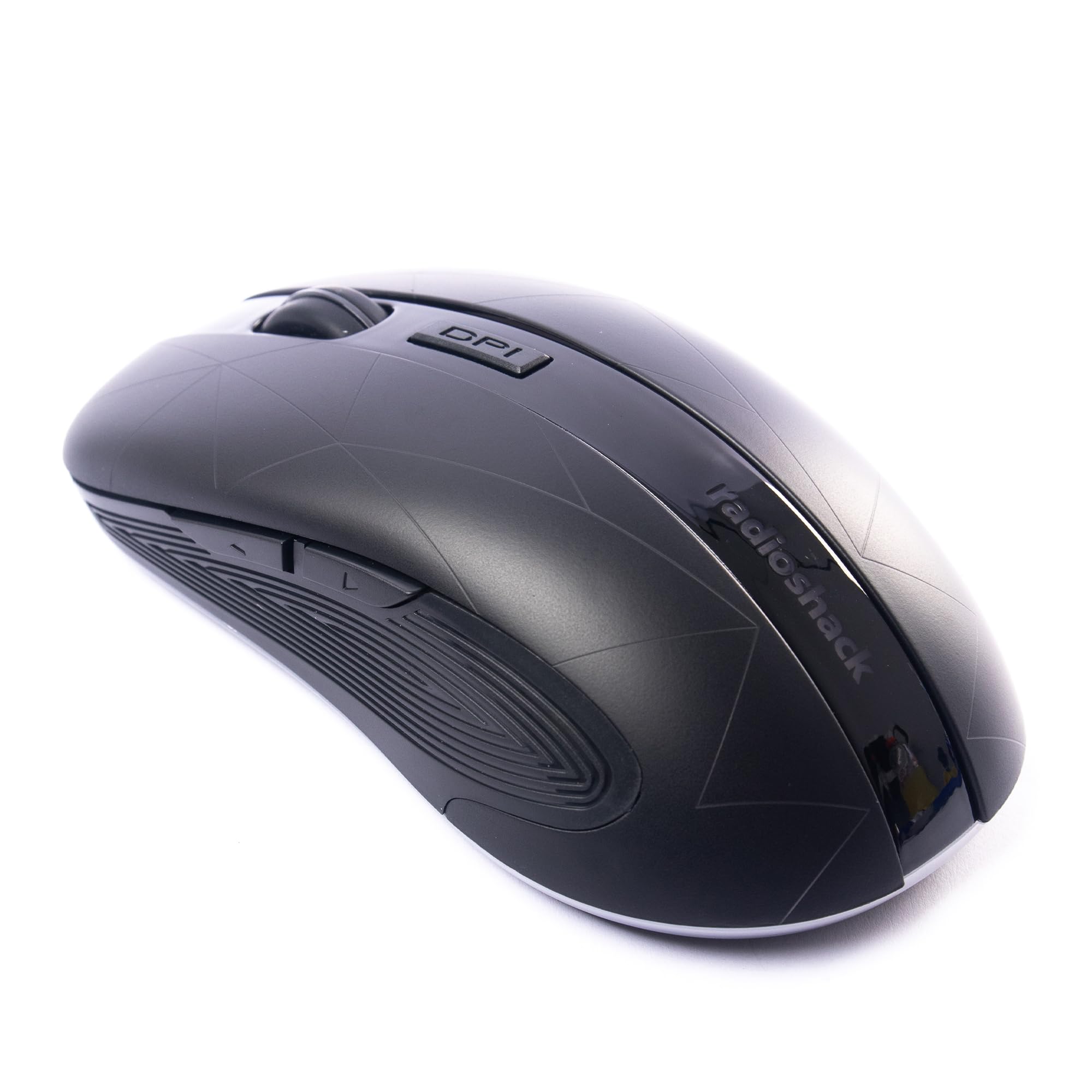
Image: The RadioShack Wireless Gaming Mouse, showcasing reka bentuk ergonomik dan susun atur butangnya.
Kandungan Pakej
Sahkan bahawa semua item terdapat dalam pakej:
- 1 x RadioShack Wireless Gaming Mouse
- 1 x Penerima Nano USB
- 1 x Kabel Pengecasan

Image: An infographic detailing the contents of the product package, including the wireless gaming mouse.
Persediaan
- Cas Tetikus: Before first use, connect the mouse to a USB power source using the provided charging cable. The LED indicator will show charging status.
- Locate the USB Nano Receiver: The USB nano receiver is typically stored in a compartment on the underside of the mouse for convenience.
- Sambungkan Penerima: Insert the USB nano receiver into an available USB port on your computer (laptop or desktop).
- Hidupkan Tetikus: Cari suis kuasa di bahagian bawah tetikus dan luncurkannya ke kedudukan "ON".
- Pemasangan Pemandu: The mouse is plug-and-play. Your operating system (Windows, Mac, Linux, Chrome OS) should automatically detect and install the necessary drivers.

Image: The wireless gaming mouse shown alongside its compact USB nano receiver, ready for connection.
Arahan Operasi
Fungsi Asas
The mouse operates like a standard wireless mouse. Move the mouse to control the cursor on your screen. Use the left and right click buttons for primary and secondary actions, respectively. The scroll wheel allows for vertical scrolling.
Melaraskan DPI (Sensitiviti)
The mouse features an adjustable DPI setting, allowing you to change cursor sensitivity. Press the butang DPI located behind the scroll wheel to cycle through available DPI settings (800, 1200, 1600, 2400). Each press will change the sensitivity, indicated by a brief LED flash.

Imej: Sebelah view of the mouse, illustrating the location of the DPI button for sensitivity adjustments.
Butang Boleh Aturcara
This mouse is equipped with 6 programmable buttons, including customizable side buttons. For advanced customization and macro assignments, you may need to download specific software from the RadioShack support website (if available). Refer to the software's instructions for detailed programming steps.

Image: The wireless gaming mouse from an angle, clearly showing the side buttons which can be programmed for various functions.
Mengecas Tetikus
The mouse uses a built-in rechargeable Lithium Ion battery. When the battery is low, the LED indicator may flash or change color. Connect the provided charging cable to the mouse's charging port and to a USB power source (e.g., computer USB port, USB wall adapter). The LED will indicate charging status and turn off or change color when fully charged.
A full charge typically provides several hours of use, depending on usage patterns.
Penyelenggaraan
- Pembersihan: Gunakan kain lembut dan kering untuk membersihkan tetikus. Untuk kotoran degil, sedikit damp kain boleh digunakan, memastikan tiada kelembapan memasuki peranti.
- Storan: When not in use for extended periods, turn off the mouse to conserve battery life. Store the USB nano receiver inside the mouse's compartment to prevent loss.
- Elakkan Keadaan Melampau: Jangan dedahkan tetikus kepada suhu yang melampau, cahaya matahari langsung atau kelembapan yang tinggi.
Menyelesaikan masalah
| Masalah | Penyelesaian |
|---|---|
| Tetikus tidak bertindak balas |
|
| Sambungan ketinggalan atau terputus-putus |
|
| Cursor movement is erratic or imprecise |
|
Spesifikasi
- Nombor Model: 2604789
- Ketersambungan: Tanpa wayar 2.4 GHz
- Butang: 6 (Boleh Diprogram)
- Tetapan DPI: 800, 1200, 1600, 2400 (Boleh Laras)
- Pengesanan Pergerakan: Optik
- Bateri: 1 Lithium Ion (Rechargeable, included)
- Julat Operasi: Sehingga 10 meter
- Keserasian: Windows, Mac, Linux, Chrome OS
- Dimensi: 4.9" x 2.6" x 1.5"
- Berat: 6.2 auns
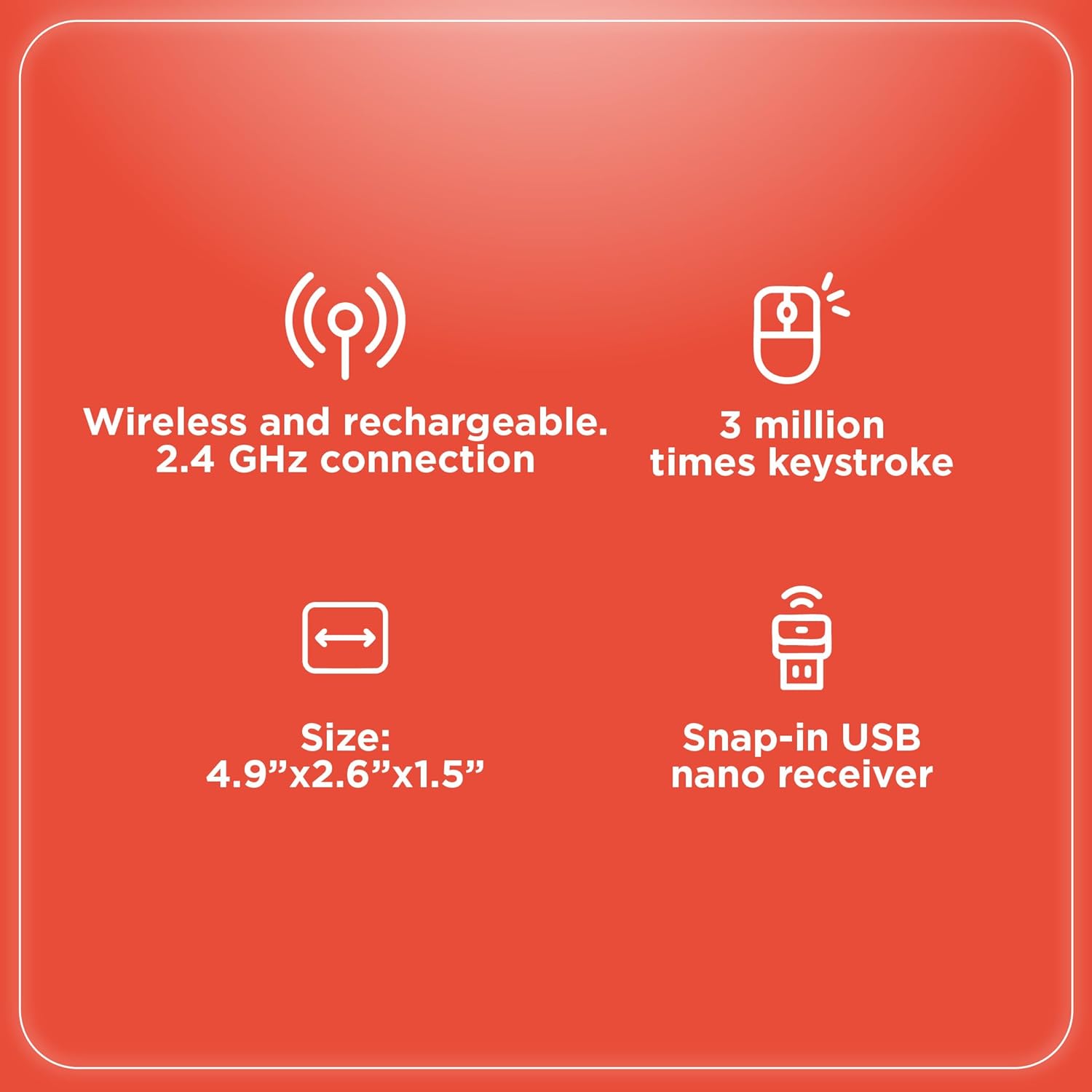
Image: An infographic summarizing key specifications of the wireless gaming mouse, including connectivity, battery, and dimensions.
Waranti dan Sokongan
Untuk maklumat jaminan dan sokongan teknikal, sila rujuk RadioShack rasmi webtapak atau hubungi perkhidmatan pelanggan mereka. Simpan resit pembelian anda sebagai bukti pembelian untuk tuntutan waranti.
Pengeluar: RadioShack
Tarikh Mula-mula Tersedia: 28 Ogos 2024