
pengenalan
Thank you for choosing the Raddy RF320 Shortwave Radio. This manual provides essential information for the safe and efficient operation of your device. Please read it thoroughly before use and retain it for future reference. The RF320 is a versatile portable radio offering comprehensive reception across AIR, FM, VHF, MW, SW, and WB bands, along with Bluetooth 5.0 connectivity, TF card playback, and emergency features like a flashlight and SOS function.
Maklumat Keselamatan
- Jangan dedahkan radio kepada suhu yang melampau, cahaya matahari langsung atau kelembapan yang tinggi.
- Elakkan daripada menjatuhkan atau meletakkan peranti kepada kesan yang kuat.
- Keep the radio away from water and other liquids. It is not waterproof.
- Use only the specified charging cable and power adapter to prevent damage.
- Do not attempt to disassemble or modify the radio. This will void the warranty and may cause harm.
- Buang bateri mengikut peraturan tempatan.
Kandungan Pakej
Sahkan bahawa semua item terdapat dalam pakej:
- Raddy RF320 Shortwave Radio
- Kabel Pengecas USB
- 3m Cable Antenna
- Fon telinga
- Manual Pemilik
Produk Selesaiview
Biasakan diri anda dengan komponen dan kawalan radio.
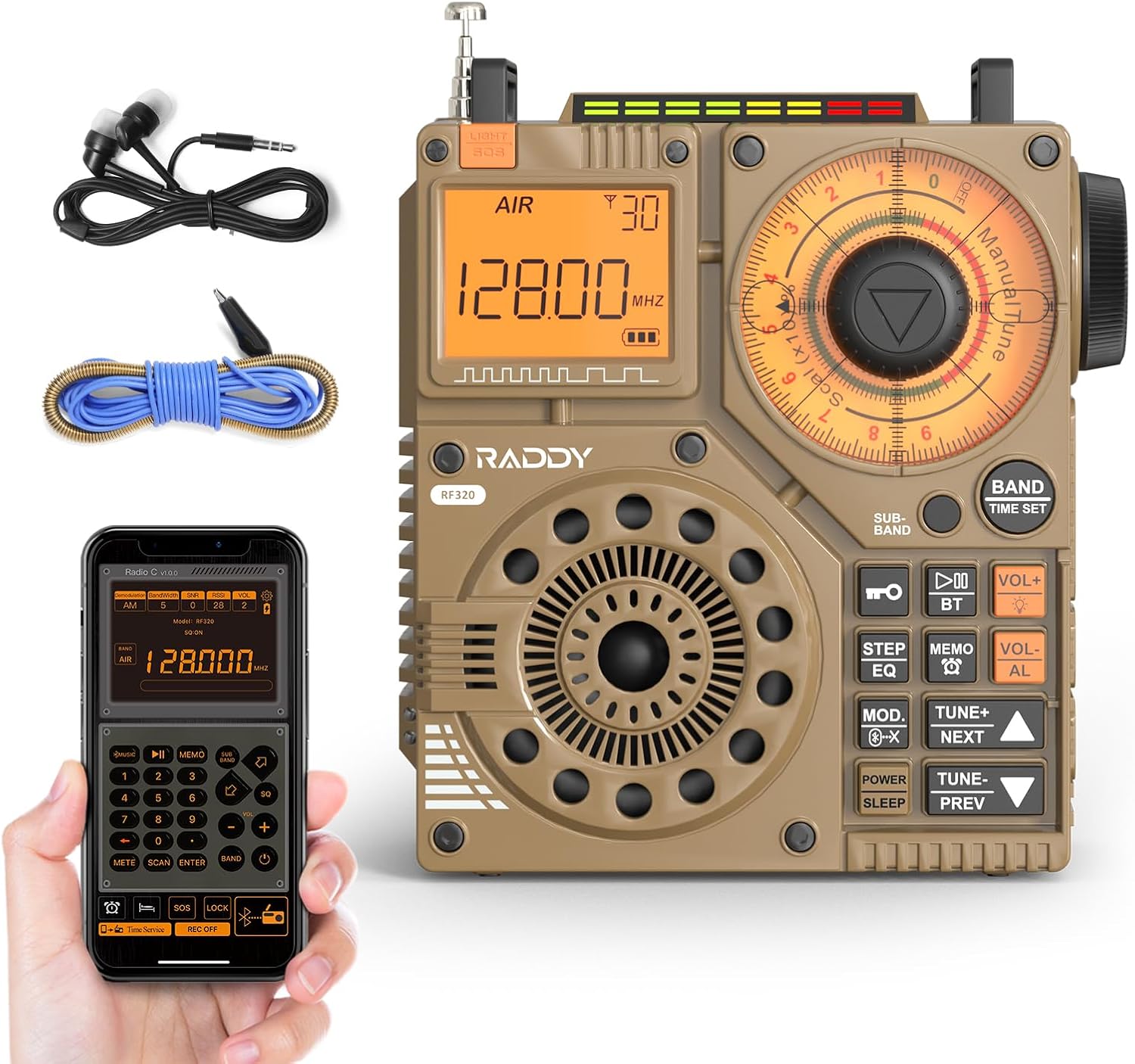
Rajah 1: Depan view of the Raddy RF320 Shortwave Radio, showing the display, speaker, and control buttons.

Rajah 2: Sisi view of the Raddy RF320, illustrating the fine-tuning knobs and their function for precise frequency adjustment.
Ciri-ciri Utama:
- Paparan Digital: Shows frequency, band, and other operational information.
- Tombol Penalaan: For manual and fine-tuning adjustments.
- Band Selection Buttons: To switch between AIR, FM, VHF, MW, SW bands.
- Kawalan Kelantangan: Melaraskan tahap output audio.
- Lampu suluh bersepadu: Untuk pencahayaan dalam keadaan cahaya malap.
- Fungsi SOS: Mengaktifkan isyarat kecemasan.
- Bluetooth 5.0: Untuk penstriman audio tanpa wayar.
- Slot Kad TF: For direct playback of stored audio files.
- Bicu Audio 3.5mm: For earphone connection.
Persediaan
1. Mengecas Bateri
The RF320 is powered by a built-in Lithium-ion battery. Before first use, fully charge the radio.
- Connect the USB charging cable to the radio's charging port.
- Sambungkan hujung kabel USB yang satu lagi ke penyesuai kuasa USB yang serasi (tidak disertakan) atau port USB komputer.
- The charging indicator on the display will show the charging status. It will typically turn off or change color when fully charged.
2. Memasang Antena
For optimal reception, especially on SW and AIR bands, extend the telescopic antenna or connect the included 3m cable antenna.
- Antena Teleskopik: Extend it fully and adjust its direction for best signal.
- Cable Antenna: Plug the cable antenna into the designated antenna jack on the radio. Extend the cable antenna as much as possible, ideally outdoors or near a window, for improved shortwave reception.
Arahan Operasi
1. Hidupkan/Mati Kuasa
Tekan dan tahan butang KUASA butang untuk menghidupkan atau mematikan radio.
2. Pemilihan Band
Tekan ke BAND button repeatedly to cycle through the available frequency bands: FM, AM (MW), SW, VHF, AIR, WB.
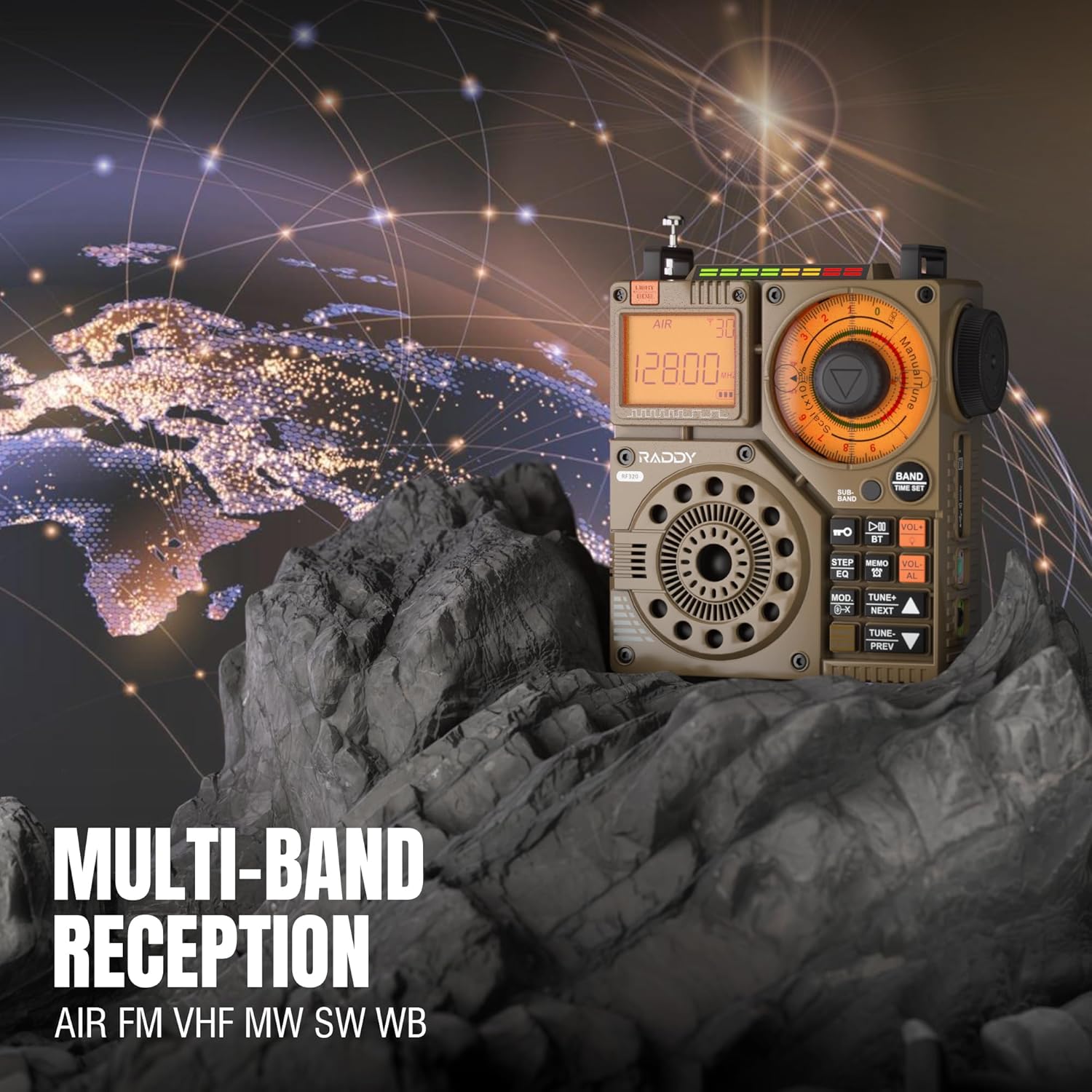
Figure 3: The Raddy RF320 radio on a rocky surface, symbolizing its multi-band reception capabilities across AIR, FM, VHF, MW, SW, and WB bands.
3. Kaedah Penalaan
The RF320 offers multiple tuning options:
- Penalaan Manual: Use the main tuning knob to adjust the frequency incrementally. The precise tuning knobs offer a minimum step value of 0.005 MHz for accurate frequency selection.
- Penalaan Digital: Use the numeric keypad (if available on the device or via app) to directly enter a frequency.
- Carian automatik: Tekan ke SCAN AUTO butang untuk mengimbas dan menyimpan stesen yang tersedia secara automatik.
- Carian Separa Automatik: This function allows for scanning within a specific range or with user intervention. Refer to the on-screen prompts or app interface for details.
4. Station Storage
The radio can store up to 955 stations (199 for each of AIR, FM, VHF, MW, and SW bands).
- Tune ke stesen yang dikehendaki.
- Tekan dan tahan butang MEMO button (or equivalent) to save the station.
- Gunakan SETERUSNYA / PREV butang untuk menavigasi melalui stesen yang disimpan.
5. Mod Bluetooth (BT)
Connect your smartphone or other Bluetooth-enabled device to stream audio wirelessly.
- Tekan ke MODE button until 'BT' or 'Bluetooth' is displayed.
- On your device, search for Bluetooth devices and select 'Raddy RF320'.
- Setelah dipasangkan, anda boleh memainkan audio daripada peranti anda melalui pembesar suara radio.
6. Main Semula Kad TF
Mainkan audio files directly from a TF (MicroSD) card.
- Insert a TF card (up to 32GB, FAT32 format) with audio files ke dalam slot kad TF.
- Tekan ke MODE button until 'TF' or 'Card' is displayed.
- Gunakan SETERUSNYA / PREV butang untuk menavigasi trek.

Figure 4: The Raddy RF320 radio next to a smartphone displaying music, highlighting its three operational modes: Bluetooth, TF Card, and Radio Receiver.
7. Flashlight and SOS Function
The RF320 includes an integrated flashlight and an SOS emergency signal.
- Lampu suluh: Tekan ke CAHAYA button to turn the flashlight on/off.
- SOS: Tekan dan tahan butang SOS button to activate the emergency alarm and flashing light. Press again to deactivate.

Figure 5: Close-up of the Raddy RF320 radio with its integrated flashlight active, demonstrating its outdoor lighting capability.
8. Kawalan Apl
The Raddy RF320 can be controlled via a dedicated application on iOS, Android, and HarmonyOS systems.
- Download the 'Radio C' application from your device's app store.
- Ensure Bluetooth is enabled on your smartphone and the RF320 radio.
- Open the app and follow the on-screen instructions to connect to your RF320.
- The app allows for digital tuning, channel naming, recording broadcasts, and other advanced controls.

Figure 6: The Raddy RF320 radio displayed alongside a smartphone running its control application, illustrating the ease of use with app integration.
Penyelenggaraan
- Bersihkan radio dengan kain lembut dan kering. Jangan gunakan pembersih atau pelarut yang melelas.
- Apabila tidak digunakan untuk tempoh yang lama, simpan radio di tempat yang sejuk dan kering.
- Periodically charge the battery to maintain its lifespan, even if the radio is not being used.
- Pastikan antena teleskopik ditarik balik apabila tidak digunakan untuk mengelakkan kerosakan.
Menyelesaikan masalah
| Masalah | Kemungkinan Punca | Penyelesaian |
|---|---|---|
| Radio tidak dihidupkan. | Bateri habis. | Cas radio sepenuhnya. |
| Penerimaan radio yang lemah. | Isyarat lemah; antena tidak dipanjangkan. | Extend the telescopic antenna or connect the 3m cable antenna. Adjust antenna position. Move to an area with better signal. |
| Sambungan Bluetooth gagal. | Radio not in BT mode; device too far; pairing issue. | Ensure radio is in BT mode. Bring devices closer. Delete 'Raddy RF320' from your device's BT list and re-pair. |
| Kad TF tidak dimainkan. | Card not inserted correctly; unsupported format; corrupted files. | Reinsert TF card. Ensure card is FAT32 format. Check if audio files disokong. |
| Kawalan apl tidak berfungsi. | Bluetooth not connected; app not updated. | Ensure radio is paired via Bluetooth. Update the 'Radio C' app to the latest version. |
Spesifikasi
| Ciri | Spesifikasi |
|---|---|
| Jenama | Raddy |
| Nombor Model | RF320 |
| Kumpulan Radio yang Disokong | AIR, FM, VHF, MW (AM), SW |
| Teknologi Penalaan | FM, AM, VHF, SW, AIR |
| Teknologi Ketersambungan | Bluetooth 5.0 |
| Ciri Khas | Digital Display, Integrated Flashlight, Rechargeable, Automatic Squelch, Keypad Lock, TF Card Playback, App Control, SOS Function |
| Dimensi Produk (L x W x H) | 15L x 9W x 15H sentimeter |
| Sumber Kuasa | Dikuasakan Bateri (termasuk 1 bateri Litium-ion) |
| Jenis Paparan | Digital Display (LCD/LED) |
| Antara Muka Perkakasan | 3.5mm Audio Jack |
| Tahap Ketahanan Air | Bukan Kalis Air |
| Bahan Dalaman | logam |
| Negara Asal | China |
Waranti dan Sokongan
Maklumat Waranti
Raddy products typically come with a standard manufacturer's warranty. Please refer to the warranty card included in your package or visit the official Raddy website for detailed warranty terms and conditions specific to the RF320 model. Keep your purchase receipt as proof of purchase for warranty claims.
Sokongan Pelanggan
For technical assistance, troubleshooting beyond this manual, or warranty inquiries, please contact Raddy customer support through their official website or the contact information provided with your product packaging. When contacting support, please have your product model (RF320) and purchase details ready.


